



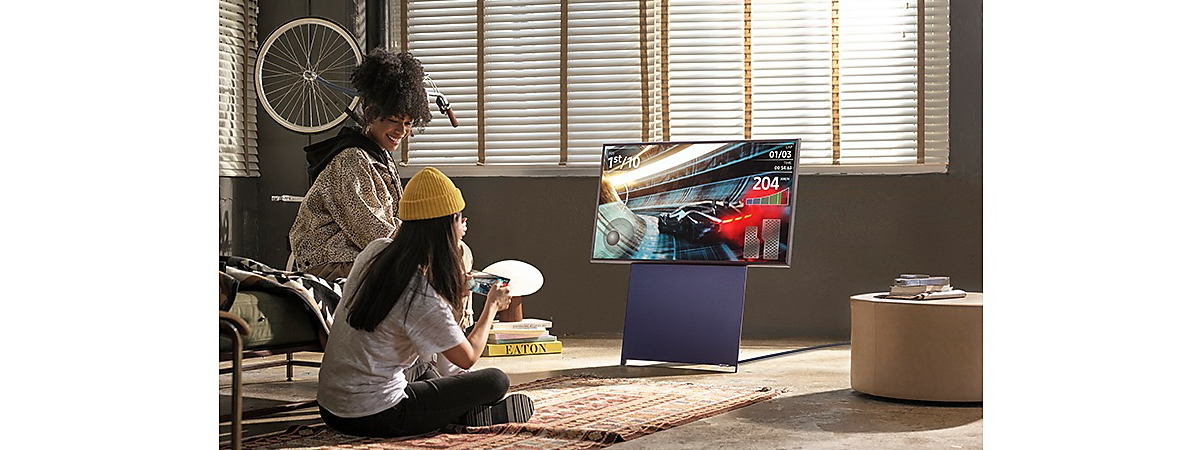
Concepts such as "Smart Home" or "smart ecosystem" are sometimes unclear to the general public. Together with Samsung, we decided to further explore these concepts and present some scenarios in which technology improves our lives. In this article, I will present the advantages of such an ecosystem when it comes to enjoying multimedia content. If you want to enhance your smart devices and find out how to access new features with the SmartThings app, read on:
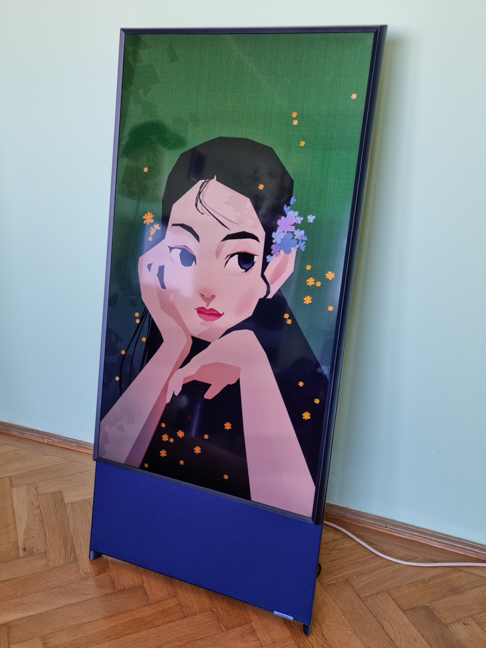
 The Sero smart TV from Samsung
Being perfectly compatible with each other, the devices can easily transfer multimedia content, but for a better integration and especially for the additional functions it brings, we also installed the SmartThings application from Samsung.
Living with the devices proved to be an extremely pleasant experience in these two weeks and made me better understand Samsung’s Smarter Living concept. Next, I will focus on each device and what innovations it brings in this mix.
The Sero smart TV from Samsung
Being perfectly compatible with each other, the devices can easily transfer multimedia content, but for a better integration and especially for the additional functions it brings, we also installed the SmartThings application from Samsung.
Living with the devices proved to be an extremely pleasant experience in these two weeks and made me better understand Samsung’s Smarter Living concept. Next, I will focus on each device and what innovations it brings in this mix.
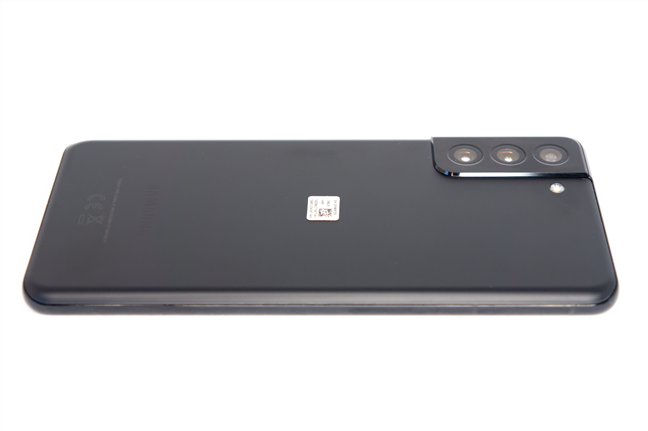
 Samsung S21 Plus is very well built and has quality materials
Some specifications relevant to the multimedia section, for starters:
Samsung S21 Plus is very well built and has quality materials
Some specifications relevant to the multimedia section, for starters:
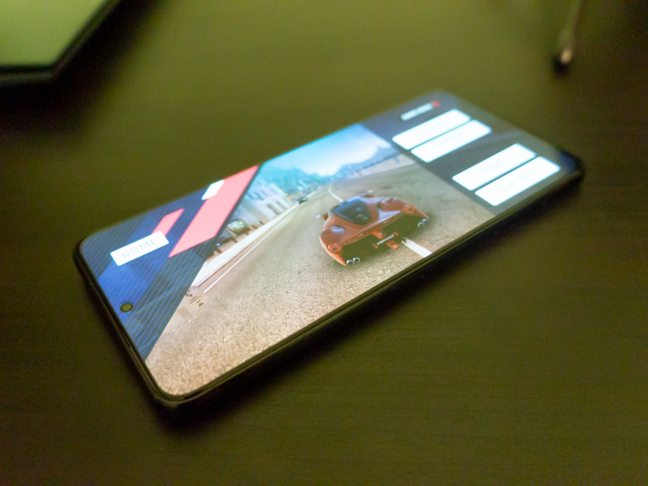
 Ok, more than a bit of gaming
The smartphone is great for multimedia content, thanks to the HDR10+ enabled screen and the powerful processor. The screen also has an adaptive refresh rate (60 or 120 Hz, depending on the content displayed) and an always-on toggle. In regards to the sound, the stereo speakers are powerful and do their job pretty well, although my recommendation is to use a Bluetooth speaker or headphones when listening to music. Activating Dolby Atmos has a subtle but noticeable beneficial effect, irrespective of whether the sound is heard from the built-in speakers or headphones. The equalizer is also present, but Samsung has gone one step further. Using the Galaxy Buds2 headphones, you can test your hearing acuity, and the phone will automatically amplify the frequencies you hear less!
Ok, more than a bit of gaming
The smartphone is great for multimedia content, thanks to the HDR10+ enabled screen and the powerful processor. The screen also has an adaptive refresh rate (60 or 120 Hz, depending on the content displayed) and an always-on toggle. In regards to the sound, the stereo speakers are powerful and do their job pretty well, although my recommendation is to use a Bluetooth speaker or headphones when listening to music. Activating Dolby Atmos has a subtle but noticeable beneficial effect, irrespective of whether the sound is heard from the built-in speakers or headphones. The equalizer is also present, but Samsung has gone one step further. Using the Galaxy Buds2 headphones, you can test your hearing acuity, and the phone will automatically amplify the frequencies you hear less!
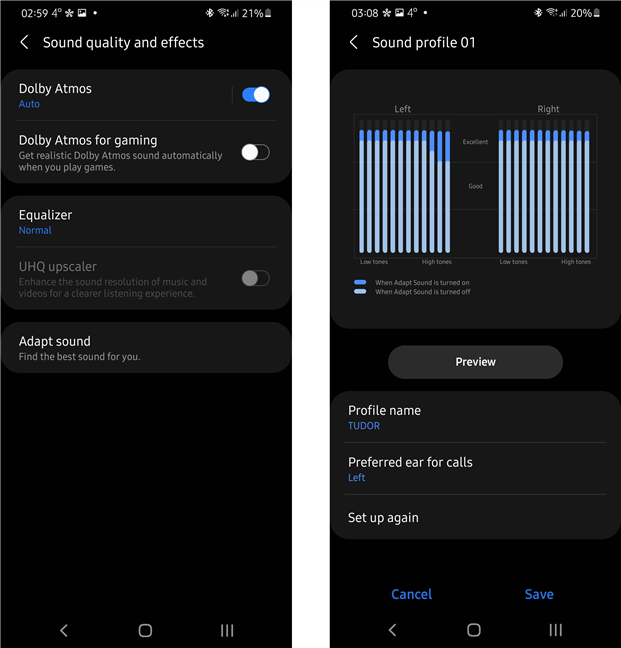
 The sound output can be configured in great detail on the Samsung Galaxy S21 Plus
In terms of integration into the ecosystem, by simply swiping down the screen, you have access to two extremely useful buttons: Devices and Media. Devices shows all the gadgets and appliances registered in SmartThings, while Media displays the content played by the phone and allows it to be played on any of the registered devices.
The sound output can be configured in great detail on the Samsung Galaxy S21 Plus
In terms of integration into the ecosystem, by simply swiping down the screen, you have access to two extremely useful buttons: Devices and Media. Devices shows all the gadgets and appliances registered in SmartThings, while Media displays the content played by the phone and allows it to be played on any of the registered devices.
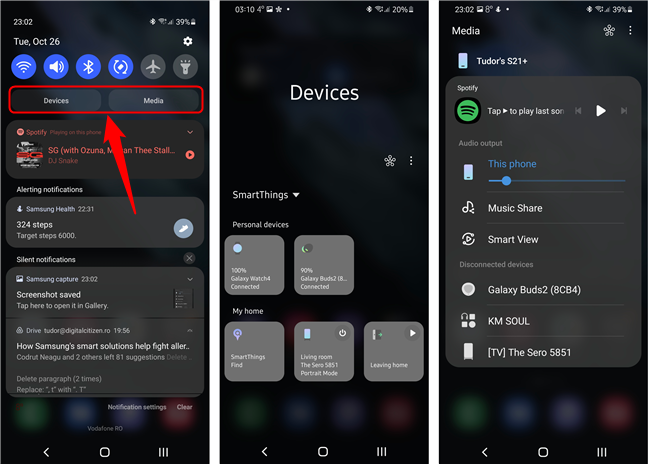
 The two buttons in the Quick shortcuts menu are very useful for playing media
Every device in the multimedia ecosystem can be accessed, configured and sorted from here, but also from the SmartThings application.
An interesting feature of the Galaxy S21 Plus 5G is that it can play audio content from one application to another audio device, allowing you to play two types of multimedia content at the same time. For example, you can watch a podcast on Youtube, on the phone, while your girlfriend listens to music with headphones connected to the same device.
The two buttons in the Quick shortcuts menu are very useful for playing media
Every device in the multimedia ecosystem can be accessed, configured and sorted from here, but also from the SmartThings application.
An interesting feature of the Galaxy S21 Plus 5G is that it can play audio content from one application to another audio device, allowing you to play two types of multimedia content at the same time. For example, you can watch a podcast on Youtube, on the phone, while your girlfriend listens to music with headphones connected to the same device.
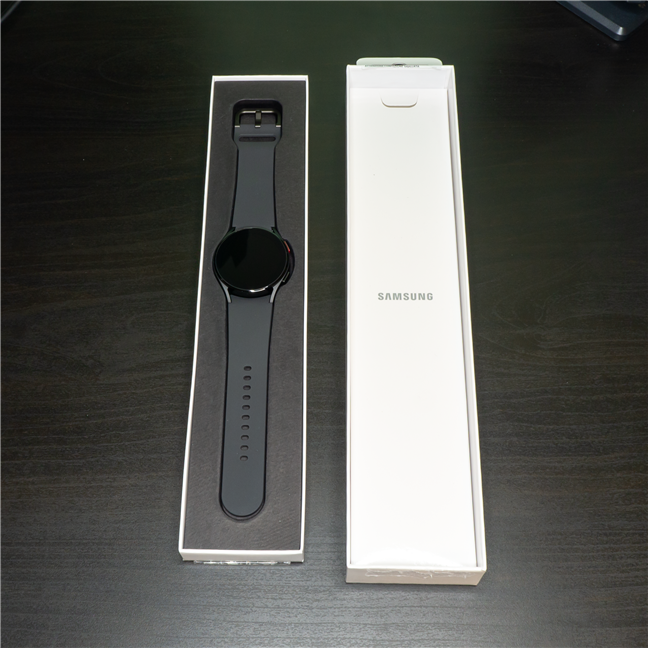
 The Samsung Galaxy Watch 4
Some specs for nerds:
The Samsung Galaxy Watch 4
Some specs for nerds:
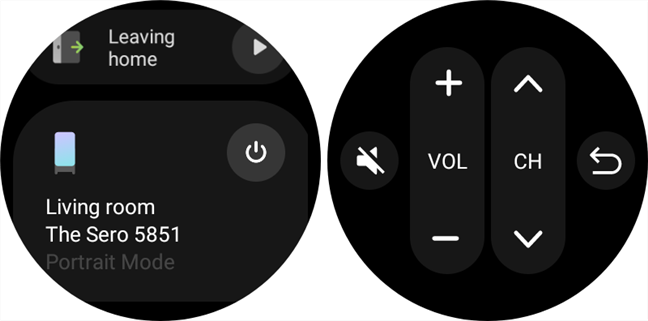
 The watch has a surprisingly large number of commands available for the TV
Depending on the application used for playing media content, the watch can control it to a greater or lesser extent. The watch can connect directly to the headphones and play music without the need for a phone.
The watch has a surprisingly large number of commands available for the TV
Depending on the application used for playing media content, the watch can control it to a greater or lesser extent. The watch can connect directly to the headphones and play music without the need for a phone.
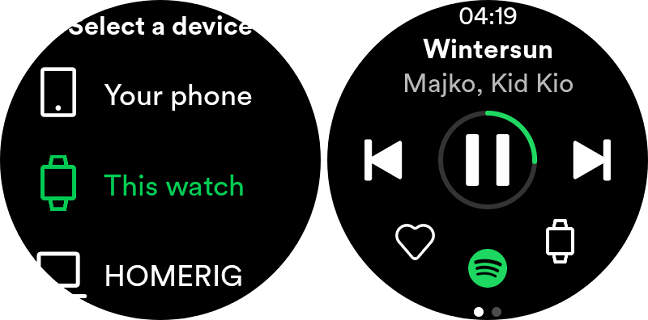
 Depending on the streaming app, you can control what you hear and from which device you hear it
Battery life is the only thing I'm not used to yet. In a usual scenario, the battery lasts about a day with the screen set to always-on or a day and a half without this function deactivated. I'm probably still used to traditional watches, but the features and processing power of the Samsung Galaxy Watch 4 smartwatch fully justify the battery life.
Depending on the streaming app, you can control what you hear and from which device you hear it
Battery life is the only thing I'm not used to yet. In a usual scenario, the battery lasts about a day with the screen set to always-on or a day and a half without this function deactivated. I'm probably still used to traditional watches, but the features and processing power of the Samsung Galaxy Watch 4 smartwatch fully justify the battery life.
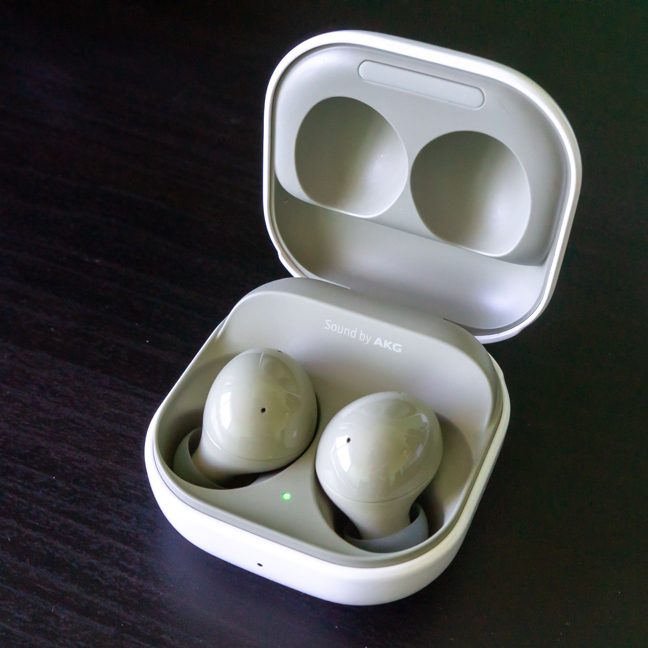 The Samsung Galaxy Buds2 in the charging case
Here are some relevant technical details:
The Samsung Galaxy Buds2 in the charging case
Here are some relevant technical details:
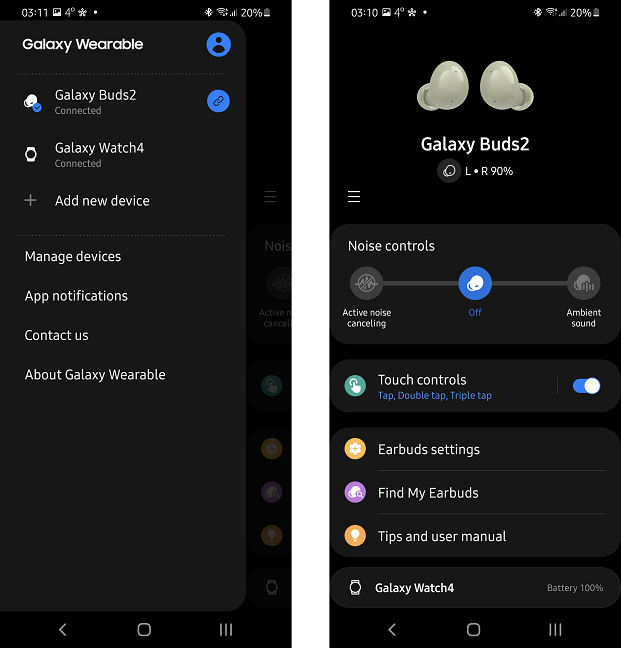 The Galaxy Wearable app can access many useful features for the connected devices
Regarding the multimedia ecosystem, the compatibility with the other devices is perfect. If you have all the devices connected to the same Samsung account, you can "pass" the headphones from one device to another without taking any further action (even if it's the first time the device connects to those headphones). The batteries last about 6-7 hours at low volume and charge very quickly.
The Galaxy Wearable app can access many useful features for the connected devices
Regarding the multimedia ecosystem, the compatibility with the other devices is perfect. If you have all the devices connected to the same Samsung account, you can "pass" the headphones from one device to another without taking any further action (even if it's the first time the device connects to those headphones). The batteries last about 6-7 hours at low volume and charge very quickly.
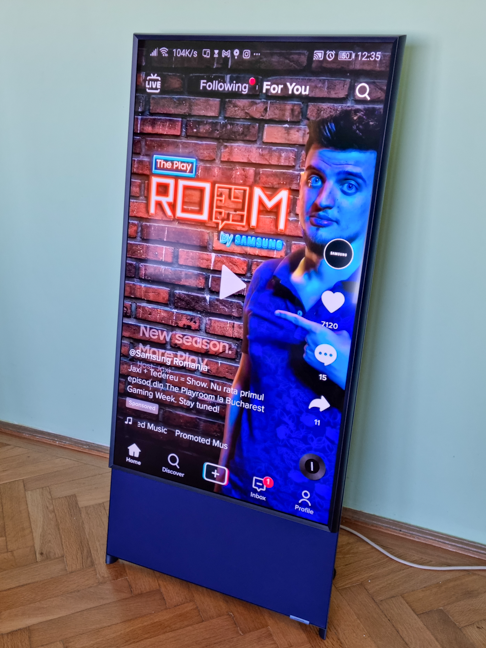 The portrait mode is perfect for mirroring your smartphone screen
When you press the dedicated button on the remote control, the screen rotates 90 degrees and becomes ready for the “classic” multimedia content. The remote control is elegant and easy to use.
The portrait mode is perfect for mirroring your smartphone screen
When you press the dedicated button on the remote control, the screen rotates 90 degrees and becomes ready for the “classic” multimedia content. The remote control is elegant and easy to use.
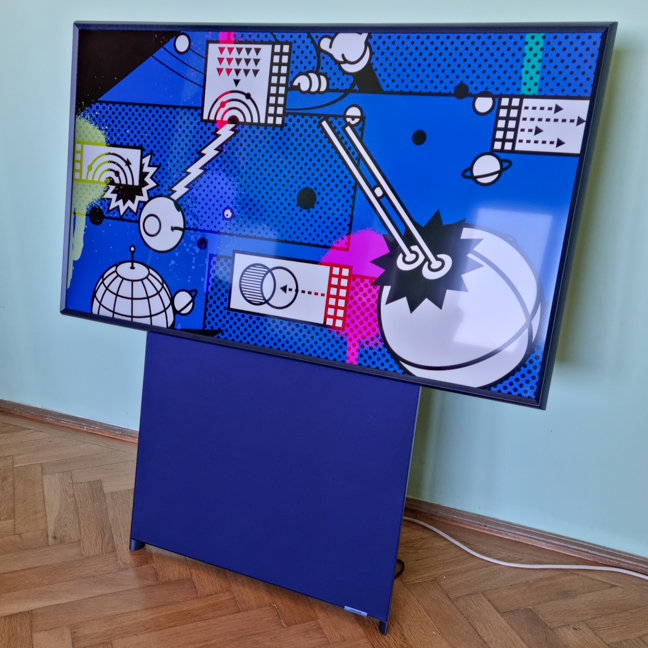 The Sero TV looks stunning
As seen in the pictures, when not used for multimedia content, the TV can be put in Ambient mode, successfully fulfilling the role of a modern (or less modern, depending on the chosen background) work of art.
Here are some relevant technical specifications:
The Sero TV looks stunning
As seen in the pictures, when not used for multimedia content, the TV can be put in Ambient mode, successfully fulfilling the role of a modern (or less modern, depending on the chosen background) work of art.
Here are some relevant technical specifications:
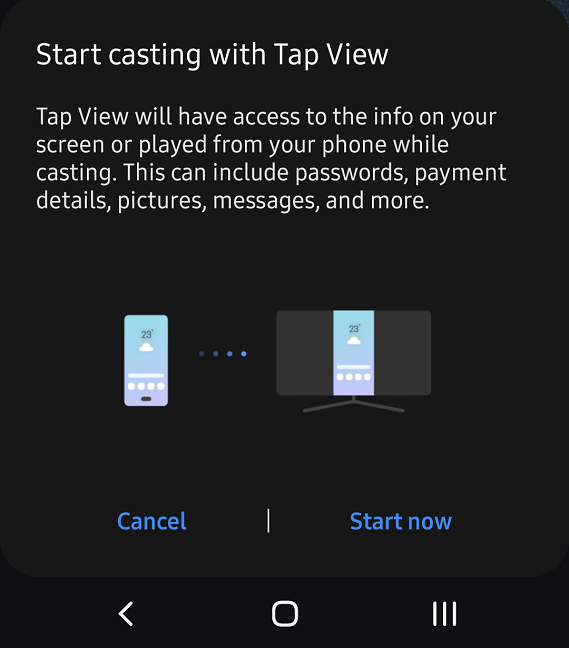
 Tap View is a rather... aggressive means of connecting the TV to your smartphone
By integrating into the SmartThings ecosystem, the TV becomes even more versatile: it can be controlled from mobile devices, it automatically mutes when you answer a call and you can even play audio content from the TV to your smartphone. In addition, you can create automations in the application. But about that, in the dedicated section:
Tap View is a rather... aggressive means of connecting the TV to your smartphone
By integrating into the SmartThings ecosystem, the TV becomes even more versatile: it can be controlled from mobile devices, it automatically mutes when you answer a call and you can even play audio content from the TV to your smartphone. In addition, you can create automations in the application. But about that, in the dedicated section:
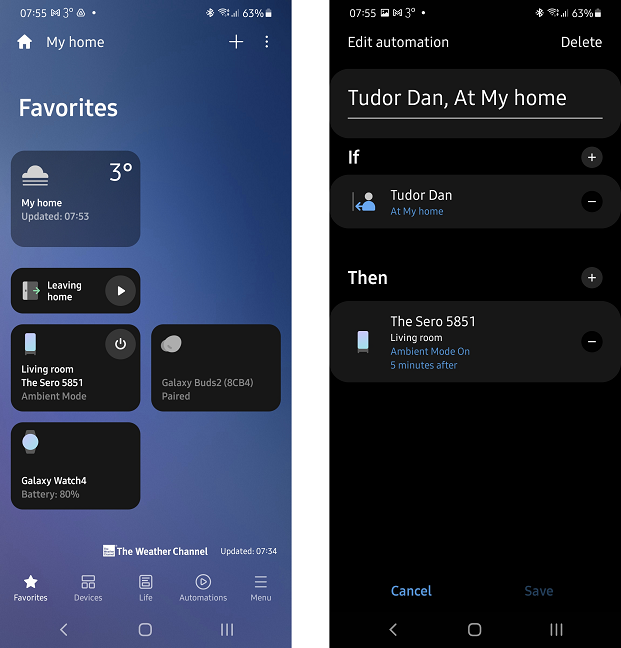 The SmartThings app easily manages multiple devices
If you have several Samsung appliances or equipment in the house, it is worth trying the SmartThings application, it will most likely change the way you look at the SmartHome concept.
The SmartThings app easily manages multiple devices
If you have several Samsung appliances or equipment in the house, it is worth trying the SmartThings application, it will most likely change the way you look at the SmartHome concept.
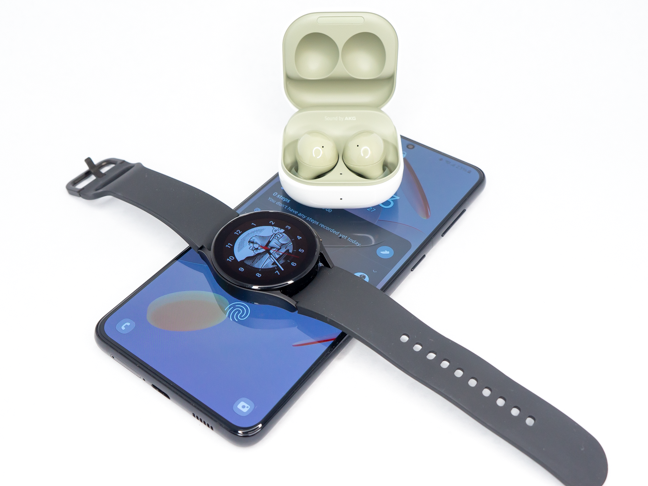 The Galaxy S21 Plus, the Galaxy Watch 4, and the Galaxy Buds2
With the right equipment and appliances, I saved precious time that was usually spent for management and configuration. I also discovered new features and combinations between devices, features I hadn't even thought about before. The SmartThings application helped me automate certain operations and extended my knowledge of the Smart Home concept. I therefore highly recommend you to choose devices that are compatible and integrable.
The Galaxy S21 Plus, the Galaxy Watch 4, and the Galaxy Buds2
With the right equipment and appliances, I saved precious time that was usually spent for management and configuration. I also discovered new features and combinations between devices, features I hadn't even thought about before. The SmartThings application helped me automate certain operations and extended my knowledge of the Smart Home concept. I therefore highly recommend you to choose devices that are compatible and integrable.
A typical multimedia scenario
Given that during this period, whether I like it or not, I have to stay home because of restrictions, Samsung proposed that I spend my free time in a multimedia ecosystem, to experience first-hand the added value given by the interconnection of the company's devices. In order to be as close as possible (even physically) to technology, we have chosen four devices that almost no one can be separated from for too long:- Galaxy S21 Plus 5G smartphone - a day-to-day partner, functioning as a phone, as a book, music player, and as a gateway to social media
- Galaxy Watch 4 smartwatch - the device that monitors my sleep, discreetly reminds me of what to do, and lets me get away from my smartphone without missing a single message from my friends
- Galaxy Buds2 wireless headphones - being an audiophile, quality headphones are essential for me, and the latest in-ear headphones from Samsung meet my demands in full
- The Sero TV from the Lifestyle series - without a doubt the star of this group, a 4K TV both for Netflix evenings and for the moments when I want to endlessly scroll my Instagram feed on a portrait screen (like on my smartphone). Yes, you read that right. The TV screen is in portrait mode and can be rotated in panorama mode at the touch of a button.
Samsung Galaxy S21 Plus 5G smartphone
Samsung's newest flagship device comes in three versions, starting with the S21, then the S21 Plus, with a larger screen and battery, and the top of the range S21 Ultra, with its high-quality cameras. I used the Plus version, which, with the help of the 4800 mAh battery, often made me forget when was the last time I charged it.- Dimensions: 6.36" x 2.9"7 x 0.31" (or 161.5 x 75.6 x 7.8 mm)
- Weight: 7.05 oz (200g)
- Battery capacity: 4800mAh
- Diagonal screen: 6.7 inches (169.5 mm)
- Screen resolution: 2400 x 1080 pixels
- Screen features: Dynamic AMOLED 2X, 120Hz, HDR10 +, 1300 nits
- Stereo speakers with Dolby Atmos
- RAM memory: 8 GB
- Storage: 256 GB
- Chipset: Exynos 2100 Octa-core (1 x 2.9 GHz, 3 x 2.8 GHz and 4 x 2.2 GHz); GPU Mali-G78 MP14
- Rear cameras: 12 MP, 64MP, 12MP (wide, telephoto, ultrawide)
Samsung Galaxy Watch 4 Smartwatch
The latest version of Samsung's smartwatch, the Galaxy Watch 4, comes with the Wear OS operating system, as opposed to the Watch 3, which uses the Tizen system. In my opinion, Tizen is more adapted to devices such as TVs, while Wear OS allows a better integration in the Samsung ecosystem, even if its interface and functions seem more spartan. The Samsung Galaxy Watch 4 40mm LTE looks good, with a minimalist design and a size adapted to people with thin arms. The rubber strap is comfortable and sufficiently adjustable.- Watch size: 1.59" x 1.55" x 0.38" (or 40.4 x 39.3 x 9.8 mm)
- Screen diameter: 1.2" (30.4 mm)
- Screen technology: Full Color Super AMOLED
- Weight: 0.91 oz (25.9 grams)
- RAM memory: 1.5 GB
- Storage: 16GB
- Battery capacity: 247 mAh
- Average battery life: up to 40 hours
- Connectivity: NFC, GPS, LTE (eSIM), Bluetooth 5.0, Wi-Fi (a/b/g/n/ac)
- Range: 10m
Samsung Galaxy Buds2 wireless in-ear headphones
If I had to choose the most surprising device of the four, it would definitely be the Samsung Galaxy Buds2. I use headphones a lot and the sound quality is very important to me. I recently used a premium set from another manufacturer, so I can make a good comparison between them. Samsung headphones are not only smaller, but they sound even better and have a longer battery life. To get an idea of how small they are, the charging case is 1.09" x 1.97" x 2.05" (or 27.8 x 50.0 x 50.2 mm).- Housing size: 1.09" x 1.97" x 2.05" (27.8 x 50.0 x 50.2 mm)
- Housing weight: 41.2 grams or 1.45 ounces
- Buds size: 0.82" x 0.67" x 0.83" (20.9 x 17.0 x 21.1 mm)
- Buds weight: 5.0 grams each (!)
- Connectivity: Bluetooth 5.2 (with A2DP, AVRCP, HFP)
- Average battery life: 5h
- Maximum play time (using the charging case as well): 20h
Samsung The Sero TV
Samsung's lifestyle TV is an extravagant and elegant presence in any home. The default position of the screen is in portrait mode, making it very suitable for displaying media content from your phone (such as the Instagram feed or the TikTok interface).- Diagonal screen: 43 inches or 108 cm
- Screen resolution: 4K (3840 x 2160 pixels)
- Panel: QLED, capable of playing HDR10 + content
- Audio: 4.1 channel system with a subwoofer and 60W output power
- Connectivity: 3 HDMI ports, eARC, 2 USB ports, CI+ slot, WiFi5, Bluetooth 4.2, coaxial
Samsung's SmartThings app
The application that facilitates the coordinated operation of the equipment is SmartThings, available for both Android and Apple devices, as well as for Windows. It's an app I've written about before, but in short, each of the devices added to the app can be easily controlled and configured from the Devices screen. The application also adds new functions to the interconnected devices and allows the automation of their operation. More details about the app and the ecosystem can be found on the dedicated page. I used the app to enable new features on devices (such as the TapView feature or TV muting when answering the phone) and to create some operating rules (for example, the TV automatically shuts off when I leave home and starts in Ambient mode when I return).My two week experience in the Samsung multimedia ecosystem
Many of you have devices similar to the ones I chose for this article. Smartphones, Bluetooth headsets, smart watches and TVs - all these are ubiquitous in our modern times. What I've learned in these two weeks is that the power of each separate device is just a part of the story. Before performing this experiment, I did not necessarily look at equipment as part of an ecosystem, but as individual products, with completely separate roles. But my conclusion is that if you make smart choices about the smart devices you buy, their usefulness is amplified with each new added device.

Discussion (0)
Comments are closed.