



Choosing between Safari and Chrome on iPhone and iPad feels harder than it should. Both browsers look similar, load pages quickly, and support modern websites, yet they serve very different types of users.
The short answer is simple. Safari works best if you live inside Apple’s ecosystem, while Chrome makes more sense if you rely on Google services or switch between multiple platforms daily.
Table of contents
- How browsers work on iPhone and iPad
- Safari on iPhone and iPad: Strengths and limitations
- Chrome on iPhone and iPad: Strengths and limitations
- Safari vs Chrome on iPhone: which works better daily
- Safari vs Chrome on iPad: Which works better for productivity
- Privacy, data, and trust: Safari vs Chrome
- Extensions, passwords, and autofill
- Which browser should you use on iPhone and iPad
- Can you use both browsers together
- Final verdict
How browsers work on iPhone and iPad
Before comparing features, it helps to understand an important limitation on iOS and iPadOS. Apple requires all browsers to use the same underlying engine.
Why WebKit matters for real-world performance
Every browser on iPhone and iPad runs on Apple’s WebKit engine, including Chrome. This rule means raw speed and rendering quality stay very similar across browsers. Differences show up mostly in interface design, syncing, privacy defaults, and ecosystem integration rather than page load times.
Safari on iPhone and iPad: Strengths and limitations
Safari ships with every iPhone and iPad, and Apple designs it specifically for its hardware and software.
iOS and iPadOS integration
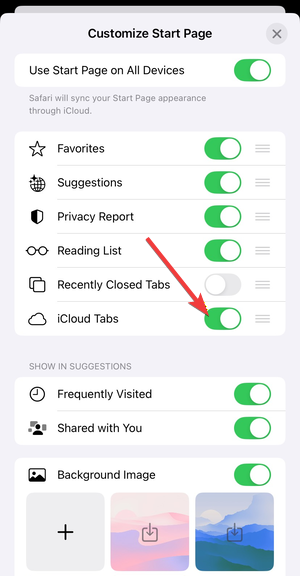
Safari connects deeply with Apple features like iCloud Tabs, Handoff, Apple Pay, and Focus modes. If you move between iPhone, iPad, and Mac, Safari keeps your browsing activity synced with minimal setup.
Privacy and tracking prevention
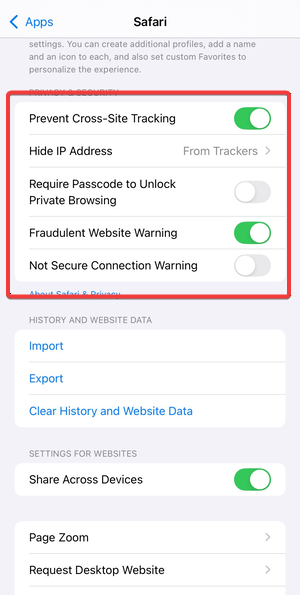
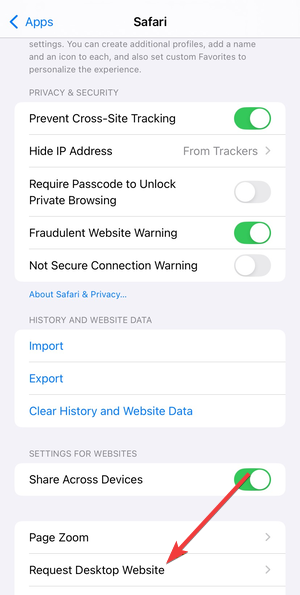
Safari enables Intelligent Tracking Prevention by default. This system limits cross-site tracking without requiring extra extensions or manual configuration. Users who care about privacy get strong protection out of the box.
Safari extensions on iOS
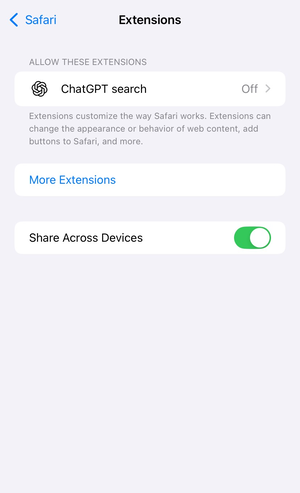
Safari supports extensions on iPhone and iPad, including content blockers and productivity tools. The selection stays smaller than desktop browsers, but Apple enforces strict rules that keep extensions lightweight and secure.
Chrome on iPhone and iPad: Strengths and limitations
Chrome on iOS focuses less on system integration and more on ecosystem consistency.
Google account syncing
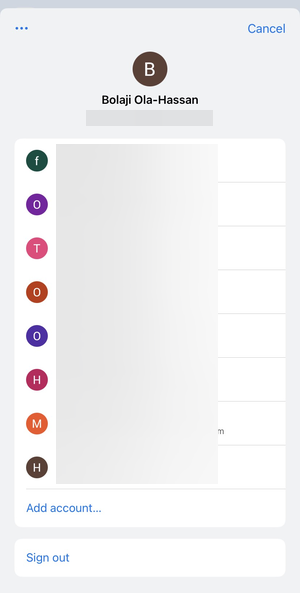
Chrome shines when you sign in with a Google account. Bookmarks, history, passwords, and open tabs sync seamlessly with Chrome on Windows, macOS, Android, and ChromeOS devices. You can easily access these from Chrome settings.
Cross-platform consistency
If you switch devices often or work across operating systems, Chrome offers a familiar experience everywhere. This consistency reduces friction when moving between work and personal devices.
Chrome features that still matter on iOS
Despite WebKit limits, Chrome customizes its interface, tab management, and Google service integration. Built-in Google Search, Translate, and account features appeal to users already invested in Google’s ecosystem.
Safari vs Chrome on iPhone: which works better daily
Phone usage emphasizes speed, comfort, and battery life.
Speed, responsiveness, and battery impact
Both browsers perform similarly thanks to WebKit. Safari often feels slightly more efficient in long sessions because it integrates closely with iOS power management.
One-handed use and UI design
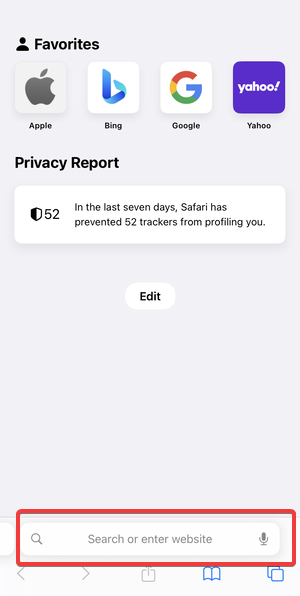
Safari places the address bar near the bottom by default, which helps one-handed navigation. Chrome also supports bottom address bars, but Safari’s gestures feel more native and consistent with iOS patterns.
Safari vs Chrome on iPad: Which works better for productivity
iPad users often treat their device like a laptop replacement, which changes priorities.
Multitasking and split view behavior
Safari works smoothly with Split View and Slide Over, especially when paired with external keyboards and trackpads. Apple optimizes Safari for multitasking workflows on iPadOS.
Desktop-style browsing and tabs
Safari handles desktop websites reliably and supports advanced tab features like tab groups. Chrome remains capable, but Safari feels better tuned for long research sessions and multi-tab work on iPad.
Privacy, data, and trust: Safari vs Chrome
Privacy plays a major role for many users choosing a browser.
Apple’s privacy model vs Google’s data model
Apple positions privacy as a core product feature and limits data collection wherever possible. Google prioritizes personalization and account-based services, which naturally involve more data sharing.
Which browser shares less data by default
Safari shares less browsing data by default, with no account sign-in required. Chrome can improve privacy with settings changes, but it starts from a more data-driven baseline.
Extensions, passwords, and autofill
Daily convenience features often influence long-term satisfaction.
Password managers and autofill behavior
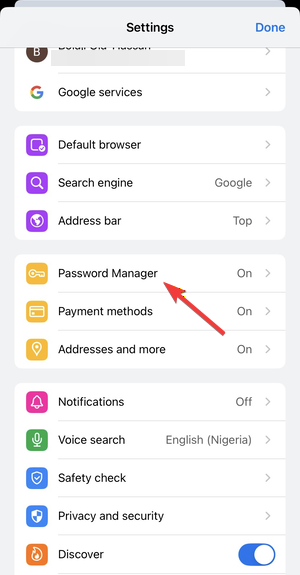
Safari integrates tightly with iCloud Keychain and Face ID for fast, secure logins. Chrome works best with Google Password Manager, especially if you already use it on other platforms.
Ad blockers and content blockers
Safari supports system-level content blockers that work efficiently without slowing pages. Chrome on iOS offers limited blocking options due to platform restrictions.
Which browser should you use on iPhone and iPad
Choosing the right browser depends on how you use your devices.
Use Safari if you want…
- Strong privacy with minimal setup
- Seamless integration with iPhone, iPad, and Mac
- Better battery efficiency and native gestures
Use Chrome if you want…
- Effortless syncing with Google services
- A consistent browser across all platforms
- Familiar workflows from desktop Chrome
Can you use both browsers together
Many users run Safari as the default browser and keep Chrome installed for Google-centric tasks. This setup offers flexibility without sacrificing performance or convenience.
Final verdict
Safari stands as the best all-around browser for most iPhone and iPad users, especially those invested in Apple’s ecosystem and privacy features. Chrome remains the better choice for users who depend on Google services or work across multiple operating systems daily. The right answer depends less on speed and more on where your digital life already lives.


Discussion (0)
Be the first to comment.