



The ASUS PL-N12 kit is a set of two devices that allow you to extend your wired or wireless network (or both) to hard-to-reach areas, using the powerline in your home. If you need a wireless network in your basement or you want fast wired network connections without installing too many cables in your home, then this kit will be a good choice for you. Read this review and learn what the ASUS PL-N12 kit can do for you:
Unboxing the ASUS PL-N12 kit
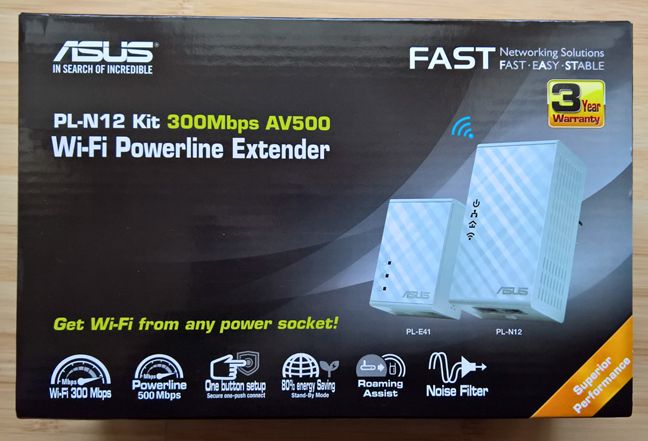
The packaging used for the ASUS PL-N12 kit looks good and, on the front of the box, it features a picture with the two devices that make-up the kit. You can also learn the most important specifications of this kit, like the maximum speed and its most interesting features.
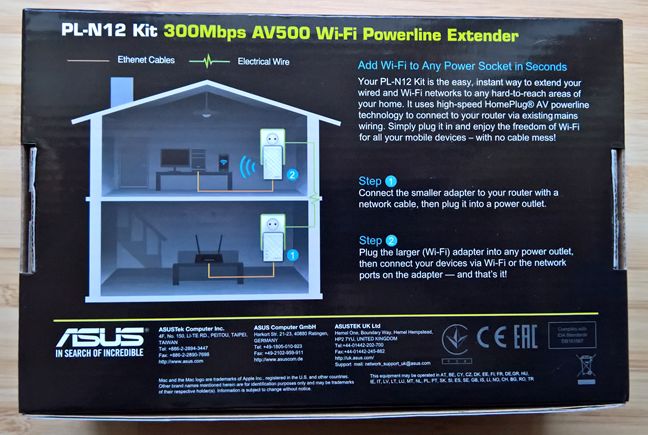
On the back of the box, you can find information about how to set up the kit in your home. If you read the instructions, you will see that the initial setup is quick and painless.
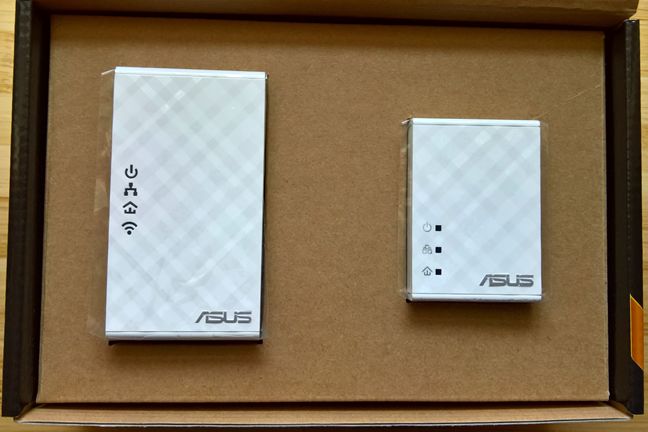
When you open the box, you immediately see the two devices that make up the kit: the ASUS PL-N12 extender (on the left) and the ASUS PL-E41 adapter (on the right).
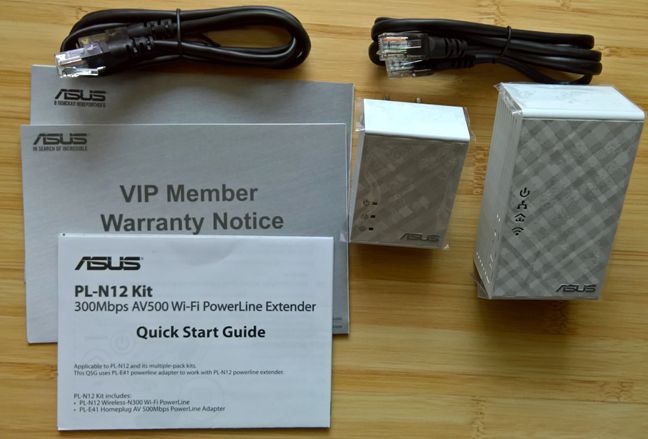
After you unpack everything, you will find alongside the two devices, two network cables, the warranty and the quick start guide.
That's it in terms of packaging. Let's learn what you get in terms of specifications.
Hardware specifications
As mentioned earlier, the ASUS PL-N12 kit is made of two devices. The first is the ASUS PL-E41 adapter. This adapter is plugged into a power socket next to the router and you connect it to your router using a network cable.
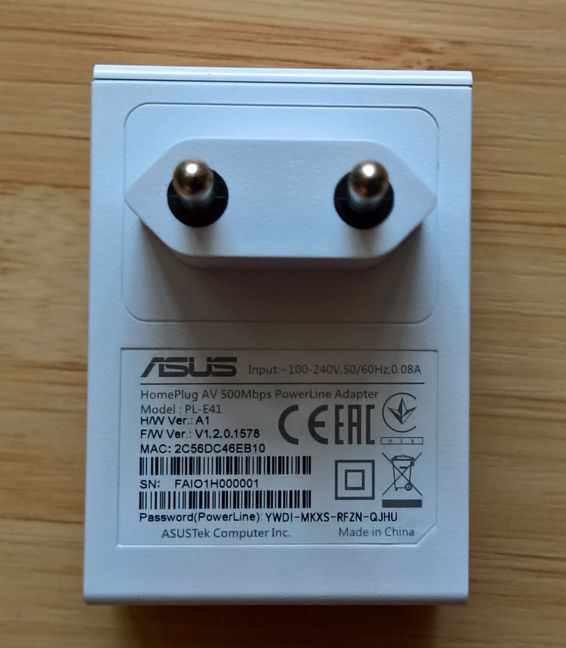
The adapter features only one Ethernet port. On the front of the device you have several LEDs which highlight whether the device is turned on, whether it is connected to one or more powerline devices and whether an Ethernet connection exists.
On the bottom of this device you will find a button for pairing or resetting the ASUS PL-E41 adapter.
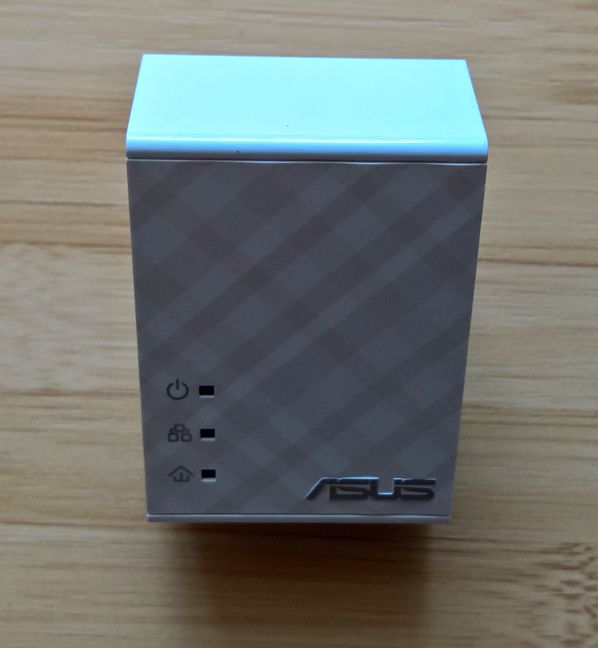
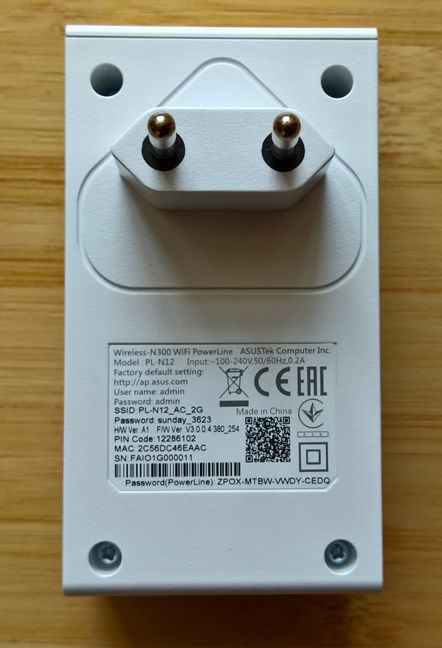
The ASUS PL-N12 extender is the bigger of the two devices in the kit. You plug it into the a power socket in the room where you want to use it.
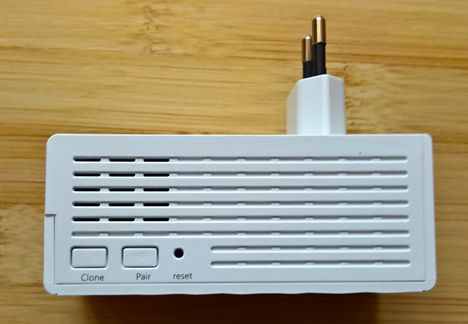
On one of its sides you will find a button for cloning your wireless network, one for paring the extender and a socket for resetting the device.
On the bottom of the ASUS PL-N12 extender, there are two Ethernet ports. When using wired network connections, the extender promises a maximum speed of up to 500 Mbps.
In terms of wireless connections, the ASUS PL-N12 extender works only with 2.4 GHz wireless connections using the 802.11n, 802.11b and 802.11g standards. The maximum theoretical speed when using wireless connections is of 300 Mbps.
If you would like to learn more about the official specifications of this device, you can find them here: ASUS PL-N12 Kit Specifications.
Setting up and using the ASUS PL-N12 Kit
We loved how easy it is to turn on and use the ASUS PL-N12 kit. It is only a matter of plugging the two devices into the powerline, in the rooms where they need to be placed and connecting the ASUS PL-E41 adapter to the wireless router, with a network cable. Then, you can start using the network connecti on provided by this kit. The only downside is that the network cables that are included in the package are not very long and, depending on your setup, you might need to purchase longer ones.
Pairing devices to create a secure powerline network is also very easy: only a matter of pressing the Pair buttons on each device. You can easily see the status of each device, using the LEDs that are on the front. In most cases, the initial setup should be done in less than 5 minutes, and without errors.
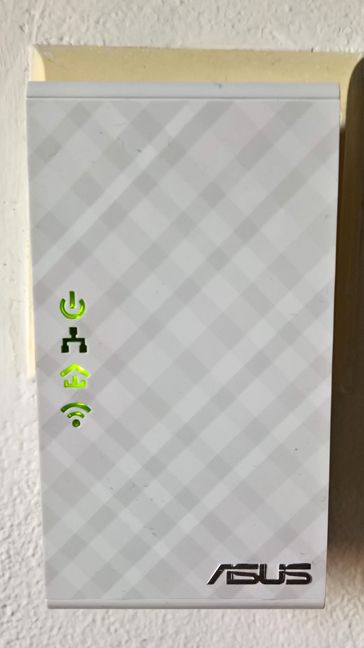
If you want to configure the ASUS PL-N12 kit in more detail, you have to use a web browser and log in to its administration interface. Please read the Quick Start Guide, before doing that, so that you know the necessary steps involved and the user accounts and passwords that you must enter.
One aspect that we appreciate a lot about ASUS network devices is that they are proactive in terms of security. The first thing you are asked when you first log in to the administration interface, is to change the default username and password for administering the kit. This is great, as many networking devices are easy to hack just because they use their standard username and password, which is, typically admin/admin.
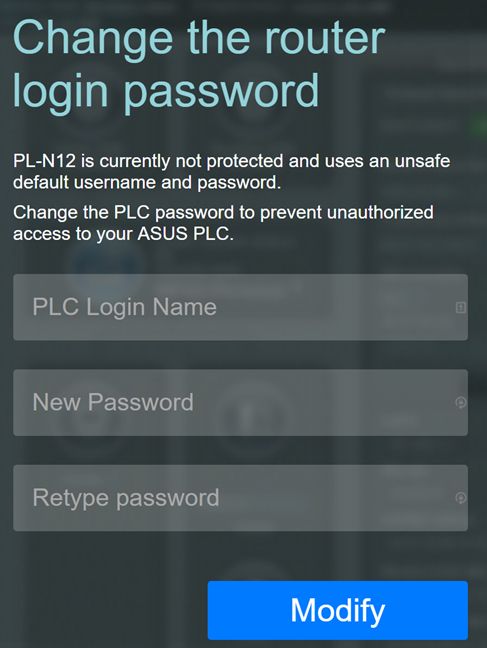
After this step, you can view the administration interface. As you can see in the screenshot below, it is the same as on other modern ASUS networking devices. This means that it is easy to use, well structured and it offers plenty of advanced configuration features.
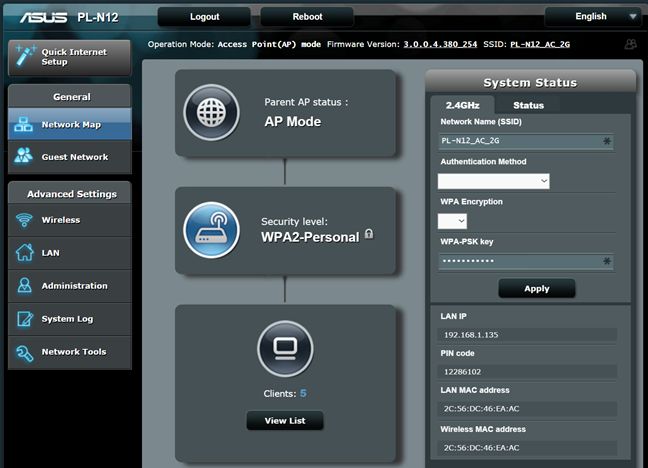
The language support is also stellar for this type of device: ASUS has translated the administration interface into 18 languages, which you can see below.

You can configure in detail all aspects of this product, including the wireless network, the LAN IP address, how the device assigns IP addresses, the guest wireless network and so on.
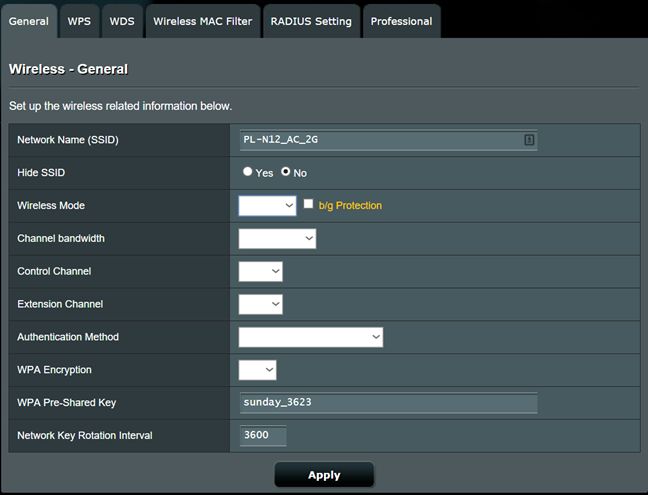
We noticed one bug with the user interface: the default values are not populated in the drop-down menus that are shown to the user. If you want to see how they are set, you need to click on that drop-down menu and then you see the value that is selected, highlighted in blue. This bug might be due to the fact that we had for testing an early sample and the device is not yet on the market. Chances are that this bug won't be present in the final version of this product. This should be fixed with a quick firmware update, once the device is made available worldwide.
Getting back to positives: when using ASUS PL-N12 kit, the performance was good, both when using wired and wireless network connections. We did not encounter any stability issues and all networking features worked correctly in Windows. If you want to learn more about what it offers in terms of networking performance, read the next section of this review.
Performance in benchmarks
Before we start with the benchmarks, we would like to share a diagram with the apartment we have been using during testing. You can see below that the wireless router is placed in the living room. It's an ASUS RT-AC56U, which we reviewed here. The ASUS PL-N12 kit has been placed in the kitchen, which is the room with the worst wireless network coverage in our apartment.
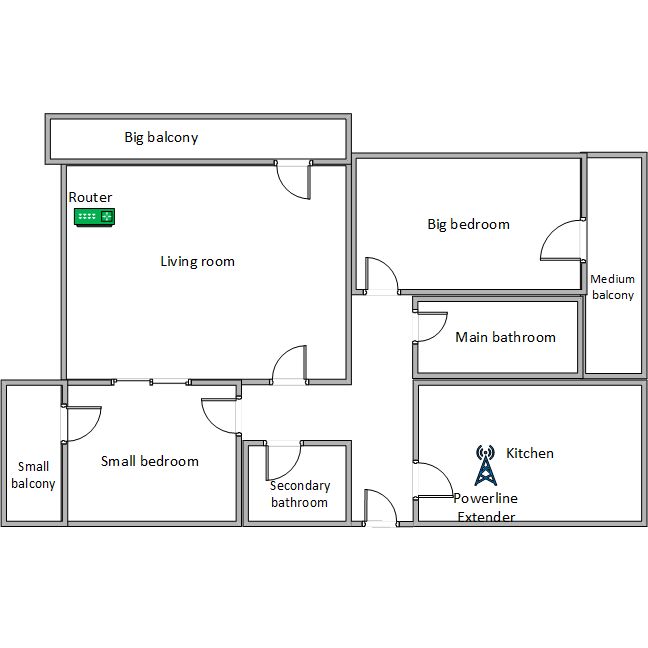
However, our apartment is not large enough to make our router useless in certain rooms, so don't expect the ASUS PL-N12 kit to beat the router we are using. This kind of kit is designed for homes, office spaces and very large apartments where you have areas where the wireless router can't reach. It can extend the coverage of your network, it can help you eliminate network cables, but it isn't designed for high-speed networking.
We will be sharing the stats obtained by the ASUS PL-N12 kit alongside the ASUS RT-AC56U wireless router in order to give you a realistic perspective on what you can expect from this kit. You should not expect it to be faster than your router just because this is a specialized device with considerably less hardware power than a router. But enough talk, let's get started with our measurements:
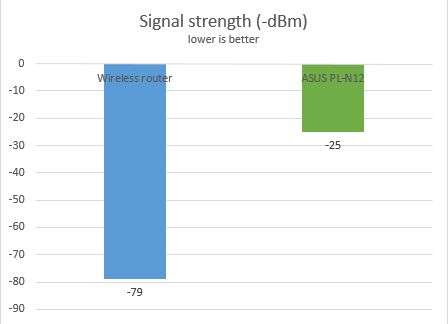
First, we used a tool named inSSIDer to measure the wireless signal strength in the room where we placed the kit. As you can see ASUS PL-N12 delivers good signal strength.
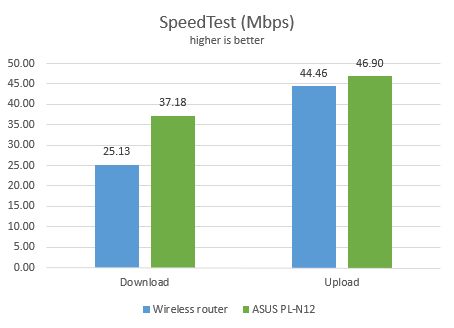
Next, we ran SpeedTest on a Surface Pro 3 that was connected to the wireless network offered by the ASUS PL-N12. This test measures the speed of your Internet connection. Below you can see that ASUS PL-N12 delivers better speeds than our wireless router.
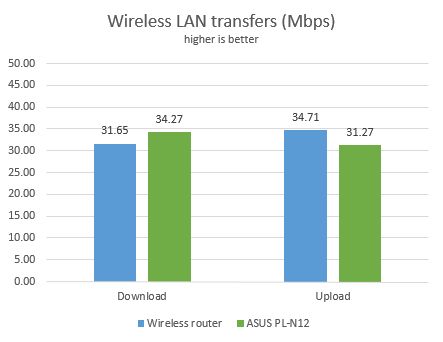
Then, we used LAN Speed Test Lite to measure the wireless download and upload speeds when transferring a 350MB file through the network, while connected to the ASUS PL-N12. Again, the kit delivered good results.
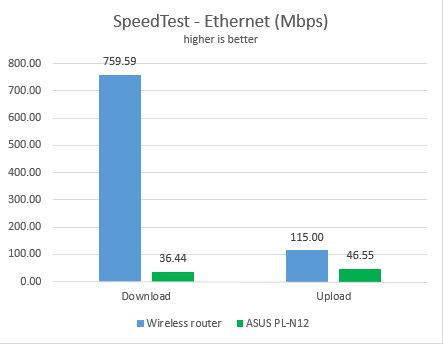
Next, we connected the Surface Pro 3 to the ASUS PL-N12 kit using a network cable and a Microsoft Surface Ethernet Adapter. We ran the SpeedTest again to measure the speed of our Internet connection while using wired network connections. As you can see ASUS PL-N12 delivered uploads and downloads which are similar to using its wireless connection. Unfortunately, transfers using the powerline can't compare to 1 Gbps Ethernet connections. The technology just isn't there yet.
Last, we used LAN Speed Test Lite to measure the download and upload speeds when transferring a 350MB file through the network, while we were connected to the ASUS PL-N12 using the same network cable. The kit delivered similar results to the previous test.
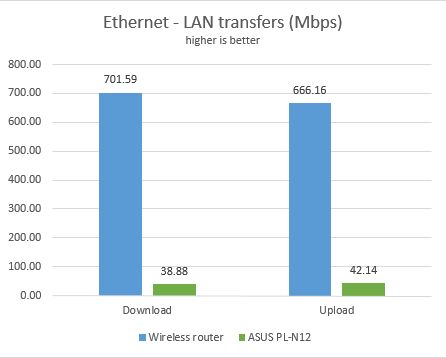
ASUS PL-N12 delivers good performance for wireless and wired network connections. However, don't expect it to beat a wireless router or a specialized wireless range extender. The technology for making data transfers through your powerline cannot compete with other networking technologies.
Special features
The ASUS PL-N12 kit includes a couple of extra features which will be appreciated by users:
- First of all, unlike traditional adapters that are always fully powered, ASUS PL-N12 has a standby mode that detects whether connected devices have been switched off or are inactive. If that happens, it goes into a low-power mode that reduces power consumption by 80%. This feature is at a hardware level and it is enabled automatically. You can't configure it from the administration interface.
- Its offers several network troubleshooting tools, including access to commands like ping, trace route or netstat.
- You can enable a separate wireless network for your guests, so that they get access to the Internet without accessing your network.
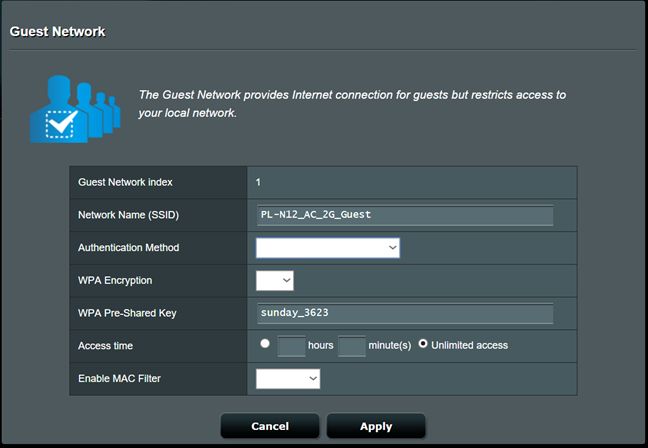
While the list of extra features is not very long, it does include useful features.

Verdict
Overall, the ASUS PL-N12 kit delivers good performance, stable network connections, and a very easy setup process. We enjoyed testing it and we recommend it to anyone that needs to extend the coverage of their network in areas which are hard to reach. This a very good tool if you have a large home and you need network coverage in the attic or the basement, if you want to eliminate network cables and use the powerline instead or if you have a large space with rooms where the wireless router has trouble delivering the wireless signal. It's a good choice if you don't want to spend a lot of money on this type of devices and you are satisfied with the speeds we measured in our testing.
Discussion (4)
One thing you entirely missed is the Power-saving “sleep” mode that cannot be disabled,if the units are idle for a minute they go to sleep and take 2-3min to properly wake up and become useable again. Useless hardware
A WiFi signal strength of -80 dBM is stronger than -120dBM!
“On one of its sides you will find a button for cloning your wireless network, one for paring the extender and a socket for resetting the device.”
It will be “pairing” the extender. 🙂
Thank you for your feedback. The issue has been fixed.