




Music streaming dominates how people listen to songs today, but many users still keep personal MP3 collections. These files may include rare recordings, custom mixes, or tracks not available on Apple Music or other streaming platforms.
At the time of writing, all iPhones do not include a dedicated MP3 player app, but iOS offers several reliable ways to play MP3 files directly on an iPhone. The methods below cover both built-in options and third-party solutions.
Play MP3 Files Using The Files App
The Files app is built into iOS and can play MP3 files stored locally on your iPhone. This method works well for quick playback without installing extra apps.
- Save the MP3 file to On My iPhone using email, AirDrop, or a browser.
- Open the Files app and navigate to the folder containing the MP3 file.
- Tap the MP3 file to start playback.
- Use the folder list to switch between multiple MP3 files.
The Files audio player is basic and does not include advanced playback controls.
Play MP3 Files Using Apple Music
Apple Music allows you to sync MP3 files from a Mac to your iPhone, adding them directly to your music library.
- Connect your iPhone to a Mac using a cable.
- Open Apple Music on macOS or iTunes on older systems.
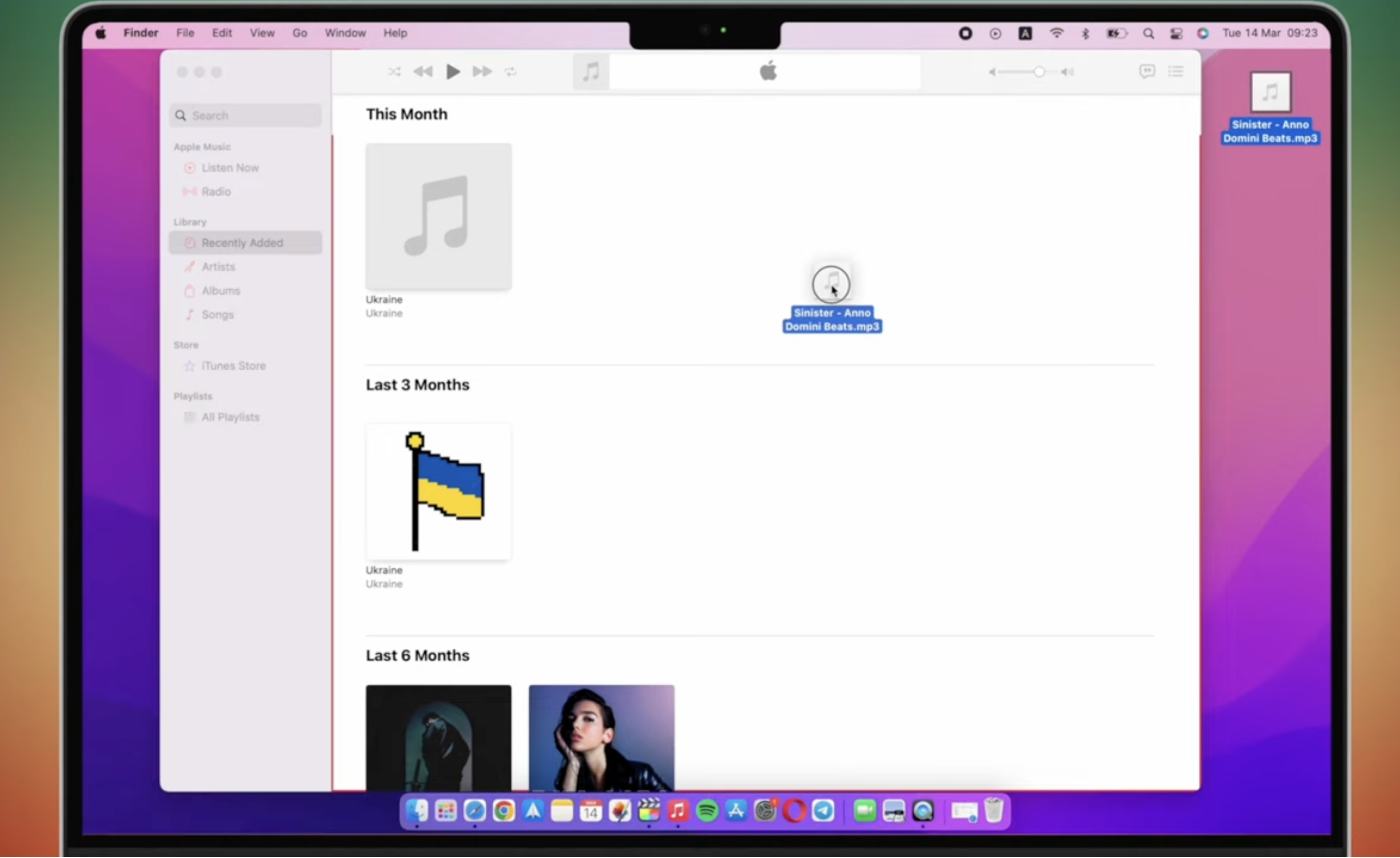
- Select your iPhone from the sidebar.
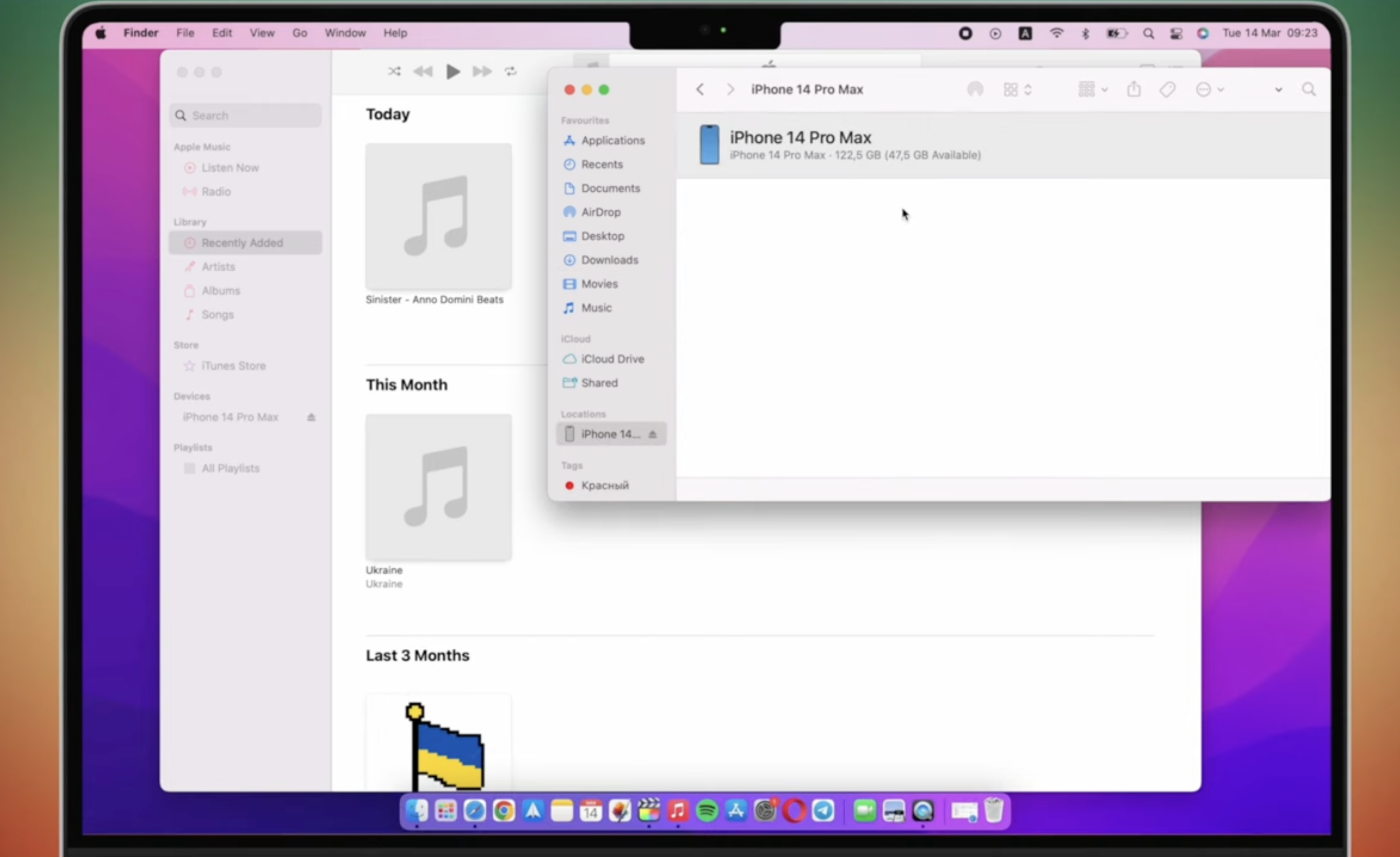
- Drag MP3 files into your device’s music section.
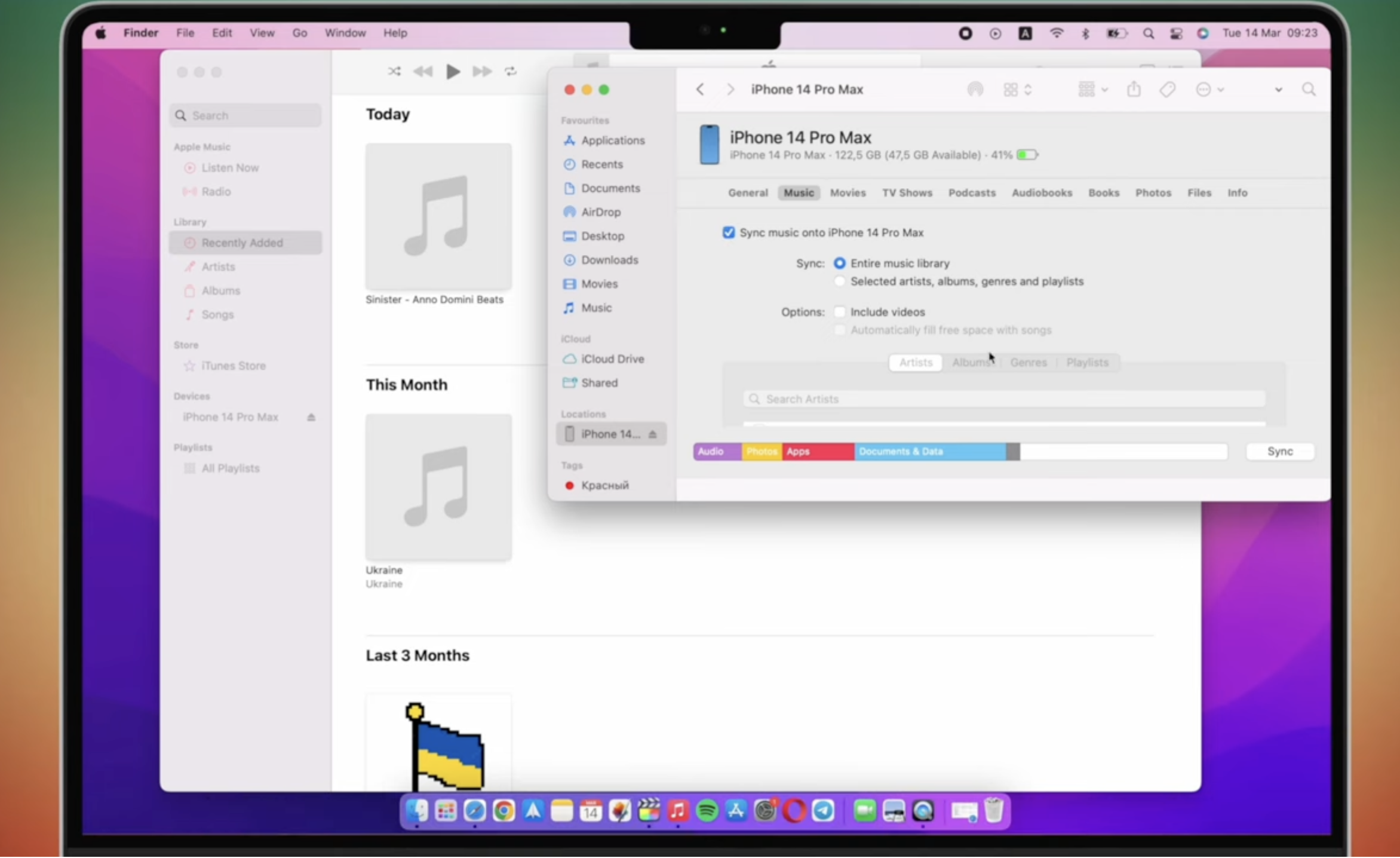
- Sync and safely disconnect your iPhone.
Once synced, MP3 files appear in the Apple Music library and behave like standard tracks.
Use A Third-Party MP3 Player App
Third-party media players provide better control over playback and file management. These apps support features like playlists, equalizers, and background playback.
- Install a media player iPhone app from the App Store.
- Copy MP3 files into the app using the Files app.
- Rescan or refresh the app’s media library.
- Play MP3 files directly within the app.
This option is ideal for users with large local music collections.
Play MP3 Files Using Cloud Storage
Cloud storage services can also function as MP3 players, letting you stream local music without storing files directly on the device.
- Upload MP3 files to a cloud storage service.
- Install the corresponding app on your iPhone.
- Sign in and locate the MP3 file.
- Tap the file to play it using the built-in audio player.
This method requires an internet connection and offers limited playback controls.
Troubleshooting Common Problems
MP3 playback issues usually relate to file location or compatibility.
- MP3 file does not play if it is not stored locally.
- Unsupported audio formats may fail to open.
- Files stored in restricted folders may not appear.
- Playback may stop if background activity is limited.
Tips
- Keep MP3 files organized in dedicated folders.
- Use third-party apps for better playback control.
- Sync files via Apple Music for seamless library access.
- Back up MP3 collections before transferring files.
FAQ
Can iPhone play MP3 files natively?
Yes, iPhones can play MP3 files using the Files app or Apple Music.
Do MP3 files appear in Apple Music automatically?
No, files must be synced manually from a computer.
Are third-party MP3 players safe to use?
Most well-known apps are safe, but features vary by app.
Can I play MP3 files offline on iPhone?
Yes, as long as the files are stored locally on the device.
Summary
- iPhones support MP3 playback through multiple methods.
- The Files app offers basic audio playback.
- Apple Music allows syncing MP3 files from a computer.
- Third-party apps provide advanced features.
Conclusion
Playing MP3 files on an iPhone is straightforward once you choose the right method. Whether you prefer the simplicity of the Files app, full integration through Apple Music, or advanced control using third-party players, iOS offers flexible options for enjoying local music without relying on streaming services.



Discussion (0)
Be the first to comment.