




Setting expectations helps you avoid wasted time. iPhone apps can’t install natively on Android because Apple restricts iOS apps to its hardware and App Store framework. Still, you can use cloud simulators, emulators, or remote access to run certain apps depending on your goal.
Before you try anything, confirm your Android device is up to date and has enough storage for emulator files. This improves stability when using more demanding tools.
1) Use a cloud iOS simulator (safest option)
Cloud simulators run a virtual iOS environment in your browser. They don’t require installation and carry fewer security risks than emulator APKs. This method works best when you only need to test an app or check its interface.

Visit the simulator’s dashboard and load an available iOS environment. Some tools let you upload IPA files if you’re a developer. You interact with the iOS screen through the browser and preview supported functions.
Limitations: Cloud simulators don’t give you access to the Apple App Store. They mainly support test builds and simple apps.
2) Install an iOS emulator APK on Android
iOS emulators attempt to mimic iOS behavior inside Android. These apps can sometimes run older iOS builds, but success varies. Most modern iOS apps won’t run reliably with this method.
Open your Android Settings and search for install from unknown sources. Now, enable the option for your browser. Next, search for a reliable emulator APK online and download it.
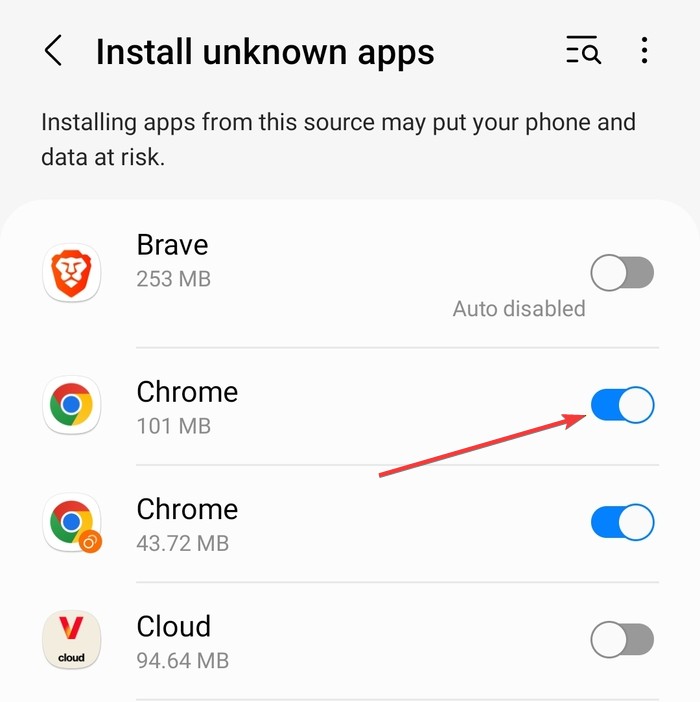
Tap the downloaded APK, install it, and launch the app. Finally, load compatible iOS files inside its dashboard.
Limitations and risks: Emulator APKs carry security risks because they come from unofficial sources. They often include malware, adware, or unstable modifications. Many fail to run newer iOS apps.
3) Try TouchHLE or other high-level emulation projects
High-level emulation targets a narrow set of older iOS apps. Tools like TouchHLE don’t run large App Store apps but let enthusiasts try lightweight applications built for older hardware. It mostly supports basic 2D utilities or older game builds.

Just download the TouchHLE build for Android and follow its installation steps. Launch supported apps from the emulator’s interface.
4) Convert iOS apps to Android alternatives
Most iOS apps have Android equivalents. Using the Android version gives you better performance, fewer bugs, and secure updates.

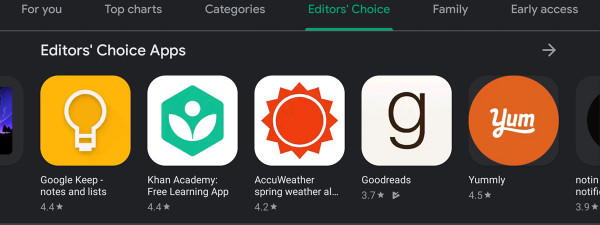
Search the app’s developer name inside the Play Store. Many popular iOS apps also appear on Android under the same publisher.
5) Use an actual iPhone remotely
Remote access tools let you control an iPhone from your Android phone. You run the real iOS app on the iPhone while interacting with its screen remotely.
You only need to Install a remote-control app like RustDesk on both devices, and connect to the iPhone using the IP from your Android using the IP and password shown on the iPhone screen. The Android device only streams the iPhone’s display while the iPhone handles all processing.

Limitation: The iPhone must always be on and the remote control app active.
6) iOS vs Android app compatibility explained
iOS and Android use different programming languages, frameworks, and hardware layouts. This prevents direct installation between systems.
Why IPA files don’t open on Android
Just like you can't install an APK on iPhone, is the same way you can't install an IPA on Android. This is because IPA files include encrypted binaries that rely on Apple’s architecture. Android devices can’t interpret these instructions natively.
FAQs
Can I install the Apple App Store on Android? No. The App Store works only on Apple hardware.
Why do some tools claim to run all iOS apps on Android? These claims target beginners. Most of these tools don’t work or include unsafe software.
Can I transfer my iOS app purchases to Android? No. Apple purchases apply only to Apple platforms.
Do any paid emulators solve this problem? Paid emulators don’t guarantee compatibility. Most rely on outdated builds.
Summary
- You can’t install real iPhone apps on Android because Apple restricts iOS software.
- Cloud simulators let you preview simple iOS apps safely.
- Emulator APKs may run older apps but carry security risks.
- TouchHLE supports only limited older apps.
- Android alternatives offer the fastest and safest option.
Conclusion
Android phones don’t support native installation of iPhone apps, so your options depend on how much access you need. Cloud simulators help you test simple apps, while emulator APKs work only for older builds. Remote access delivers the most complete experience without compromising your device’s security.
If you need stable performance, choose the Android version of the app whenever possible.


Discussion (0)
Be the first to comment.