




Need a new Boost Mobile SIM card? The process stays simple once you confirm your phone’s compatibility and choose the right replacement method. This guide walks you through when you need a new SIM, how to get one, and how to activate it without issues.
Table of contents
- How to obtain a new SIM card from Boost Mobile
- Check your phone’s compatibility before buying
- Steps to activate your new Boost Mobile SIM card
- Costs, delivery options, and expected timelines
- How to transfer your number to a new Boost SIM
- Troubleshooting common issues with new Boost SIM cards
- Tips for obtaining and activating a Boost SIM
- FAQs
- Summary
How to obtain a new SIM card from Boost Mobile
You can order a SIM online, buy one in store, or purchase a kit from an authorized retailer. Each method offers different speed and convenience.
Order directly from Boost Mobile
Ordering from Boost ensures you receive a genuine SIM that matches your phone’s network. Boost also supports activation directly through its online tool.

Pick up a SIM kit at a retail store
Most Boost stores offer same-day replacements. Staff can check compatibility, recommend the correct SIM card, and help with activation.
Buy a Boost SIM kit from authorized retailers
Retailers such as major electronics chains and online marketplaces carry official Boost SIM kits. These options work well if you want fast delivery and local pickup, but you should always verify compatibility before ordering.
Check your phone’s compatibility before buying
Compatibility checks prevent activation failures. Verifying your phone’s IMEI and SIM type ensures you purchase the correct card.
Run the Boost IMEI compatibility check
The IMEI check confirms your device supports Boost frequencies and VoLTE requirements. This step prevents wasted purchases and activation issues.
To do this, open your Phone app on your phone and dial *#06#. Now, go to the official Boost Mobile IMEI compatibility check page, type your IMEI, and click the Check phone button.

Identify your SIM type
Boost uses different SIMs for legacy networks, expanded networks, and newer service platforms. Confirming your required SIM type helps you avoid mismatches.
Confirm SIM size for your device
Most modern phones use nano SIM cards. Checking your phone’s required size ensures your replacement fits correctly.
Steps to activate your new Boost Mobile SIM card
Boost Mobile SIM activation takes only a few minutes if you prepare your information and follow the correct sequence.
Gather the required information
- Find your phone’s IMEI in the device settings or on the box.
- Locate the new SIM ICCID number printed on the card or packaging.


- Have your Boost account details and PIN ready.
Activate your SIM using Boost’s online tool
- Open the Boost activation page on your computer or phone.
- Enter your IMEI and SIM ICCID when prompted.
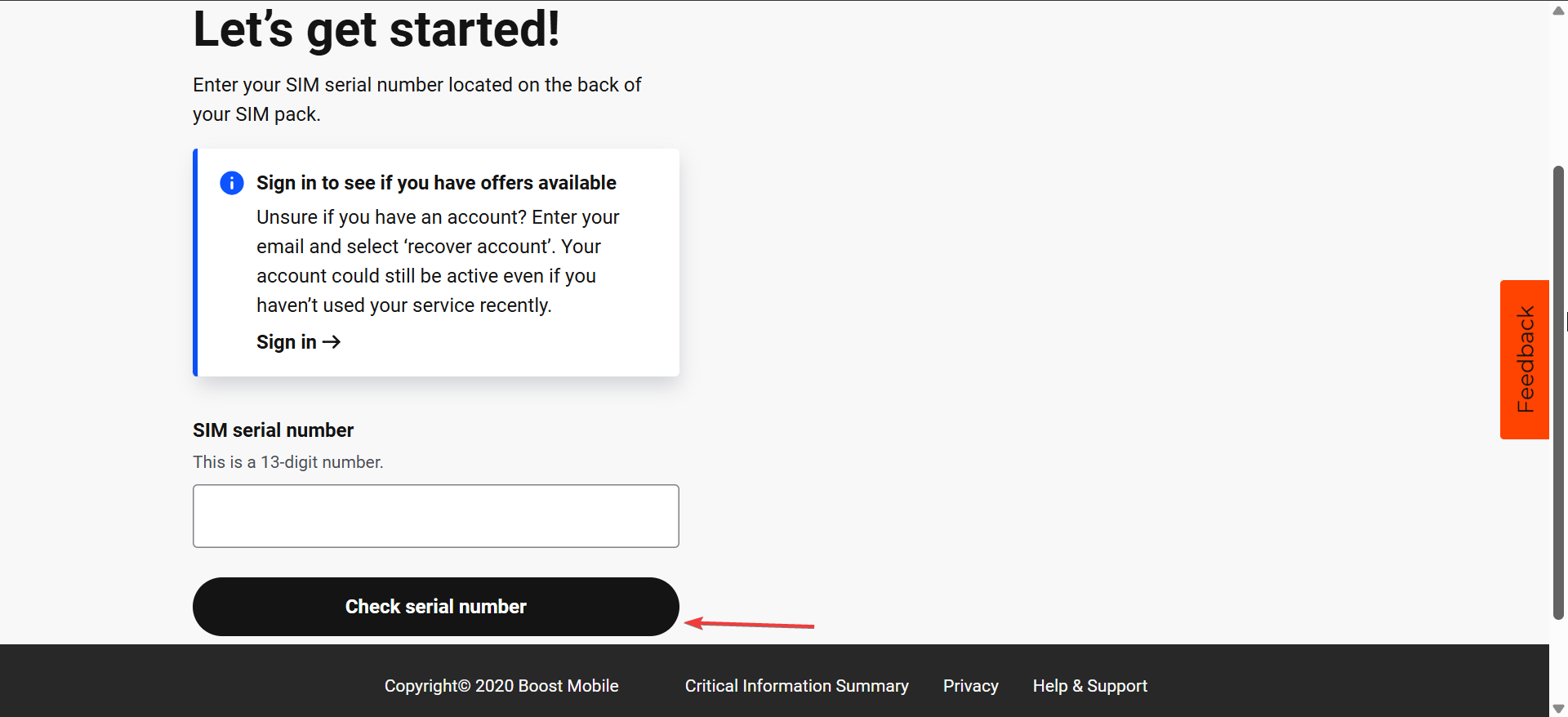

- Confirm your account details and choose your phone number.
- Submit the activation request and wait for the confirmation message.
Insert the SIM and complete phone setup
- Power off your phone and insert the new SIM into the tray.
- Turn the phone back on and wait for the signal bars to appear.
- Make a test call or open a webpage to confirm that service works.
Costs, delivery options, and expected timelines
Pricing varies depending on where you buy the SIM. Shipping times also differ across ordering channels.
Cost of replacement or new SIM kit
Replacement SIM cards usually cost a small fee, though some situations allow free swaps through promotions or account changes. Retailers may offer multi-SIM kits at similar prices.
Delivery timeframes
Online orders often arrive within a few days, depending on the shipping option you choose. Local stores provide immediate pickup if you want same-day service.
How to transfer your number to a new Boost SIM
Keeping your number requires linking the new card to your account. This process only takes a few minutes when you have the right information.
Confirm your account PIN
Boost uses your account PIN to verify your identity during the swap. Having the PIN ready helps the system move your number to the new SIM without delays.
Complete the swap through Boost’s activation portal
- Open the activation or swap section of the Boost portal.
- Enter the new SIM ICCID and confirm the phone number you want to keep.


- Submit the request and wait for confirmation that the number now sits on the new SIM.
Troubleshooting common issues with new Boost SIM cards
- SIM not recognized: Remove the SIM, clean the tray gently, and insert the card again. Confirm the SIM type and size match your phone’s requirements.
- Activation not completing: Repeat the activation process and confirm your account PIN and details. Resetting network settings can help if the phone does not register the new SIM.
- No data or calling after activation: Update your APN settings according to Boost’s current values and restart the phone. Check that mobile data is enabled and that airplane mode is turned off.
Tips for obtaining and activating a Boost SIM
- Check your IMEI first to avoid buying the wrong SIM.
- Keep your current account PIN available before you start activation.
- Restart your phone after inserting the new SIM to refresh the connection.
- Save your APN settings so you can restore mobile data quickly if needed.
- Use retail pickup if you want same-day replacement.
FAQs
Can I use any unlocked phone with a Boost Mobile SIM card? Most unlocked phones that support the correct LTE bands and VoLTE work with Boost. You still need to run the IMEI compatibility check to confirm support before you buy a new SIM.
Do I always need a new SIM when I upgrade my phone? You do not always need a new SIM, but many newer devices use different sizes or network profiles. If your current SIM does not fit or fails to activate, a replacement card usually solves the problem.
How long does it take for a new Boost SIM to activate? Most SIM activations are complete within a few minutes once you submit your details. In some cases, you may need to restart your phone or wait up to an hour for the network to update fully.
Will I lose my data or contacts when I change my SIM card? Switching SIM cards does not erase data stored on your phone. You should still back up your contacts to your Google or Apple account to keep everything safe during the swap.
Summary
- Identify why you need a new Boost SIM, such as damage or a phone upgrade.
- Choose how to obtain your SIM, including online order, in-store pickup, or authorized retailers.
- Verify phone compatibility with Boost’s IMEI checker and confirm the correct SIM type and size.
- Activate your SIM using the online tool, insert the card, and restart your device.
- Fix issues by reseating the SIM, confirming activation details, or updating APN settings and network options.
You get clearer service once you choose the right Boost SIM for your device and network. These steps help you order the correct card, activate it without errors, and restore your mobile service quickly.


Discussion (0)
Be the first to comment.