




A new phone often needs a new SIM card, especially when you upgrade to 5G or switch carriers. Compatibility changes, locked devices, and eSIM support can affect how your service works. This guide shows clear steps to check compatibility, get a new SIM, activate it, move your number, and fix common setup issues.
Step 1: Check phone and carrier compatibility
You avoid activation errors when you confirm that your new phone supports your carrier’s network and frequency bands.
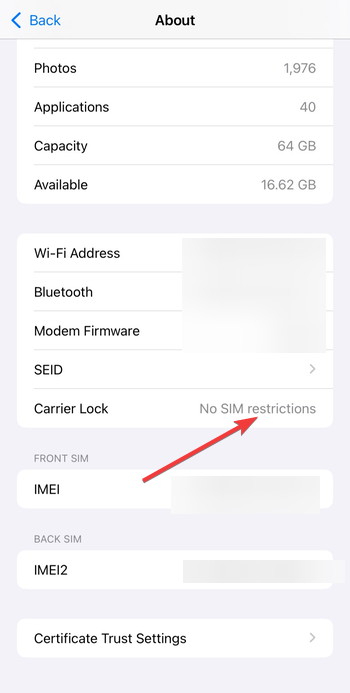
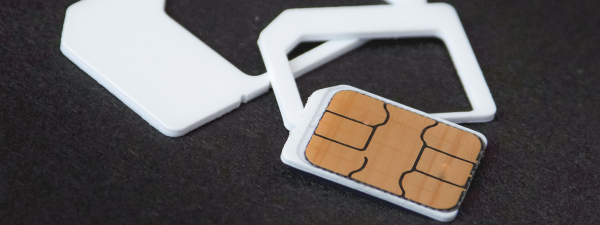
Most recent phones use nano-SIM cards or eSIM. You should check the phone’s settings or SIM tray markings so you order the correct card. Also, confirm that your new phone accepts your carrier’s SIM by checking its lock status. Locked phones block SIM cards from other networks.
Step 2: Prepare your old phone before swapping SIMs
Sync your contacts and texts to iCloud or Google before you move the SIM. This backup lets you restore your information instantly on the new phone. What's more, turn off security locks like Find My iPhone or Android’s device protection.
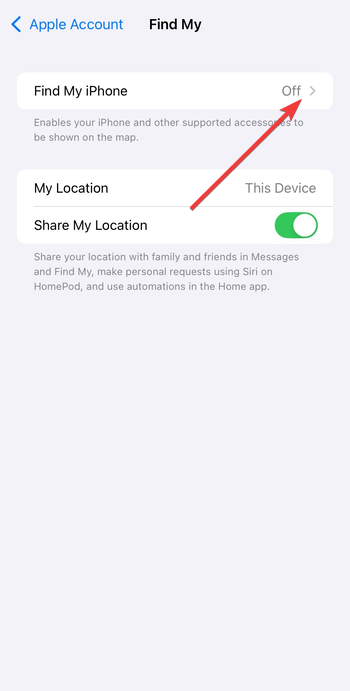
These features can stop the new phone from activating correctly.
Step 3: Get a new SIM card from your carrier
Most carriers offer online ordering, in-store pickup, or customer support requests. But before going to get the SIM, make sure you understand your carrier's requirement.
Some carriers often ask for your account PIN, billing ZIP, or IMEI. Keep these details handy to speed up the SIM swap. Also, some carriers charge for SIM replacements or expedited delivery.
Step 4: Insert the new SIM card into the new phone
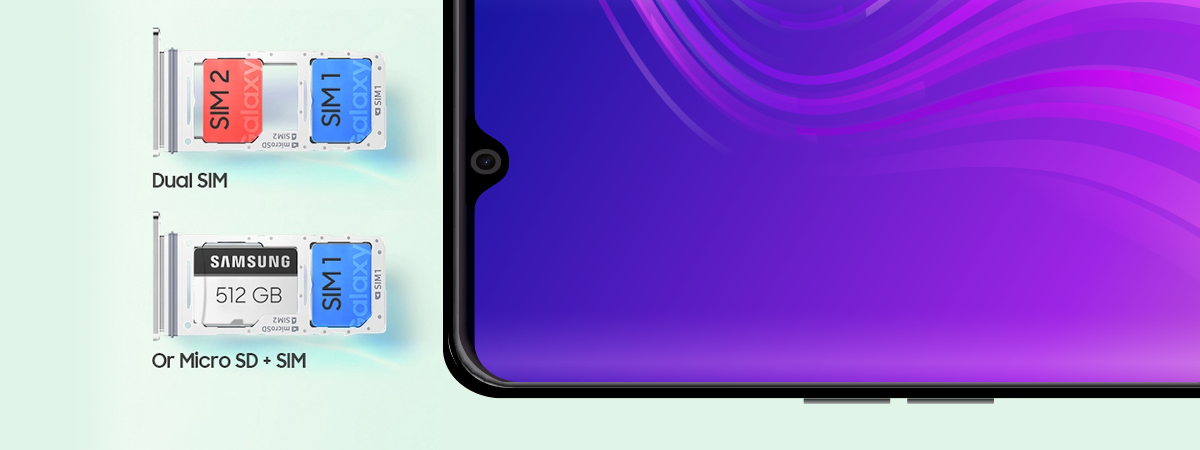
You only need a SIM eject tool and a few seconds to place the SIM into the new phone. Power off the phone, remove the SIM tray, place the new SIM properly, and carefully push the tray back in.

Now, set up the device by following the on-screen instructions. The phone starts searching for your carrier signal immediately after booting.
Step 5: Activate your new SIM card
You can either activate the SIM manually or automatically, depending on your carrier. For the automatic network activation, the phone registers the SIM after you insert it. The process usually takes under two minutes.
For the manual activation, on the other hand, your carrier may require you to know your SIM number (ICCID) or phone IMEI. This step completes the setup when automatic activation fails.

Finally, if it is an eSIM, scan the eSIM QR code from your carrier or add the eSIM directly using the device’s mobile network settings. eSIM installs let you skip the physical SIM process.
Step 6: Transfer your existing phone number
You keep your current number when you complete a SIM swap or port-in. This prevents disruptions with banking apps, two-factor codes, and messaging.
If it is a same carrier transfer, your carrier moves the number from your old SIM to the new one within minutes. You only need to verify the account. But if you want to port from a different carrier, you need to request a port by providing your old carrier’s PIN, account number, and billing ZIP.
Step 7: Confirm the SIM works on the new phone
Open a website or app that uses internet data. A working connection confirms that your APN settings loaded correctly. You can also call a known number and send a test text. These quick checks confirm that your number and line activated successfully.
Fix SIM card activation problems
If the phone shows SOS Only, No Service, or activation errors, use these simple fixes.
- Reseat the SIM card: Remove the SIM and insert it again. The phone often detects it correctly on the second attempt.
- Update carrier settings: Carriers push updates that optimize network support. Apply these updates when the phone prompts you.
- Reset network settings: Resetting network settings removes faulty configurations. You can then try activation again with fresh settings.
FAQs
Do I need a new SIM for every new phone? Not always. If your old SIM supports the new phone’s network and size, you can reuse it.
How long does SIM activation take? Most activations complete in minutes, though port-ins can take several hours.
Can I reuse my old SIM card? You can reuse it if it supports your carrier’s 5G or LTE network and the phone accepts the same SIM type.
Is eSIM better than a physical SIM? eSIM offers faster setup and prevents physical damage, but physical SIMs remain more flexible when you change phones often.
Summary
- Check your new phone’s SIM size, eSIM support, and lock status.
- Back up your old phone and turn off device-lock features.
- Request a new SIM from your carrier and confirm activation rules.
- Insert the SIM into the new phone and complete setup.
- Activate the SIM through automatic or manual steps.
- Transfer your number and test calls, texts, and data.
Conclusion
A new SIM card ensures that your new phone connects to your carrier’s latest network features. You avoid activation problems when you check compatibility, prepare the old device, and follow the correct SIM setup steps. Most users complete the process in a few minutes, and a quick test confirms everything works. If activation stalls, your carrier can resolve account or port-in issues quickly.

Discussion (0)
Be the first to comment.