




Activating your SIM card gets your phone ready for calls, texts, and mobile data. Whether you use a new SIM or replace an old one, the activation process stays simple as long as you follow the right steps. Most carriers let you activate a SIM card online, by phone, or directly on your device. A smooth setup prevents issues such as no service, missing signal bars, or a SIM card not working after installation.
This guide explains how to activate a SIM card on any modern smartphone, including the materials you need, how to insert your SIM correctly, and what to do if mobile network activation fails. The instructions work for major US carriers and prepaid providers. Follow the steps below to complete your SIM card activation quickly and avoid common errors.
You can avoid setup issues by preparing the basics first. These items help your phone register the SIM correctly and connect to your carrier’s network.
- Your SIM card (standard, micro, or nano depending on your phone model)
- An unlocked or carrier-compatible smartphone
- Your carrier account details, such as PIN or activation code
- A stable Wi-Fi connection during setup
- A SIM ejector tool or a small paperclip
- A charged device so activation does not interrupt mid-process
Locate The SIM Card Slot
Different phones place the SIM tray in different spots. Finding the right location helps you insert the SIM correctly the first time.
Most smartphones keep the SIM tray on the left or right edge. Some older models place it on the top or bottom frame. If your device uses a removable back cover, the slot sits under the battery area. Look for a small pinhole next to the tray you open with an ejector tool.
Insert Your SIM Card
Installing the SIM properly prevents registration errors and ensures your phone connects to your carrier’s activation server without issues.
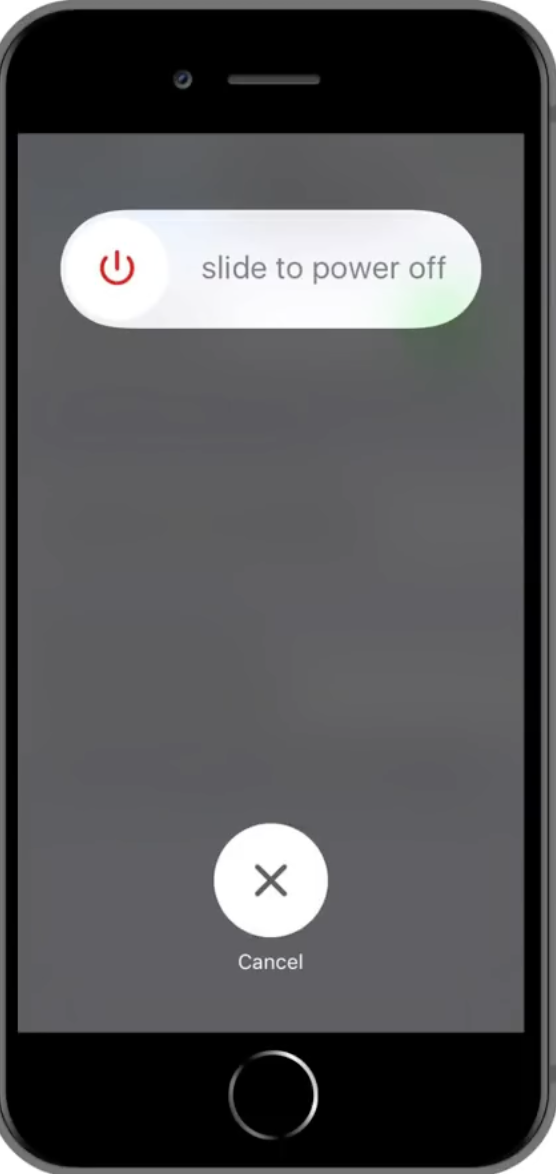
- Turn off your phone before inserting the SIM to avoid reading errors.
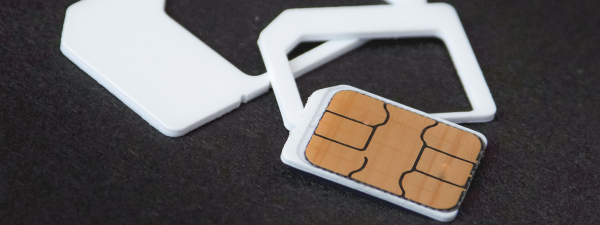
- Insert the ejector tool into the pinhole and pull out the SIM tray, then pull out the SIM from the pack.

- Place the SIM in the tray with the gold contacts facing downward.

- Match the notched corner so the SIM sits flat and secure.
- Push the tray back in and power on your phone.
Activate Your SIM Card Through Your Carrier
Once your phone reads the SIM, you complete activation through your carrier. Most US carriers use automated activation systems that verify your SIM number and attach it to your account.
- Open your phone’s browser using Wi-Fi and visit your carrier’s SIM activation page.
- Enter your SIM number (ICCID) printed on the SIM card.
- Log in to your account or enter your activation PIN if required.
- Confirm your device and phone number.
- Wait for the carrier to register your SIM on the network.
Restart Your Phone To Complete Activation
A reboot triggers network registration and refreshes your connection. After restart, check for signal bars at the top of the screen. You should see your carrier name and access to LTE or 5G data if the SIM activation succeeds.
Test your connection by sending a text, making a call, and opening a webpage. This confirms your new SIM card setup works correctly.
Troubleshooting Common Problems
If activating your SIM card fails, these quick checks often resolve the issue.
- No Service: Ensure your phone is unlocked or compatible with your carrier’s network.
- Invalid SIM: Remove the SIM, clean the contacts, and reinsert it.
- Activation Stuck: Restart your phone and reconnect to Wi-Fi.
- No Mobile Data: Enable mobile data in Settings and reset network settings.
- SIM Not Registered: Contact your carrier to confirm the SIM is assigned to your account.
Tips
- Keep your SIM packaging until activation succeeds.
- Use Wi-Fi during activation to avoid dropped connections.
- Turn Airplane Mode on and off to refresh network registration.
- Store your old SIM safely in case you need to transfer contacts.
- Update your phone’s software to prevent compatibility issues.
FAQ
How long does SIM activation take?
Most US carriers activate a SIM within a few minutes, though some may take up to 30 minutes.
Can I activate a SIM card without Wi-Fi?
You can, but Wi-Fi avoids interruptions that slow down the activation process.
Does activating a SIM card require the old SIM?
No. You only need the new SIM unless your carrier requires account verification.
Why is my new SIM not connecting to 5G?
Your plan or phone may not support 5G, or coverage may be limited in your area.
Can I move my activated SIM to another phone?
Yes, as long as the new phone is unlocked and compatible with your carrier.
Summary
- Gather your SIM card, account details, and a Wi-Fi connection.
- Locate your SIM slot and insert the SIM correctly.
- Activate the SIM through your carrier’s online portal.
- Restart your phone to complete registration.
- Fix issues by reseating the SIM, resetting network settings, or contacting your carrier.
Conclusion
Activating your SIM card takes only a few minutes when you follow the right steps. A proper setup ensures strong signal, working data, and reliable calling on your device. With the SIM installed, activated, and connected, your phone becomes ready for everyday use without interruptions. If you ever run into activation issues, simple fixes like restarting your phone or resetting network settings usually solve the problem.


Discussion (0)
Be the first to comment.