




Minecraft for Nintendo Switch brings the world’s most popular sandbox game to one of the most flexible gaming systems ever made. You can mine, build, and explore on the go or docked to your TV, all while connecting with players across multiple platforms. This guide explains everything about performance, controls, multiplayer, and updates so you know exactly what to expect from the 2025 version.
1) What is Minecraft for Nintendo Switch?
Minecraft for Switch is the Bedrock Edition of the game, designed specifically for Nintendo’s hybrid console. It includes all standard Minecraft features, from Creative mode to Realms. The Switch version keeps the same biomes, mobs, and mechanics found on other platforms, with a few optimizations to suit handheld gameplay.

This version runs smoothly on the console’s hardware, providing an accessible entry point for families and casual players. Mojang continues to update it in sync with other Bedrock platforms, ensuring parity with new features, bug fixes, and world-generation improvements.
Bedrock vs Java Edition
The main difference between Minecraft Bedrock and Java is compatibility. The Bedrock Edition used on the Switch supports cross-play, meaning you can join friends on any other Bedrock-supported device using your Microsoft account.
However, Java players have access to mods and community servers not supported on the Switch. Bedrock prioritizes accessibility and consistency over modding flexibility. For most players, especially those who prefer console or mobile play, Bedrock offers the best balance of performance and convenience.
2) How well does Minecraft run on Switch?
The Switch handles Minecraft impressively well for a portable console. It targets 30 frames per second, maintaining smooth gameplay in both handheld and docked modes. While world generation may take slightly longer compared to PC or next-gen consoles, the experience remains fluid for exploration and building.
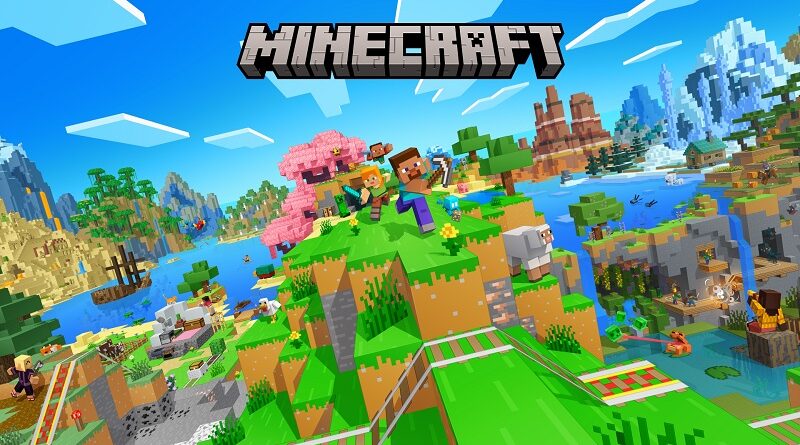
In handheld mode, the game runs at 720p with reduced render distance to optimize speed and stability. The smaller screen hides most texture trade-offs, making the visuals appear clean and balanced. In docked mode, resolution increases to 1080p, allowing more detail and better draw distance for large structures or wide landscapes.
3) Features and gameplay experience
Minecraft for Switch includes every core gameplay mode - Survival, Creative, Adventure, and Spectator. Players can explore infinite worlds, gather resources, and craft items just like in any other version.
Autosave ensures progress isn’t lost when switching between handheld and docked play, which is great for long building sessions. One of its biggest advantages is flexibility. You can use Joy-Con controllers for casual play or connect a Pro Controller for more precision.
4) Multiplayer and cross-platform play
Local split-screen supports up to four players on a single console, making it perfect for family gaming nights. Each player can use their own Joy-Con or controller, and the system maintains smooth performance even with multiple active screens.

Local wireless play between multiple Switch consoles is also supported for private co-op sessions. Also, online multiplayer requires a Nintendo Switch Online subscription and a linked Microsoft account. Once connected, you can play on Realms, join cross-platform servers, or visit friends’ worlds across Xbox, PlayStation, and mobile.
5) Controls and user experience
Minecraft on Switch is fully optimized for both Joy-Con and Pro Controller inputs. Building, mining, and combat are mapped intuitively, so even new players can start quickly. The motion control option can be toggled for camera movement, adding precision when aiming or mining blocks at odd angles.
Touchscreen input enhances usability in handheld mode. Players can manage their inventory, navigate menus, and craft items by tapping directly on-screen. While it’s not as fast as keyboard controls, it’s efficient for creative building or quick inventory sorting during exploration.
6) Marketplace and add-ons
The in-game Marketplace gives players access to curated content such as skins, texture packs, and custom adventure worlds. Purchases are made using Minecoins, a universal currency across all Bedrock platforms.

Though modding isn’t supported, Marketplace creators release a steady stream of fresh content, including collaborations with big franchises. Players can easily browse and install packs without leaving the game, making customization quick and safe for all ages.
7) Updates and new features in 2025
Mojang continues to deliver synchronized updates across all Bedrock devices, including the Switch. Recent updates added new biomes, structures, and improved world generation algorithms. The 2025 builds also include better lighting, smoother water reflections, and reduced loading times between dimensions.
8) Parental and offline play info
Parents can manage Minecraft’s online features through Nintendo’s built-in Family Settings app. This allows you to control chat access, server participation, and in-game purchases. The Switch’s secure environment makes it one of the safest ways for kids to play Minecraft online.
Offline play works perfectly in both Creative and Survival modes. Players can enjoy full worlds without any internet connection, with autosave ensuring progress isn’t lost. It’s an ideal setup for road trips, flights, or limited Wi-Fi environments.
9) Price and availability
Minecraft for Nintendo Switch is available on the eShop for about $29.99 in the U.S. A physical cartridge version can be found at most retailers and includes the same updates as the digital edition. Both versions require about 1.2 GB of storage, plus additional space for updates and Marketplace content.
10) Troubleshooting and optimization tips
If Minecraft feels slow or crashes during large builds, lower the render distance in the settings menu. Turning off fancy graphics and clouds can also improve frame rates. Make sure your Switch has at least 1 GB of free storage, as low space can cause world-saving issues.
When playing online, use a stable Wi-Fi connection and limit background downloads to prevent lag. Restarting your console after long sessions helps clear cache memory, improving responsiveness.
FAQs
Can I play Minecraft for Switch offline? Yes. Single-player worlds can be played entirely offline, though you’ll need internet for online servers and Realms.
Does Minecraft for Switch support mods? No traditional mods are supported, but players can install official Marketplace content safely within the game.
How do I connect to a friend’s realm? Link your Microsoft account, navigate to the Friends tab, and join your friend’s Realm directly. Both players must have an active Nintendo Switch Online membership.
Why is my game lagging in multiplayer? Lag usually stems from Wi-Fi instability or high render distance settings. Reducing chunk distance and staying close to your router typically resolves it.
Is cross-save available between Switch and PC? Cross-save isn’t fully automated, but you can use a shared Realm to access your world from different devices. This method syncs progress across Bedrock platforms.
Conclusion
Minecraft for Switch combines accessibility, portability, and consistent updates to deliver one of the best ways to experience the game in 2025. It offers full Bedrock compatibility, smooth gameplay, and easy cross-platform connectivity for players of all ages.
While it can’t match PC modding freedom, it’s unmatched in convenience and family-friendly design.


Discussion (0)
Be the first to comment.