




League of Legends is an incredible game. The Public Beta Environment (PBE) in League of Legends gives players early access to new champions, features, and balance updates before they reach the live servers. If you want to learn how to play PBE on League of Legends, this guide walks you through the requirements, access steps, and login process in a simple, beginner-friendly way.
The PBE server uses a separate account, has different rules for eligibility, and requires a short setup. Once you join, you can test upcoming content and help Riot improve the game through feedback and bug reports.
What Is The League Of Legends PBE?
The PBE is Riot’s dedicated test server for previewing upcoming skins, champion changes, and gameplay updates. It often includes content weeks before official release. The PBE client uses the same launcher, but it runs on a different server with its own account data.
PBE access is not automatic. You need an eligible main account and a clean behavior record to join the LoL PBE server.
Requirements For PBE Access
You must meet Riot’s eligibility rules before you can create a PBE account. These conditions ensure the test server remains stable and positive.
- Your main League of Legends account must be in good standing with no ongoing bans.
- Your Honor level must be at least Honor Level 3 at the time of writing.
- You must have an active Riot account linked to the same region used for your PBE signup.
How To Sign Up For The League Of Legends PBE
Once you meet the requirements, you can check your eligibility and create a PBE account using Riot’s official signup portal.
- Open your browser and go to the official Riot PBE signup page.

- Log into your main Riot account.
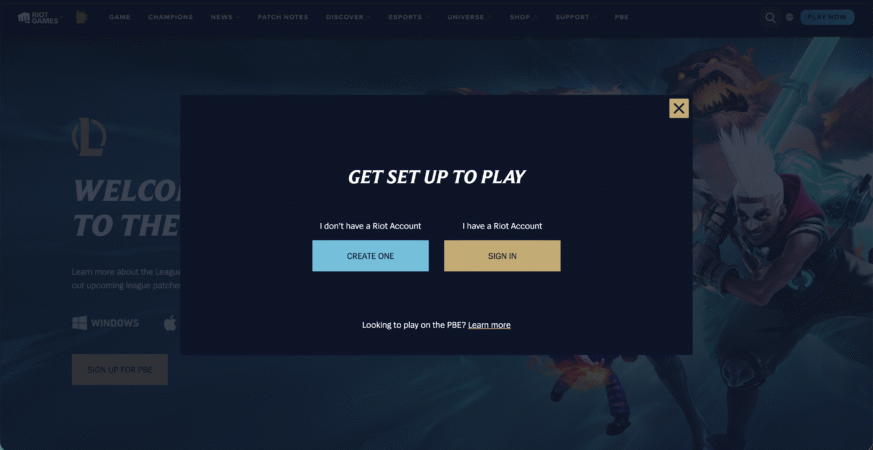
- Wait for the eligibility check to complete.
- If you qualify, select the option to create your PBE account.
- Set your PBE username and password.
If your Honor level is too low, Riot will not allow access. You must wait until your behavior rating improves.
How To Download The PBE Client
The PBE uses a separate client installation. It downloads quickly because it shares large files with the main League of Legends game.
- Return to the PBE signup page after your account is created.
- Click the link to download the PBE installer.

- Run the installer on your PC.
- Choose an install folder and let the setup finish.
- Launch the PBE client using your new PBE login details.
How To Log In And Play On The PBE Server
Once installed, the PBE works like the standard client with some key differences.
- Open the PBE launcher.
- Log in with your PBE username and password.
- Download remaining updates.
- Select a game mode such as Summoner’s Rift or ARAM.
- Test new champions, skins, or gameplay changes as they appear on the test server.
PBE accounts often receive free RP and Blue Essence so testers can purchase upcoming content for testing.
What To Expect When Playing On The PBE
The PBE environment behaves differently from the live game because everything is still in development. Bugs, crashes, and incomplete features are normal parts of testing.
- New champions and skins may have visual or gameplay bugs.
- Balance changes on PBE rarely match final release values.
- Queue times may vary depending on server population.
- Matchmaking may feel different because account ranks do not carry over.
- Riot encourages reporting issues to help polish upcoming patches.
How To Report Bugs And Give Feedback
Your participation helps Riot improve upcoming updates. The PBE includes built-in reporting tools and forums.
- Use the in-client bug reporting tool after a match.
- Visit the official PBE boards to share feedback.
- Describe steps to reproduce any bugs you encounter.
- Include screenshots or video clips when possible.
Troubleshooting Common Problems
- PBE login fails → Confirm you are using your PBE account, not your live Riot account.
- “Account not eligible” message → Your Honor level is below 3 or your main account is not in good standing.
- PBE installer won’t launch → Disable antivirus temporarily or run the installer as administrator.
- PBE client stuck on updates → Restart the launcher and check your network connection.
- Long queue times → Low population on the PBE can cause longer matchmaking delays.
- Client crashes or bugs → These are normal on PBE because content is still in development.
Tips
- Keep your main account at Honor Level 3 to retain PBE eligibility during new seasons.
- Use PBE to test champions, skins, and balance changes before spending RP on live servers.
- Expect unstable gameplay — always report bugs rather than assuming they are known.
- Download updates early in the day to avoid slower patch times during peak testing hours.
- Join PBE community forums to track known issues and upcoming tests.
FAQ
Why Can’t I Access PBE Even Though I Have A Riot Account?
You must be at least Honor Level 3 with no active bans or restrictions.
Do I Need A Separate Account For PBE?
Yes. You create a dedicated PBE account, even though it connects to your main Riot account for eligibility.
Is The PBE Free To Use?
Yes. Anyone who meets the requirements can join for free.
Do PBE Skins And Blue Essence Transfer To Live Servers?
No. PBE progress stays on the PBE server only.
Why Are There Bugs On The PBE?
The server exists specifically for testing unfinished content, so bugs are expected.
Summary
- The League of Legends PBE gives early access to upcoming champions, skins, and updates.
- You need an eligible Riot account with Honor Level 3+ and no active bans.
- Create a separate PBE account through Riot’s official signup page.
- Download and install the PBE client, then log in with your PBE credentials.
- Expect bugs, crashes, and balance changes as part of the testing process.
- Use the PBE bug tools and forums to help Riot refine future patches.
Conclusion
Learning how to play PBE on League of Legends gives you early access to future game updates and the chance to shape gameplay through feedback. Once you meet Riot’s Honor requirements, creating a PBE account and installing the client takes only a few minutes. After that, you can explore upcoming champions, test new balance changes, and help the development team refine the next patch before release.


Discussion (0)
Be the first to comment.