




Watching YouTube videos offline helps you stay entertained or productive when you have no internet connection. You can save videos for flights, commutes, travel, or limited data plans. This guide shows every reliable method to download or access YouTube videos without internet on phones, tablets, PCs, and Chromebooks.
Table of contents
Use YouTube Premium to download videos
YouTube Premium provides the safest and most consistent offline experience. Premium works across mobile devices and gives you access to high-quality downloads.
Download videos on Android and iPhone
You can download YouTube videos without extra software simply by using the app. Select the video, tap Download, and choose your preferred quality. Your saved videos appear under the Library tab for offline viewing.

Download videos on tablets and Chromebooks
The YouTube app on tablets and Chromebooks supports the same offline workflow. Storage limits apply based on device capacity and file quality. Videos remain available as long as you stay signed in and reconnect periodically to refresh access.
Manage storage and download quality
Downloads fill storage quickly, especially in higher resolutions. Adjust the quality in Settings > Offline to balance clarity and space. Lower resolutions help when preparing for long trips or when using smaller devices.

Watch YouTube videos offline on a PC or laptop
YouTube Premium supports limited offline playback on desktops in select regions. You can check availability by installing the YouTube desktop app if your region supports it.
Offline viewing with YouTube’s web app (PWA)
The YouTube PWA installs through supported browsers and may show a Download option for Premium users. You can access saved videos in the app interface while offline. This feature is still rolling out and may vary by account.

Use YouTube Music offline for audio-only content
YouTube Music Premium allows offline playlists and songs for users who want audio without video. This works well when you need to save battery or storage while still accessing your favorite content.
Save videos offline with desktop apps and downloaders
Some users prefer offline copies through external tools, but these methods must be used responsibly. YouTube’s terms of service restrict downloading videos without explicit permission.
Popular desktop tools for offline playback
Desktop utilities let you pick resolution, extract audio, or download full playlists. These help with research or gathering offline educational materials. Quality and speed depend on the tool you choose.
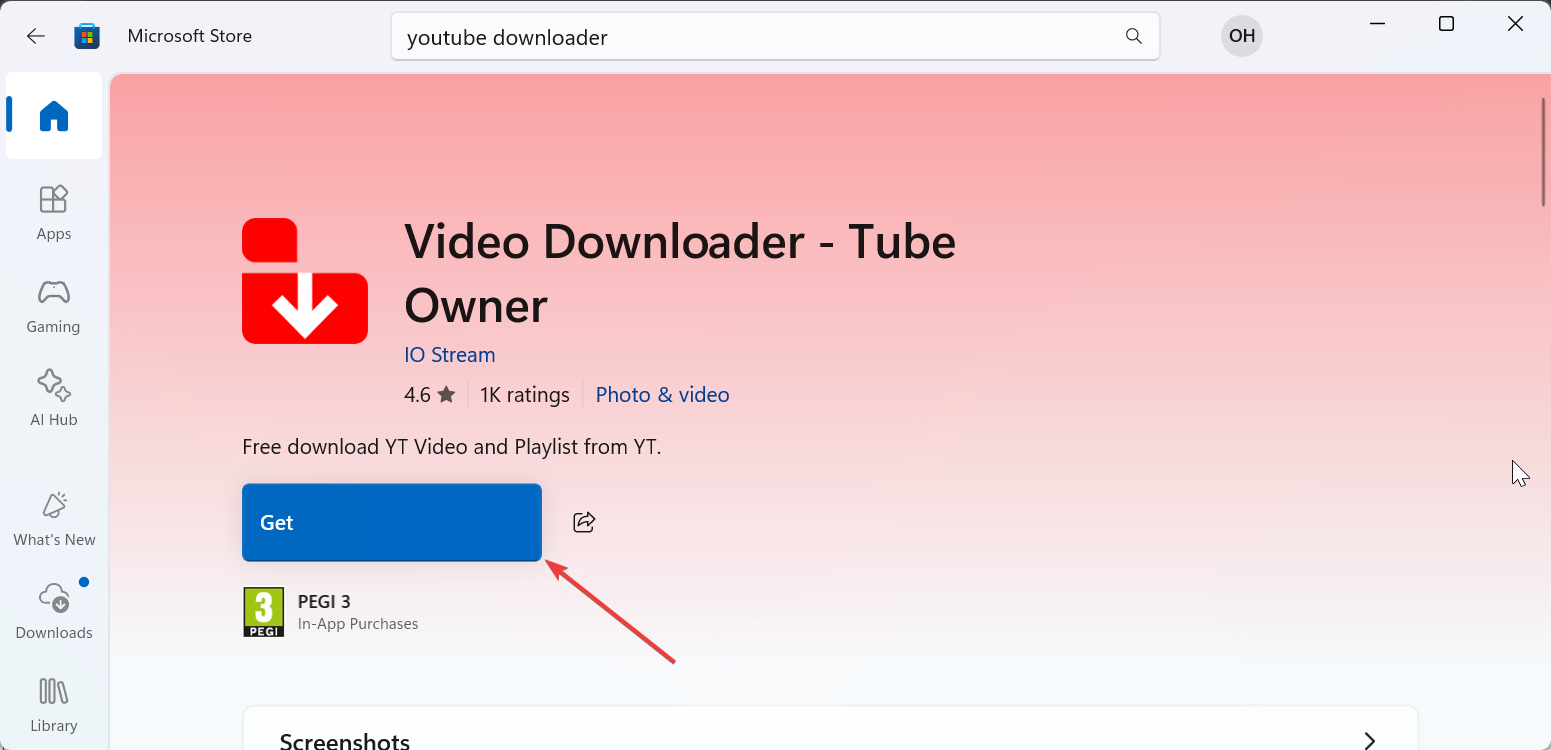
Browser extensions for quick offline saving
Browser extensions allow simplified, one-click downloading. Reliability varies, and users must avoid unsafe add-ons. Stick to reputable extension stores to reduce security risks.
Watch videos offline without downloading
You do not always need a traditional download to access content offline. Some YouTube features handle the process automatically.
Use offline smart downloads
YouTube Music and some Premium features auto-download content based on your viewing habits. This gives you a fresh batch of videos or songs ready when you travel.
Cache educational videos through classroom platforms
Some learning apps store embedded YouTube videos offline for coursework. This helps students with limited internet access continue lessons uninterrupted.
Troubleshooting issues when offline videos will not play
- Video expired or unavailable: Offline videos expire every 30 days or when content changes. Open the YouTube app while online to refresh your library. You may need to re-download videos with updated restrictions.
- Storage permission problems: If storage permissions are reset after updates, downloads stop working. Re-enable permissions under device settings and verify your download folder. Moving storage locations may also fix missing files.
- Region restrictions: Traveling outside your original region may block offline content. Connecting through your home region allows the app to refresh access. Some content cannot be renewed due to licensing rules.
Tips for watching YouTube offline
- Download videos over Wi-Fi to save data.
- Use SD cards for long trips to avoid storage limits.
- Keep the YouTube app updated for better offline performance.
- Lower video quality when saving large playlists.
FAQs
Can I watch YouTube offline without YouTube Premium? You can save videos offline only through YouTube Premium. Third-party downloaders exist, but they may violate YouTube’s terms or pose security risks.
Why do my offline YouTube videos expire? Offline downloads expire when licensing changes or when you have not connected to the internet for several days. Opening the app online refreshes access.
Why can’t I download certain YouTube videos? Some creators disable downloads on their content. These videos remain restricted even for Premium users and cannot be saved offline.
Can I store offline videos on an SD card? Most Android devices support SD card downloads. You can set your default storage location in YouTube settings if your device allows external storage.
Summary
- YouTube Premium provides the most reliable way to download videos offline.
- Desktop and browser tools offer alternatives but require caution.
- Offline viewing works best when you manage quality and permissions.
- Issues often resolve by refreshing downloads or reconnecting online.
Offline viewing gives you flexibility and control over your entertainment or learning schedule. Prepare videos ahead of time, manage storage smartly, and choose the method that best matches your device. This ensures smooth playback when internet access disappears.

Discussion (0)
Be the first to comment.