




YouTube is a rich source of videos, from entertainment to tutorials and documentaries. However, downloading videos for offline viewing can be tricky, as YouTube does not offer a direct download option. Fortunately, there are multiple ways to download YouTube videos online without any software installation. These methods are simple, fast, and effective, making it easy to save your favorite videos on your device and enjoy them even without an internet connection.
Whether you're traveling, have limited internet access, or want to watch videos on the go, this guide will walk you through different online tools and methods to download YouTube videos hassle-free. We'll explore free options such as using online video downloader websites, browser tricks, and reliable tools to help you achieve this with ease.
How to Download YouTube Videos Online Without Any Software
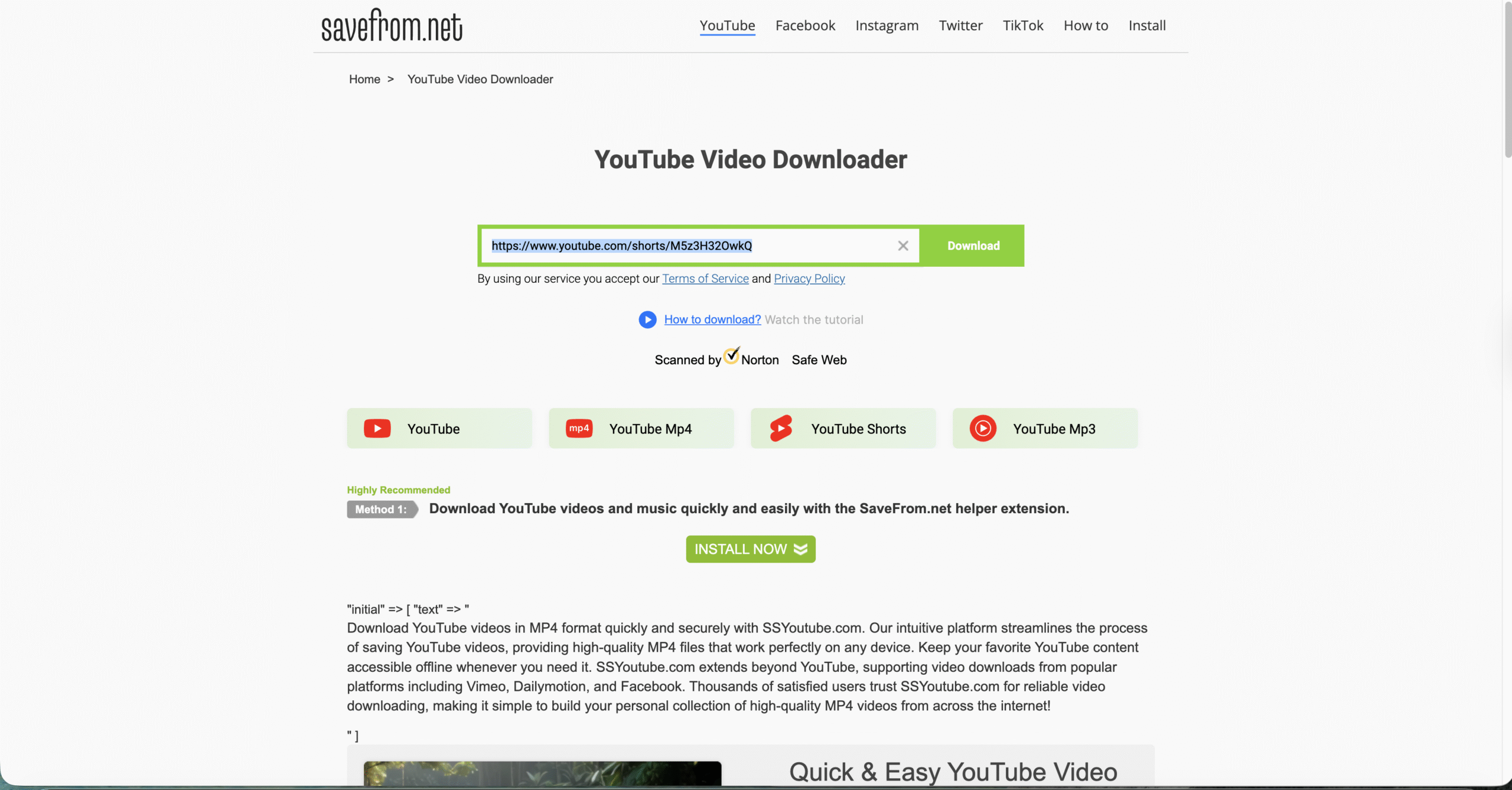
One of the simplest and most popular methods for downloading YouTube videos is by using online video downloader websites. These websites allow you to paste a YouTube video URL and choose your preferred video format (such as MP4 or MP3) to begin the download process.
Follow these steps to use an online video downloader website:
- Copy the URL of the YouTube video you want to download.
- Open an online video downloader tool such as SaveFrom, Y2Mate, or OnlineVideoConverter.
- Paste the URL into the website’s download box.
- Select your desired format (e.g., MP4 or MP3).

- Click the "Download" button to begin the process.

- Once processed, the website will provide a download link.
- Click the download link to save the video to your device.
Using these tools eliminates the need for software installation and provides a fast way to download videos. Many of these websites support various formats and quality options, so you can download videos in the resolution that suits your needs.
Method 2: Using the SSYouTube Trick
If you're looking for a quick and direct way to download videos, the SSYouTube trick is an easy method. Simply modify the YouTube video URL by adding "ss" before the word "youtube" (e.g., change "youtube.com" to "ssyoutube.com"). After hitting enter, you’ll be redirected to a new page where you can select your desired video format and quality for download.
To use the SSYouTube trick, follow these steps:
- Find the YouTube video you want to download.
- In the URL, replace "youtube" with "ssyoutube" (e.g., youtube.com → ssyoutube.com).
- Press Enter to load the video on the SSYouTube page.
- Select the video format and quality you want.
- Click the "Download" button to begin the process.
While this method is fast, it may not always work due to changes in YouTube’s algorithms. However, it remains a handy option when the need arises.
Method 3: Using SaveFrom
SaveFrom is a widely recognized online tool for downloading YouTube videos. It’s simple to use—just paste the URL of the video into the SaveFrom box, select your format and quality, and click the download button. SaveFrom supports a wide range of video formats, including MP4, and offers a fast downloading experience.
Method 3: Using Y2Mate
Y2Mate is another reliable video downloader that offers free, fast, and easy downloads. To use Y2Mate, copy the YouTube video URL and paste it into the site’s download box. Choose your preferred format (e.g., MP4, MP3) and click download to save the video.
Method 5: Using YouTubeMP4
YouTubeMP4 is a no-fuss, straightforward tool for downloading YouTube videos. Simply paste the YouTube video URL into the text box on the YouTubeMP4 website and click "Convert." Once the video is processed, you can select the download format and start the download process.
To use YouTubeMP4, follow these steps:
- Find the YouTube video URL and copy it.
- Paste the URL into the YouTubeMP4 website’s box.
- Click the "Convert" button to process the video.
- Select the video format you want (e.g., MP4, MP3).
- Click the "Download" button to save the video.
Method 6: Using Clip Converter
Clip Converter is an excellent free online tool for downloading YouTube videos. After pasting the video URL into the Clip Converter download box, you can select the video format (MP4, AVI, etc.) and quality. The tool also allows you to convert videos to audio formats like MP3.
Method 7: Using KeepVid
KeepVid is another popular and simple YouTube video downloader. You just need to paste the video URL into the website’s box, choose your preferred format, and the download will begin. KeepVid is fast, free, and doesn’t require you to install any software.
Method 8: Using 9xBuddy
9xBuddy is an easy-to-use YouTube downloader tool that allows you to save videos in multiple formats such as MP4 and WebM. Paste the video URL, select your download format, and get the video in a matter of seconds. 9xBuddy is free, fast, and requires no software installation.
Conclusion
Downloading YouTube videos online without any software installation is quick and easy with the tools mentioned in this article. Whether you’re using online downloader websites, the SSYouTube trick, or popular tools like Y2Mate, SaveFrom, or KeepVid, you have several options for saving your favorite videos for offline viewing. Choose the method that best suits your needs and enjoy your videos without an internet connection.
Remember to always use reputable websites to avoid security risks. Stay cautious and prioritize your online safety when using these tools. With these methods, you can enjoy your favorite YouTube content offline, whether it’s for entertainment, learning, or travel.



Discussion (1)
SSYouTube trick now redirects to Save From, which is no longer free. You have to subscribe.