



Rumble hosts a wide range of videos, from commentary to entertainment, but the platform does not include a built-in download button for most content. Many users want offline access so they can save tutorials, documentaries, and clips for later. At the same time, it’s important to use safe tools and avoid outdated methods that no longer work. This guide explains how to download from Rumble using reliable online downloaders that remain functional at the time of writing.
This tutorial also covers key points like choosing the right format, avoiding low-quality converters, and staying within legal and acceptable-use boundaries. Once you understand the process, downloading Rumble videos becomes quick and straightforward, whether you’re saving them for offline viewing or personal archiving.
Steps To Download From Rumble
You can download any public Rumble video by copying its URL and using a compatible online downloader. Most reliable tools support MP4 and multiple resolutions, which makes them useful for offline storage on Windows, macOS, Android, and iPhone.
Follow the steps below to download videos safely and without installing unnecessary software.
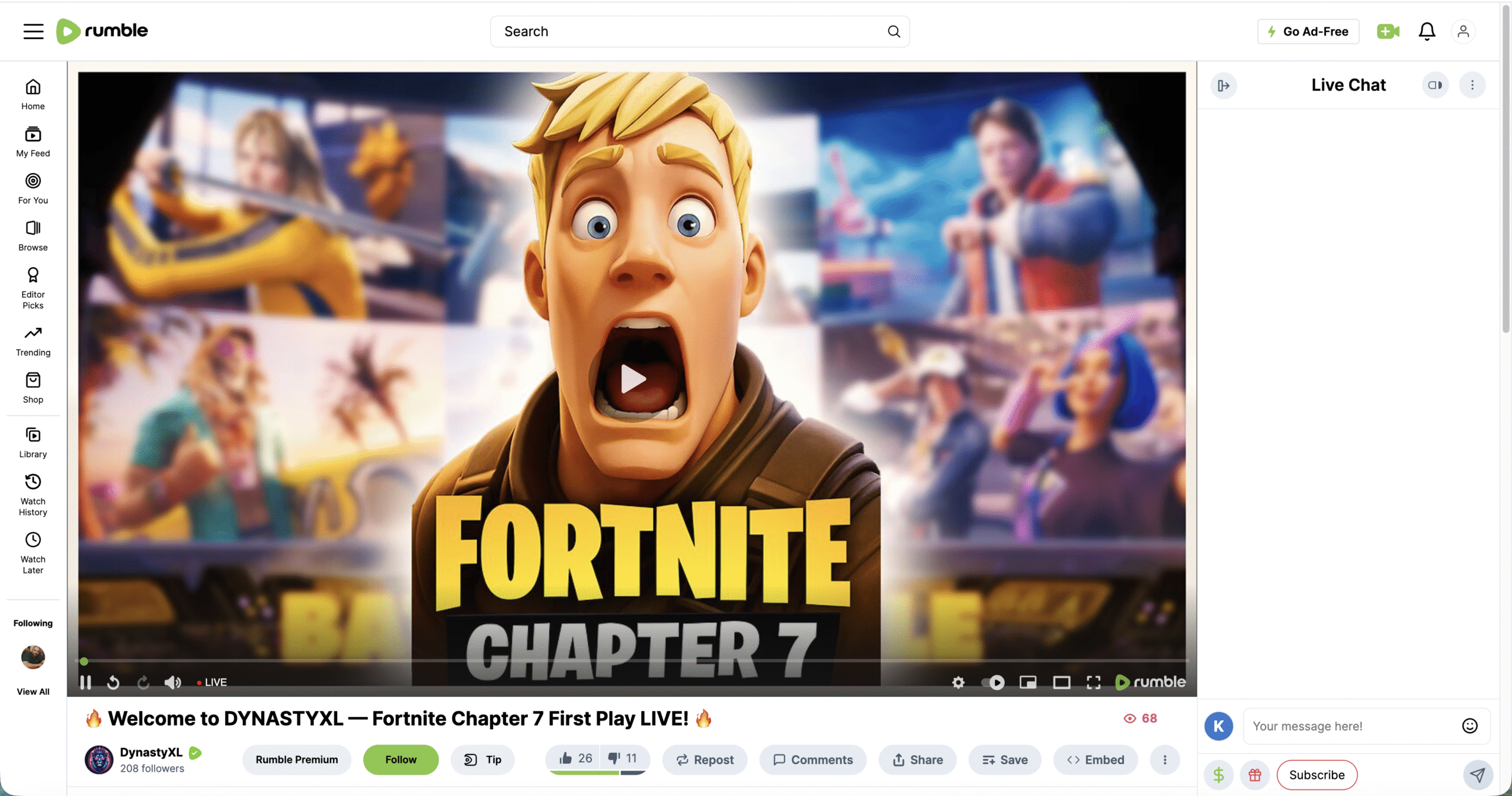
Find The Rumble Video
- Open the Rumble website in your browser.

- Search for the video you want using the search bar or browse categories.

- Open the video page and make sure it’s a public video that can be accessed without restrictions.
Copy The Video Link
- Click inside the browser’s address bar.
- Copy the full video URL using Ctrl + C (Windows) or Command + C (Mac).
- On mobile, tap the address bar and select Copy.
Choose A Reliable Online Downloader
Use a downloader that supports Rumble videos, loads quickly, and offers MP4 output. Avoid sites filled with pop-ups or ones requiring software installations. Compatible online tools allow direct pasting of the URL without account creation.
Paste The Link Into The Downloader
- Open the downloader in your browser.
- Click the URL input field.
- Paste the Rumble video link using Ctrl + V or Command + V.
- Wait for the tool to analyze and display available formats.
Select Format And Quality
- Choose MP4 for the best compatibility.
- Pick a resolution such as 480p, 720p, or 1080p depending on the video.
- Select audio-only mode if you only want the soundtrack.
Download The Video
- Click the Download button.
- Choose a save location if prompted.
- Wait for the file to finish downloading before closing the page.
Troubleshooting Common Problems
If the download fails or the link does not load, try the short fixes below.
- Refresh the downloader page and paste the link again.
- Switch browsers if the video analysis gets stuck.
- Lower the resolution option if high-quality downloads fail.
- Disable VPN extensions that may block video requests.
- Re-copy the Rumble link to avoid missing characters.
Tips
- Use MP4 files for compatibility with phones, PCs, and smart TVs.
- Keep downloads for personal use only to avoid copyright issues.
- Clear your browser’s download folder regularly to save storage.
- Bookmark your preferred downloader for faster access.
- Check file names before saving so you can organize videos later.
FAQ
Can I download private Rumble videos? No. Downloaders only work with publicly accessible Rumble videos.
Does Rumble offer an official download button? Only select creators enable downloads. Most videos require a third-party downloader.
Is it legal to download Rumble videos? You can save videos for personal use, but you must respect copyright and avoid re-uploading someone else’s work.
Can I download videos on iPhone or Android? Yes. Use a mobile-friendly online downloader through your browser.
Summary
- Find the video you want to download on Rumble.
- Copy the full URL from the address bar.
- Open a reliable online downloader.
- Paste the link and select your format.
- Download the file and save it to your device.
You now have a safe and simple way to save Rumble videos for offline viewing whenever you need them.
Conclusion
Downloading from Rumble is easy once you know which tools still work and how to choose the right format. Using the steps above ensures fast downloads, clean files, and reliable playback across devices. Whether you want to save commentary clips, long-form content, or educational videos, these methods give you full offline access without installing extra software.


Discussion (0)
Be the first to comment.