



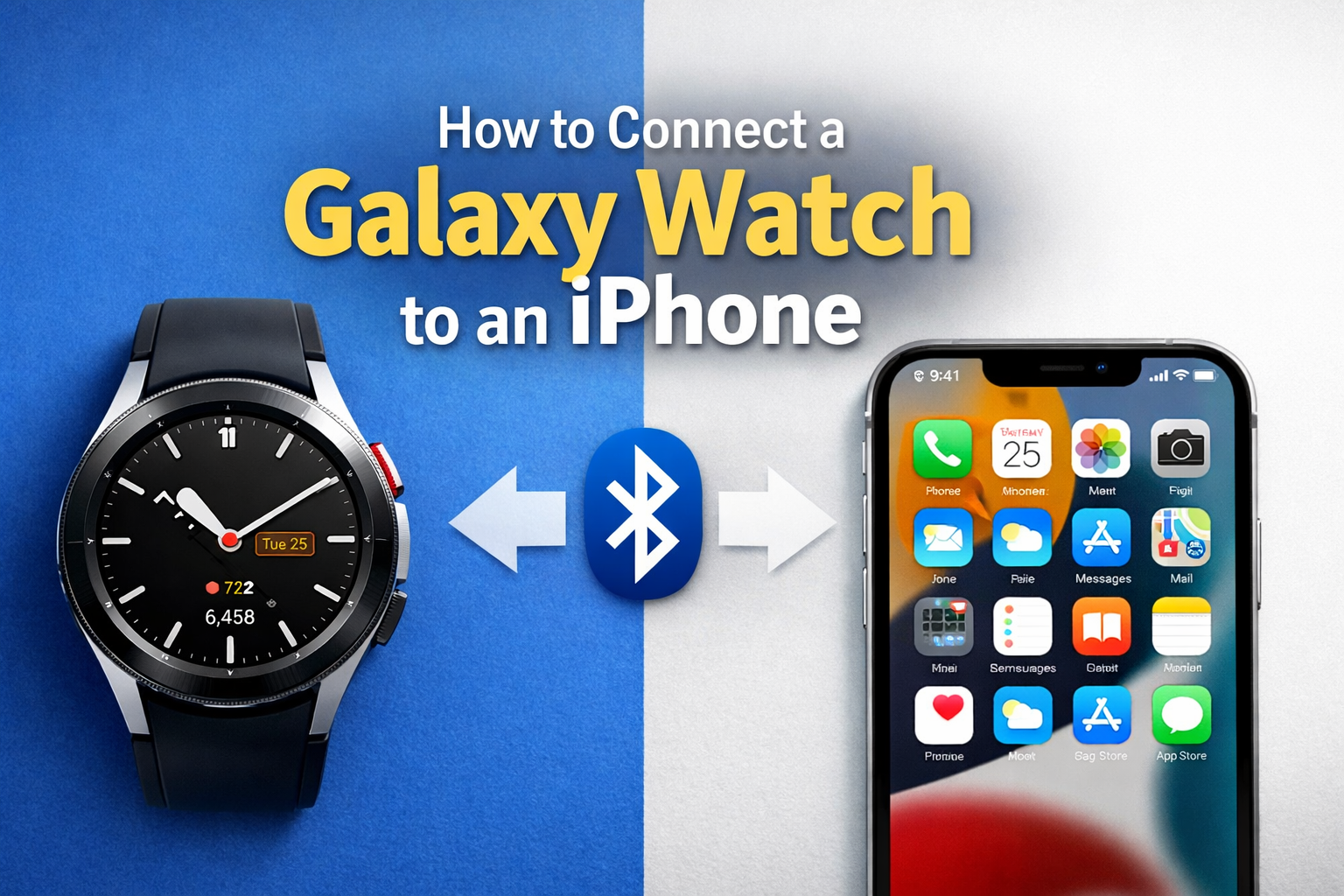
You can connect a Galaxy Watch to an iPhone only if the watch runs Samsung’s older Tizen software. Newer Galaxy Watch models that use Wear OS do not support iPhone at all. This guide shows what works, what does not, and how to pair a compatible Galaxy Watch step by step.
Table of contents
Can a Galaxy Watch work with an iPhone?
Some Galaxy Watch models work with iPhone, but support is limited. Samsung dropped iOS support when it switched Galaxy Watch models to Wear OS.
Galaxy Watch models that support iPhone
These models can connect to an iPhone using the Galaxy Wearable app:
- Galaxy Watch (2018)
- Galaxy Watch Active
- Galaxy Watch Active2
- Galaxy Watch 3
They run Tizen and support basic features on iOS.
Galaxy Watch models that do not support iPhone
These models cannot connect to an iPhone at all:
- Galaxy Watch 4
- Galaxy Watch 5 / 5 Pro
- Galaxy Watch 6 / 6 Classic
- Galaxy Watch 7 series
They run Wear OS and require an Android phone.
What you need before pairing
Prepare everything before you start to avoid pairing errors.
- An iPhone running a recent version of iOS
- A compatible Galaxy Watch listed above
- The Galaxy Wearable app installed from the App Store
- Bluetooth enabled on the iPhone
- A fully charged watch
- A factory reset watch if it was paired to Android before
How to connect Galaxy Watch to iPhone (step-by-step)
Follow these steps in order. Do not skip any step.
Install the Galaxy Wearable/Watch app on iPhone
- Open the App Store.
- Search for Galaxy Wearable or Galaxy Watch.
- Select the app and click the Get button.
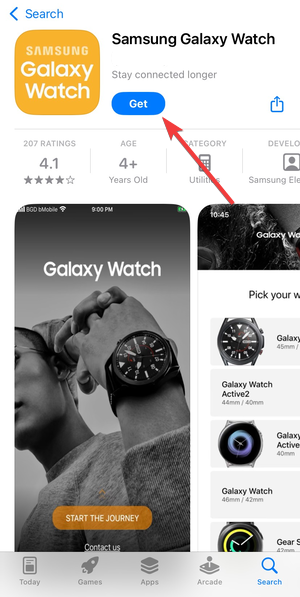

- Open it and allow Bluetooth permissions.
Pair the Galaxy Watch using Bluetooth
- Open Galaxy Wearable on the iPhone.
- Tap Start.
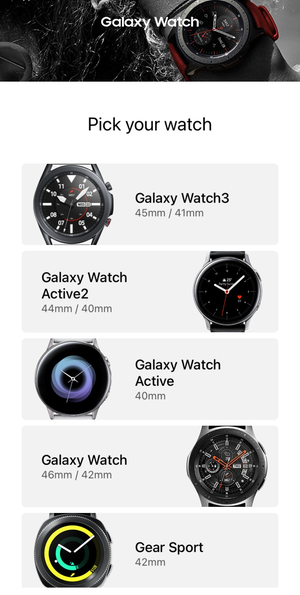
- Select your Galaxy Watch from the list.

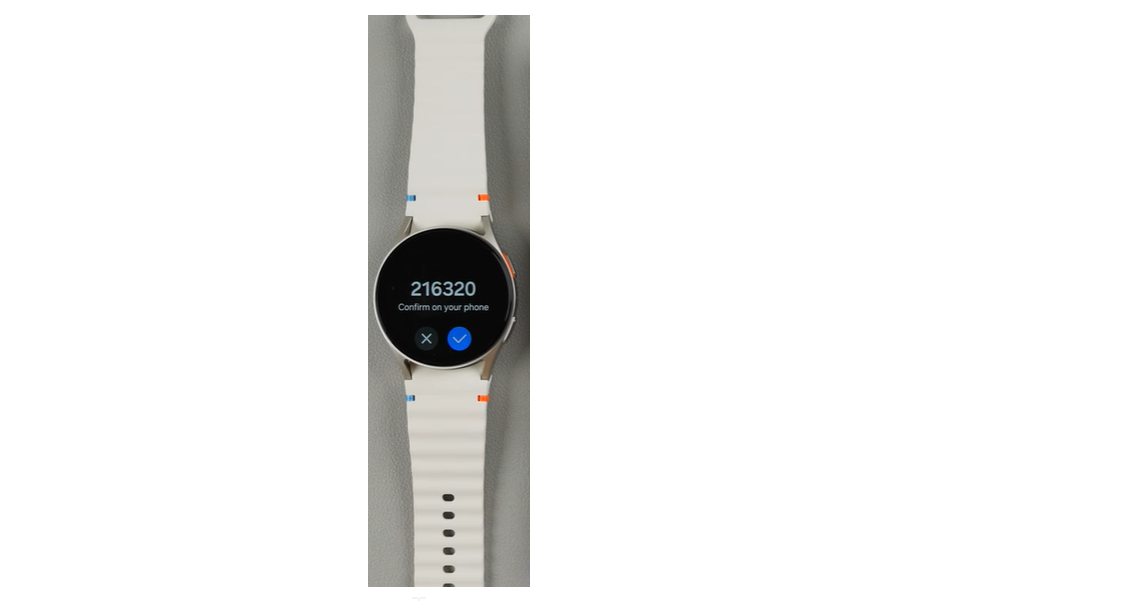
- Double-tap the screen of the Watch and confirm the pairing code on both devices.

- Sign in with a Samsung account on the app when asked.
Finish setup and sync data
- Allow notifications, background app refresh, and Bluetooth access.
- Wait for the initial sync to complete.
- Keep the app open until setup finishes.
What works and what does not on iPhone
Galaxy Watch features are limited on iOS. Knowing this avoids frustration.
Features that work on iPhone
- Time, alarms, and timers
- Step counting and basic fitness tracking
- Heart rate monitoring
- Notification mirroring (view-only)
Features that do not work on iPhone
- Replying to messages or calls
- Samsung Pay
- LTE features
- App installs from Galaxy Store
- Deep Samsung Health integrations
Common problems and how to fix them
Pairing issues happen often. These fixes solve most problems.
Galaxy Watch not showing in Galaxy Wearable
- Turn Bluetooth off and on.
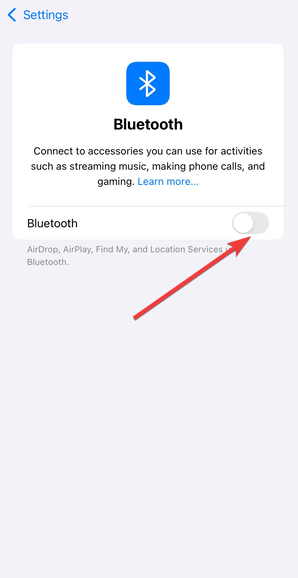

- Restart both devices.
- Reset the watch and try again.
- Remove old Bluetooth entries in iOS settings.
Pairing stuck or fails during setup
- Keep the Galaxy Wearable app open.
- Disable Low Power Mode on the iPhone.
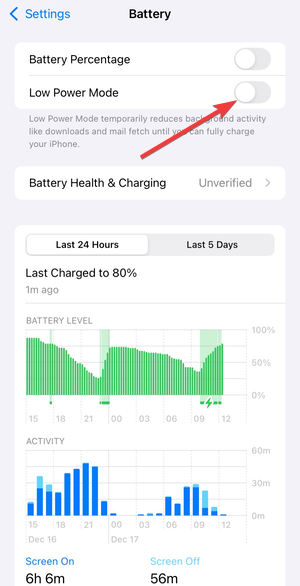

- Check that the watch is not paired to another phone.
Watch disconnects after pairing
- Allow Galaxy Wearable to run in the background.
- Disable iOS Bluetooth restrictions.
- Keep the watch within close range.
Should you use a Galaxy Watch with an iPhone?
The setup works, but the experience stays limited.
When it makes sense
- You already own a compatible Galaxy Watch.
- You want basic fitness tracking.
- You only need notification previews.
When you should consider an alternative
- You want full smartwatch features.
- You plan to buy a new Galaxy Watch.
- You want app installs and message replies.
FAQs
Can Galaxy Watch 4 or newer connect to an iPhone?
No. Wear OS-based Galaxy Watches do not support iOS.
Do I need a Samsung account to pair the watch?
Yes. Galaxy Wearable requires a Samsung account during setup.
Will Samsung Health sync fully on iPhone?
No. Only limited fitness data syncs.
Can I reply to messages from Galaxy Watch on iPhone?
No. iOS only allows viewing notifications.
Summary
- Only older Tizen-based Galaxy Watches work with an iPhone.
- Wear OS Galaxy Watches do not connect to iOS at all.
- Pairing requires Galaxy Wearable and Bluetooth permissions.
- Features stay limited after setup.
Connecting a Galaxy Watch to an iPhone works only with older models and basic features. If you already own a compatible watch, the setup takes just a few minutes. If you plan to buy a smartwatch for an iPhone, a native alternative delivers a much better experience.


Discussion (0)
Be the first to comment.