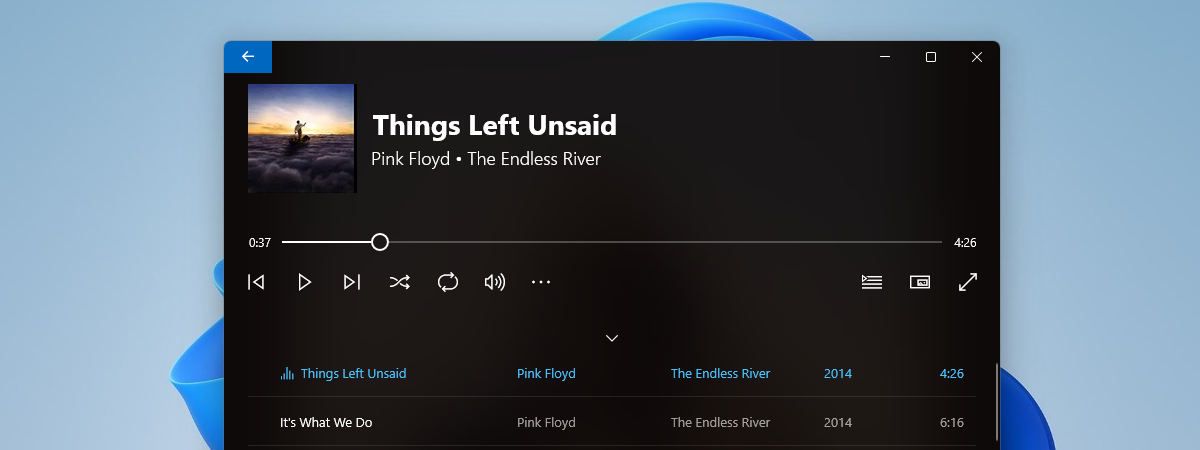
Streaming music from your cloud storage account is a service that most big names in the tech world offer. For example, Google has its Google Play Music, and Apple has its Apple Music. Microsoft also offers a similar service that is running on OneDrive, with the help of their Groove Music app. It lets you stream your music collection on any device on which you have installed the Groove Music app. It is a great feature that lets you enjoy your music almost anywhere you are. It is also easy to setup and use, as you will see in this tutorial:
What you should know about the OneDrive music streaming service
Before you can stream your music collection through OneDrive and the Groove Music app, there are a few essential things you should know:
The OneDrive music streaming service is not available worldwide, but only in some regions and countries. These are Argentina, Australia, Austria, Belgium, Brazil, Canada, Denmark, Finland, France, Germany, Ireland, Italy, Mexico, Netherlands, New Zealand, Norway, Portugal, Spain, Sweden, Switzerland, the United Kingdom and the United States. If you do not live in one of these countries, you cannot use this service.
To be able to use this feature, you have to have a Microsoft account. If you do not have one, here is what Microsoft accounts are and how to can register for one: What is a Microsoft account (Outlook, Xbox, Skype)?
The OneDrive music streaming service supports the following music files formats: MP3, M4A (AAC) and WMA. However, Microsoft says that some M4A files, such as AAC Lossless files, or protected WMA files cannot be added to your music collection.
OneDrive has a limit on how many music files it can store in your music collection. For now, the limit is 50,000 songs.
You can play the music stored in your OneDrive collection only on devices on which the Groove Music app is available. That means that you can listen to your songs on computers or tablets running Windows 10 or Windows 8.1, Xbox One or Xbox 360 gaming consoles, and smartphones running Windows 10 Mobile, iOS, Android, and Windows Phone 8.1. The mobile apps for smartphones and tablets are not available in countries where the streaming service is not working.
NOTE: Until the end of 2017, you could also use the Groove Web Player website to listen to your OneDrive music collection in a web browser. Unfortunately, when Microsoft decided to end its Groove Music Pass services, it also shut down this website, so now the only way to listen to your OneDrive music collection is through the Groove Music apps.
To be able to stream your music collection, you have to add it to your OneDrive, and there are two ways to do that:
you can use the OneDrive folder from your Windows computer or tablet, or
you can use a web browser.
Let's see how this goes:
How to add music to your OneDrive, in Windows
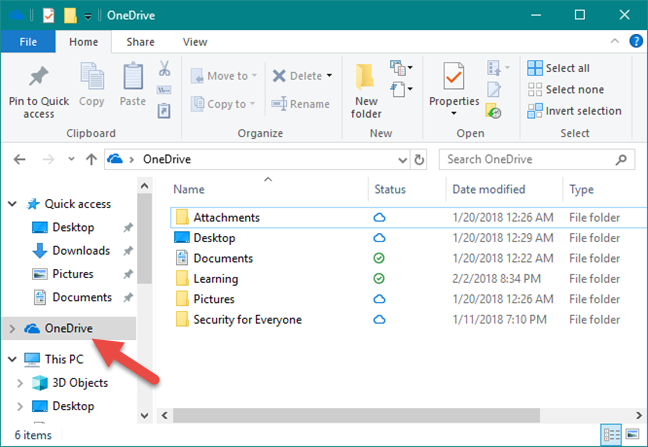
If your computer or device runs Windows 10, Windows 7 or Windows 8.1, the fastest way to add music to your OneDrive is by using the OneDrive folder. In all these operating systems, you can find OneDrive listed in the left column of File/Windows Explorer.
Groove Music, OneDrive, streaming
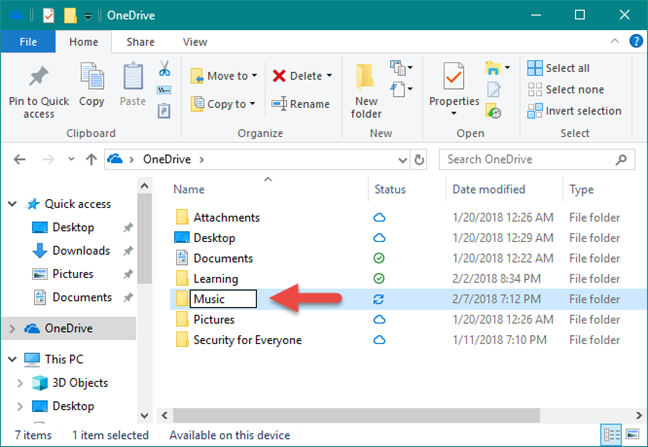
Inside the OneDrive folder, you should have a default folder called Music. If you do not have it, create it yourself. Take care to name it exactly Music. Otherwise, the streaming feature cannot work.
Groove Music, OneDrive, streaming
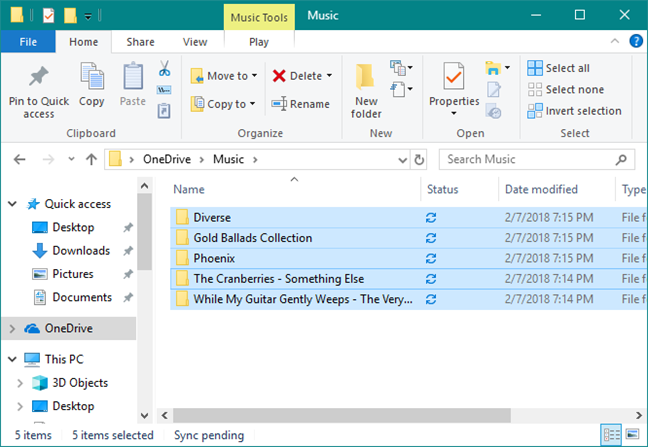
Copy all the music you want to add to your OneDrive Music collection, into the Music folder.
Groove Music, OneDrive, streaming
Windows automatically uploads all your songs to your OneDrive account. If you have an extensive music collection, or if the upload speed of your internet connection is not that fast, this part of the process can take a while.
How to add music to your OneDrive from a web browser
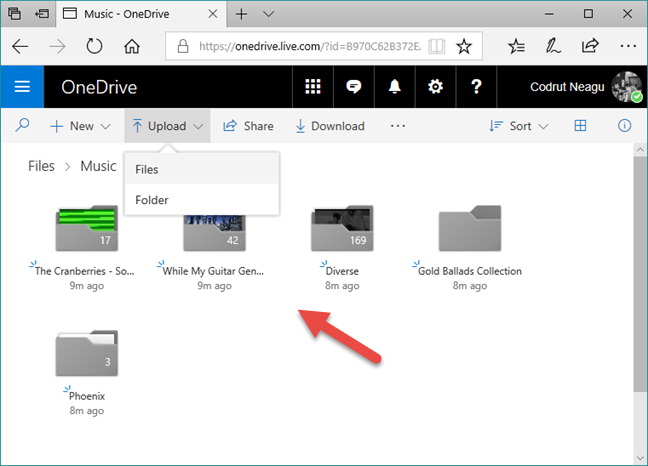
If you would rather add your music collection to OneDrive using a web browser, open your favorite browser and head to your OneDrive account. After you log in, upload the songs that you want to stream, into the Music folder. If you do not have the Music folder, first create it. Then drag and drop all the songs in it, or use the Upload options from the top menu.
Groove Music, OneDrive, streaming
Once all your songs are uploaded to your OneDrive Music folder, you can listen to them through a multitude of devices and platforms. In the next section of this tutorial, we show you how to stream your music collection using the Groove Music app from Windows 10.
How to stream your OneDrive music collection using the Groove Music app
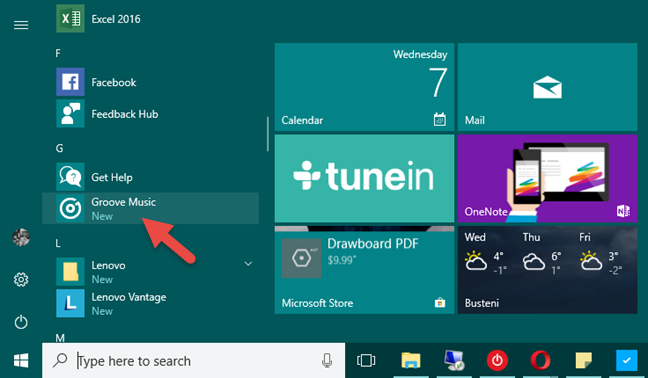
Now that you have your entire music collection in the cloud, you can stream it via the Groove Music app from Windows 10. To do that, you first have to launch the app. Open the Start Menu and click or tap on the Groove Music tile, or click or tap on its entry from the All apps list.
Groove Music, OneDrive, streaming
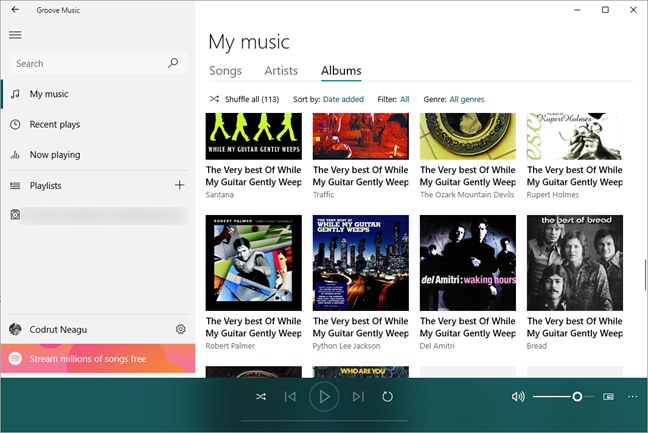
When the Groove Music app is opened, you should see all your songs, regardless of whether they are stored on your device or in your OneDrive music collection.
Groove Music, OneDrive, streaming
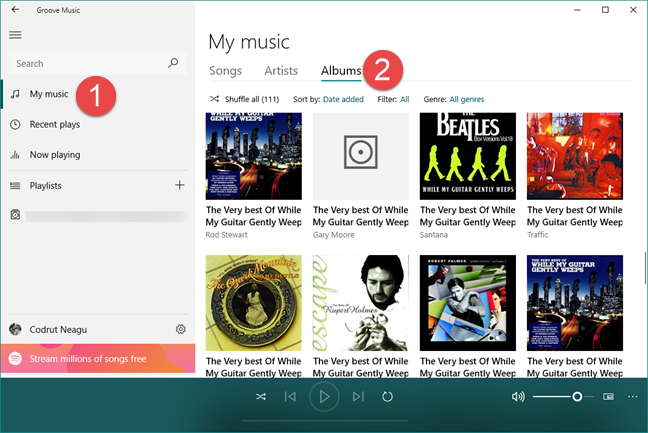
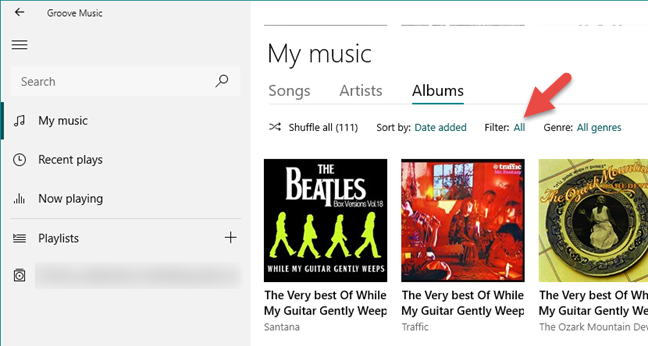
If you want to listen only to songs from your OneDrive, you can filter the songs that are loaded by the Groove Music app. On the left side of the app, select My music. Then, on the right side, choose the way you want to browse your collection: by Songs, Artists or Albums.
Groove Music, OneDrive, streaming
Next, click or tap on the Filter tag, which by default should be set to All.
Groove Music, OneDrive, streaming
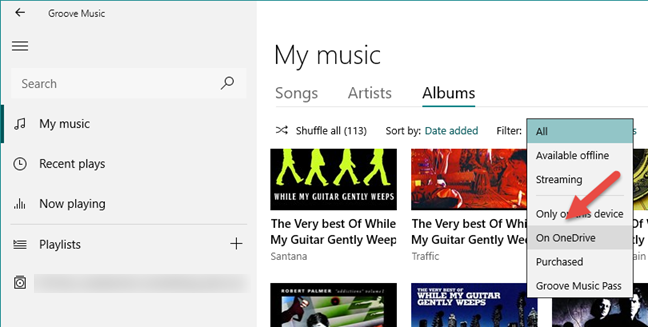
Groove Music now lets you select which songs are displayed according to a few different filters. If you want to see only the songs from your OneDrive music collection, click or tap on the "On OneDrive" option.
Groove Music, OneDrive, streaming
And that is it! You can now enjoy your entire music collection from wherever you are, on any Windows 10 computer, with the help of OneDrive and the Groove Music app. All you need to do is click or tap the Play button.
Conclusion
As you can see, getting all your favorite songs in the cloud and enjoying your music collection wherever you are is not complicated. Unfortunately, what we do not like about this music streaming feature offered by Microsoft is the fact that it is not available worldwide and that the Groove Web Player website was shut down. Before closing this tutorial, share with us your opinion: What do you think about this feature? Did you know about it? Do you like it? Feel free to leave us your feedback in the comments section below.
It’s free to use but, disclaimer, it’s on a website where the wider, more capable service is not free. The app above is free but you can only browse folders, play files, shuffle, repeat etc. There’s no “library” notion until you sign up for the wider app. Disclaimer because it’s me that operates the site!
alej ·
Hi thanks for the article. Do you know any other service for steaming onedrive mp3s/flac (or maybe some other cloud service)?












Discussion (2)
@alej We made a free no-install OneDrive streaming app available here: https://asti.ga/onedrive-music-player
It’s free to use but, disclaimer, it’s on a website where the wider, more capable service is not free. The app above is free but you can only browse folders, play files, shuffle, repeat etc. There’s no “library” notion until you sign up for the wider app. Disclaimer because it’s me that operates the site!
Hi thanks for the article. Do you know any other service for steaming onedrive mp3s/flac (or maybe some other cloud service)?