




Bluetooth range varies widely across devices, and most users never reach the distances manufacturers advertise. Real-world Bluetooth performance depends on the device class, Bluetooth version, obstacles, and interference in your home.
This guide explains how far Bluetooth reaches in typical US environments and what affects the connection. You will also learn how to improve range when audio cuts out or devices disconnect.
1) What Bluetooth range looks like in real conditions
Bluetooth devices rarely match their advertised range in everyday use. Distance drops quickly once walls, furniture, and other signals interfere with the connection.
Most phones, earbuds, and speakers stay stable between 15 and 35 feet indoors. Outdoors with no obstacles, many devices reach 100 feet or slightly more.
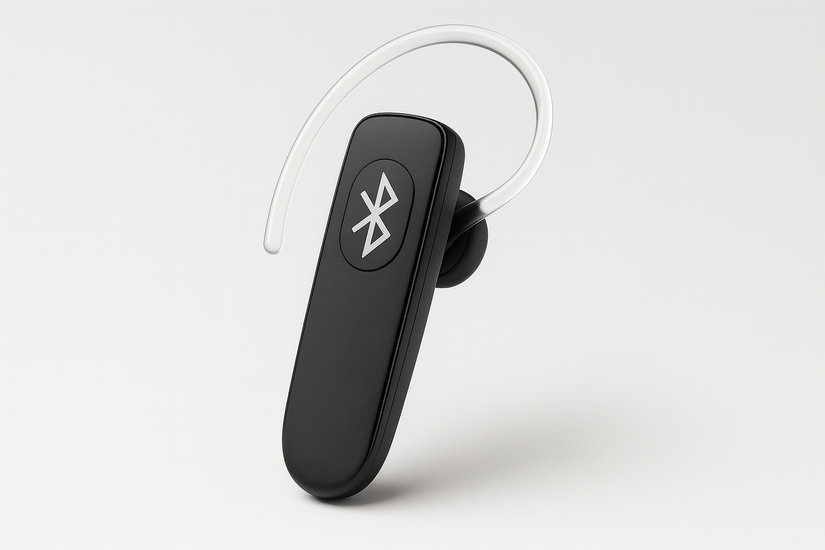
Also, range changes based on the device class, Bluetooth version, antenna design, and interference from other 2.4 GHz devices. The same phone can reach farther outdoors than inside a typical US apartment.
2) Bluetooth range by class
Bluetooth class determines the power output of a device. It matters more than the Bluetooth version when it comes to distance.

Class 1 range explained
Class 1 devices reach up to 300 feet in open spaces. You usually see this class in PC adapters, industrial tools, or long-range headphones.
Class 2 range explained
Class 2 devices reach around 30 feet indoors and up to 100 feet outdoors. This class covers most smartphones, earbuds, and Bluetooth speakers.
Class 3 range explained
Class 3 devices reach only around 3 to 10 feet. These appear in small accessories and older low-power gadgets.
3) Bluetooth range by version
Bluetooth versions affect efficiency, speed, and stability. They do not guarantee a longer range by themselves, but help devices maintain better signal quality.

Bluetooth 4.2 range limits
Bluetooth 4.2 devices often struggle through walls. Indoors, they typically stay stable within 10 to 30 feet.
Bluetooth 5.0 and 5.1 improvements
Bluetooth 5.0 introduces longer outdoor range and better reliability in crowded environments. Many users notice fewer dropouts when switching between rooms.
Bluetooth 5.2 and 5.3 real-world range
These versions support longer theoretical distances and LE Audio features. Most phones reach 40 to 70 feet indoors, depending onthe layout.
4) Real-world range tests for common device types
Distance varies based on how the device is used and where it is placed in your home.
Smartphones and earbuds
Phones and earbuds usually stay stable at 15 to 35 feet indoors. Pockets and backpacks shorten the effective range.
Bluetooth speakers and soundbars
Bluetooth Speakers hold a connection across one or two rooms. Multi-room setups lose strength quickly when walls block the line of sight.

PC Bluetooth adapters and dongles
Cheap Class 2 Bluetooth dongles offer a limited range. Class 1 adapters reach farther and maintain stronger connections for headsets and controllers.
Smart home devices
Smart sensors and locks rely on low-energy connections. They work reliably within small or medium rooms but weaken through multiple walls.
5) How obstacles and interference reduce Bluetooth range
Obstructions and competing signals cause most dropped connections and short-range issues.
Walls, floors, and furniture
Concrete, brick, metal appliances, and thick furniture absorb Bluetooth signals. A straight line between devices works best.
Wi-Fi, microwaves, and other 2.4 GHz devices
Wi-Fi routers, cameras, baby monitors, and microwaves share the same frequency band. They create congestion that shortens Bluetooth range.
Human body interference
Carrying your phone in a pocket or holding it in a way that blocks antennas reduces signal strength.
6) Bluetooth range myths to avoid
- Higher Bluetooth version does not guarantee longer range: Device class and antenna quality matter more than the version number printed on the box.
- Advertised maximum range rarely matches real conditions: Manufacturers test range in open fields with no interference. Real homes reduce the effective distance sharply.
Tips for improving Bluetooth distance
- Keep devices in the same room whenever possible.
- Raise devices off the floor to avoid signal absorption.
- Avoid placing routers or microwaves near Bluetooth speakers or earbuds.
- Upgrade to modern Bluetooth 5.x hardware for better efficiency.
- Use long-range adapters when setting up office equipment.
- Reduce 2.4 GHz interference
Summary
- Bluetooth range varies by device class, Bluetooth version, and environment.
- Most phones and earbuds stay stable between 15 and 35 feet indoors.
- Class 1 devices reach the longest distances, up to hundreds of feet outdoors.
- Walls, interference, and obstacles reduce the usable range sharply.
- You can extend the range by improving placement, reducing interference, and upgrading adapters.
You can expect better Bluetooth distance once you understand the limitations of each device class and how obstacles affect the signal. Simple changes like raising devices or reducing interference often improve performance immediately.
Upgrading to modern Bluetooth hardware helps when you need stronger long-range coverage. With the right setup, you can enjoy more stable audio, smoother connections, and fewer dropouts around your home.

Discussion (0)
Be the first to comment.