




If you’ve ever misplaced an iPhone, AirPods, or an AirTag, Apple’s Find My network is the system working behind the scenes to help recover it. Unlike basic GPS tracking, the Find My network relies on nearby Apple devices to anonymously relay location data, even when your device is offline.
This guide explains how the Apple Find My network works, what devices it supports, and what happens to your data during the process.
What The Apple Find My Network Is
The Apple Find My network is a crowdsourced tracking system built into Apple devices. It allows users to locate lost items by using Bluetooth signals picked up by nearby iPhones, iPads, and Macs.
Every compatible Apple device contributes passively to the network, creating a massive, always-on tracking mesh without revealing user identities.
How The Find My Network Works
When an item like an iPhone or AirTag is marked as lost, it begins broadcasting a secure Bluetooth signal. Nearby Apple devices detect this signal and send the location to Apple servers using their own internet connection.
The owner can then view the updated location in the Find My app. The entire process happens automatically and silently.
- The lost device emits an encrypted Bluetooth signal
- Nearby Apple devices detect the signal
- Location data is encrypted and sent to iCloud
- The owner sees the location in the Find My app
Why The Find My Network Works Offline
The Find My network does not rely on cellular data or Wi-Fi from the lost device. Bluetooth signals require very little power and can travel short distances effectively.
This makes the system useful even when a device is powered on but disconnected from the internet.
Privacy And Security Protections
Apple designed the Find My network with privacy as a priority. Location data is encrypted end-to-end, and participating devices cannot identify whose item they detected.
Apple also cannot see the identity or location of either the reporting device or the lost item.
Devices Supported By The Find My Network
The Find My network supports most modern Apple hardware and select third-party accessories.
- iPhone and iPad
- Mac computers
- Apple Watch
- AirPods and AirPods Pro
- AirTag
- Find My-enabled third-party accessories
What You Can Do With Find My
The Find My app offers more than just location tracking. It also includes tools to protect your data and prevent future loss.
- Play a sound to locate nearby items
- Enable Lost Mode with contact information
- Receive separation alerts
- Remotely erase stolen devices
How To Opt Out Of The Find My Network On iPhone Or Mac
If you prefer not to participate in the Find My network or you’re troubleshooting location issues, you can turn the feature off at any time. Disabling it stops your device from helping locate other lost Apple devices and accessories nearby.
On iPhone or iPad
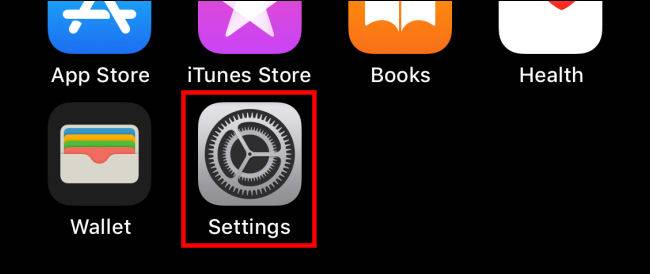
Open Settings
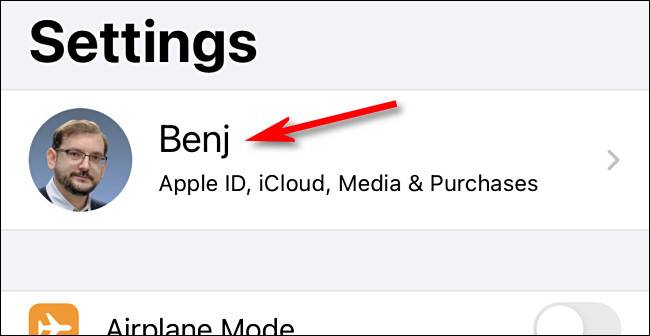
Tap your Apple ID at the top
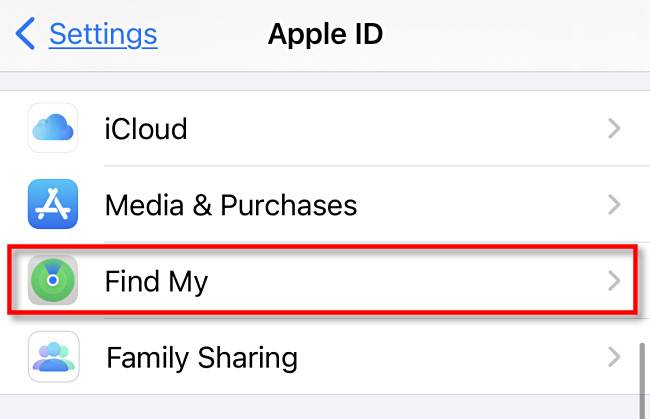
Select Find My
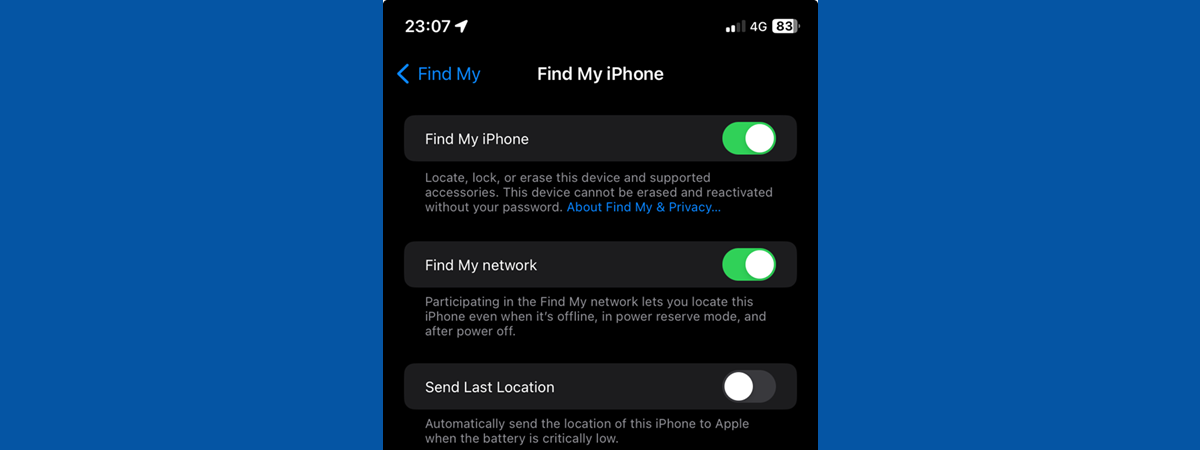
Tap Find My iPhone
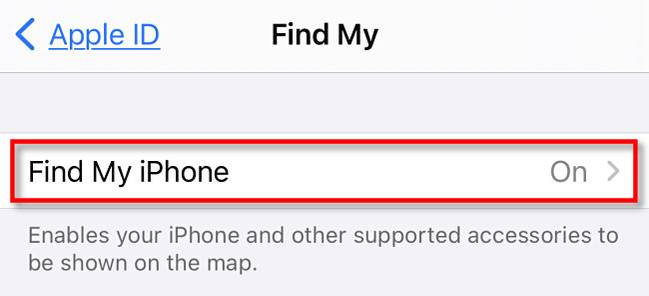
Toggle off Find My Network
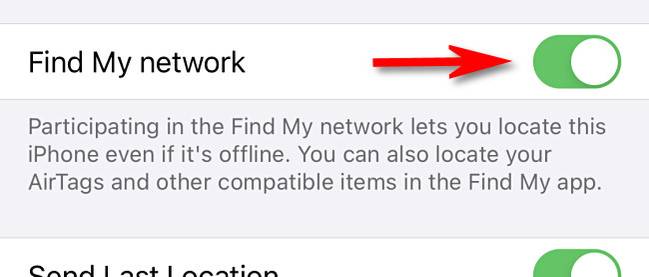
If you’re resetting the feature to fix a Find My issue, wait a few seconds, then turn the toggle back on. This refresh often resolves cases where Find My locations fail to update or devices stop appearing on the map.
Keep in mind that turning off the Find My network limits offline tracking. You can still locate devices using an internet connection, but nearby Apple devices will no longer help relay encrypted location data.
Troubleshooting Common Problems
If a device does not appear in Find My, make sure it is signed into the same Apple account and has Find My enabled in settings.
Offline items may take time to update their location, especially in low-traffic areas.
Tips
- Enable separation alerts for frequently lost items
- Keep Bluetooth enabled for better tracking accuracy
- Verify Find My is active before traveling
- Label AirTags for easier identification
FAQ
Does Apple track my location through Find My?
No. Apple uses encrypted and anonymous signals that prevent identity tracking.
Can I use Find My without internet access?
Yes. Nearby Apple devices provide location updates for offline items.
Does Find My drain battery life?
Bluetooth signals used by Find My consume minimal power.
Summary
- The Find My network uses Bluetooth and nearby Apple devices
- It works even when devices are offline
- All location data remains encrypted and anonymous
- It supports Apple hardware and select accessories
Conclusion
Apple’s Find My network offers one of the most effective and privacy-focused tracking systems available. By leveraging millions of devices worldwide, it provides reliable recovery options without compromising user data.

Discussion (0)
Be the first to comment.