




Apple Maps now works on Android phones and Windows PCs through a web version. You don’t need an iPhone, iPad, or Mac, but you also won’t get a native app. If you just want to search locations, preview routes, or explore areas, the browser version does the job.
This guide shows exactly how to use Apple Maps on Android and Windows, what features work, and where the limitations still exist.
Table of contents
How to use Apple Maps on Android
Open Apple Maps in a mobile browser
- Open Chrome or another supported browser on your Android phone
- Go to maps.apple.com
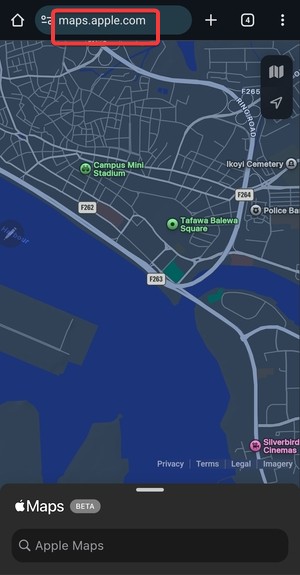

- Allow location access if prompted
The site loads a mobile-optimized interface that works well on smaller screens.
Search locations and get directions
- Tap the Search bar to find addresses, businesses, or landmarks
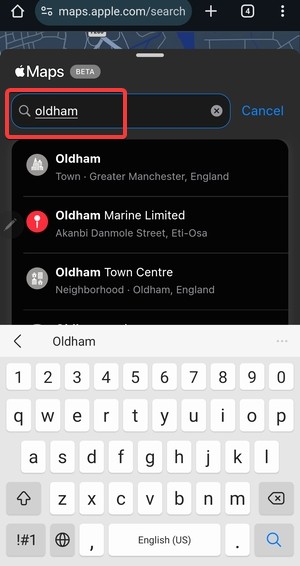

- Select a location to see details like hours and photos
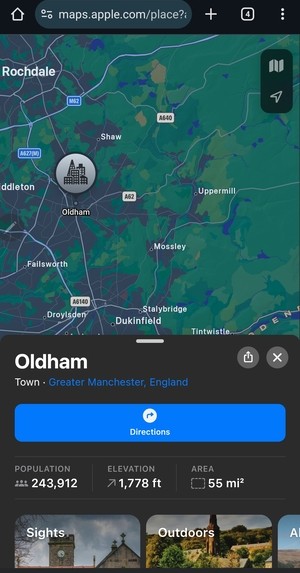

- Tap Directions to preview driving or walking routes
Apple Maps shows turn previews, distance, and estimated time, but it does not offer live navigation on Android.
What works and what doesn’t on Android
Apple Maps on Android works best for quick lookups and route planning. You can explore areas, check traffic patterns, and view Look Around in supported regions.
However, unlike iOS devices, where you can use Apple Maps offline on iPhone, this is not possible on Android. Also, you cannot start turn-by-turn navigation, save favorite places, or sync data across devices.
How to use Apple Maps on Windows
Access Apple Maps in a desktop browser
- Open Microsoft Edge or Google Chrome
- Go to maps.apple.com
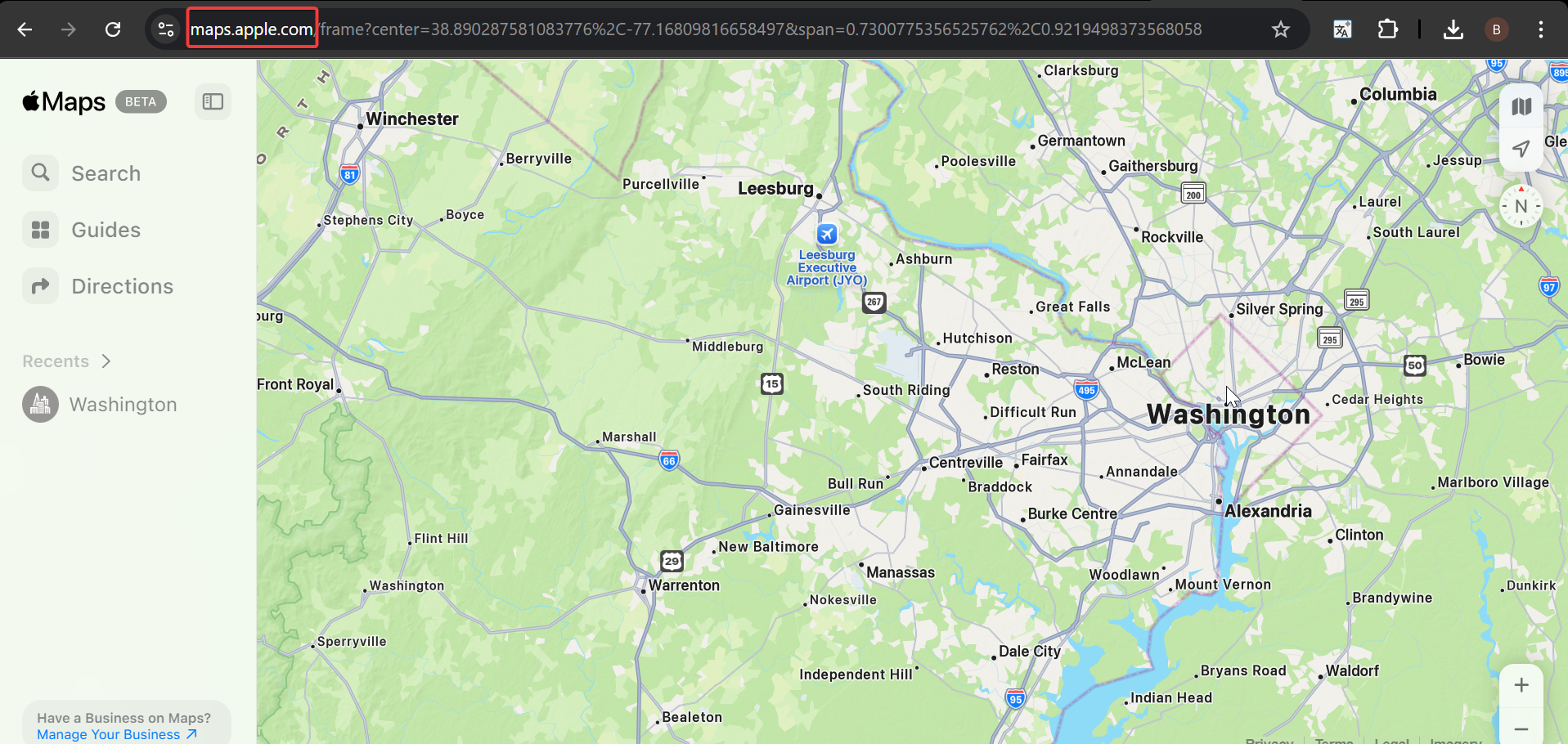

- Use your mouse or trackpad to move around the map
The desktop layout feels more spacious and works well for planning trips.
Plan routes and explore locations
- Select the Search option in left pane and search for a place.
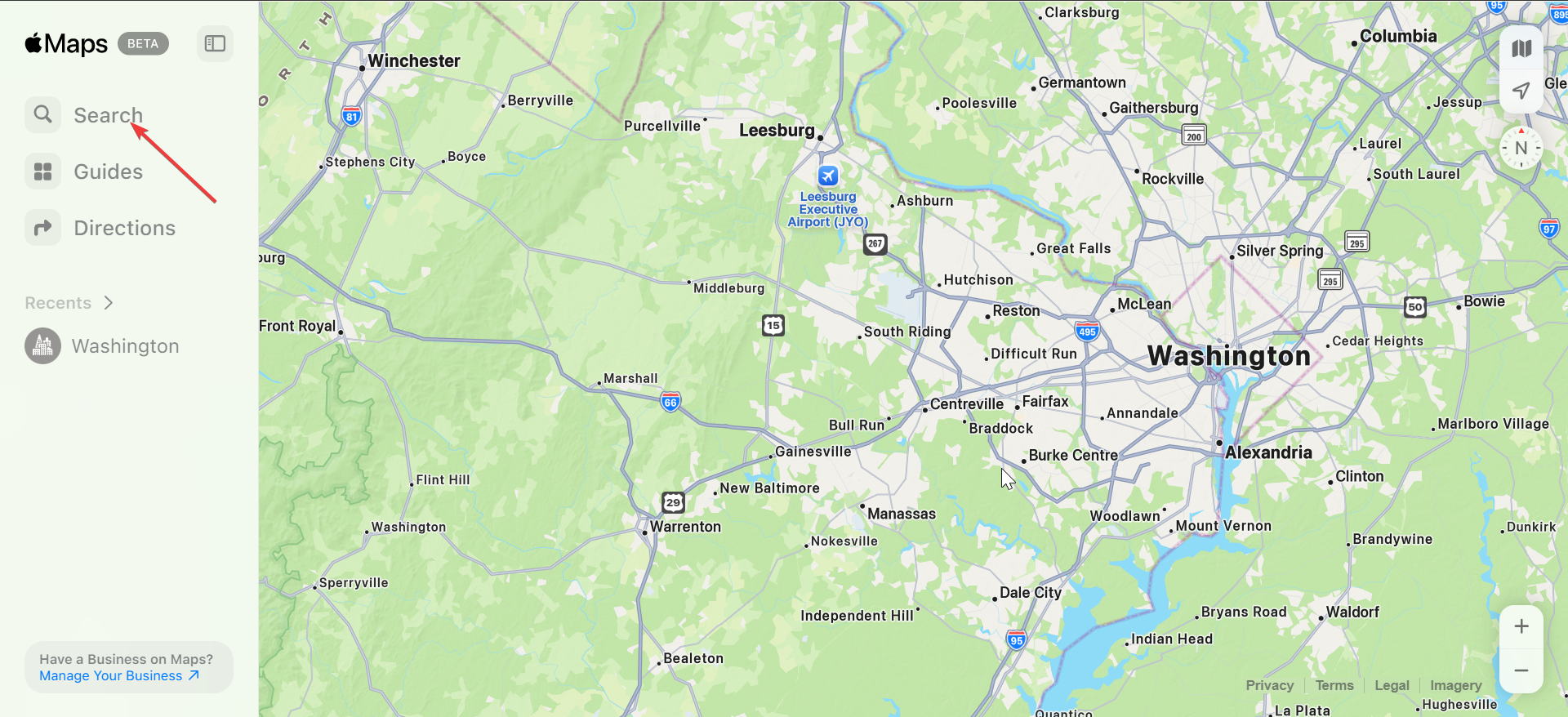

- Click Directions to compare routes and travel times.

- Use Look Around to preview streets and landmarks.
Windows offers the best Apple Maps web experience, especially for route planning and visual exploration.
Known limitations on Windows
Apple Maps on Windows does not support account sync, saved locations, or live navigation. You also cannot export routes directly to other apps.
Think of it as a planning and discovery tool rather than a full replacement for Google Maps.
Best browsers for Apple Maps on Android and Windows
Chrome and Edge deliver the most consistent results. Pages load faster, and map interactions feel smoother.
Firefox may work, but some users report missing features or slower performance. If Apple Maps fails to load, switch browsers first.
Apple Maps vs Google Maps on non-Apple devices
Google Maps still wins for navigation, offline maps, and Android integration. It also syncs data across devices and accounts.
Apple Maps shines in clean visuals, privacy-first design, and Look Around imagery. It works well when you want a quick, uncluttered view without signing in.
Common issues and quick fixes
- Apple Maps does not load: Refresh the page or switch browsers. Clearing the cache often fixes map rendering issues.
- Look Around does not appear: The feature may not support your region yet. Apple continues to expand coverage gradually.
Tips for using Apple Maps more effectively on Android and Windows
- Bookmark maps.apple.com for quick access
- Use Apple Maps on Windows for trip planning, then navigate on your phone
- Zoom out to compare alternate routes visually
- Check business details directly from the map cards
FAQs
Does Apple Maps work without an Apple ID?
Yes, basic features like search and directions work without signing in.
Can Apple Maps replace Google Maps on Android?
No, it works best as a secondary tool for planning and exploration.
Does Apple Maps offer turn-by-turn navigation on Windows?
No, navigation features remain limited to Apple devices.
Is Apple Maps free to use on Android and Windows?
Yes, the web version is completely free.
Summary
- Apple Maps works on Android and Windows through a browser
- No native apps exist for either platform
- Windows offers the best overall experience
- Navigation and saved places remain unavailable
Apple Maps on Android and Windows works best as a lightweight planning tool. Use it when you want a clean map view or quick directions, and switch to Google Maps when you need full navigation or deep integration.


Discussion (0)
Be the first to comment.