



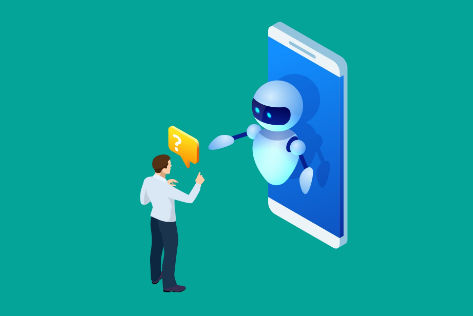
The first wave of AI assistants was about conversation. You typed a question. The AI answered it. You copied the response somewhere useful and carried on. The workflow was still yours. The AI sat outside of it, waiting to be consulted.
That is no longer the whole picture.
In 2026, AI assistants have moved from being a separate tool you consult to being embedded inside the tools you already use. They sit inside your email client, your code editor, your browser, your operating system, and your document suite. They do not just answer questions anymore. Ai Assistants draft, summarise, organise, search, transcribe, and in some cases execute tasks without waiting for a prompt.
This shift is quiet and gradual, which is partly why many people have not noticed how much their daily computing has already changed.
Writing and Communication
The most widespread change has happened in writing. Not just in how AI helps you write, but in where that help shows up.
A few years ago, using AI for writing meant opening a separate chatbot, pasting your draft, asking for edits, and copying the result back. That context switch still exists, but it no longer needs to. AI writing assistance is now embedded directly in Gmail, Outlook, Google Docs, Microsoft Word, and Notion. You do not leave the document to get help with the document.
In Gmail, the Help me write feature drafts a full reply from a short instruction. You describe what you want to say and the AI produces a first draft to edit or send. For routine responses, acknowledgements, and follow-ups, this removes most of the actual writing work.
In document editors, the change is similar. Notion AI can summarise a page, rewrite a section in a different tone, expand bullet points into prose, or draft a first version from scratch. Microsoft Word's Copilot does the same, and can pull information from other documents in your Microsoft 365 account to inform what it writes.
The blank page problem, the activation energy required to get from nothing to a working first draft, has effectively been removed for a large portion of everyday writing tasks.
Meetings and Recorded Conversations
Meeting documentation used to be a tax on attention. Someone had to take notes while also participating. Action items had to be identified, written down, and distributed manually.
AI meeting tools have changed this significantly. Microsoft Copilot in Teams, Notion AI's meeting notes feature, and standalone tools like Otter.ai and Fireflies.ai now attend meetings alongside you, transcribe everything in real time, and produce a structured summary with action items and decisions identified automatically.
Participating in a meeting and documenting a meeting are no longer competing demands on your attention. You listen and contribute. The AI handles the record.
Post-meeting administration that previously took twenty to thirty minutes often takes two minutes of review. The record is also more complete than hand-taken notes, because the AI does not miss things when a different topic demands simultaneous attention.
The same technology applies beyond meetings. Uploaded video and audio files can be transcribed and summarised by tools including ChatGPT, Claude, and Gemini. A one-hour recorded interview or product demo can be condensed into a structured summary in under a minute.
Search and Information Retrieval
Traditional search returns links. You evaluate them, click the most promising ones, read through pages of content, and synthesise the answer yourself. This works, but it is slow.
AI-powered search tools like Perplexity AI answer questions directly with citations. You ask, the system reads multiple sources, and you receive a synthesised answer with links to the underlying material. For research tasks and fact-checking, this is measurably faster than traditional search.
Within Microsoft 365, Copilot's search capability extends beyond the web to your own documents, emails, and conversations. Asking it what was decided about a project last month searches your actual organisational history. This combination of personal knowledge search and web search in a single natural language interface is something that did not practically exist two years ago.
People are increasingly searching with questions rather than keywords, and expecting answers rather than links. The habit is shifting, and the tools have shifted to match it.
Coding and Software Development
AI's impact on coding workflows has been faster and more measurable than in almost any other area.
GitHub Copilot, which sits inside VS Code and JetBrains IDEs, autocompletes code as you type. Not just single lines, but entire functions and blocks of logic based on the context of what you are building. Developers who use it consistently report completing implementations significantly faster, particularly for boilerplate code, API integration patterns, and standard data structures.
Tools like Cursor and Claude Code operate at the level of entire files and projects. You describe a feature you want to add, and the tool proposes changes across multiple files simultaneously. You review, accept or reject, and iterate.
The most time-consuming mechanical parts of coding, writing repetitive boilerplate, translating an algorithm into specific language syntax, looking up API documentation, have become faster. The genuinely difficult parts remain slow: understanding what needs to be built, debugging subtle logical errors, and making architectural decisions with long-term consequences. AI has not changed those. It has cleared the path to them.
File and Information Organisation
A less visible change is happening in how information is retrieved.
The traditional approach requires remembering where you filed something, or knowing exactly what to search for. AI-powered search removes this constraint. Windows 11's Microsoft Recall, Apple's on-device intelligence, and Notion AI's workspace search allow you to find information using natural language descriptions rather than remembered filenames.
You can describe what a document was about, approximately when you worked on it, or who it was related to, and the system surfaces relevant results. The anxiety about whether something will be findable later diminishes when you know you can describe it and have it found.
For people working with large volumes of documents and reference material, this shifts the bottleneck from organisation to creation. That is a meaningful change in how time is spent.
Where Things Are Heading: Agentic Tasks
The workflow changes described above share a common characteristic. A human initiates a task and AI assists with completing it. The human remains in control at each step.
The direction of travel in 2026 is toward AI that executes multi-step tasks autonomously and reports the outcome rather than waiting for direction throughout.
Microsoft Copilot can now monitor your calendar, identify scheduling conflicts, and propose rescheduling options across multiple participants. Zapier's AI features monitor an inbox for specific message types and trigger a sequence of actions automatically. AI agents in customer service platforms resolve the majority of routine inquiries without a human ever becoming involved.
For most everyday PC users, this level of autonomy is not yet part of daily computing. But the building blocks are in place, and this is the most significant workflow shift currently developing.
What Stays the Same
AI assistants do not change everything, and being clear about that prevents both over-reliance and misplaced anxiety.
Judgement, context, and accountability remain human responsibilities. An AI assistant can draft an email but cannot assess whether sending it is wise given the relationship involved. It can summarise a meeting but cannot determine whether the decision made was the right one. It can generate code that passes tests but cannot decide whether the architecture it was handed is the right one for the problem.
The workflow changes AI enables are most valuable when the person using them has enough expertise to evaluate what the AI produces. An experienced professional using AI to accelerate their work produces better results than a novice using AI to replace work they have not learned to do. AI amplifies existing capability more reliably than it substitutes for missing capability.
The people who benefit most from these changes are those who can quickly evaluate AI output, redirect it when it is wrong, and use the time it saves on the parts of the work that genuinely require human judgement.
Frequently Asked Questions
Do I need a paid subscription to access AI workflow features?
Some tools require payment. Microsoft 365 Copilot requires a separate licence. Notion AI and GitHub Copilot both have subscription costs. However, many AI workflow features are now included at no extra cost. Gmail's Help me write, Google Docs' AI suggestions, basic Copilot features in Windows 11, and Perplexity AI's free tier are all available without additional payment. The most impactful features are increasingly available to anyone willing to explore what is already in the tools they use.
Will AI assistants replace knowledge workers?
Based on current evidence, they are more likely to change what knowledge workers spend their time on than to replace them. Repetitive, mechanical, and well-defined tasks are increasingly handled faster with AI assistance. Tasks requiring judgement, relationship management, creative problem-solving, and accountability for outcomes remain primarily human. The ratio of time spent on each type of work is shifting, but demand for high-judgement work has not declined.
How do I know which AI tools are actually worth using? The most reliable filter is whether the tool removes friction from a specific task you do regularly.
Tools embedded in software you already use, that activate naturally in the course of normal work, tend to deliver more consistent value than standalone tools that require a dedicated habit to use. If a tool requires significant setup before it produces useful output, the adoption cost often undermines its value for everyday workflows.


Discussion (0)
Be the first to comment.