




The Garmin vivoactive 6 may initially appear to be a minor upgrade from its predecessor, the vivoactive 5, when assessed solely from a hardware perspective. Some might even view it as a lackluster attempt to motivate users to upgrade. However, such an assessment is very inaccurate. After using this smartwatch for ten consecutive days, I evaluated not only its hardware but also its software, features, and overall experience. It turns out that the Garmin vivoactive 6 represents a significant improvement over the vivoactive 5. Are you interested in how this transformation was achieved? Read this review to uncover all the details:
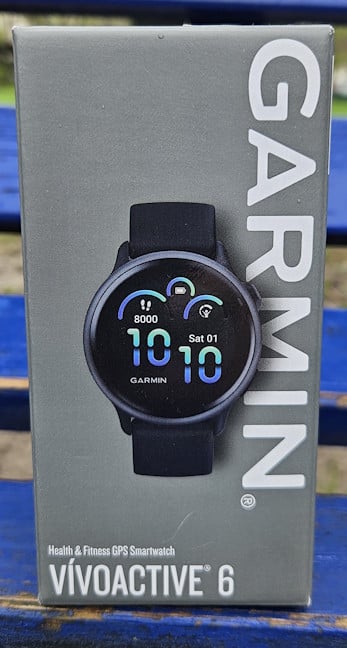
 Garmin vivoactive 6 comes in a small gray cardboard box
Inside the box, is the Garmin vivoactive 6, nicely tucked away in another cardboard box, its USB-C charging cable, and some leaflets with the quick setup guide and product safety information. When you first look at it, it seems identical to its predecessor, the Garmin vivoactive 5.
Garmin vivoactive 6 comes in a small gray cardboard box
Inside the box, is the Garmin vivoactive 6, nicely tucked away in another cardboard box, its USB-C charging cable, and some leaflets with the quick setup guide and product safety information. When you first look at it, it seems identical to its predecessor, the Garmin vivoactive 5.
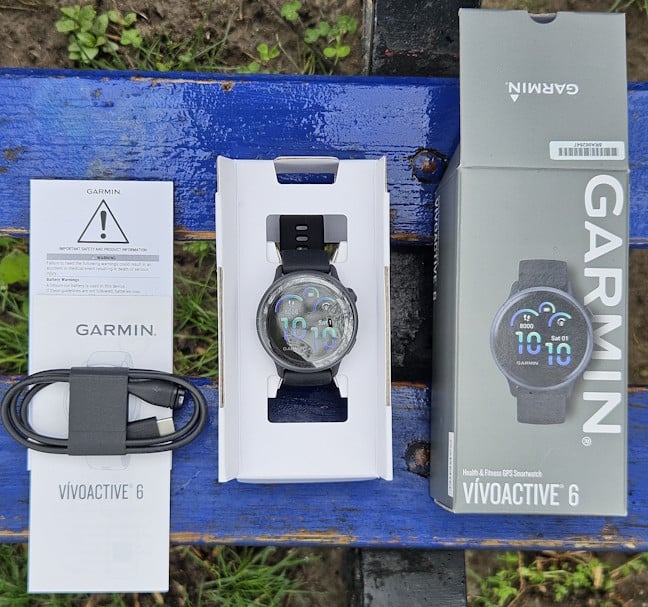
 All the items you find inside the box
While unboxing the Garmin vivoactive 6 is a brief experience, the initial setup does take quite a bit of time. So don’t do what I did. Instead, go through this process when you’re at home, after you’ve charged the battery, to use it for a couple of days in a row without having to charge it soon after you’ve set it up.
All the items you find inside the box
While unboxing the Garmin vivoactive 6 is a brief experience, the initial setup does take quite a bit of time. So don’t do what I did. Instead, go through this process when you’re at home, after you’ve charged the battery, to use it for a couple of days in a row without having to charge it soon after you’ve set it up.
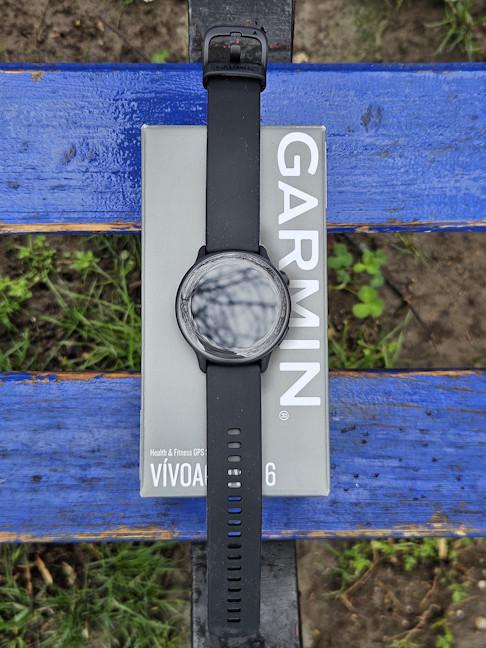
 The display is protected by Corning Gorilla Glass 3
While the vivoactive 6 has the same Garmin Elevate version 4 heart rate monitor as its predecessor (which features blood oxygen saturation tracking), the company has added GPS connectivity options to two new satellite networks: QZSS and BeiDou. We also get a gyroscope, which was lacking in previous generations, for improved fitness tracking during complex motions like rotations or twists. The other sensors (the compass, thermometer, accelerometer, and ambient light sensor) remain the same. One unexpected change is that vivoactive 6 has doubled the storage capacity for music, apps, and other items: it went from 4 GB on the Garmin vivoactive 5 to 8 GB.
The display is protected by Corning Gorilla Glass 3
While the vivoactive 6 has the same Garmin Elevate version 4 heart rate monitor as its predecessor (which features blood oxygen saturation tracking), the company has added GPS connectivity options to two new satellite networks: QZSS and BeiDou. We also get a gyroscope, which was lacking in previous generations, for improved fitness tracking during complex motions like rotations or twists. The other sensors (the compass, thermometer, accelerometer, and ambient light sensor) remain the same. One unexpected change is that vivoactive 6 has doubled the storage capacity for music, apps, and other items: it went from 4 GB on the Garmin vivoactive 5 to 8 GB.
 vivoactive 6 uses the older Garmin Elevate version 4 heart rate monitor
The smartwatch has two buttons on its side, which do different things depending on whether you press them or press and hold them. They’re useful for navigating the user interface, changing the settings, and starting workouts. The vivoactive 6 is rated 5 ATM, and can be used for swimming to a depth of up to 50 meters. It can also withstand rain or snow, showering, swimming, diving into water, and snorkeling.
vivoactive 6 uses the older Garmin Elevate version 4 heart rate monitor
The smartwatch has two buttons on its side, which do different things depending on whether you press them or press and hold them. They’re useful for navigating the user interface, changing the settings, and starting workouts. The vivoactive 6 is rated 5 ATM, and can be used for swimming to a depth of up to 50 meters. It can also withstand rain or snow, showering, swimming, diving into water, and snorkeling.
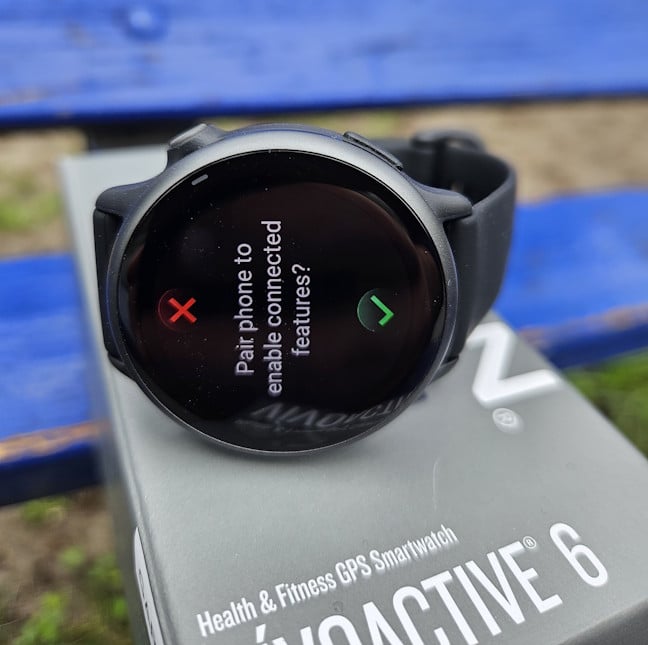
 There are only two buttons on this smartwatch
Regarding color options, there are four available: pink, green, gold, and black. You can see them pictured below. They’re varied enough to appeal to both men and women, as well as people of different ages.
There are only two buttons on this smartwatch
Regarding color options, there are four available: pink, green, gold, and black. You can see them pictured below. They’re varied enough to appeal to both men and women, as well as people of different ages.
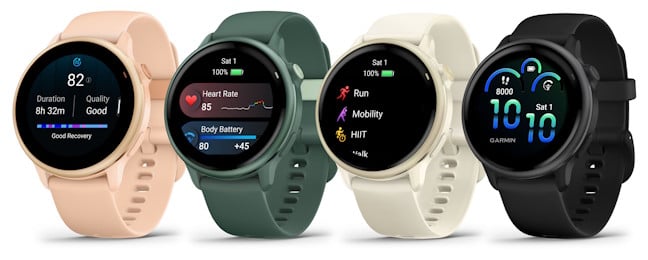
 The color options available for Garmin vivoactive 6
The battery has remained unchanged from previous models. Garmin promises up to 11 days of smartwatch use and up to five days with the display always on. We also get the same Bluetooth, ANT+, and Wi-Fi connectivity. There’s no LTE mobile connectivity available, though, and that might disappoint some users.
The color options available for Garmin vivoactive 6
The battery has remained unchanged from previous models. Garmin promises up to 11 days of smartwatch use and up to five days with the display always on. We also get the same Bluetooth, ANT+, and Wi-Fi connectivity. There’s no LTE mobile connectivity available, though, and that might disappoint some users.
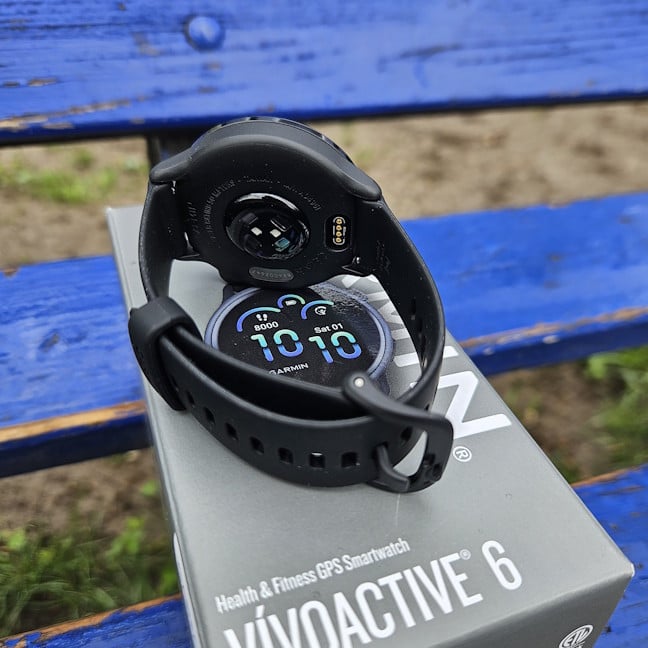
 You get Bluetooth, ANT+, and Wi-Fi connectivity
From a hardware perspective, the new Garmin vivoactive 6 introduces very few changes compared to its predecessor. It’s slightly thinner, has more storage space, additional GPS connectivity, and a gyroscope. We also get new colors, and that’s about it. This new model, however, brings many changes in its software: it has useful new features and many more sports tracking options. But more on that later in this review. If you need even more detailed specifications, visit the official product page: Garmin vivoactive 6.
You get Bluetooth, ANT+, and Wi-Fi connectivity
From a hardware perspective, the new Garmin vivoactive 6 introduces very few changes compared to its predecessor. It’s slightly thinner, has more storage space, additional GPS connectivity, and a gyroscope. We also get new colors, and that’s about it. This new model, however, brings many changes in its software: it has useful new features and many more sports tracking options. But more on that later in this review. If you need even more detailed specifications, visit the official product page: Garmin vivoactive 6.
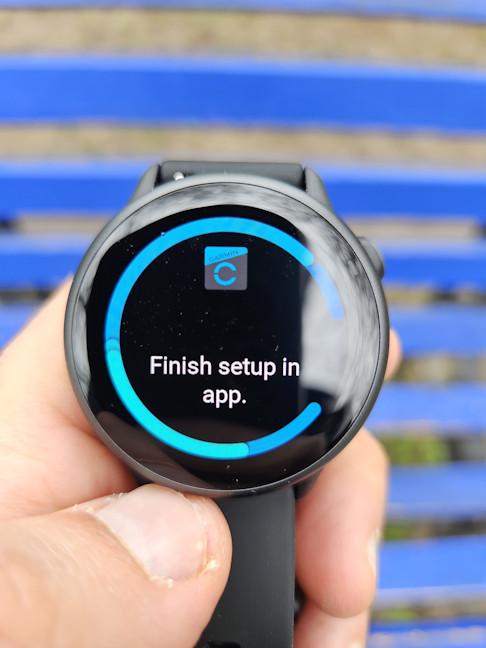 Setting up the Garmin vivoactive 6 is done using the Connect app
Towards the end of the initial setup, you’re shown a tutorial for navigating the interface on the vivoactive 6. Pay attention to this stage to quickly learn how to use it. This is especially useful if you haven’t used a Garmin smartwatch before, as this company’s approach is quite different from the likes of Apple, Samsung, or HUAWEI.
Setting up the Garmin vivoactive 6 is done using the Connect app
Towards the end of the initial setup, you’re shown a tutorial for navigating the interface on the vivoactive 6. Pay attention to this stage to quickly learn how to use it. This is especially useful if you haven’t used a Garmin smartwatch before, as this company’s approach is quite different from the likes of Apple, Samsung, or HUAWEI.
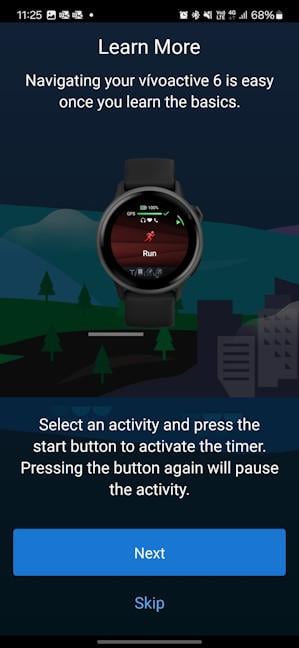
 You should read the tutorial for how to use this smartwatch
The setup wizard also recommends that you connect the Garmin vivoactive 6 so that it downloads updates faster. You can download music to your smartwatch for working out, download and update apps, and more. While not mandatory during the quick setup process, it’s also a good idea to configure Garmin Pay (for quick NFC payments), the Safety features, and other details.
To maximize battery life, Garmin has set the display on the vivoactive 6 to its lowest brightness. If you change this setting, you’ll find that the display on this model is brighter than previous versions. However, the company provides no technical details regarding its maximum brightness. If you keep the brightness at the minimum level, it’s a good idea to adjust the text size to ensure the user interface text is clear and easy to read.
You should read the tutorial for how to use this smartwatch
The setup wizard also recommends that you connect the Garmin vivoactive 6 so that it downloads updates faster. You can download music to your smartwatch for working out, download and update apps, and more. While not mandatory during the quick setup process, it’s also a good idea to configure Garmin Pay (for quick NFC payments), the Safety features, and other details.
To maximize battery life, Garmin has set the display on the vivoactive 6 to its lowest brightness. If you change this setting, you’ll find that the display on this model is brighter than previous versions. However, the company provides no technical details regarding its maximum brightness. If you keep the brightness at the minimum level, it’s a good idea to adjust the text size to ensure the user interface text is clear and easy to read.
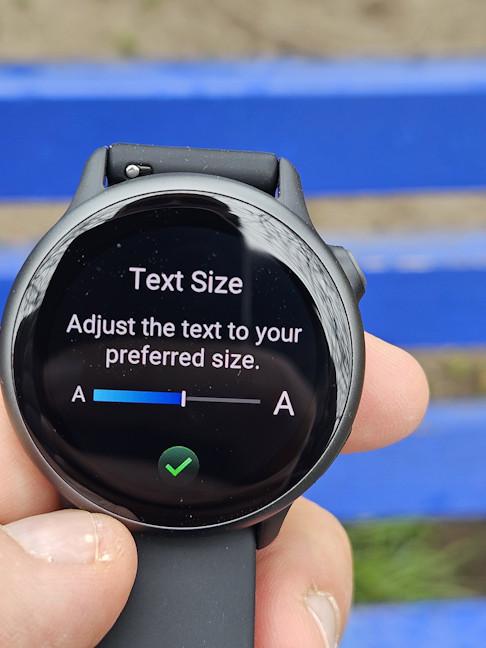 Adjusting the text size is a great idea
Shortly before the vivoactive 6 was launched, Garmin introduced its Garmin Connect+ subscription, which costs $6.99 monthly. It adds several premium features to the company’s smartwatches, but it’s not mandatory to use. If you opt in, you get more personalized insights and suggestions to improve your health and fitness, a new performance dashboard for analyzing your training data, new coaching guidance plans, new social features, and more. The good news is that Garmin hasn’t removed features that used to be included in their smartwatches. It only added new ones, which are under a paywall. The other good news is that you can use the smartwatch without paying for Garmin Connect+. I specifically chose not to use it for this review to show you what you get when you buy the Garmin vivoactive 6 and use it without this premium plan.
Adjusting the text size is a great idea
Shortly before the vivoactive 6 was launched, Garmin introduced its Garmin Connect+ subscription, which costs $6.99 monthly. It adds several premium features to the company’s smartwatches, but it’s not mandatory to use. If you opt in, you get more personalized insights and suggestions to improve your health and fitness, a new performance dashboard for analyzing your training data, new coaching guidance plans, new social features, and more. The good news is that Garmin hasn’t removed features that used to be included in their smartwatches. It only added new ones, which are under a paywall. The other good news is that you can use the smartwatch without paying for Garmin Connect+. I specifically chose not to use it for this review to show you what you get when you buy the Garmin vivoactive 6 and use it without this premium plan.
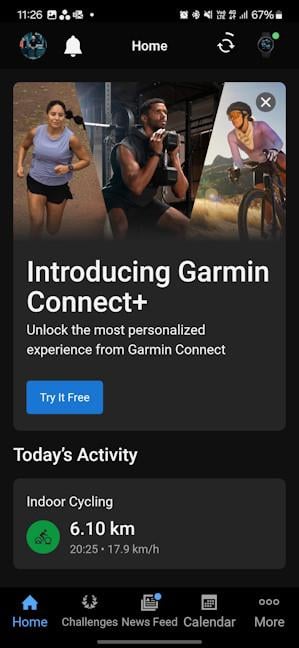 Garmin Connect+ is not mandatory
The Connect app looks and works the same as it does on other Garmin smartwatches. In its Home section, you can add and remove tiles with information, based on what metrics you want to focus on. At the top, you see the In Focus tiles, which offer more detailed information than the smaller ones below. If you’re switching to Garmin from another brand, it’s a good idea to spend some time familiarizing yourself with the Connect app. It has a different approach than similar apps from other brands, and it’s a lot more data-driven and highly personalizable. You can change the sections at the bottom of the app and their order any way you want to make the app feel more personal and oriented around your goals and preferences.
Garmin Connect+ is not mandatory
The Connect app looks and works the same as it does on other Garmin smartwatches. In its Home section, you can add and remove tiles with information, based on what metrics you want to focus on. At the top, you see the In Focus tiles, which offer more detailed information than the smaller ones below. If you’re switching to Garmin from another brand, it’s a good idea to spend some time familiarizing yourself with the Connect app. It has a different approach than similar apps from other brands, and it’s a lot more data-driven and highly personalizable. You can change the sections at the bottom of the app and their order any way you want to make the app feel more personal and oriented around your goals and preferences.
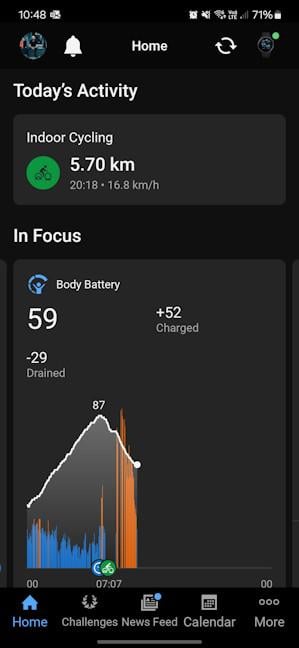 Using the Connect app takes some getting used to
Regarding watch faces, the Garmin vivoactive 6 has only one preinstalled, and it’s the one you see pictured on its packaging. Luckily, you can add others from the company’s Connect IQ app store, where you can find both free and paid options. Unfortunately, Garmin seems to prioritize paid content nowadays, so finding free watch faces for this model is more difficult than it was for the company’s previous models.
Using the Connect app takes some getting used to
Regarding watch faces, the Garmin vivoactive 6 has only one preinstalled, and it’s the one you see pictured on its packaging. Luckily, you can add others from the company’s Connect IQ app store, where you can find both free and paid options. Unfortunately, Garmin seems to prioritize paid content nowadays, so finding free watch faces for this model is more difficult than it was for the company’s previous models.
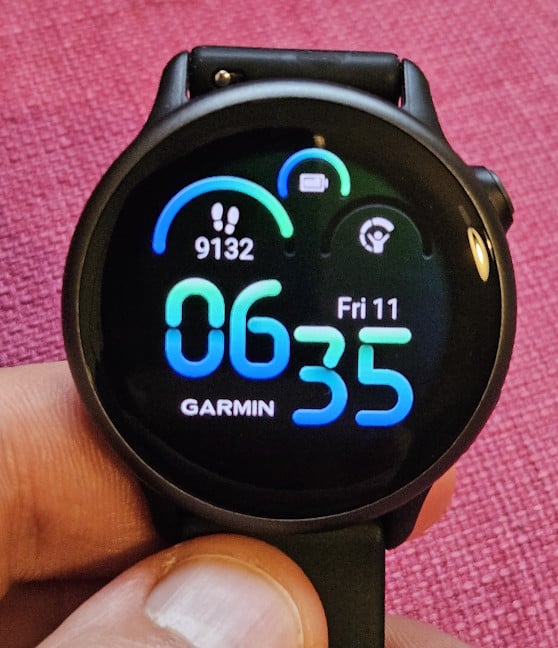
 Do you like the default watch face?
By the way, the Connect IQ store also features apps that extend the functionality of your smartwatch. One of the apps I use is Hydration Tracking. Even though it’s listed as compatible with the vivowatch 6, I found that it sometimes had trouble connecting to my smartphone, and I couldn’t get my hydration log data. Luckily, I was able to get around this issue by unlocking my smartphone and opening the Connect app. It’s an annoying bug, and hopefully, it will get fixed with future firmware updates. Speaking of which, I just received one the day I’m finalizing this review. So maybe I won’t encounter it anymore. 🙂
Do you like the default watch face?
By the way, the Connect IQ store also features apps that extend the functionality of your smartwatch. One of the apps I use is Hydration Tracking. Even though it’s listed as compatible with the vivowatch 6, I found that it sometimes had trouble connecting to my smartphone, and I couldn’t get my hydration log data. Luckily, I was able to get around this issue by unlocking my smartphone and opening the Connect app. It’s an annoying bug, and hopefully, it will get fixed with future firmware updates. Speaking of which, I just received one the day I’m finalizing this review. So maybe I won’t encounter it anymore. 🙂
 I encountered some connectivity issues
When it comes to smartwatch features, Garmin vivoactive 6 has a few that are genuinely useful, but it can’t compare to the likes of Apple and Samsung. You get NFC payments through Garmin Pay, which works in a large number of countries, and you can access notifications from your smartphone, as well as answer and reject calls. However, you can’t take calls from the Garmin vivoactive 6, even though it has a speaker. When rejecting calls, you can also use predefined text messages, which can be edited from the Connect app. The vivoactive 6 also has a Red Shift Mode. Turn it on to change the entire watch interface to shades of red, green, or orange that help preserve your vision by blocking the colors that constrict pupils, thus reducing sleep cycle disturbances. It’s a useful feature if you tend to use your smartwatch during the night.
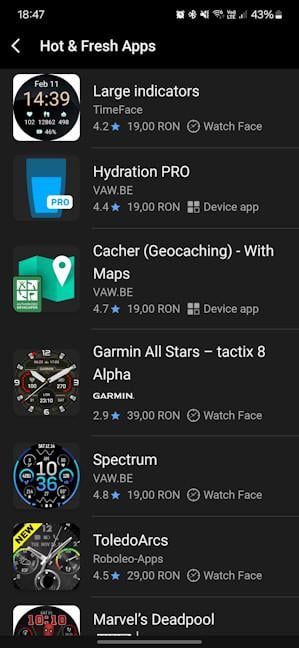
You can extend the number of apps available on this smartwatch by using the Connect IQ app store. However, most of the options available are oriented towards sports and health tracking. Unfortunately, Garmin’s app store can’t compare to those available for Google’s Wear OS or Apple’s WatchOS.
I encountered some connectivity issues
When it comes to smartwatch features, Garmin vivoactive 6 has a few that are genuinely useful, but it can’t compare to the likes of Apple and Samsung. You get NFC payments through Garmin Pay, which works in a large number of countries, and you can access notifications from your smartphone, as well as answer and reject calls. However, you can’t take calls from the Garmin vivoactive 6, even though it has a speaker. When rejecting calls, you can also use predefined text messages, which can be edited from the Connect app. The vivoactive 6 also has a Red Shift Mode. Turn it on to change the entire watch interface to shades of red, green, or orange that help preserve your vision by blocking the colors that constrict pupils, thus reducing sleep cycle disturbances. It’s a useful feature if you tend to use your smartwatch during the night.
You can extend the number of apps available on this smartwatch by using the Connect IQ app store. However, most of the options available are oriented towards sports and health tracking. Unfortunately, Garmin’s app store can’t compare to those available for Google’s Wear OS or Apple’s WatchOS.
 There aren't many third-party apps available
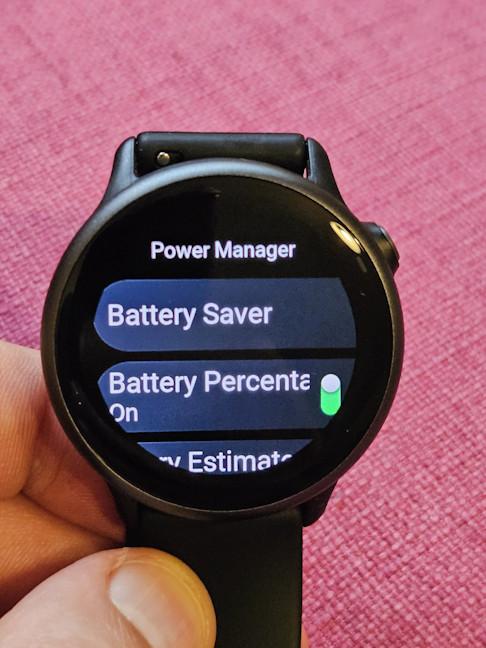
According to Garmin, the vivoactive 6 is supposed to last up to 11 days on a single charge and 5 days if you set the display to be turned on at all times. In my experience, Garmin vivoactive 6 lasted seven days and 10 hours on a single charge. During this time, I used the smartwatch to track seven indoor cycling sessions (20 minutes each), four strength training sessions (25 minutes each), one pilates session, one long hiking session (with an easy difficulty), and several outdoor walks. I also had PulseOx blood oxygen tracking turned on during sleep, and the display was set to turn itself off automatically, when I didn’t use the smartwatch. It’s a great result in my book, and smartwatches from Apple or Samsung can’t match Garmin’s performance in this regard.
There aren't many third-party apps available
According to Garmin, the vivoactive 6 is supposed to last up to 11 days on a single charge and 5 days if you set the display to be turned on at all times. In my experience, Garmin vivoactive 6 lasted seven days and 10 hours on a single charge. During this time, I used the smartwatch to track seven indoor cycling sessions (20 minutes each), four strength training sessions (25 minutes each), one pilates session, one long hiking session (with an easy difficulty), and several outdoor walks. I also had PulseOx blood oxygen tracking turned on during sleep, and the display was set to turn itself off automatically, when I didn’t use the smartwatch. It’s a great result in my book, and smartwatches from Apple or Samsung can’t match Garmin’s performance in this regard.
 Garmin vivoactive 6 lasts up to 11 days on a single charge
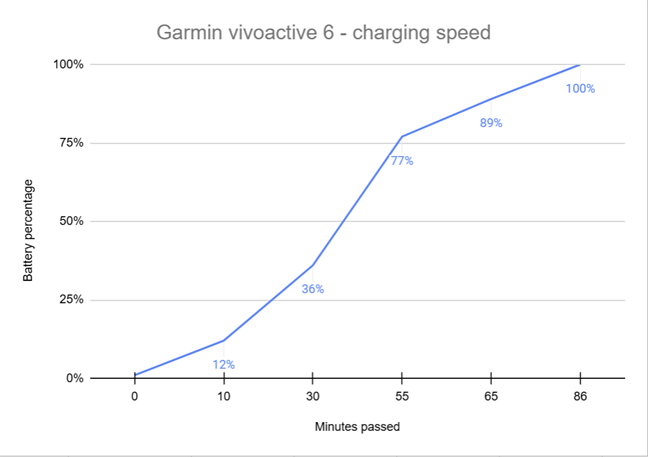
I also tested the charging speed for the Garmin vivoactive 6, using a Samsung 45W smartphone charger. As you can see below, the battery charged from 1% to 12% in ten minutes, and to 36% in thirty minutes. It needed 86 minutes for a full charge.
Garmin vivoactive 6 lasts up to 11 days on a single charge
I also tested the charging speed for the Garmin vivoactive 6, using a Samsung 45W smartphone charger. As you can see below, the battery charged from 1% to 12% in ten minutes, and to 36% in thirty minutes. It needed 86 minutes for a full charge.
 How long it takes to charge the vivoactive 6
I’ve tested the Garmin vivoactive 6 for ten days before finalizing this review. Except for a few minor bugs and issues like having just one preinstalled watch face, I appreciated my time with this device. Its AMOLED display is bright and easy to see, even outdoors, its battery life is good, and its health and tracking features are useful. But more on that on the second page of this review.🙂
How long it takes to charge the vivoactive 6
I’ve tested the Garmin vivoactive 6 for ten days before finalizing this review. Except for a few minor bugs and issues like having just one preinstalled watch face, I appreciated my time with this device. Its AMOLED display is bright and easy to see, even outdoors, its battery life is good, and its health and tracking features are useful. But more on that on the second page of this review.🙂
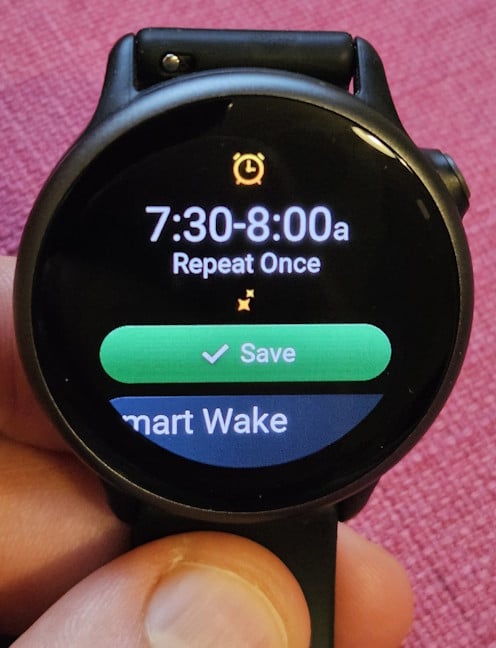
 The Smart Wake alarms are useful
Garmin vivoactive 6 also features nap detection. While it’s supposed to automatically detect and track the naps you take during the day, it didn’t detect them in my limited experience. Luckily, I could manually start the nap tracking and then get access to the appropriate data at the end of it.
The Smart Wake alarms are useful
Garmin vivoactive 6 also features nap detection. While it’s supposed to automatically detect and track the naps you take during the day, it didn’t detect them in my limited experience. Luckily, I could manually start the nap tracking and then get access to the appropriate data at the end of it.
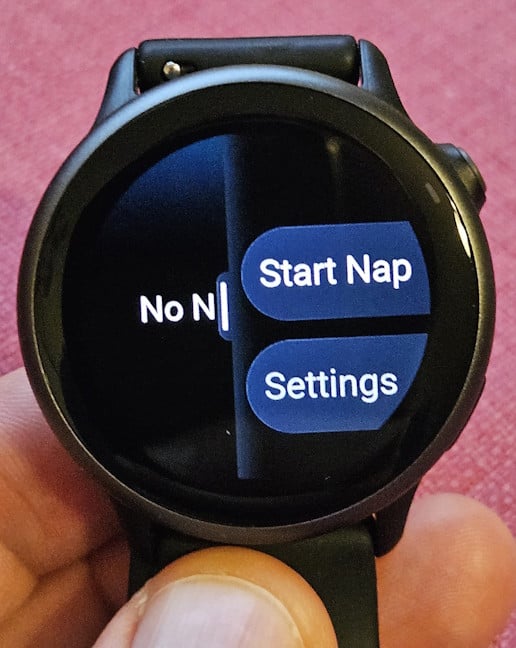
 Garmin vivoactive 6 features nap detection
On a typical day, the Garmin vivoactive 6 tracks various health metrics, including the number of steps taken, sleep duration and quality, heart rate, heart rate variability, blood oxygen levels (Pulse Ox), respiration, stress levels, calories burned, and body battery (energy resources). However, it lacks the sensors required to measure the number of stairs or floors climbed.
In order to save battery, the Pulse Ox measurements are not enabled. You must turn them on manually and set these measurements to be done at all times, on demand, or during sleep. Unfortunately, this feature can cut your battery life in half. Therefore, you can keep it turned off but perform a manual reading each day to have daily reports about its evolution. Or you can enable it during sleep so that it doesn’t impact the battery life as drastically as having it always turned on.
Garmin vivoactive 6 features nap detection
On a typical day, the Garmin vivoactive 6 tracks various health metrics, including the number of steps taken, sleep duration and quality, heart rate, heart rate variability, blood oxygen levels (Pulse Ox), respiration, stress levels, calories burned, and body battery (energy resources). However, it lacks the sensors required to measure the number of stairs or floors climbed.
In order to save battery, the Pulse Ox measurements are not enabled. You must turn them on manually and set these measurements to be done at all times, on demand, or during sleep. Unfortunately, this feature can cut your battery life in half. Therefore, you can keep it turned off but perform a manual reading each day to have daily reports about its evolution. Or you can enable it during sleep so that it doesn’t impact the battery life as drastically as having it always turned on.

 Pulse Ox measurements can be made on demand
Unlike the Venu 3, the Garmin vivoactive 6 does not have ECG readings because it lacks the necessary sensors. However, like the Venu 3, the vivoactive 6 monitors your breathing. Tracking this data is valuable for assessing your physical fitness and identifying respiratory health issues. Additionally, to assist users in enhancing their breathing, the watch provides mindful breathing exercises and guided meditations that help reduce heart rate and alleviate stress levels.
Pulse Ox measurements can be made on demand
Unlike the Venu 3, the Garmin vivoactive 6 does not have ECG readings because it lacks the necessary sensors. However, like the Venu 3, the vivoactive 6 monitors your breathing. Tracking this data is valuable for assessing your physical fitness and identifying respiratory health issues. Additionally, to assist users in enhancing their breathing, the watch provides mindful breathing exercises and guided meditations that help reduce heart rate and alleviate stress levels.
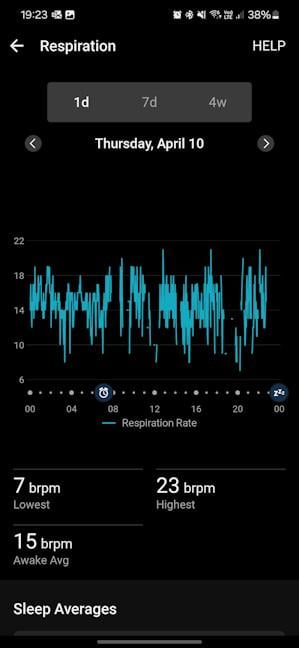 Garmin vivoactive 6 monitors how you breathe
The Garmin vivoactive 6 is not just for men; it is also suitable for women and includes women’s health tracking features to monitor the menstrual cycle and pregnancy, along with exercise and nutrition education.
Even though it’s not a perfect device, the Garmin vivoactive 6 has all the necessary features to help you monitor your overall health and maintain it by improving your habits. Speaking of that, it’s essential to incorporate sports into your routine if you want to keep your health in top shape. So, let’s see how this smartwatch performs in terms of sports tracking.
Garmin vivoactive 6 monitors how you breathe
The Garmin vivoactive 6 is not just for men; it is also suitable for women and includes women’s health tracking features to monitor the menstrual cycle and pregnancy, along with exercise and nutrition education.
Even though it’s not a perfect device, the Garmin vivoactive 6 has all the necessary features to help you monitor your overall health and maintain it by improving your habits. Speaking of that, it’s essential to incorporate sports into your routine if you want to keep your health in top shape. So, let’s see how this smartwatch performs in terms of sports tracking.
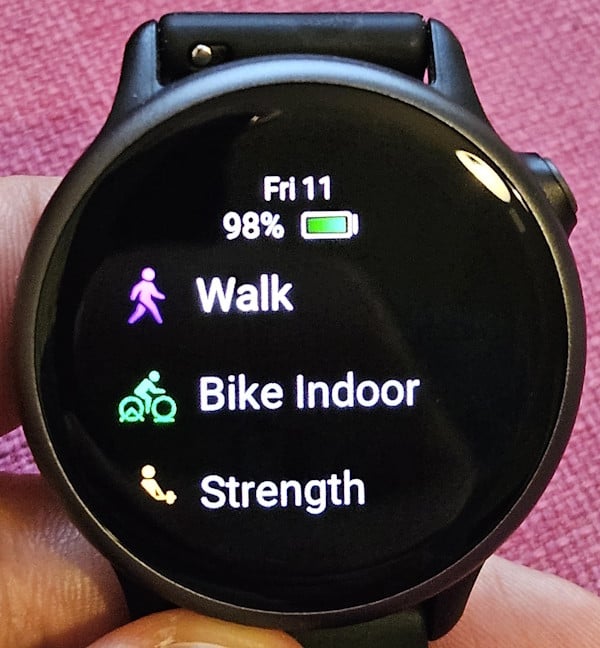
 Garmin vivoactive 6 features many tracking profiles
One of the most useful novelties is Daily suggested workouts for walking activities. It’s a great way to keep yourself active, especially when you move around city streets. You might just as well turn those walks into healthy workouts. I haven’t seen this feature before on previous Garmin smartwatches I’ve tested, and I expect it will be included in upcoming models.
Garmin vivoactive 6 features many tracking profiles
One of the most useful novelties is Daily suggested workouts for walking activities. It’s a great way to keep yourself active, especially when you move around city streets. You might just as well turn those walks into healthy workouts. I haven’t seen this feature before on previous Garmin smartwatches I’ve tested, and I expect it will be included in upcoming models.
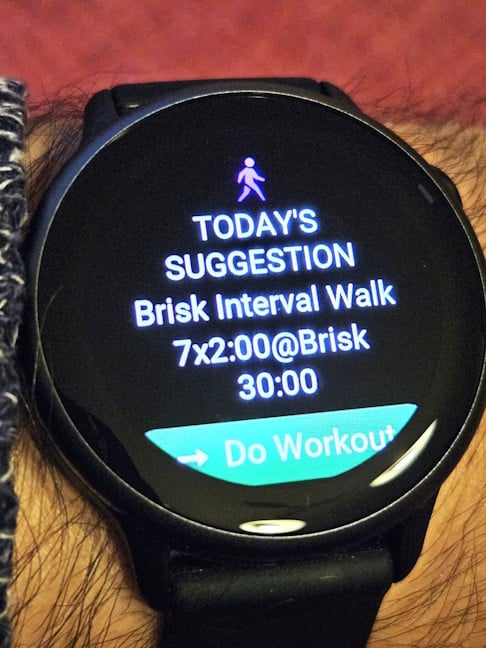 The Daily suggested workouts are useful
You can obviously create plans for your own workouts and access features like PacePro, which provides grade-adjusted pace guidance for upcoming races based on elevation and your personal pacing preferences. In an effort to be as inclusive as possible, Garmin also offers workouts for wheelchair users, a welcome feature that is rare in smartwatches at a similar price point.
The Daily suggested workouts are useful
You can obviously create plans for your own workouts and access features like PacePro, which provides grade-adjusted pace guidance for upcoming races based on elevation and your personal pacing preferences. In an effort to be as inclusive as possible, Garmin also offers workouts for wheelchair users, a welcome feature that is rare in smartwatches at a similar price point.
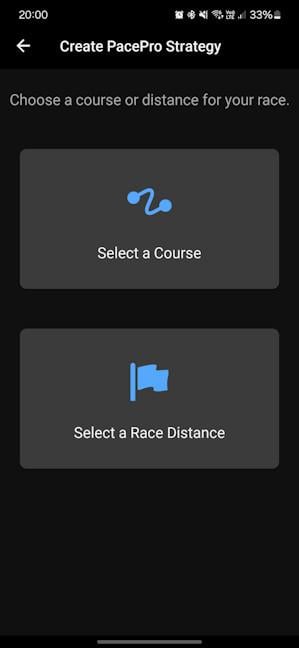 Garmin vivoactive 6 features PacePro
Runners are going to be especially pleased with the Garmin vivoactive 6. And that’s not only because it gives them access to more tracking profiles, but also because it lets them access Running Dynamics statistics, which measure ground contact time, vertical oscillation, stride length, running power, and other useful metrics.
While there are no offline maps available on this smartwatch, you do get course/route following capabilities, which is surprising to see on a Garmin device with entry-level pricing.
Garmin vivoactive 6 features PacePro
Runners are going to be especially pleased with the Garmin vivoactive 6. And that’s not only because it gives them access to more tracking profiles, but also because it lets them access Running Dynamics statistics, which measure ground contact time, vertical oscillation, stride length, running power, and other useful metrics.
While there are no offline maps available on this smartwatch, you do get course/route following capabilities, which is surprising to see on a Garmin device with entry-level pricing.
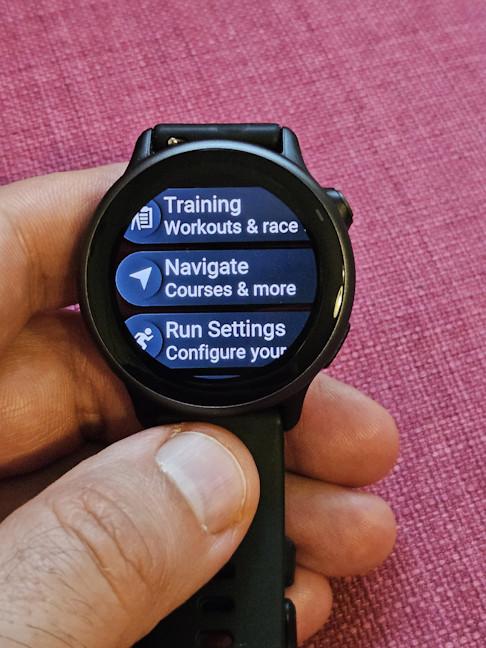 Garmin vivoactive 6 has course/route folllowing
While you don’t get multi-band GPS tracking on the Garmin vivoactive 6, the accuracy of its tracking is good, especially when doing activities outdoors, in the middle of nature. During my testing, I went for a 9 km hiking trail, and this smartwatch didn’t disappoint.
Garmin vivoactive 6 has course/route folllowing
While you don’t get multi-band GPS tracking on the Garmin vivoactive 6, the accuracy of its tracking is good, especially when doing activities outdoors, in the middle of nature. During my testing, I went for a 9 km hiking trail, and this smartwatch didn’t disappoint.
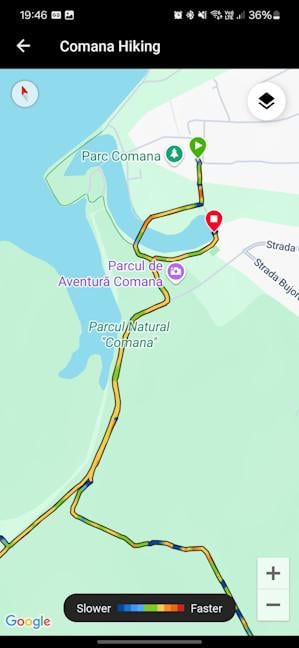 The GPS tracking is pretty accurate
As expected from Garmin devices, the vivoactive 6 provides extensive data after each workout, allowing you to evaluate your performance and the stress your body has endured. One minor improvement I noticed when comparing it to my daily driver, the Garmin Venu 2 Plus, is that the vivoactive 6 performs better at counting repetitions and identifying the exercises I was doing during strength workouts. While the enhancement isn't drastic, it does represent an improvement, which is great. I no longer needed to manually edit the number of repetitions for each workout as frequently as I did before.
The GPS tracking is pretty accurate
As expected from Garmin devices, the vivoactive 6 provides extensive data after each workout, allowing you to evaluate your performance and the stress your body has endured. One minor improvement I noticed when comparing it to my daily driver, the Garmin Venu 2 Plus, is that the vivoactive 6 performs better at counting repetitions and identifying the exercises I was doing during strength workouts. While the enhancement isn't drastic, it does represent an improvement, which is great. I no longer needed to manually edit the number of repetitions for each workout as frequently as I did before.
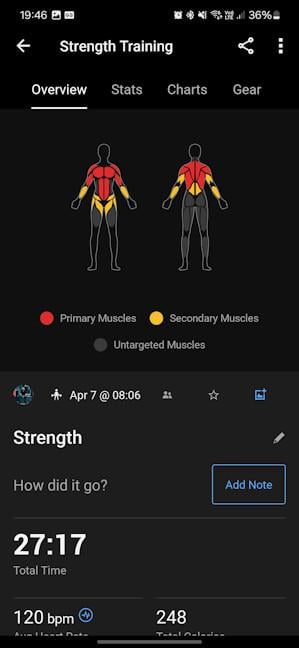 As always, Garmin remains very data-driven
When it comes to coaching, the Garmin Connect+ subscription gives you access to a lot of options. However, you also get free access to coaching plans for running and cycling, which is great to see. While there aren’t as many and varied as those you find on more expensive smartwatches, like the Garmin Fenix 8, they’re well-designed and useful. 🙂
As always, Garmin remains very data-driven
When it comes to coaching, the Garmin Connect+ subscription gives you access to a lot of options. However, you also get free access to coaching plans for running and cycling, which is great to see. While there aren’t as many and varied as those you find on more expensive smartwatches, like the Garmin Fenix 8, they’re well-designed and useful. 🙂
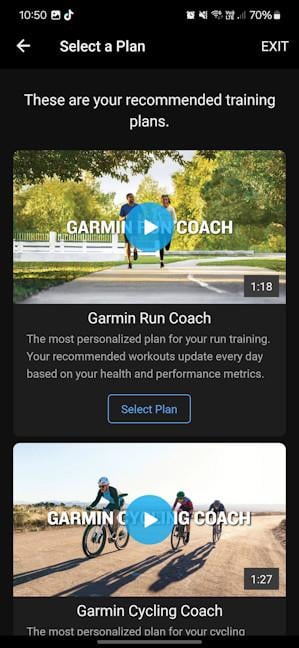 You get access to free coaching for Running and Cycling
The Garmin vivoactive 6 excels in sports tracking. It offers a wider range of tracking profiles than its predecessor and includes features that make it an excellent companion for anyone serious about regular exercise, particularly runners.
You get access to free coaching for Running and Cycling
The Garmin vivoactive 6 excels in sports tracking. It offers a wider range of tracking profiles than its predecessor and includes features that make it an excellent companion for anyone serious about regular exercise, particularly runners.
Garmin vivoactive 6: Who is it good for?
This smartwatch is a great choice for:- People looking for an affordable Garmin smartwatch
- Health and fitness enthusiasts
- Wheelchair users who need workouts adapted to their needs
Pros and cons
Here are the things I like about the Garmin vivoactive 6:- Bright AMOLED display
- Access to new satellite networks for GPS tracking
- More sports tracking profiles
- Many new features compared to the previous model
- It’s a lot more useful to runners than its predecessor
- Only one preinstalled watch face
- Minor connectivity issues when using apps like Hydration Tracking
- Limited smartwatch app ecosystem
Verdict
When I read the hardware specifications of the Garmin vivoactive 6, I was underwhelmed. From this perspective, the smartwatch offers only a few minor updates, such as a gyroscope, a slightly brighter display, the ability to connect to new GPS satellite networks, and additional storage space. However, the Garmin vivoactive 6 truly stands out in its software and features. In this regard, Garmin has done an excellent job transforming the vivoactive 6 into a versatile smartwatch that provides significant value to anyone interested in health and sports tracking. While it can track 78 different activities, the audience benefiting the most from its added features includes runners and individuals who regularly participate in sports competitions. It might not be perfect, but the Garmin vivoactive 6 is a great smartwatch at a reasonable price, and many users will probably enjoy using it.Unboxing the Garmin vivoactive 6
When I received the Garmin vivoactive 6 in testing, I was impatient and wanted to try it out in a real workout. So I went to the park as soon as it stopped raining and unboxed it right then and there. As you can see in my pictures, this smartwatch comes in a gray cardboard box, featuring a picture of the device on the top cover, alongside the product name. As usual with Garmin’s products, there is little information printed on the packaging. If you want a list of its features and specifications, you have to look for it online, in reviews like this one or on Garmin’s official website.Design and hardware specifications
When compared to its predecessor, the Garmin vivoactive 6 has a similar size and design but is slightly thinner, measuring 42.2 x 42.2 x 10.9 mm (1.66 x 1.66 x 0.43 inches), and it weighs just 36 grams (1.27 oz) with the band included. It features a 1.2-inch AMOLED display with a resolution of 390 x 390. The display is protected by Corning Gorilla Glass 3, while the smartwatch bezel is made from anodized aluminum. The case uses fiber-reinforced polymer, while the strap is made from silicone. These materials are standard for a Garmin smartwatch in this price range. If you want a more elegant look, you can buy 20 mm straps from Garmin’s store or third-party vendors. There are plenty of options available.Setting up and using the Garmin vivoactive 6
Before you can start using the Garmin vivoactive 6, you need to charge it and set it up using the Connect app, which is free for Android and iOS. The setup process takes a bit of time, and it involves steps like connecting the smartwatch to your smartphone, giving it the permissions necessary to sync and access some of your data, setting up your sleep schedule, choosing the wrist on which you wear the smartwatch, and setting up your goals.Health tracking with the Garmin vivoactive 6
Although the Garmin vivoactive 6 doesn’t feature the company’s latest heart rate tracking sensor, it does include their newest software and offers many enhancements compared to its predecessor. It even has some features that are unavailable on the more expensive Garmin Venu 3. One particularly cool and useful addition is the Smart Wake alarms. When enabled, the watch utilizes the sleep tracking data it collects from your body to determine the optimal time to wake you up, before the hour you set. This feature is beneficial and can help improve your overall sleep quality while ensuring you wake up when necessary.Sports tracking with Garmin vivoactive 6
The biggest improvement introduced by the Garmin vivoactive 6 is that it has a total of 78 tracking profiles for sports and activities. The list includes popular activities like running, swimming, skiing, yoga, or cycling, as well as niche ones like golfing, cyclocross, ice skating, or volleyball. This marks a significant enhancement over its predecessor, making the vivoactive 6 a better choice for people who take sports seriously.

Discussion (0)
Be the first to comment.