



The Telegram app allows you to share your live location with contacts or groups, making it easier to stay connected during meetups, travel, or emergencies. Live location sharing updates your position in real time and automatically stops after a selected duration.
Unlike static location sharing, Telegram live location continuously refreshes your position on the map. This works on both Android and iPhone, as long as location permissions and internet access are enabled.
How To Enable Live Location On Telegram
To share live location on Telegram, you need to open a chat or group and allow Telegram to access your device’s location. The process is similar across platforms, with small interface differences.
- Open the Telegram app on your phone
- Open the chat or group where you want to share your location
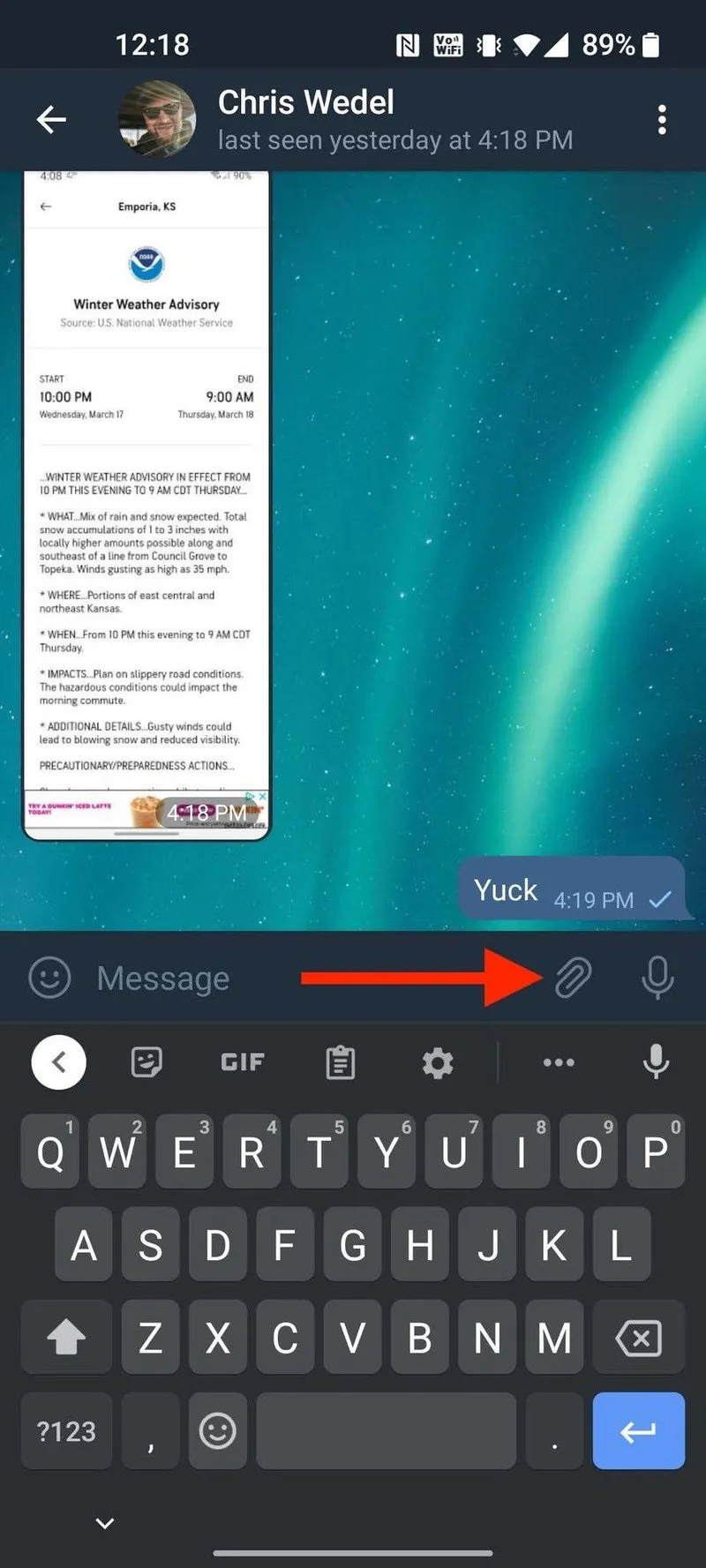
- Tap the attachment or clip icon near the message field
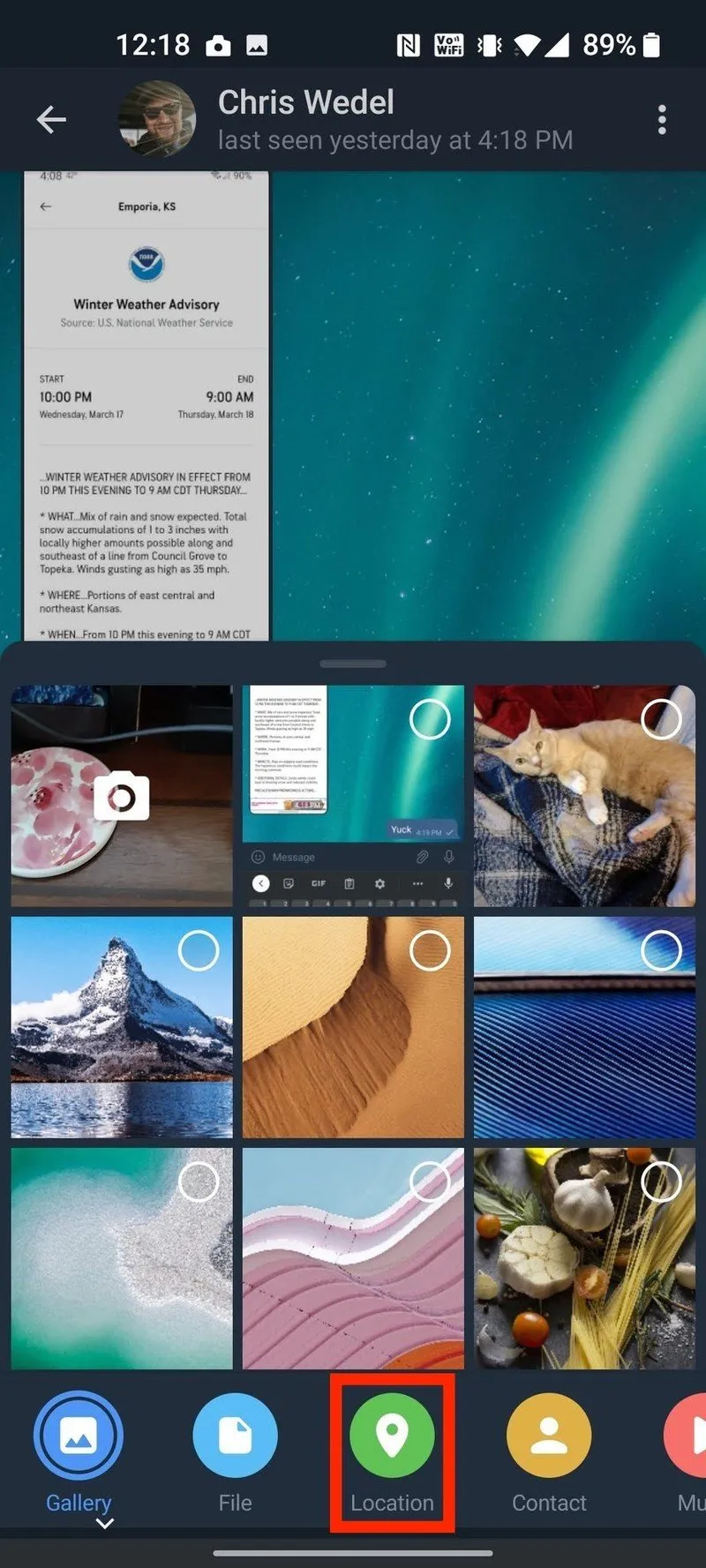
- Select the Location option
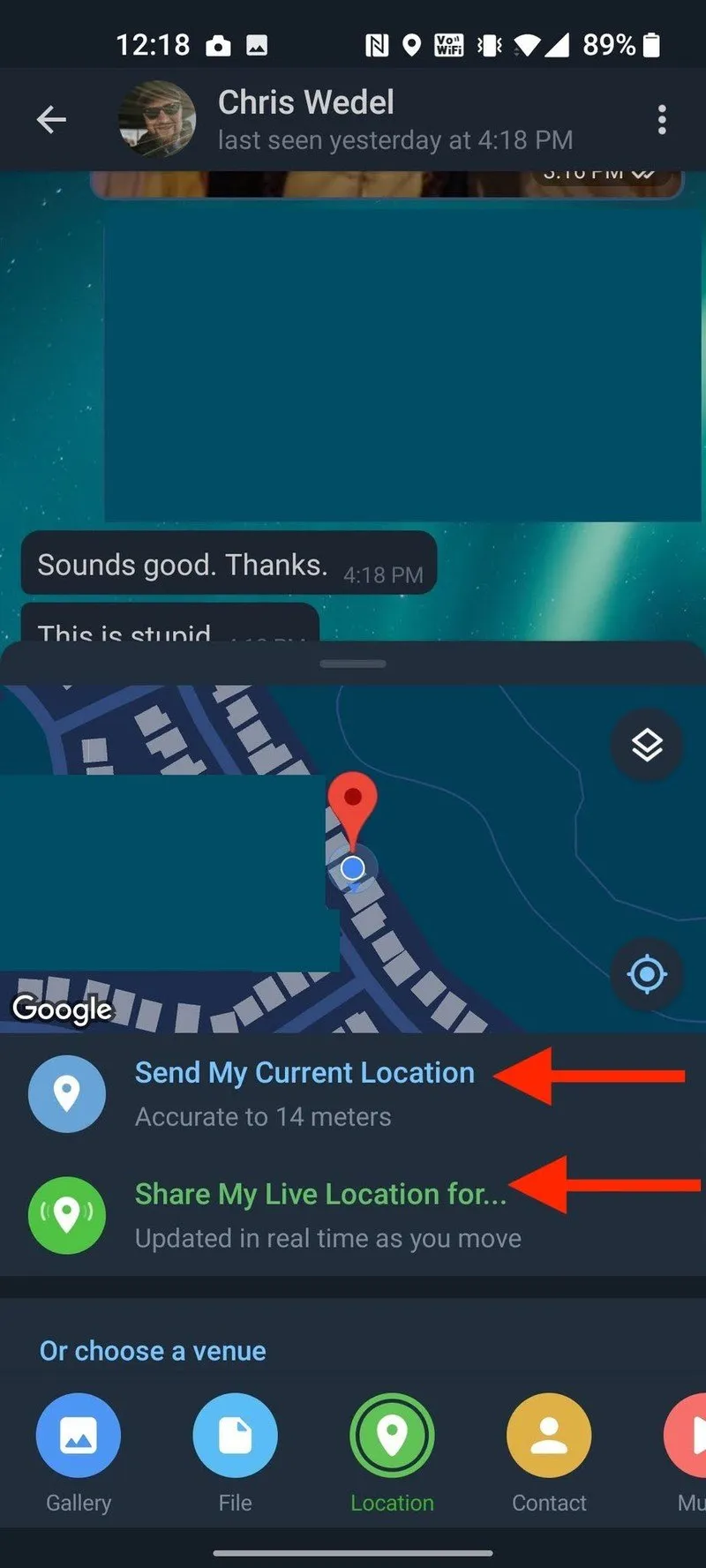
- Tap Share My Live Location
- Grant location permission when prompted
- Choose how long you want to share your live location
Once enabled, a mini map appears in the chat showing your movement in real time. Telegram automatically stops sharing after the selected duration unless you end it manually.
How To Stop Live Location Sharing On Telegram
You can stop sharing your live location at any time before the timer ends. Telegram provides a clear control inside the chat message.
- Open the chat where live location is active
- Tap the live location message
- Select Stop Sharing Location
The location history remains visible in the chat until you delete the message.
Troubleshooting Common Problems
If Telegram live location is not working, the issue usually relates to permissions or connectivity.
- Check that location services are enabled on your device
- Make sure Telegram has permission to access precise location
- Confirm that mobile data or Wi-Fi is active
- Disable battery optimization for Telegram
- Restart the app and try again
Tips
- Use live location only in trusted chats or private groups
- Select the shortest sharing duration when possible
- Stop sharing manually once you reach your destination
- Keep Telegram updated for best location accuracy
FAQ
Does Telegram live location work without a SIM card?
Yes, live location works over Wi-Fi as long as the device has internet access.
Can I share live location in group chats?
Yes, live location can be shared in private groups where you have permission to send messages.
Is Telegram live location accurate?
Telegram uses Google Maps on Android and Apple Maps on iPhone, both of which provide accurate real-time tracking.
Can I use Telegram live location on desktop?
Live location sharing is limited to mobile apps and is not available on Telegram Web or Windows desktop.
Summary
- Telegram supports real-time live location sharing on mobile
- You control how long your location stays visible
- Live location works in chats and private groups
- You can stop sharing at any time
Conclusion
Telegram live location is a practical safety and coordination feature that works reliably on Android and iPhone. Once enabled, it provides real-time updates without requiring extra apps, making it a convenient option for users who rely on Telegram as their primary messaging platform.


Discussion (0)
Be the first to comment.