



Easter brings together spring colors, festive decorations, and meaningful traditions. Updating your iPhone wallpaper is a simple way to reflect the season and add a fresh look to your home or lock screen.
At the time of writing, high-resolution Easter wallpapers optimized for modern iPhone displays are widely available, making it easy to enjoy crisp visuals without stretching or blur.
Easter Wallpapers For iPhone In High Quality
The Easter iPhone wallpapers below focus on vibrant colors, clean compositions, and themes commonly associated with the holiday. Each style works well on both lock screens and home screens.
Colorful Easter Eggs
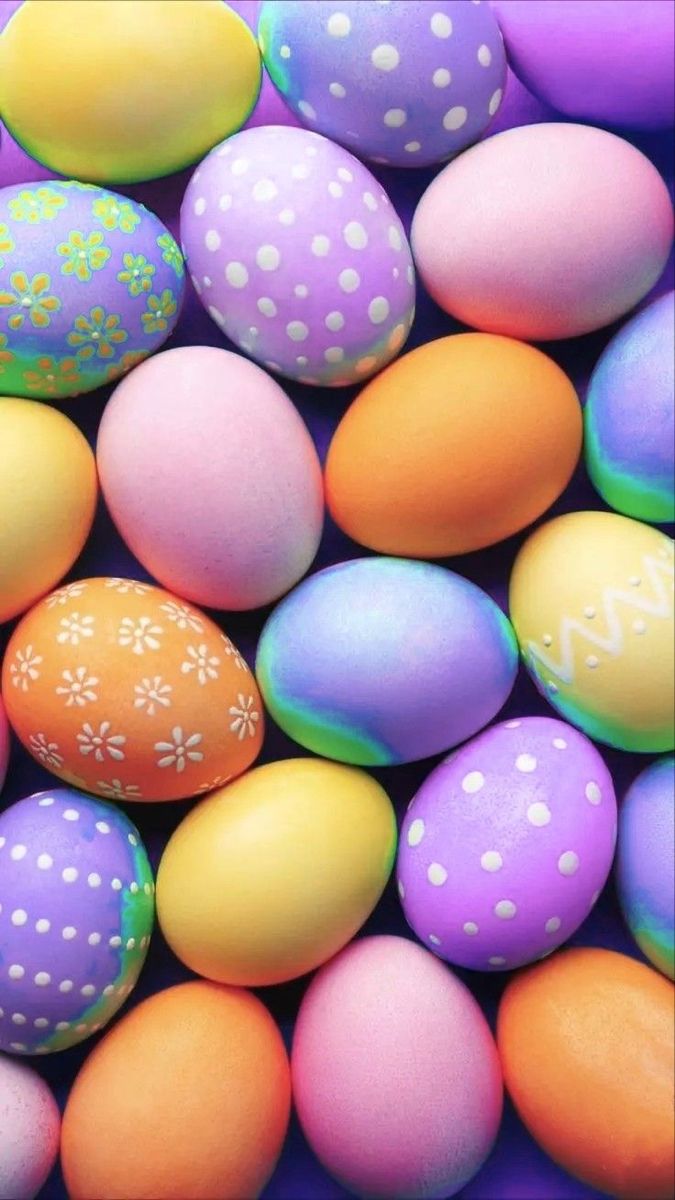
Easter eggs remain one of the most recognizable symbols of the holiday. These wallpapers feature bright patterns and pastel tones that bring instant seasonal cheer to your iPhone.
Cute Easter Bunnies

Bunny-themed Easter wallpapers offer a playful and lighthearted look. Soft colors and friendly designs make them ideal for a cheerful spring aesthetic.
Minimalist Easter Designs

Minimal Easter wallpapers focus on subtle colors and simple shapes. They pair well with widget-heavy home screens while still reflecting the holiday spirit.
Spring-Inspired Easter Wallpapers
These designs blend Easter elements with florals and nature themes. They highlight the transition into spring and work well for users who prefer seasonal backgrounds.
Religious Easter Wallpapers
Faith-based Easter wallpapers feature meaningful messages and symbols tied to the holiday’s religious significance. Soft gradients and calm tones create a reflective visual style.
Bright And Festive Easter Art
Bold Easter wallpapers use vivid colors and decorative elements. They stand out on OLED displays and add energy to your iPhone screen.
How To Set Easter Wallpapers On iPhone
Once you’ve saved a wallpaper, applying it takes only a moment.
- Open the Photos app and select the wallpaper.
- Tap Share and choose Use As Wallpaper.
- Adjust positioning and zoom if needed.
- Set it for the lock screen, home screen, or both.
Troubleshooting Common Problems
If a wallpaper does not appear correctly, a few quick adjustments can help.
- Check that the image resolution matches your iPhone model.
- Disable perspective zoom if the image looks cropped.
- Re-download the image if it appears blurry.
- Verify display zoom settings under Accessibility.
Tips
- Pastel wallpapers work well with light app icons.
- Dark accents can help reduce OLED battery usage.
- Minimal designs keep text readable on lock screens.
- Rotate seasonal wallpapers to avoid screen burn-in.
- Crop images manually for precise framing.
FAQ
Are Easter wallpapers safe to use on iPhone?
Yes. Wallpapers do not affect system performance or security.
Do 4K wallpapers improve quality on iPhone?
High-resolution images scale cleanly and appear sharper on Retina displays.
Can I use different wallpapers for lock and home screens?
Yes. iOS allows separate wallpapers for each screen.
Will bright wallpapers drain battery faster?
Bright colors can use more power on OLED screens compared to darker designs.
Summary
- Easter wallpapers add a festive spring look to iPhone.
- High-resolution images ensure crisp display quality.
- Styles range from cute and colorful to minimalist and religious.
- Proper setup improves framing and readability.
Conclusion
Easter wallpapers for iPhone offer an easy way to celebrate the season through color and design. Whether you prefer playful bunnies, pastel eggs, or meaningful symbols, the right wallpaper can give your iPhone a fresh and festive update.



Discussion (0)
Be the first to comment.