



Apple ID security questions act as an extra verification layer for older Apple accounts. They help confirm your identity when signing in, changing account details, or recovering access.
At the time of writing, Apple automatically enables two-factor authentication on newer Apple IDs, which removes the need for security questions entirely.
How To Change Apple ID Security Questions
If your Apple ID still uses security questions, you can change them from any device using a web browser. This works the same on iPhone, iPad, Mac, or Windows.
- Open a browser and go to appleid.apple.com
- Sign in using your Apple ID and password
- Select Sign-In And Security
- Choose Account Security and click Change Security Questions
- Answer your current security questions to continue
- Select new security questions and enter your answers
- Confirm your rescue email address to save changes
How To Reset Apple ID Security Questions If You Forgot Them
If you no longer remember your answers, Apple allows you to reset your security questions after verifying your identity.
- Go to iforgot.apple.com in a browser
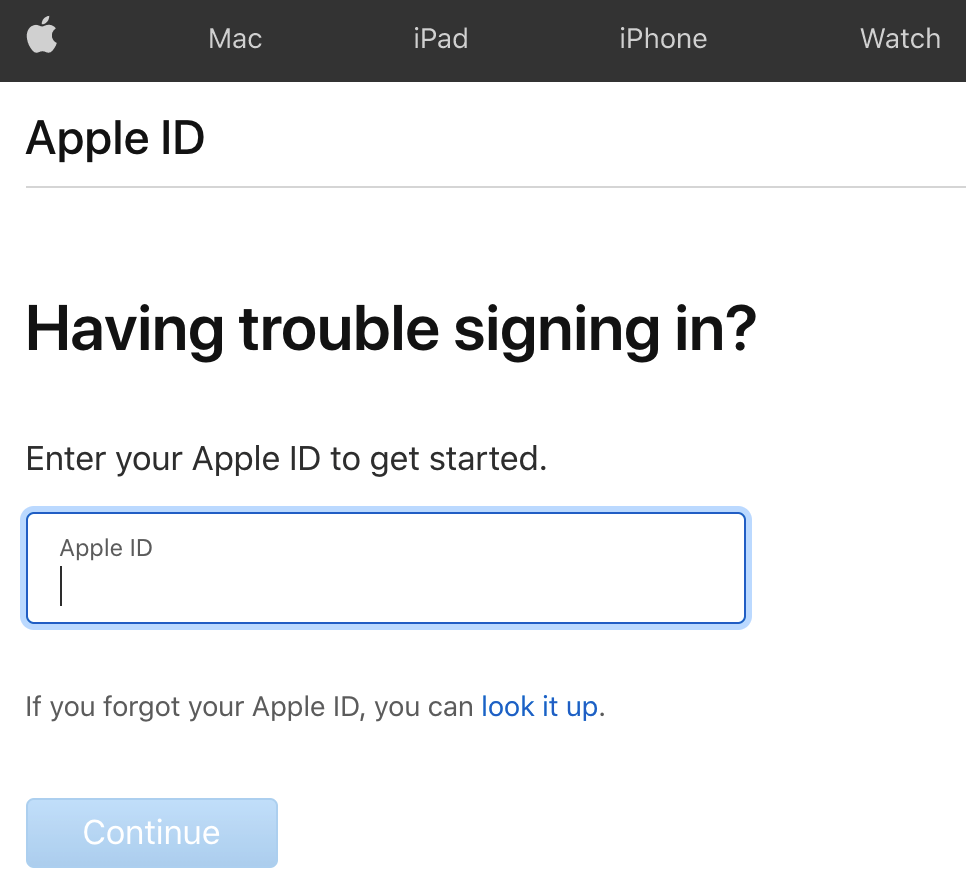
- Enter your Apple ID and select Continue
- Choose I Need To Reset My Security Questions
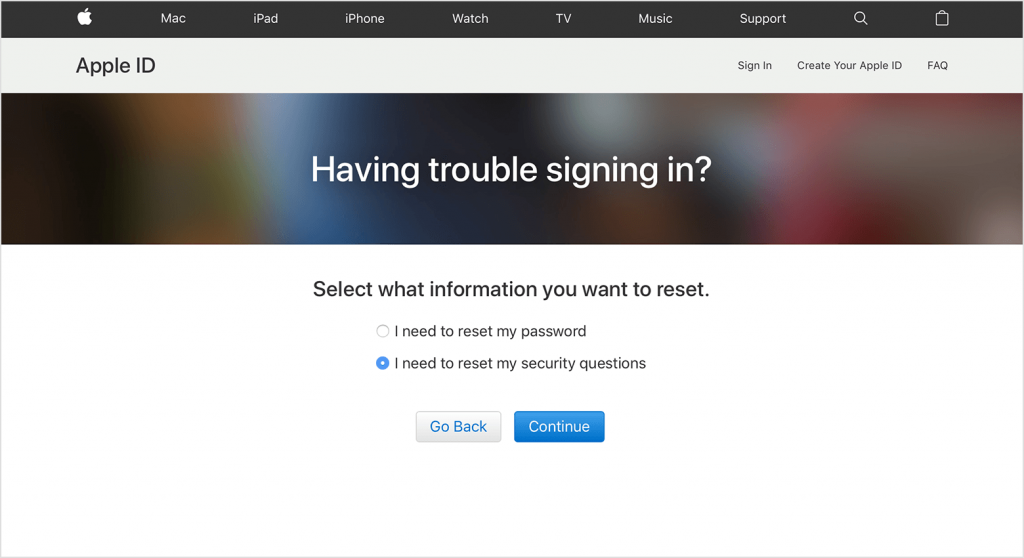
- Enter your Apple ID password
- Follow the on-screen verification steps
- Create new security questions and answers
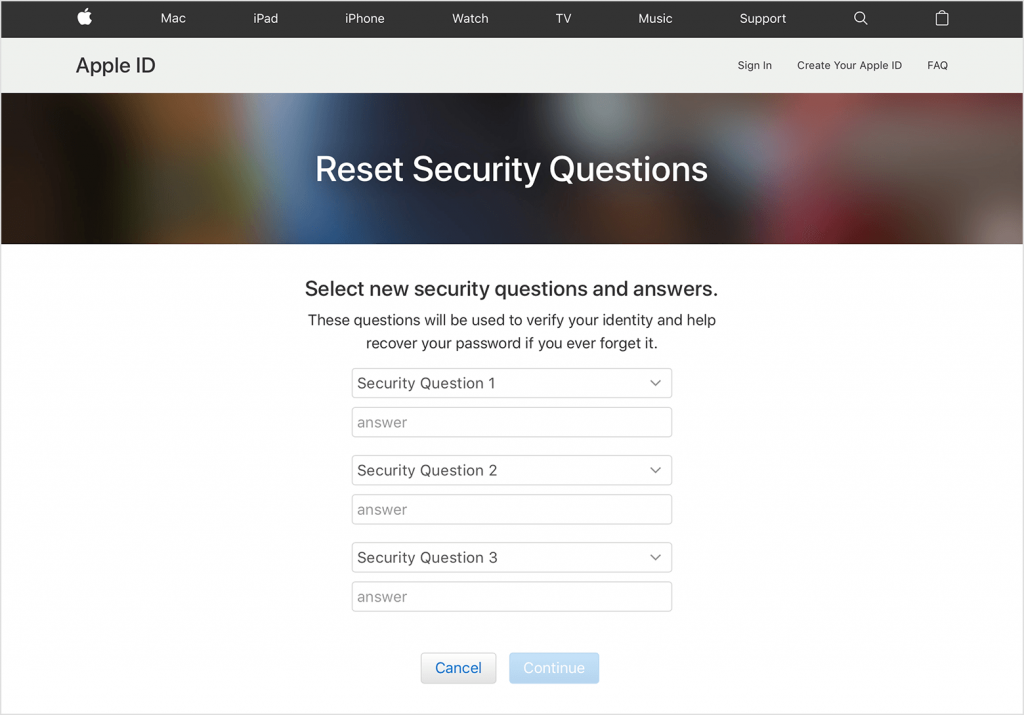
- Confirm the changes to finish
Troubleshooting Common Problems
If you see a message saying Apple doesn’t have enough information to reset your security questions, verification has failed. This usually happens when account details are outdated or missing.
In that case, you will need to contact Apple Support and verify your identity directly using the recovery options available in your region.
Tips
- Write down your security question answers and store them securely
- Use answers that are easy for you to remember but hard to guess
- Keep your rescue email address up to date
- Enable two-factor authentication to remove security questions entirely
FAQ
Can I disable Apple ID security questions?
Yes. Enabling two-factor authentication automatically removes the need for security questions.
Can I reset security questions without a rescue email?
No. A rescue email is required to reset Apple ID security questions.
Why can’t I change security questions on my Apple ID?
If your Apple ID uses two-factor authentication, security questions are no longer supported.
Summary
- Apple ID security questions only apply to older accounts
- You can change them from appleid.apple.com if enabled
- Forgotten answers can be reset through iforgot.apple.com
- Two-factor authentication replaces security questions
Conclusion
Apple ID security questions remain useful for legacy accounts, but most users no longer need them due to two-factor authentication. If your account still relies on security questions, updating or resetting them only takes a few minutes and helps keep your Apple ID protected.


Discussion (0)
Be the first to comment.