




If you suspect unauthorized access or simply want better visibility into your Gmail account activity, checking your Gmail login history gives you fast answers. Google provides built-in tools that show when, where, and on which devices your account was accessed.
This guide explains how to view Gmail login activity on mobile and desktop, then walks through steps to secure your account if something looks off.
How To Check Gmail Login History On Mobile
Google recently shifted Gmail activity tracking away from the Gmail app itself. On mobile, login history now lives inside your Google Account security dashboard.
- Open a browser and go to myaccount.google.com/security
- Sign in with the Gmail account you want to review
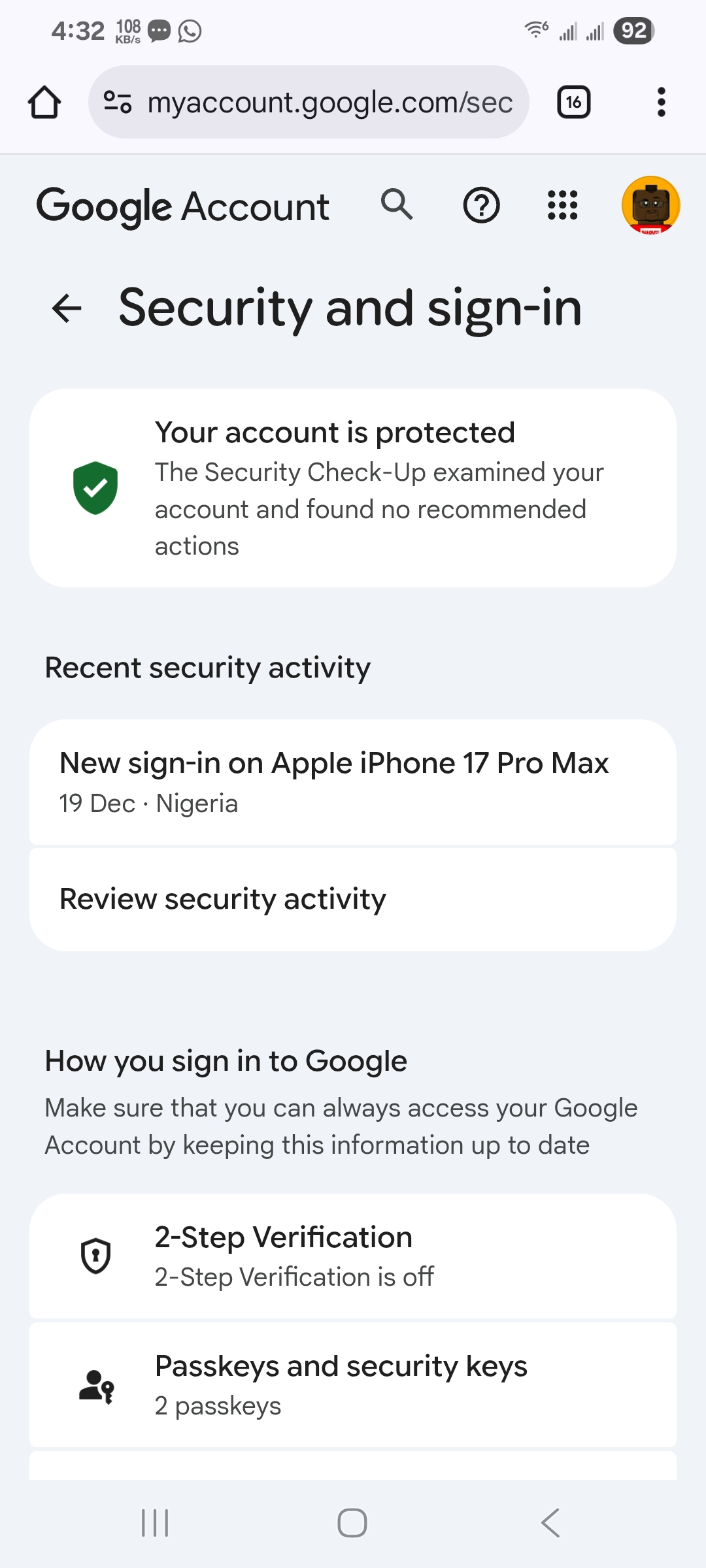
- Scroll to the Your Devices section
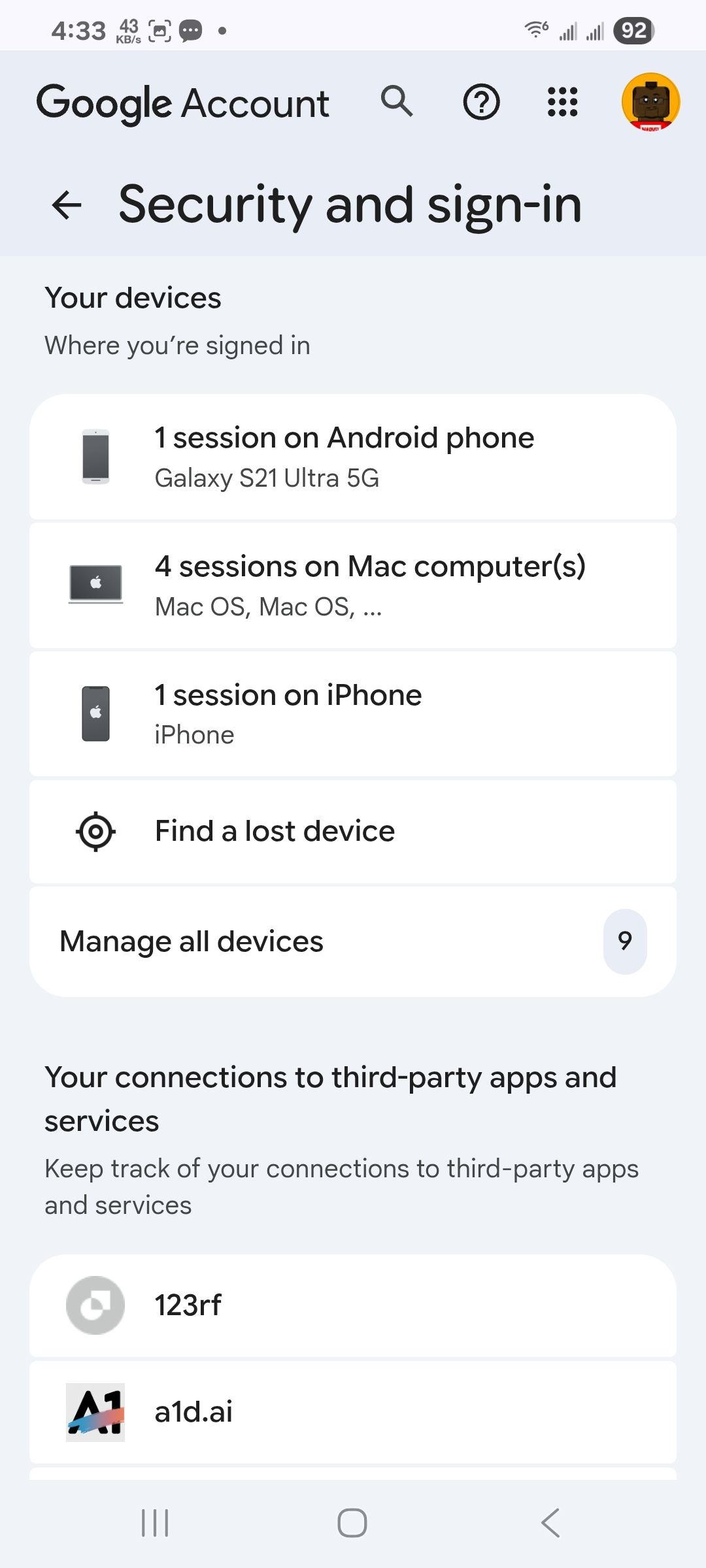
- Tap Manage All Devices

- Select any device to see recent sign-ins and access details
- Use Sign Out if you don’t recognize a device
This method shows active and previously used devices tied to your Gmail account, making it ideal for spotting suspicious logins.
How To Check Gmail Login History On Desktop
The Gmail desktop version still includes a direct shortcut for viewing recent account activity, including IP location and access type.
- Open Gmail in a desktop browser and sign in
- Scroll to the bottom of the inbox
- Click Details next to Last Account Activity
- Review login times, locations, and access methods
- Select Sign Out Of All Other Sessions if needed
This view is the fastest way to confirm whether someone else accessed your Gmail account.
How To Secure Your Gmail Account After Checking Login History
If you notice unfamiliar sign-ins or want stronger protection, Google Account security tools can lock things down quickly.
- Enable Two-Step Verification from the Security dashboard
- Change your Gmail password immediately
- Remove unknown devices from your account
- Review recent security alerts and activity
These steps significantly reduce the risk of future unauthorized access.
Troubleshooting Common Problems
If login history does not appear, confirm you are signed into the correct Google account. Some older activity may not display on mobile and requires desktop access.
If devices fail to load, refresh the security page or try another browser.
Tips
- Check Gmail login activity monthly for peace of mind
- Sign out of unused devices immediately
- Avoid public computers when accessing Gmail
- Use a password manager to generate strong passwords
FAQ
Can I see Gmail login history from the Gmail app?
Not anymore. Google moved login tracking to the Google Account security page.
Does Gmail show IP addresses?
Yes, desktop Gmail shows IP location and access type.
How far back does Gmail login history go?
Recent activity is visible, but older logins may not be retained indefinitely.
What should I do if I see suspicious Gmail login activity?
Change your password, enable Two-Step Verification, and sign out of other sessions.
Summary
- Gmail login history shows when and where your account was accessed
- Mobile users must check via Google Account security settings
- Desktop Gmail still offers direct activity details
- Security actions should follow any suspicious login
Conclusion
Monitoring your Gmail login history is one of the easiest ways to protect your account. With Google’s security tools, you can quickly review access, remove unknown devices, and prevent future threats before they escalate.


Discussion (0)
Be the first to comment.