




SIM cards may look small, but they hold critical data that connects your phone to your carrier. Over the years, their size has changed drastically to fit slimmer devices. Knowing the right SIM type ensures a smooth upgrade or switch to a new phone without damaging your card or slot. In this guide, we will give you an overview of the different SIM card sizes to help you understand why they matter, and a detailed explanation of the different SIM types
1) What is a SIM card, and why does size matter

A SIM (Subscriber Identity Module) card stores your network credentials and connects your device to a carrier. Its size matters because newer smartphones require smaller trays and tighter fits. Using the correct format prevents connection errors and physical damage to your device.
2) The evolution of SIM card sizes
Early mobile phones used large Standard SIMs, but as devices got smaller, the SIM card followed. Today, we’ve transitioned from full-size cards to embedded eSIMs that no longer need a physical slot. Each step aimed to save space while maintaining the same network functionality.
3) SIM card types explained
Standard SIM (1FF / 2FF)
The first generation of SIMs measured about 85.6 x 53.9 mm - roughly the size of a credit card. Common in early 2000s phones and modems, Standard SIMs are now largely obsolete but still used in some legacy devices and industrial hardware.

Micro SIM (3FF)
The Micro SIM reduced the size to 15 x 12 mm, making it easier to fit inside slimmer smartphones like the iPhone 4 and Samsung Galaxy S3. It kept the same chip layout, which allowed for easy carrier activation with an adapter or SIM cutter when needed.
Nano SIM (4FF)
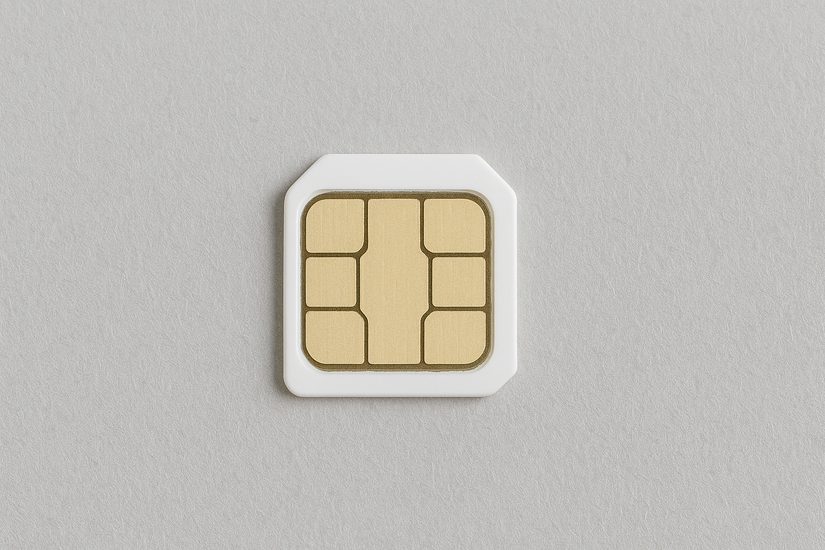
Introduced in 2012, the Nano SIM measures just 12.3 x 8.8 mm and remains the most common format today. It removes nearly all plastic around the chip to maximize space efficiency inside smartphones, tablets, and wearables.
eSIM (Embedded SIM)
Instead of a physical card, eSIMs are built into the device’s circuit board. They let users activate or switch carriers digitally, making them ideal for dual-SIM phones or frequent travelers. Many newer phones, such as recent iPhone and Pixel models, support eSIM-only setups.
iSIM (Integrated SIM)
iSIM takes miniaturization one step further by embedding the SIM directly into the device’s chipset. This format is still emerging but promises improved security, lower power use, and ideal support for IoT and smart devices.
4) SIM card dimensions and compatibility chart
| SIM Type | Technical Name | Dimensions (mm) | Typical Devices |
|---|---|---|---|
| Standard | 2FF | 25 x 15 | Feature phones, early modems |
| Micro | 3FF | 15 x 12 | Mid-2010s smartphones |
| Nano | 4FF | 12.3 x 8.8 | Most modern smartphones |
| eSIM | — | Embedded | iPhones, Pixels, new tablets |
| iSIM | — | Integrated | IoT modules, wearables |
5) How to identify your SIM card size
Remove the SIM tray from your phone using a pin or paperclip and check the card’s dimensions. Nano SIMs are almost all chip, while Micro SIMs have a narrow plastic border. You can also refer to your device’s manual or device specifications page for the supported SIM format.
6) Using adapters and multi-cut SIM cards safely

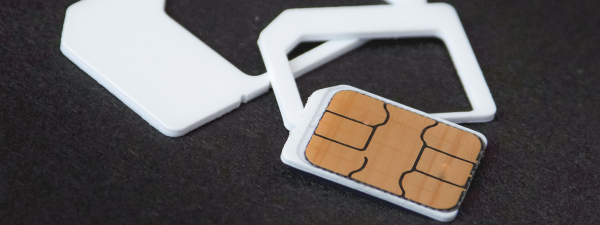
Adapters allow smaller SIMs to fit in larger slots, such as a Nano SIM in a Micro SIM tray. Multi-cut or combi SIM cards include all three cutouts for flexibility. Always avoid trimming SIMs by hand, as a slight miscut can damage both the chip and your phone’s reader.
7) Transitioning from physical SIM to eSIM
Switching to eSIM simplifies setup and travel. You can activate your carrier’s eSIM by scanning a QR code in your device settings. Some carriers allow you to transfer your plan directly through an app. This process eliminates the need to swap cards or risk misplacing them.
8) Future of SIM technology
With iSIM on the rise, connectivity is becoming fully embedded at the chip level. Expect faster carrier switching, more secure authentication, and better support for smart homes and connected vehicles. The days of physical SIM swapping may soon end entirely.
Tips for Choosing the Right SIM Card
- Check your phone’s specifications before ordering a new SIM.
- Use carrier-provided adapters instead of trimming the card.
- Opt for eSIM if your carrier and device support it.
- Keep your old SIM until your new one is activated.
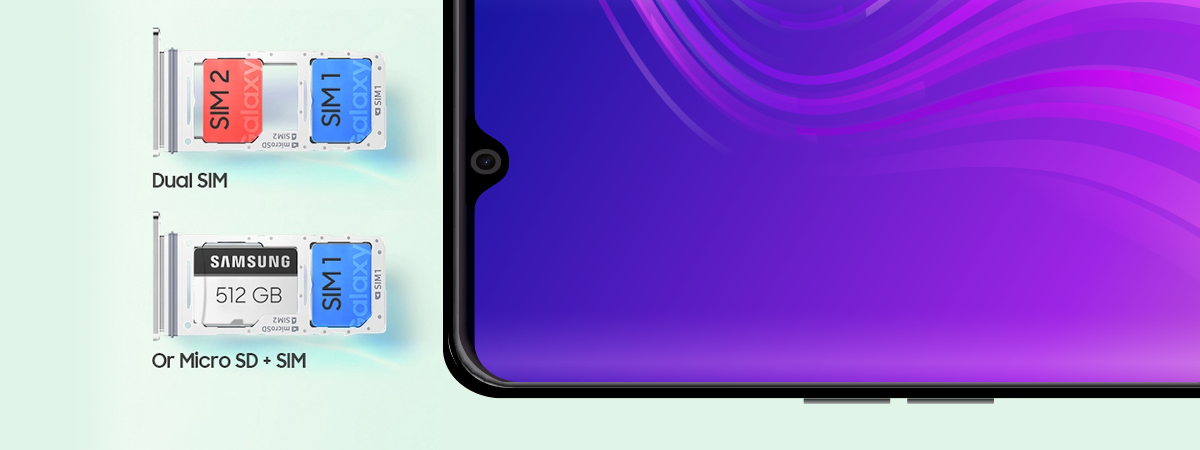
- For dual-SIM phones, confirm which slot supports data connectivity.
FAQs
Can I cut a larger SIM to make it smaller? Technically, yes, but it’s risky. Misalignment can damage the chip or device tray. It’s safer to request the correct size from your carrier.
Do all carriers support eSIM? Most major U.S. carriers and many international providers now support eSIM, but check with your carrier before switching formats.
What if my SIM doesn’t fit my new phone? Use an adapter kit if your new phone has a larger tray, or request a replacement SIM from your carrier. Avoid forcing the card into place.
Summary
- SIM cards store your network identity and enable carrier connectivity.
- Modern formats have evolved from large Standard SIMs to embedded eSIMs.
- Nano SIMs are the most common for smartphones today.
- eSIM and iSIM offer a digital setup and higher flexibility.
- Choosing the correct SIM type prevents activation or compatibility issues.
Conclusion
Understanding SIM card sizes helps you stay connected, whether you’re upgrading your phone or switching carriers. As technology moves toward fully embedded options, having this knowledge ensures smoother transitions and fewer hardware surprises.

Discussion (0)
Be the first to comment.