

UP

Android

How to use Android smartphones, tablets, and other types of devices. This category includes product reviews, tutorials and general technical articles about this operating system.

Samsung is getting rid of notches and holes with upcoming Galaxy A80

The upcoming Samsung Galaxy A80 brings excellent news to smartphone addicts everywhere. Gone are the frustrations caused by that pesky notch at the top of your display, gone the sad mornings crying in your coffee because you have to scroll (again!) an extra half an inch when catching up on social media. If you want to know about the history of the terrible notch, and when Samsung is going to

Xiaomi Mi Mix 2 review: The cheapest smartphone that runs Fortnite!

We recently encountered the following challenge: one of our editors is a father, and his boy wanted a new smartphone that can run the highly popular game Fortnite. If you do a bit of research, you see that Fortnite tends to run on high-end smartphones that cost a lot of money. But… there is one smartphone that stands out with its powerful hardware, beautiful looks, and affordable price. We are
tutorial How do I enable dark mode on YouTube?

How do I enable dark mode on YouTube?

If you use YouTube on your Android device, iPhone, iPad, Windows PC or Mac, there is a way to reduce the battery consumption and protect your eyes from the intense white light of your screen. YouTube has introduced a dark mode for its app on all these platforms in the form of a Dark Theme, which looks good, and we like using. Here is

Google giving European users a choice of browser & search engine, while getting fined, again!

Google has announced on March 19th, through a blog post by their SVP of global affairs Kent Walker, that they intend to "do more to ensure that Android phone owners know about the wide choice of browsers and search engines available." This probably means they are going to present users with a browser-ballot, similar to the one the European Commission imposed on Microsoft in 2009. The similarities with Microsoft do

How to personalize the Google Discover feed on your Android smartphone

Google Discover is the way Google helps you find news and other content on the internet, directly from your smartphone or tablet. By default, it displays data based on your search history, but it can also be personalized to better match your interests. If you want Google Discover to do a great job at keeping you informed about what matters to you, here is how to personalize it on your

Sony CP-AD2M4 charger review: charge multiple devices safely

Charging your mobile devices has become a difficult task at home, at the office and even more so on the road. The Sony CP-AD2M4 charger gives you the ability to charge multiple devices safely. Finding an electrical outlet for every charger that comes with every device you have can be daunting. YIf you find one, you're most likely to plug in your smartphone. What about your wireless headphones, smartwatch, fitness
article Dual SIM: What is it? What does it mean? How does it work?

Dual SIM: What is it? What does it mean? How does it work?

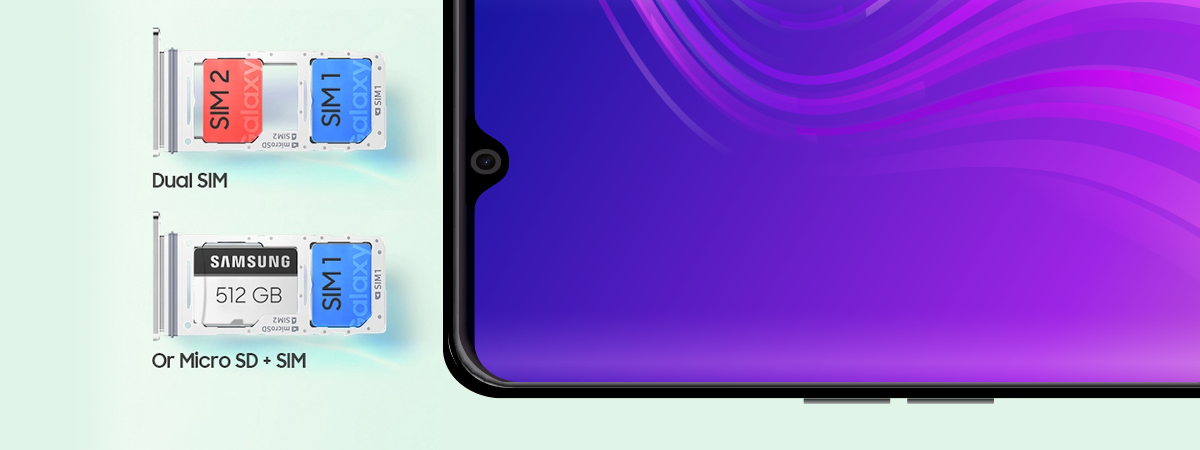
Have you encountered Dual SIM smartphones in shops? Do you want to know what makes them useful and how the Dual SIM technology works? Maybe you already know that, but you still have questions like what makes Dual SIM Dual Standby different from Dual SIM Dual Active? If you want to know what the Dual SIM technology is, how it is implemented in modern

MIO MiVue J60 review: Dash cam with built-in Wi-Fi and GPS tracking

The dash cams market has grown slowly but steadily over the last few years and is now filled with many choices. MIO is one of the most prolific manufacturers of dash cams, and most of them are excellent. We received in testing one of their more discreet dash cams called the MiVue J60. It is a camera that hides from sight in the back of the rearview mirror and which
tutorial How to upload photos to OneDrive from your Android smartphone or tablet

How to upload photos to OneDrive from your Android smartphone or tablet

OneDrive is Microsoft's cloud storage service for both home and business users. We use it to back up our files daily, as well as synchronize them across devices. If you use OneDrive for Windows, you should also install it on your Android smartphone and tablet. If you take many photos, consider enabling the camera upload feature, so that you back up your photos and
tutorial How to add, open, and configure OneDrive on Android

How to add, open, and configure OneDrive on Android

You hear about "the cloud" often. This concept is so popular that mobile device manufacturers often decide against increasing storage capacity for their new entry-level smartphones because it is considered more secure and cost-efficient to store content in the cloud. There are several great cloud storage providers, each with its pros and cons. In this tutorial, we discuss Microsoft's product - OneDrive. We guide
tutorial Quickly scan documents, business cards, whiteboards, etc with OneDrive for Android and iPhone

Quickly scan documents, business cards, whiteboards, etc with OneDrive for Android and iPhone

Scanning documents, business cards, and other types of printed text, with your smartphone, has become commonplace. It usually involves an app that can do the scanning for you and some post-processing. Microsoft managed to make things even easier than that, by implementing a scanning feature directly in its OneDrive apps for Android and iOS (iPhone and iPad). This feature is built into the OneDrive

Simple questions: What is two-factor authentication or two-step verification?

In recent years a new security concept has made the headlines - two-step verification or two-factor authentication (2FA). It all started with Google enabling it for its users, and since then, many companies followed their example, including Microsoft, Apple, and Facebook. Even gaming companies joined this trend. If you would like to understand what two-factor authentication is, how it works, why you should enable it and where read this article:

8 reasons why Cyberghost VPN is one of the best VPNs on the market

CyberGhost has built itself an excellent reputation because it offers one of the most secure and reliable VPN services in the world. The company follows a strict a no-logs policy, the network of VPN servers that it maintains is large, and the price per value ratio is one of the best that you can find. These are just a few reasons why you should consider subscribing to CyberGhost's premium plan.

Review Motorola Moto G6 Play: An Android smartphone for tight budgets

We received for testing a budget Android smartphone manufactured by Motorola, called the Moto G6 Play. The company sells it for less than 200 US dollars and promises to offer a large screen, a quality design and a massive battery of 4000 mAh. For all of that to fit in your budget, the smartphone has made a few compromises like using a 720p resolution display, a plastic body, and an

Reviewing Mondly: Learn new languages in a browser or a mobile app

We recently had the pleasure of testing a language learning tool called Mondly. It helps you learn new languages using your favorite web browser or an app on your iPhone or Android smartphone. We love learning new things, so we were eager to see how Mondly works and whether it can truly help you learn a new language with ease. After using it for a time, here are our impressions:

ASUS ZenFone 5 review: One of the best mid-range smartphones in 2018

ASUS released a new mid-range Android smartphone, that looks promising both from a price and performance perspective. It is named ASUS Zenfone 5 and it has the premium looks but it costs half of what you would pay for a high-end smartphone. The hardware inside is not the most powerful, but it is more than enough to handle any app or game you might want to run. Furthermore, it has

Huawei P20 review: excellent camera and a more affordable price!

Huawei has received lots of positive press for its Huawei P20 Pro launch, and many have stated that it is the best smartphone for photography. Alongside the Huawei P20 Pro, the company has launched a cheaper version, named the Huawei P20, with almost identical looks, and hardware, and two rear cameras instead of three. People who cannot afford the more expensive model, but want a great photography experience, will be



