ASUS released a new mid-range Android smartphone, that looks promising both from a price and performance perspective. It is named ASUS Zenfone 5 and it has the premium looks but it costs half of what you would pay for a high-end smartphone. The hardware inside is not the most powerful, but it is more than enough to handle any app or game you might want to run. Furthermore, it has a dual-camera system with AI that promises excellent photos and videos. If you want to see whether ASUS Zenfone 5 is worth buying, read our review:
NOTE: In this review, we tested ASUS ZenFone 5 ZE620KL. On the market, there are other variants too, with minor differences in hardware specifications.
ASUS Zenfone 5: Who is it good for?
The ASUS Zenfone 5 is an excellent choice for people who:
Want an Android smartphone that looks good
Desire a smartphone that shoots great photos and records pleasant looking videos
Want a smartphone with good performance in any task, at a reasonable price
Pros and cons
There are many positives about the ASUS Zenfone 5:
It has a pleasant design, similar to what you see on this year's flagships
Includes a camera system that's above the average you get at a similar price point
It is more affordable than the competition
It has excellent hardware, capable of running anything you throw at it
Its screen looks great, the colors are vivid, and the brightness is high
It comes with Android 8 Oreo installed
The ASUS ZenUI looks and works well, and there is less bloatware than on previous Zenfones
There are a few downsides too:
It has a notch on the top of its screen, and some users do not like that
The back of the smartphone is made of glass and, although it looks awesome, it is also slippery
The fingerprint reader is fairly hard to reach if you have small hands or small fingers
It has no IP certifications against dust or water
Product rating4/5
Verdict
The ASUS Zenfone 5 is an excellent mid-range smartphone. If you want a beautiful smartphone, with good performance in everyday tasks and also in games, and with an above-average camera system, you cannot go wrong with ASUS Zenfone 5. For the price, the ASUS Zenfone 5 is a better deal than most of its competition. We recommend it to all our readers who want a great smartphone at a reasonable price.
Unboxing the ASUS Zenfone 5
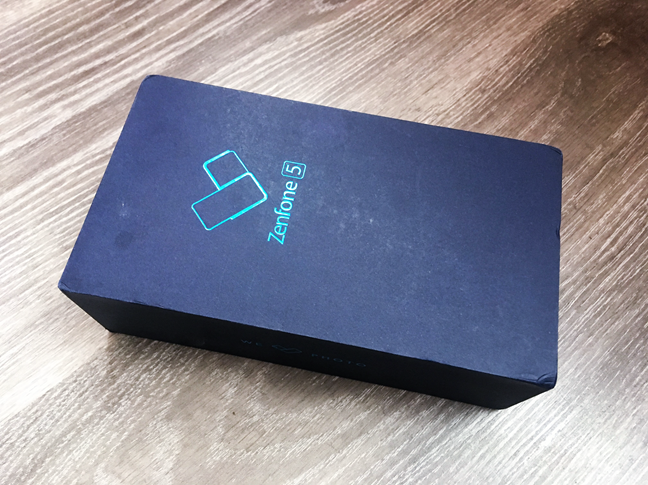
The ASUS Zenfone 5 arrives in a dark blue cardboard box that uses a minimalist design. On its top side, there is just the Zenfone 5 name printed and a small logo.
ASUS ZenFone 5
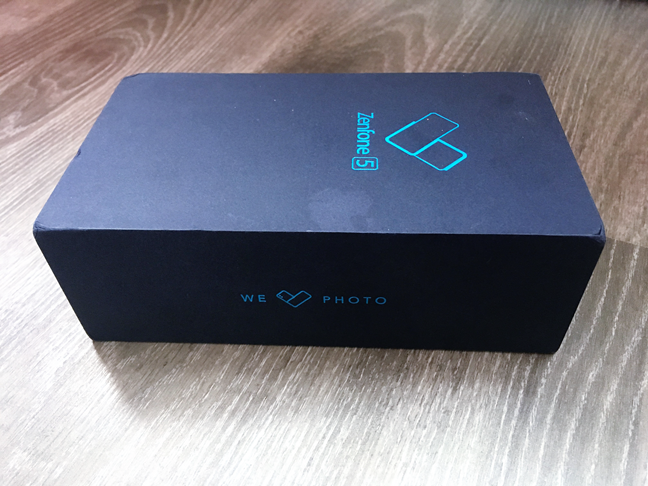
On its short sides, the box features the ASUS name, and on the long sides you can see the smartphone's motto: "We [love] photo."
ASUS ZenFone 5
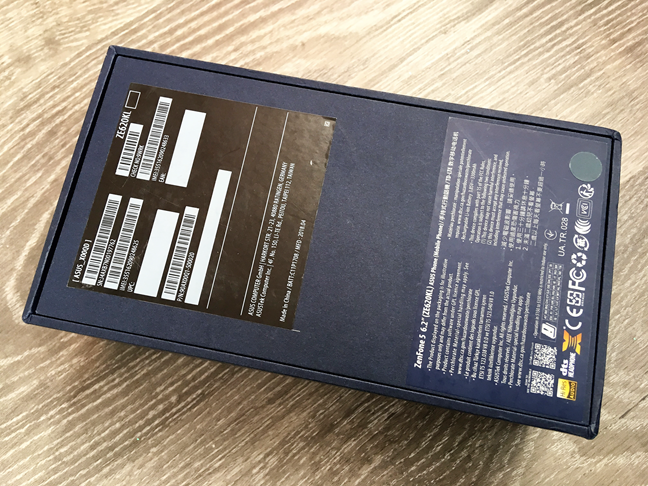
On the rear side of the box, there is a sticker with information about the exact model of ASUS Zenfone 5 that you have bought.
ASUS ZenFone 5
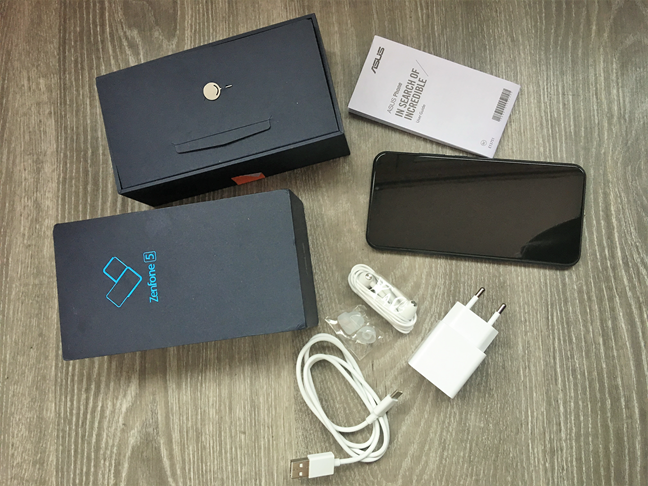
After you open the box, you are greeted by the ASUS Zenfone 5, together with its bundled accessories and documents. You get a headphones pair, a detachable USB Type-C cable, a USB power adapter, a SIM tray needle, the user guide and warranty card. Depending on your part of the world, you might also get a clear soft case to protect the smartphone.
ASUS ZenFone 5
The unboxing experience you get from the ASUS Zenfone 5 is pleasant, and the bundle is generous. We like the minimalist design of the box, and we appreciate the fact that the company also included headphones in the package.
Design and build quality
The ASUS Zenfone 5 is sold in two color variations: Meteor Silver and Midnight Blue. The sample that we tested was the Midnight Blue one. It is a very dark blue, almost black.
ASUS ZenFone 5
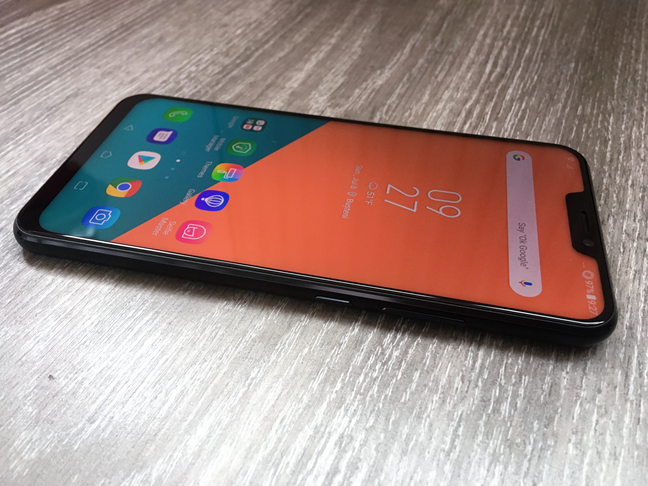
The ASUS Zenfone 5 looks great, especially if you like reflections and glass all over your device. The Zenfone 5 follows the design trends already established by the iPhone X and other top-tier smartphones such as the Huawei P20 Pro. The body of the Zenfone 5 is a large rectangle covered with glass on both sides, with rounded edges and a large 6.2 inch display with a notch.
ASUS ZenFone 5
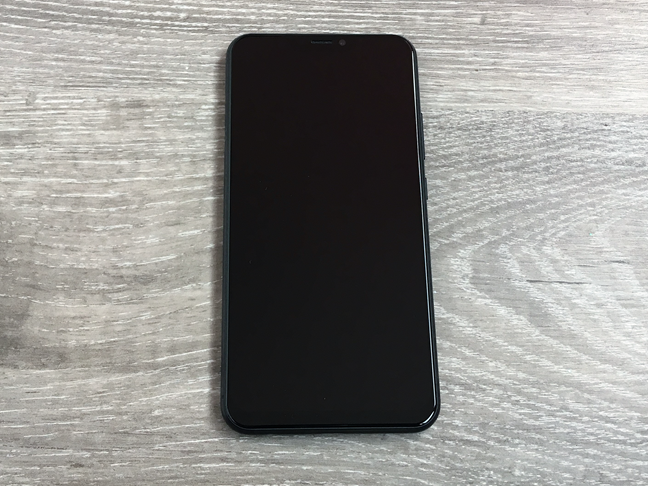
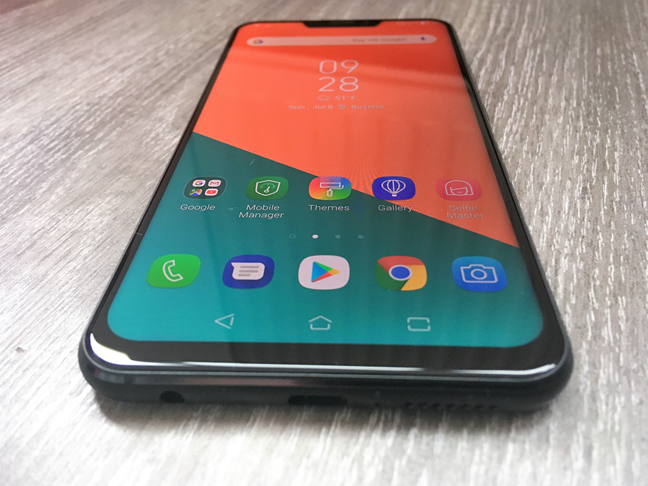
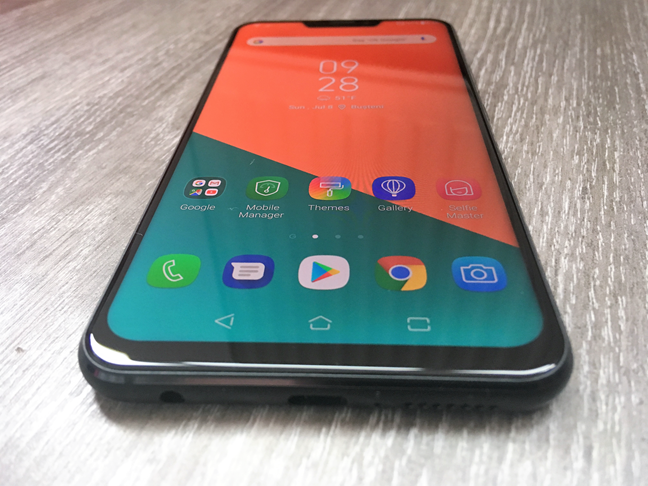
The smartphone's front side is all about the display and its front camera notch. Except for the notch, which some people like dislike, the display covers almost all the available surface, leaving little space for bezels, which are almost invisible when the screen is turned off.
ASUS ZenFone 5
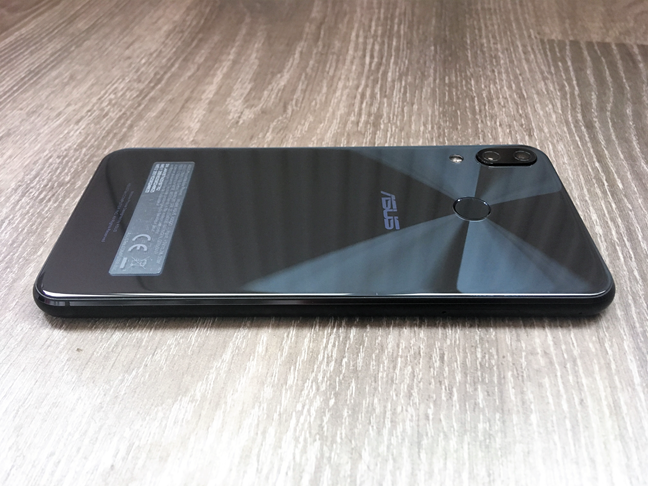
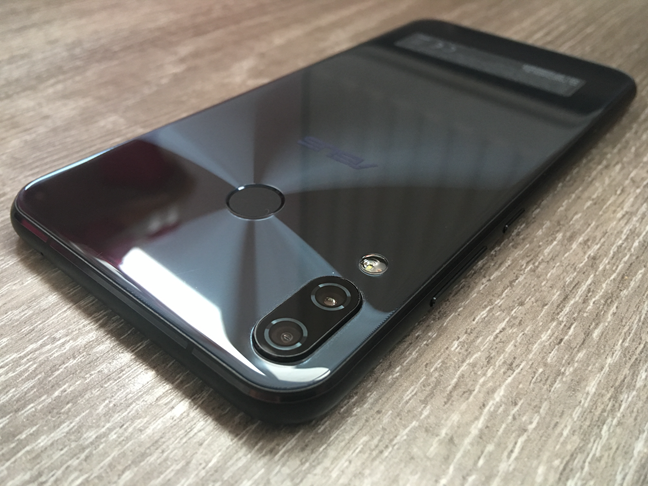
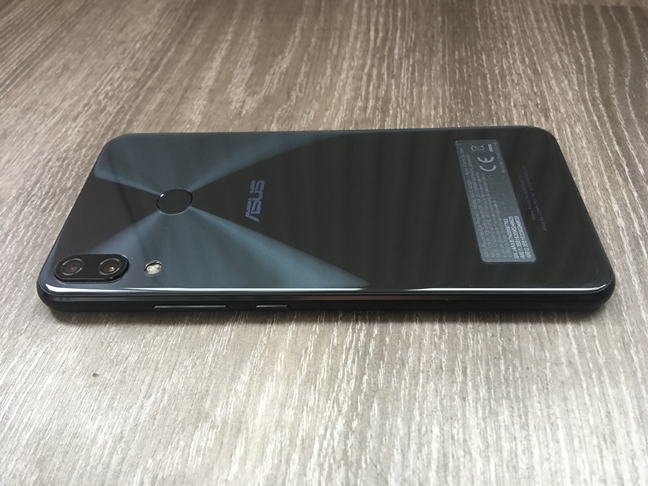
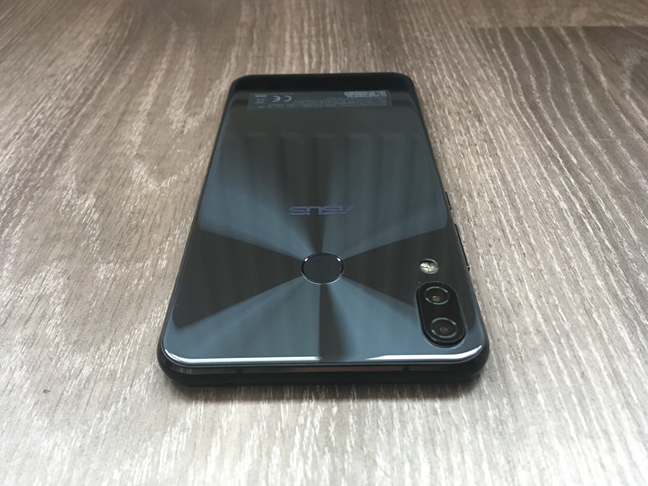
The back of the Zenfone 5 is covered with glass and, underneath it, you can see the concentric circles pattern that is common on all ASUS devices. The only thing that breaks this pattern and its reflections, are the two cameras bump and the fingerprint reader that sits centre towards the top.
ASUS ZenFone 5
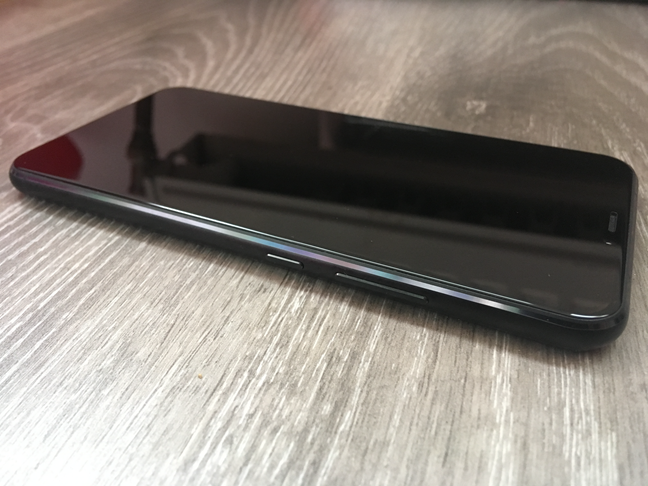
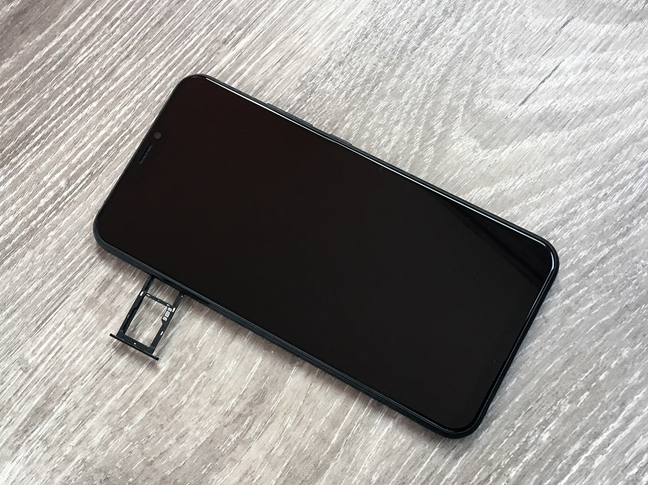
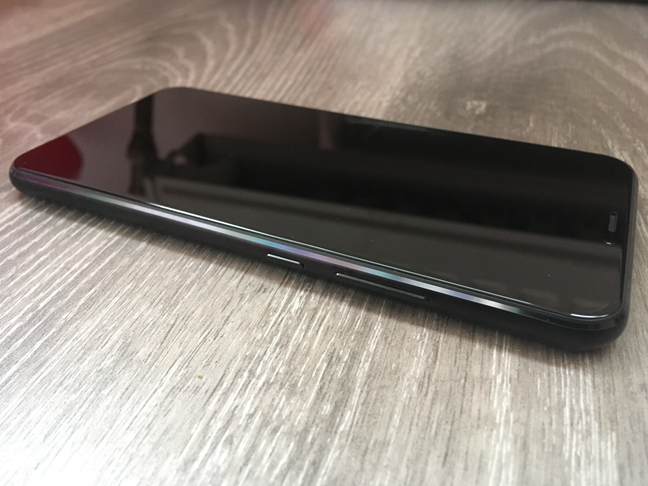
The edges of the Zenfone 5 are made of metal but they are also rounded. On the top edge of the phone, you can find a small microphone pinhole, while on the left edge there is the SIM tray. All the buttons are found on the right edge, towards the top. The volume rocker is made in one piece and the power button is smaller.
ASUS ZenFone 5
On the bottom edge, you can find, from right to left, the speaker, a microphone pinhole, the USB Type-C port and a 3.5mm audio jack.
ASUS ZenFone 5
As for its durability, the smartphone looks well built, but we do recommend that you use a smartphone case. The ASUS Zenfone 5 is covered in glass and although it uses resistant Corning Gorilla Glass 3, the smartphone is slippery, and it also has no IP certifications for dust or water resistance.
The ASUS Zenfone 5 is a beautiful smartphone, but it does not amaze us with its originality, as it borrows much of its design from the iPhone X. We like the fact that its screen covers most of its front side, and that the bezels are so thin. However, even though it looks good, its backside is slippery. Also, you must keep in mind that the Zenfone 5 is not IP certified so be wary of any dust or water splashes.
Hardware specifications
The ASUS Zenfone 5 features a 6.2 inch AMOLED display with a resolution of 1080 x 2246 pixels at 402 ppi pixel density. The screen uses 2.5D Gorilla Glass which, although the company does not specify what version it is, we suspect it to be Gorilla Glass 3. It should provide some protection against scratches, and it should be safe even against occasional drops from small heights.
The smartphone is powered by a Qualcomm Snapdragon 636 chipset that features an octa-core Kryo 260 processor, which according to Qualcomm can reach speeds of up to 1.8GHz. As for the video, the smartphone uses a Qualcomm Adreno 509 graphics processing unit. According to Wikipedia, the GPU supports Vulkan 1.0, OpenGL ES 3.1 + AE, OpenCL 2.0 and DirectX 12.
The ASUS Zenfone 5 comes with 64GB of internal storage and up to 6GB of RAM. The model that we tested was equipped with 4GB of RAM. If you want to expand the storage space, you can also add a MicroSD card of up to 2TB, using the secondary SIM slot.
The autonomy of the ASUS Zenfone 5 is provided by a non-removable 3300mAh battery that can be fast charged in 30 minutes to 60% capacity.
On its back, the ASUS Zenfone 5 has a dual camera system installed. There is one camera that has 12 megapixels (f/1.8 aperture), and a 120° wide-angle camera that has 8 megapixels (f/2.0 aperture). The primary camera benefits from 4-axis Optical Image Stabilization, phase detection autofocus, and a dual-LED flash. On its front side, it comes with a single-lens camera that has 8 megapixels, f/2.0 aperture, and an 84° field of view.
ASUS ZenFone 5
Regarding connectivity, the ASUS Zenfone 5 is a Dual SIM smartphone and uses Nano-SIM cards. It has a Dual SIM Dual Standby implementation, which means that even if both SIM cards are active when you are not using them, once you take a call on one of them, the other becomes inactive. The ASUS Zenfone 5 has a USB 2.0 port with a Type-C 1.0 reversible connector, Bluetooth 5.0, NFC, and offers dual-band wireless support for the 802.11 a/b/g/n/ac 2.4 GHz and 5GHz networks.
ASUS ZenFone 5
The smartphone also benefits from the information it gathers from the built-in sensors: fingerprint (on the rear side), accelerometer, gyro, proximity, and compass.
The ASUS Zenfone 5 is a slightly larger than the average smartphone, but it is also lightweight: 6.02 inches in length (153 mm), 2.98 inches in width (75.65 mm), 0.30 inches in thickness (7.7 mm), and weighs about 5.82 ounces (165 grams).
For more details about ASUS Zenfone 5's hardware specifications and features, visit its official webpage: ASUS Zenfone 5 Specs.
The hardware specifications of the ASUS Zenfone 5 are those of a solid mid-range Android smartphone. After reading them all, we were curious to see how well it performs in real life. Check the next page to find out more about the smartphone experience offered by the ASUS Zenfone 5, its cameras, bundled apps, and performance in benchmarks.
The smartphone experience on the ASUS ZenFone 5
We have only good things to say about the ASUS Zenfone 5 regarding its speed and performance in everyday tasks. Its chipset and internal memory are more than enough to make the operating system and user interface run smooth, the apps are loaded fast and multitasking is great.
ASUS ZenFone 5
Despite its size, the ASUS Zenfone 5 is a lightweight smartphone: its 5.82 ounces (165 grams) make it easy to hold in your hand even for long periods of time. However, the glass on its backside and the edges, even if they are made of metal, are slippery and, unless you use a bumper case, it is easy to lose your grip and slip the smartphone from your hand. Also, although the glass sheet on the back looks "sexy", it is also a magnet for fingerprints.
ASUS ZenFone 5
The face detection works well during daytime, but only so-and-so during the night or in low light environments. Then, you have to use the fingerprint reader, which works well most of the time, but it also can fail once in a while. We found the fingerprint reader to be easy to reach if you have long fingers, but for users with small hands, it can be tricky to find and touch.
ASUS ZenFone 5
The volume rocker and the power button have no texture on them and the only way to tell them apart, other than looking at them, is to move your finger on them and see which is larger. The volume rocker is a single long piece, while the power button is small.
ASUS ZenFone 5
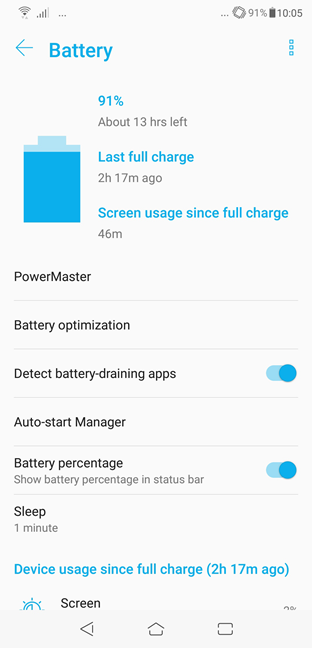
The autonomy you get from the ASUS Zenfone 5 is good: a day long, without charging it. However, if you play lots of games or shoot many photos or videos, expect to have to charge it quicker.
ASUS ZenFone 5
Regarding phone calls, the ones we had while using this smartphone were of good quality. We were able to hear the people we called clearly, without unwanted noise, and they could hear us just as well. Also, we did not experience any call drops, even though the signal is not great in our area.
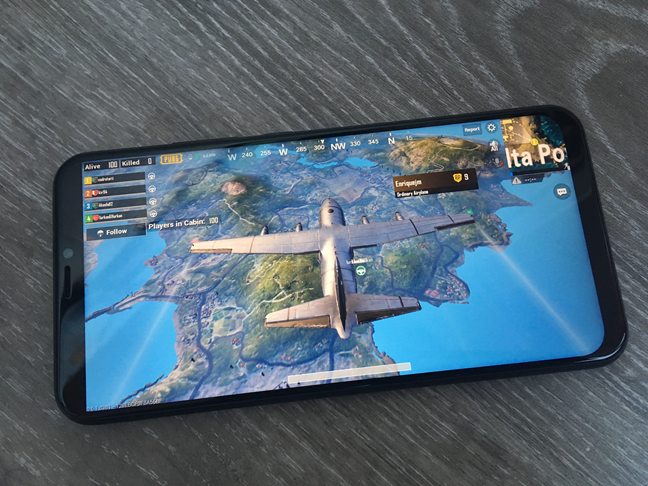
Watching movies or listening to music is also a pleasant experience. The IPS display has a good color reproduction and its brightness is high enough to make the screen visible even when you are outdoors. What you might not like about the screen on the ASUS Zenfone 5 is the fact that it has a notch where the front camera is. Some people like this design trend, while others do not. Even if it cuts out parts of the image, which is especially annoying when playing games or watching movies, a positive is that, when you are watching videos, you can choose to have a black status bar, thus effectively hiding the notch.
ASUS ZenFone 5
The loudspeaker is not the most powerful we have ever seen, but it is decent and does not distort sounds even if you push the volume to the max. However, if you want a much better listening experience, you should use a pair of headphones: even the ones that are bundled with the smartphone are quite good and deliver a much richer sound experience.
After using the ASUS Zenfone 5 for a week, we can say that we are satisfied with it. Sure, there are some quirks about it, like the position of the fingerprint reader or the fact that the smartphone is slippery. However, the operating system and the apps on it open fast and run smooth, the screen is bright, and the sound quality is above average.
The camera experience on the ASUS Zenfone 5
The ASUS Zenfone 5 features a dual camera system on its back, based on the Sony IMX363 image sensor:
The main camera has 12 megapixels and f/1.8 aperture
The secondary camera has 8 megapixels and f/2.2 aperture
The main camera that has 12 megapixels also benefits from optical image stabilization, dual-pixel autofocus, and dual LED flash.
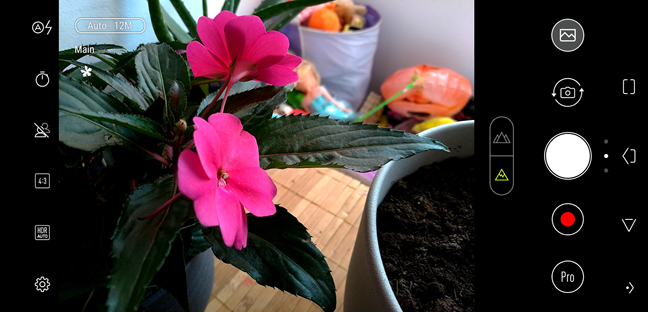
We have shot photos in different light conditions and with different subjects, and we are generally pleased with the performance of the rear camera. Focusing and capturing photos is a fast experience, and the quality is excellent in good lighting conditions, with vivid colors and good exposure. The only situation in which the photos could be better is in bright conditions, like when you are shooting photos of the sky with clouds, where the contrast tends to be slightly too high. The main camera also performs great when you take photos indoors when artificial light is involved. Here too, the camera focuses fast, and the details are good. In such conditions, as well as when you are shooting night photos, the main camera manages to take good photos due to its four axes optical image stabilization. This feature helps in taking clear photos by compensating for the unavoidable hand movement during long exposure times. However, you should expect night photos to have some noise, and depending on the level of darkness, it can be quite noticeable.
ASUS ZenFone 5
The secondary camera has 12 degrees wide angle lens, and you should use it when you want to capture photos of large groups, tall or wide buildings, close-ups of large subjects, and other such things.
The front camera, the one in the notch, has 8 megapixels and can take good photos, including using HDR. If you like selfies, you will not be disappointed by its quality.
To get a better idea of the camera experience, browse the gallery below, which includes pictures taken with ASUS Zenfone 5. We took various shots, in different lighting conditions, and also a few selfies:
ASUS Zenfone 5 can film videos in 4K, at a resolution of up to 2160p and 30 frames per second, but also in Full HD, at 1920 x 1080 pixels and 30, 60 or 120 fps. In our experience, the smoothest videos with the best image stabilization results were the ones filmed in Full HD and 60 frames per second.
Here is a sample of a video we took on a moving train, to see how the smartphone does when it has to record moving objects.
And here is a panorama that we recorded, in which you can see how the smartphone handles videos with less movement involved.
If you like slow-mo videos, the ASUS Zenfone 5 can shoot them in Full HD at 120 fps. To get an idea of the results, watch the following sample that we filmed:
ASUS Zenfone 5 offers a good camera experience when it comes to shooting photos and recording videos. The results are excellent and better than the average you get from other mid-range Android smartphones.
Android 8 Oreo, ASUS ZenUI 5 and bundled apps
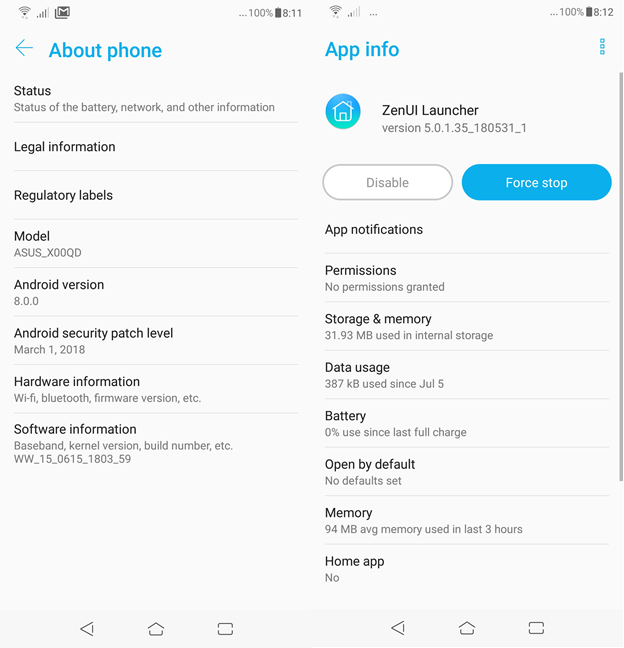
The operating system running on the ASUS ZenFone 5 is Android 8.0.0 Oreo. On top of it, you get the latest version of ASUS' own user interface (version 5). The user interface looks nice and, compared to the default Android launcher, it offers additional customization options. We like the easy to use theming system that lets you change wallpapers, fonts, and icons, with just a few taps.
ASUS ZenFone 5
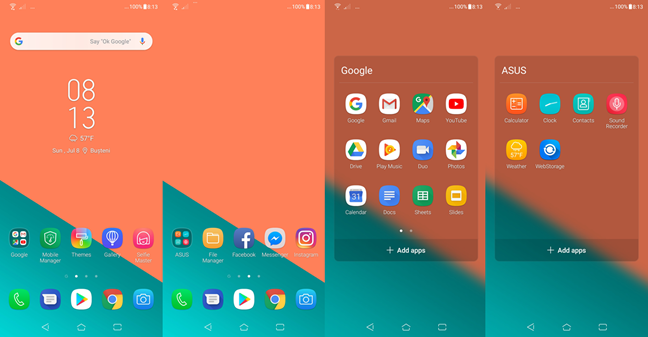
Also, ASUS chose to bundle fewer apps than it used to, in the past, and that is a good thing. On the Zenfone 5, ASUS pre-installed the following apps:
ASUS ZenFone 5
Facebook - the app for the well-known social network bearing the same name.
File Manager - you can use it to see and manage the files found on your smartphone. Everybody has to have a file manager, so this is as good a choice as any other.
Gallery - an app that lets you browse and open the photos and videos you take with your ASUS ZenFone 5. We prefer Google Photos.
Instagram - the mobile app of the popular photo-sharing, video-sharing and social networking service.
Messenger - the chat app from Facebook that allows you to connect and talk with your Facebook friends.
Mobile Manager - an app that acts as a central point for various system maintenance tasks. It gives you a quick overview of your battery and memory use, as well as quick access to the power saver battery modes, to the details of your data usage, the apps that are allowed to show push notifications and so on. It can also scan your system for threats, using the Avast antivirus engine.
Selfie Master - lets you shoot selfie photos and add beautification effects over them, as well as create collages or slideshows using your photos.
Sound Recorder - a simple app that uses the smartphone's microphone to record sound.
Themes - a portal where you can see, download, install and apply various system themes for the ZenUI user interface. As we already said earlier, we really like these themes and, from a beautification perspective, they are totally worth it.
Weather - an app that shows you weather forecasts.
WebStorage - a cloud storage service from ASUS that offers you 5GB of free space.
Besides the apps, we listed above, ASUS Zenfone 5 also comes with the default Android apps developed by Google, such as the Play Store, Gmail, Maps, YouTube, Photos and so on.
The ASUS Zenfone 5 comes with the latest major Android flavor (Android 8 Oreo), and that is a good thing. On top of it, you get ASUS ZenUI, a launcher that works well and looks good. We also appreciate the fact that the smartphone is not full of bloatware.
Performance in benchmarks
The hardware specs on the ASUS Zenfone 5 show that we are dealing with a mid-range smartphone. However, the hardware specs only tell half of the story. To find out more, we also ran a series of benchmarks. Here are their results:
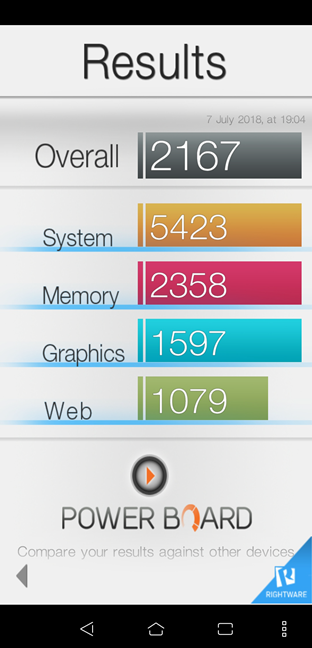
First, we ran the Basemark OS Platform Benchmark, an all-in-one benchmarking tool for measuring the average performance of Android devices. ASUS Zenfone 5 got an overall score of 2167 points, which is slightly better than what a Samsung Galaxy S7 can offer, and it is also a very similar result to that of a Huawei P9.
ASUS ZenFone 5
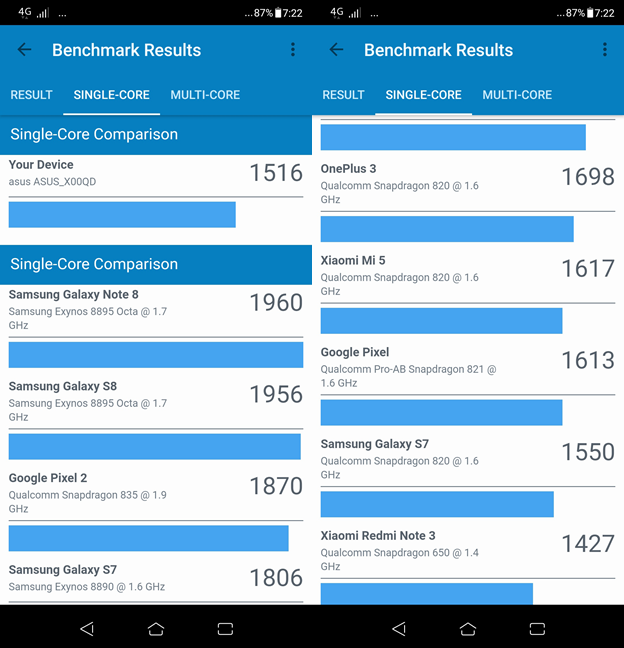
Then, we used Geekbench 4 to see how well ASUS Zenfone 5 uses its processor cores. The single-core test is relevant because some apps do not know how to use more than one core, and many games rely on the per-core speed to work well. ASUS Zenfone 5 had a score of 1516 points, which puts it close behind the Samsung Galaxy S7 (with Snapdragon 820 chipset), but rather far behind the Huawei P20 (by 370 points).
ASUS ZenFone 5
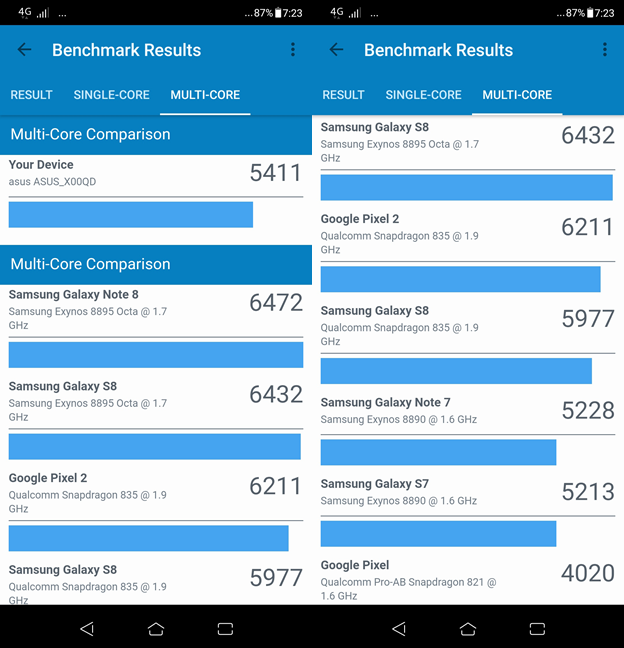
The multi-core test revealed a score of 5411 points. This test set assesses the processor's speed when running multiple tasks simultaneously, using multiple cores. This time, the ASUS Zenfone 5 showed a significantly better performance than the Samsung Galaxy S7 (a difference of almost 1700 points) or the Huawei P9 (a difference of almost 600 points).
ASUS ZenFone 5
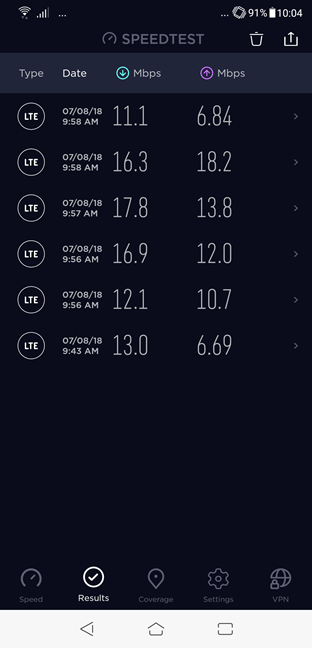
ASUS Zenfone 5 supports 4G LTE mobile data connections, so we also used Speedtest to test its performance in this area too. However, the problem with these tests is that we ran them in a mountainous area where the mobile coverage is not great. However, the results that we got were decent, as you can see in the screenshot below.
ASUS ZenFone 5
The average download speed was about 14.5 Mbps and the average upload speed was about 11.4 Mbps. In comparison, the Huawei P10 lite averaged 13.2 Mbps at download and only 3.9 Mbps at uploading data.
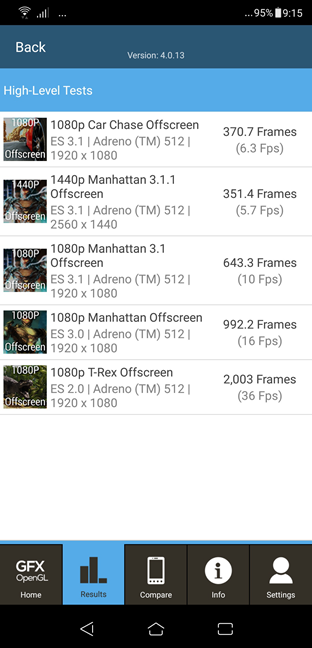
Next, we ran a few gaming benchmarks, to see how good the ASUS Zenfone 5 is when playing games. We used the GFXBench GL Benchmark. We only took into consideration the results measured in the 1080p Car Chase Offscreen, 1080p Manhattan 3.1 Offscreen and 1080p T-Rex Offscreen tests. We choose only the 1080p tests because their resolution is standardized at 1080p and the results can be compared with other smartphones, even if their screen resolutions differ:
In the 1080p Car Chase Offscreen test, ASUS Zenfone 5 rendered only 370 frames. This is not a great result for users who are interested in playing demanding games with lots of visual details on their smartphone.
In the second gaming test that we ran, which was 1080p Manhattan 3.1 Offscreen, the ASUS Zenfone 5 managed to render 643 frames. It is a decent result, but it confirms once more that this smartphone is not great for demanding games.
The third gaming test, 1080p T-Rex Offscreen, showed that the ASUS Zenfone 5 fares better in older games or games with less demanding visual details. It managed to render 2003 frames, which is not an impressive result. Although it is twice of what you would get from a Huawei P10 lite for example, it is also not nearly half of what you would get from a Huawei P20.
ASUS ZenFone 5
As it appears, the ASUS Zenfone 5 can run your favorite games but do not expect maximum visual details or high framerates.
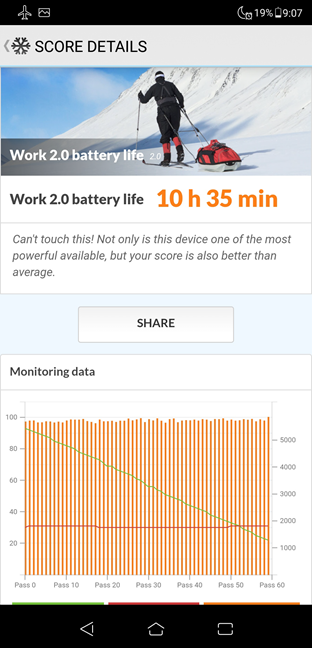
For the final test, we used PCMarkWork 2.0 battery life test to measure the autonomy of the battery when running common daily tasks such as browsing the web or editing documents and photos. ASUS Zenfone 5 managed to last for 10 hours and a half. It is a great result for any smartphone.
ASUS ZenFone 5
The ASUS Zenfone 5 offers performance numbers that confirm the fact that this is a mid-range Android device. It is not that great if you want to play the most demanding games, but it is more than capable to run Android and any apps on it, smoothly.
Do you like the ASUS Zenfone 5?
You know now that we like the ASUS Zenfone 5 and we consider it a great deal. Do you feel the same? Would you buy it? What do you like or do you not like about it? Share your opinions in the comments section below and let's talk about it.
Can the bundled apps be removed? I do not use any social media and would like to remove these apps… specifically facebook and instagram.
Anonymous ·
Some of them can be removed. Only the ASUS apps cannot be removed. You are stuck with them, even if you do not use them. This is true of any other smartphone manufacturer, not just ASUS.













Discussion (4)
Can the bundled apps be removed? I do not use any social media and would like to remove these apps… specifically facebook and instagram.
Some of them can be removed. Only the ASUS apps cannot be removed. You are stuck with them, even if you do not use them. This is true of any other smartphone manufacturer, not just ASUS.
I love Asus phone really.
I’m glad that you do. 😉