We have recently received for testing a rather unexpected device - a day and night network camera that you can use for surveiliance on all kinds of spaces: your baby's room, the entrance to your home, your garage, your yard and even your small business. This camera is equipped with infrared sensors, as well as movement and light sensors. Its technical specifications are very good, especially when you consider its price. That's why we were curious to test it and learn how well it works. After one week of testing, we are ready to share our conclusions in this detailed review.
Unboxing The Edimax IC-3116W Network Camera
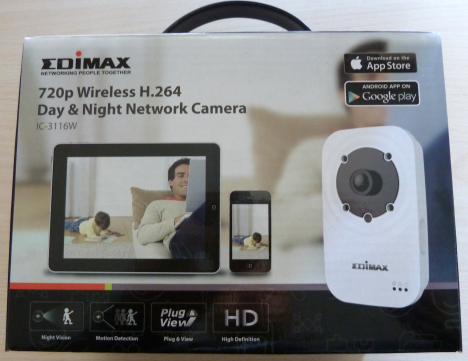
The packaging used for the Edimax IC-3116W camera is surprisingly well done: it has a handle that makes it easy to carry around, it's not too big, it looks good and it shares the most important details about the camera.
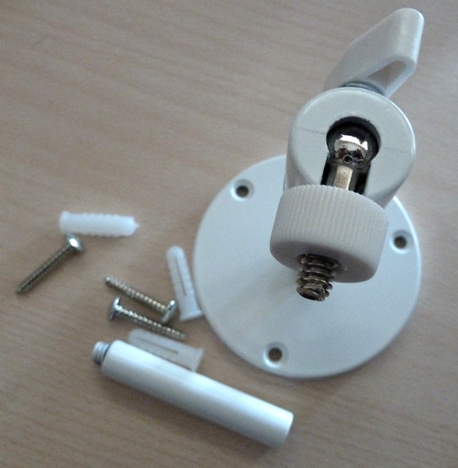
Inside you will find the following items: the camera, a network cable, the power adapter and its cable, the camera mounting bracket, the installation guide and other documentation, the warranty and an installation disc. In the picture below you can see the mounting bracket.
To learn more about the unboxing experience and the contents of this camera's packaging, you can view the unboxing video below.
Hardware specifications
The Edimax IC-3116W camera weighs 100 grams (3.5 ounces) and its size is 110 x 65 x 27 mm (4.3 x 2.5 x 1 inches). It can record video at a maximum resolution of 720p (1280x720 pixels), has infrared LEDs, mechanical ICR and auto light sensor, as well as motion detection triggers. Unfortunately, the motion detection works only when using smaller resolutions like 640x480 or 320x240 pixels. This camera can record 1280x720 video at 24fps and 640x480 and 320x240 video at 30fps.
Edimax IC-3116W can be connected to the network and the Internet by using an Ethernet network cable or by using a 2.4 GHz wireless network. This camera doesn't work with 5 GHz wireless networks. An upside of this camera is that you can connect it to your wireless network using the WPS standard.
This camera has 8 GB of storage and 64MB of RAM. Because of its limited storage space, it cannot be used to store video recordings. You can use it only to monitor in real-time what's going on in the surveilled area and set it to take screenshots when it detects movement in the area. Also, you can configure it to send these screenshots via email or store them on an FTP server or network computer.
Its complete hardware specifications can be found here: Edimax IC-3116W.
Setting Up & Using The Edimax IC-3116W Network Camera
Before trying to install this camera on your own, we recommend that you carefully read its manual. The installation procedure must be done in a specific manner, using a computer and a network connection through an Ethernet cable. Here's a summary of the steps involved:
Place the Edimax IC-3116W camera somewhere close to the router or a network port which is connected to the router.
Plug it into the power outlet and use the network cable from its packaging to connect it to the network.
Install the Ediview Finder Utility on your Windows PC or Mac and then start the application. You can find it both on the installation disc and on the Edimax website.
After the application detects the Edimax camera, use it to connect the camera to the wireless network where you want to use it. Unfortunately you cannot connect the camera to the wireless networks directly, without going through the previous steps.
Unplug the network cable from the back of the camera and wait 30 seconds so that it detects the wireless network connection.
You are asked to give a name to the camera and set an access password for it. We recommend that you do not use a short password but a long and strong password. This camera can be accessed from anywhere on the Internet (if you turn on this feature) and you don't want a stranger to hack it and access it very easily.
Now you can start using the camera and configure it. Once everything is set up, you can mount the camera in the area where you want to use it. The only thing you should keep in mind is that your wireless network is available area, so that you can access the camera from your network or the Internet.
Unfortunately, the set up procedure is a bit too long and, if you don't read this camera's manual, you may not get it to work when you first try to set it up. To help you out, you can also view the installation guide below, offered by Edimax on their YouTube channel.
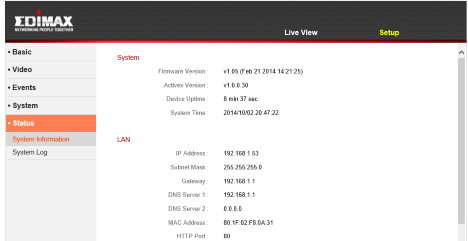
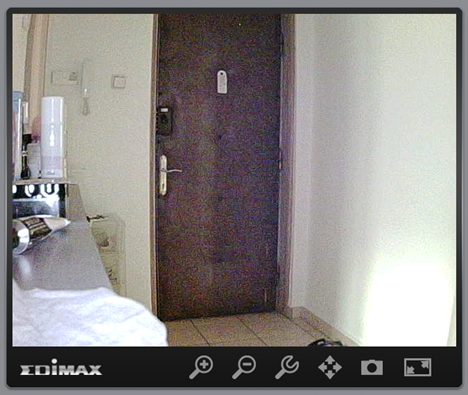
In order to configure the Edimax IC-3116W network camera in detail and the way it works, you need to use a web browser and navigate to its IP address. You can learn it by using the EdiView Finder application or by using your router's management software.
The user interface is similar to that of other Edimax products. It's not exactly good looking or friendly but it gets the job done. With a bit of attention you won't have any trouble when configuring everything. The camera we have tested had the 1.05 firmware version installed. Edimax creates new firmware versions on a regular basis, which fix all kinds of bugs and problems. Before using the camera, we upgraded the firmware to the latest version that was available - 2.03 and we advise you to do the same.
You can find the latest firmware here.
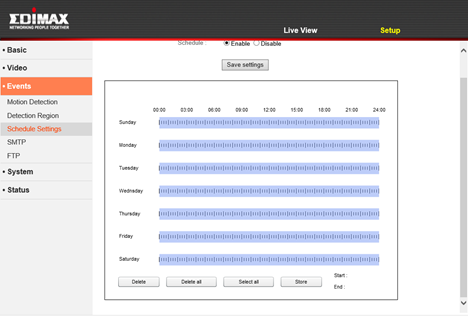
Configuring the Edimax IC-3116W camera is relatively easy. You will find all the configuration options you expect, in its administration panels and everything works well. We were pleasantly surprised to learn that you can set up a weekly schedule, so it surveys an area only when you need to.
The only feature that did not work as we would have liked is the fact that the motion detection doesn't work when using the maximum 720p resolution. You have to choose a lower resolution.
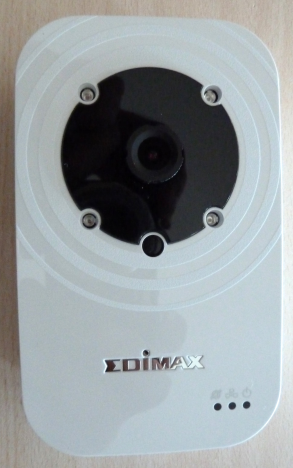
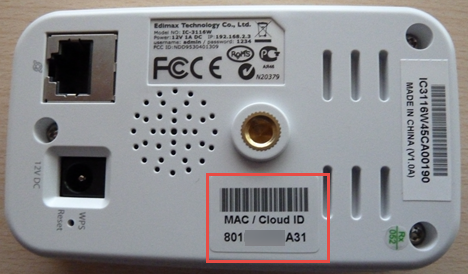
A feature that is not very well communicated by Edimax is the fact that you can access this camera both from your network and the Internet. If you activate the Edimax cloud service, you can use your camera's ID to access it from anywhere. The ID is written on the back of the camera, as shown below.
In your favorite web browser, type https://idcloud.myedimax.com. Replace the text "idcloud" with the actual ID found on the back of your camera. Unfortunately you can't use this service unless you have Java installed. This means that you might not be able to access your camera from a smartphone or tablet without Java. You will have to use the available mobile apps instead.
Edimax offers a couple of applications that you can run on your PC but also mobile apps that you can use to connect to your camera. More about that in the next section of this review.
Edimax Applications
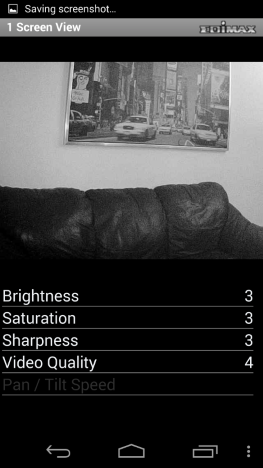
First of all, there is the EdiView app for Android and iOS. We used the Android version. It was installed quickly and it was easy to use. The only thing you need to pay attention to is that, the first time you use this app, you have to be in the same network with the Edimax IC-3116W camera, so that it can detect it and install it. Once that is out of the way, you can use this app from anywhere you can find an Internet connection, to connect to your camera, as long as the Edimax cloud is enabled for your camera.
Unfortunately there is no Windows Phone app from Edimax and we hope that they will make one available sometime in the near future.
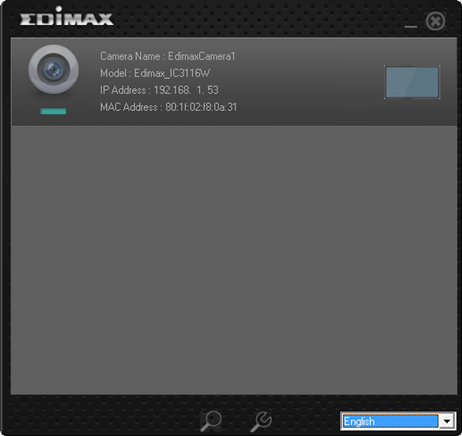
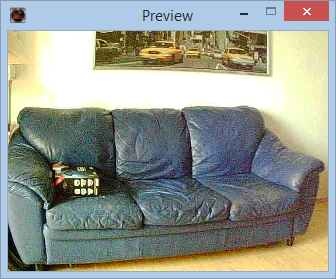
The EdiView Finder for Windows and Mac OS X can be used to do the initial set up of your camera and for connecting it to the wireless network. Also, you can use it to quickly access the camera at any time, learn its IP address and change how it connects to the network. Unfortunately you cannot use this application to configure the more advanced aspects of this camera.
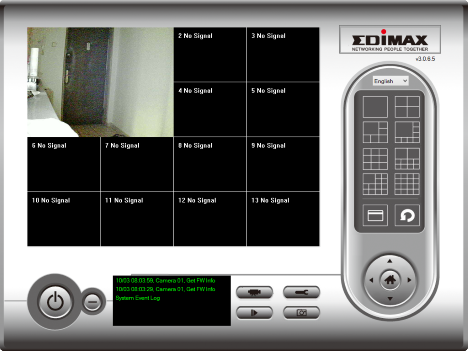
On the installation disc you will also find the IPCam Surveillance Software. This application is useful only if you want to build a more advanced surveillance system which involves multiple Edimax IC-3116W cameras. Such systems are useful to businesses like shops, cafes and other kinds of commercial spaces. Home users with only one camera won't need to install and use this application.
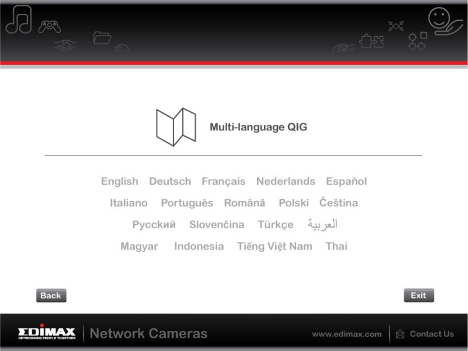
We were satisfied with the way this camera worked as well as the applications that we used. Yes, their user interface is not exactly good looking but all Edimax applications do their job well and you won't encounter any special issues when using them. We also appreciated that they are available in multiple languages, not just English.
Product rating4/5
Verdict
Edimax IC-3116W is a network camera with good hardware specs, decent performance and a very affordable price. You can use it to build simple surveillance systems which work well and don't cost you a lot of money. It's a great budget choice for people and companies who do not have advanced surveillance needs. Those who want more advanced features like storing your video recordings, movement detection sensors that work when recording in HD or a camera that follows movement in its surveillance area, should look elsewhere and expect to pay a lot more money.
The best camera review i have ever seen.
Thank you for the details. This can be used for all Edimax cameras and not only this one. Thank you again for the effort and for the great review 🙂















Discussion (2)
The best camera review i have ever seen.
Thank you for the details. This can be used for all Edimax cameras and not only this one. Thank you again for the effort and for the great review 🙂
Thank you for your feedback.