




Losing your Fitbit can disrupt your fitness routine fast, especially if you depend on daily activity tracking or heart-rate data. Whether it slipped off during a workout or disappeared somewhere at home, there are reliable ways to track it down. This guide explains how to find a lost Fitbit using built-in app tools, Bluetooth tracking strategies, and basic troubleshooting that most users overlook.
Before you assume it’s gone for good, move through each section below. These steps work for most Fitbit models at the time of writing and help increase your chances of recovering your device quickly.
Check Common Areas
Start with the spots where misplaced devices often hide. Fitbits are small and lightweight, so they slide into gaps and soft surfaces easily. Move slowly through the areas you visited recently and check the places where the band may have loosened.
- Look between couch cushions, under blankets, or beneath furniture.
- Check clothing you wore earlier, especially pockets, sleeves, or gym bags.
- Inspect bathroom counters, nightstands, desks, and your car interior.
- Ask someone at work or the gym if a device was turned in to lost and found.
Use The Fitbit App
The Fitbit app helps narrow down when your device was last active. This is useful if you’re unsure when it disappeared. Reviewing your device’s last sync time provides clues about where to search next.
- Open the Fitbit app and tap your profile icon.

- Select your Fitbit model from the device list.
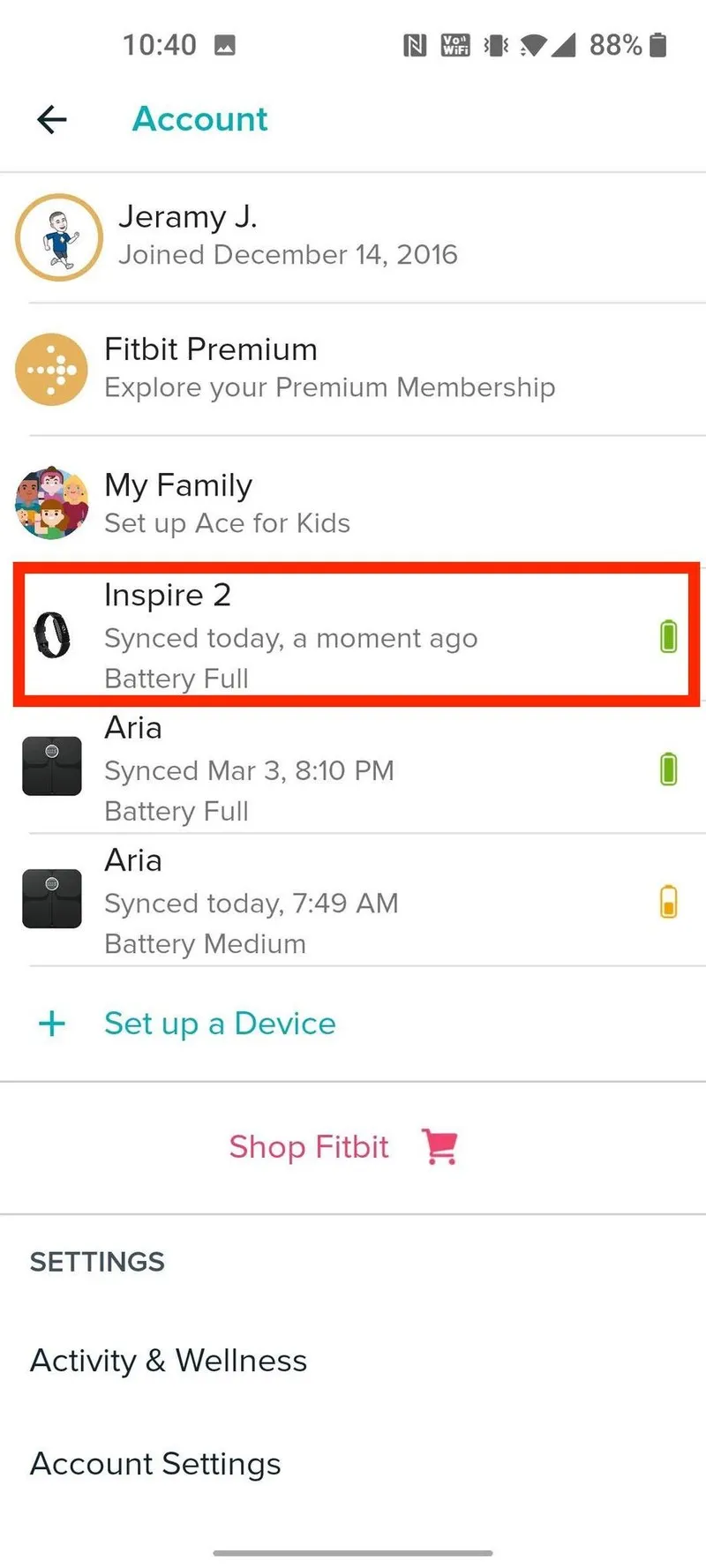
- Check the Last Sync time to see when it last connected to your phone.

- Use that location or timeframe to retrace your steps more accurately.
Try Bluetooth Tracking
Because Fitbit trackers connect to your phone using Bluetooth, you can use signal strength to guide your search. This works best indoors or in smaller spaces, where the Bluetooth range is easier to control.
- Walk slowly around your home or gym with Bluetooth enabled.
- Watch for “Connected” or “Nearby” indicators on the Fitbit app.
- Move in the direction that increases signal strength to narrow down the location.
- If your model supports it, trigger vibrations or alerts to make it easier to find.
Contact Fitbit Support
If you still can’t locate your Fitbit, reach out to Fitbit support. They can confirm the last time your device synced, help rule out pairing issues, and provide replacement guidance if needed.
- Open the Fitbit app or visit the Support section online.
- Explain when and where the device was last seen.
- Ask whether your device shows any recent sync activity.
- Review your warranty status for replacement eligibility.
Consider Replacement Options
If recovery isn’t possible, Fitbit offers replacement discounts in some cases. Trade-in programs or protection plans may also reduce the cost of upgrading. This ensures your activity data stays consistent without long gaps in tracking.
- Check whether your device is covered by warranty or protection plans.
- Review Fitbit’s replacement pricing or discount programs.
- Consider upgrading to a newer model with stronger tracking features.
Troubleshooting Common Problems
- Your phone won’t detect your Fitbit: toggle Bluetooth and restart your phone.
- Last Sync shows an old date: the battery may have drained; expand your search radius.
- No Bluetooth signal anywhere: verify the device didn’t unpair itself or reset accidentally.
- Fitbit was lost outdoors: check weather-exposed areas quickly, since moisture can damage the device.
Tips
- Set up regular sync reminders so you notice missing devices sooner.
- Use a tighter wristband or accessory clip to prevent future losses.
- Store your Fitbit in the same place daily to build a routine.
- Recharge your tracker away from cluttered surfaces where it can blend in.
FAQ
How far can Bluetooth track a lost Fitbit? Most models maintain signal within 20–30 feet indoors, depending on walls and interference.
Can a dead Fitbit still be tracked? No. Once the battery is drained, Bluetooth and syncing features stop working.
Will Fitbit replace a lost tracker for free? Replacements aren’t usually free, but support may offer discounts depending on your model and warranty.
Can the Find My Fitbit app help? Third-party Bluetooth scanner apps sometimes help detect signal strength more precisely.
Summary
- Search common household and gym areas where the device may hide.
- Check the Fitbit app for recent sync activity.
- Use Bluetooth tracking to narrow down the area.
- Contact Fitbit support if built-in methods fail.
- Consider replacement if the device cannot be recovered.
Conclusion
Finding a misplaced Fitbit often comes down to methodical searching and smart use of the Fitbit app’s tracking tools. By reviewing sync history, checking high-traffic areas, and using Bluetooth signal clues, you increase your chances of recovering your tracker quickly. And if recovery isn’t possible, Fitbit’s replacement options ensure you can continue monitoring your goals without losing momentum.

Discussion (0)
Be the first to comment.