




If you own a Fitbit Blaze or you just picked one up, you hold a powerful fitness tracker on your wrist. Mastering your Blaze means understanding its features, setting it up correctly, and using the data it collects to improve your daily routine. This comprehensive guide to using Fitbit Blaze walks you through everything from unboxing to advanced health insights.
We cover setup, activity and sleep tracking, workouts, smart features, customization, and essential troubleshooting. Whether you are new to wearables or upgrading from an older tracker, you can turn your Fitbit Blaze into a central hub for your health and fitness goals.
Getting Started With Fitbit Blaze
Before you master the more advanced features, start with the basics. Make sure your Fitbit Blaze is charged and paired with the Fitbit app so it can sync your activity and health data properly.
To get ready for setup:
- Charge the Fitbit Blaze fully using the included cable.
- Install the Fitbit app on your iOS, Android, or Windows device.
- Create or sign in to your Fitbit account.
- Keep Bluetooth enabled on your phone or tablet.
Once you complete these basics, you are ready to connect the watch and start personalizing it.
Setting Up Your Fitbit Blaze
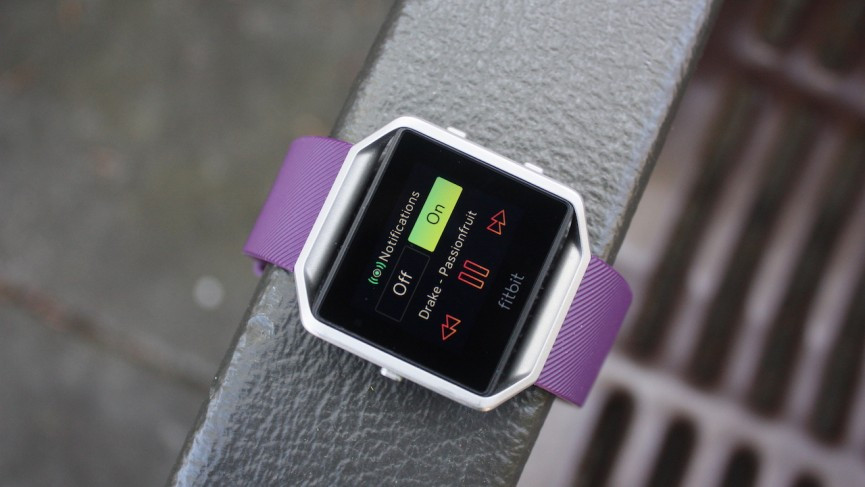
The right setup ensures accurate tracking and a smoother daily experience. Follow these steps to connect and configure your Blaze through the Fitbit app.
- Open the Fitbit app and sign in to your account.
- Select “Set Up A Device” and choose Fitbit Blaze from the list.
- Follow the on-screen instructions to pair the watch over Bluetooth.
- Enter your profile details such as height, weight, age, and goals.
- Choose your dominant wrist and set your step and active minute targets.
The more accurate your profile, the more useful your Fitbit Blaze data becomes. This is a key step in mastering your Blaze and turning it into a personalized fitness guide.
Understanding The Fitbit Blaze Interface
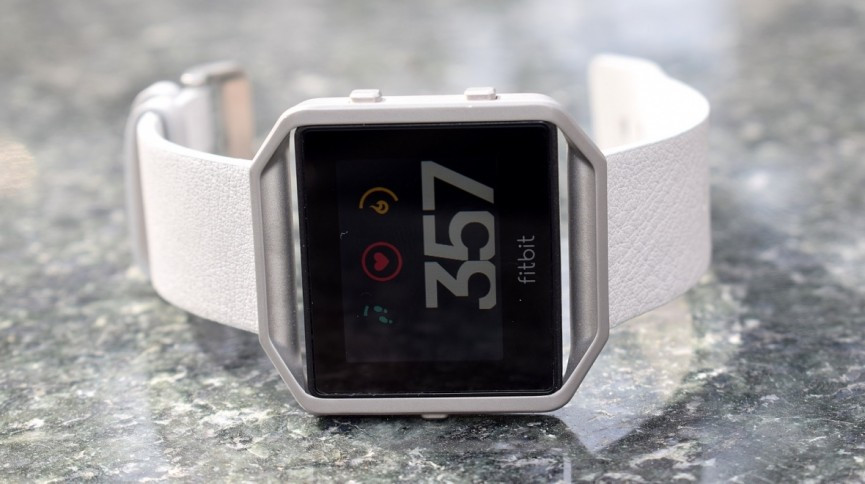
The Fitbit Blaze interface combines a color touchscreen with side buttons so you can move quickly between stats, workouts, and notifications. Learning the layout saves time during workouts and daily use.
- Home Screen: Shows time, date, and primary stats such as steps or heart rate.
- Swipe Left Or Right: Cycles through activity stats, exercise shortcuts, and additional apps such as timers.
- Top Button: Works as a back or cancel button in most menus.
- Bottom Buttons: Control selections during workouts and navigate some menus.
- Press And Hold: Opens quick settings for brightness and notifications on certain clock faces.
Spend a few minutes swiping through each screen so you know exactly where to find steps, heart rate, and exercise shortcuts before you begin tracking serious workouts.
Tracking Everyday Activity With Fitbit Blaze
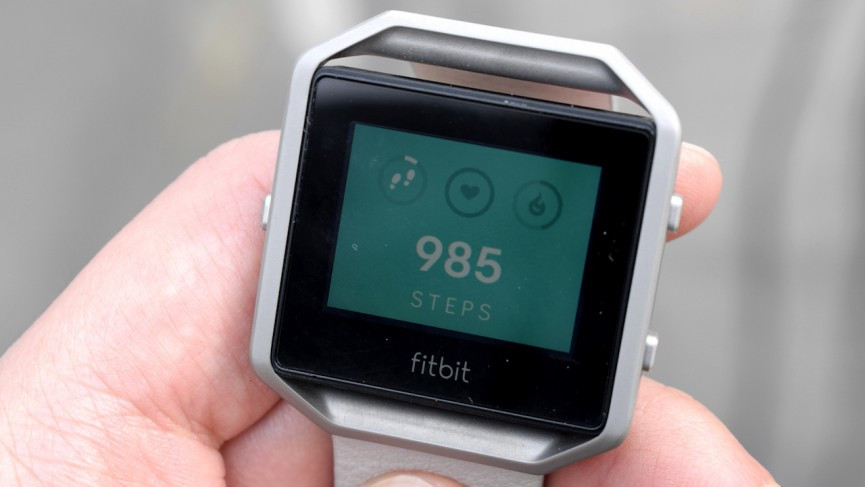
The core of mastering your Blaze is using it as an all-day activity tracker. Fitbit Blaze records steps, distance, calories burned, and floors climbed, then syncs everything to the Fitbit app.
- Wear the watch snugly but comfortably on your wrist throughout the day.
- Check the Steps screen to see progress toward your daily goal.
- Use the “Hourly Activity” reminders in the app to reduce long periods of sitting.
- Sync with the app at least once daily so your data stays backed up.
The more consistently you wear Fitbit Blaze, the better it can show trends in your overall activity levels and help you adjust your routine.
Using Heart Rate And Exercise Modes
Fitbit Blaze includes continuous heart rate tracking, which helps estimate calorie burn and workout intensity. It also supports dedicated exercise modes, allowing more accurate data when you run, cycle, lift weights, or take classes.
- Wear the watch a finger’s width above your wrist bone for better heart rate readings.
- From the Exercise screen, select the workout type you plan to do.
- Tap to start the exercise, then monitor heart rate zones during the session.
- End the workout when you finish so the Blaze can save your stats correctly.
- Open the Fitbit app later to review pace, heart rate charts, and calorie breakdowns.
Using targeted exercise modes turns your Blaze into a powerful training tool, not just a step counter. Over time, you can compare sessions to see how your fitness improves.
Maximizing Your Workouts With Fitbit Blaze
Once you understand the basics, you can use Blaze features to structure better workouts and stay motivated. This section of mastering your Blaze focuses on squeezing more value from every session.
- Use warm-up and cool-down periods while monitoring heart rate to avoid overtraining.
- Enable exercise goals such as time, distance, or calories in the Fitbit app.
- Turn on auto-recognition so common activities like walking or elliptical sessions log automatically.
- Review workout summaries after each session and note any patterns in intensity or fatigue.
- Join Fitbit app challenges with friends for extra motivation and accountability.
These small habits transform Fitbit Blaze from a passive tracker into an active coach that encourages better training decisions every week.
Monitoring Sleep And Recovery
Recovery matters as much as workouts. Fitbit Blaze tracks sleep duration and stages when you wear it overnight, helping you connect sleep quality with your performance and energy levels the next day.
- Wear the Blaze snugly while you sleep.
- Check sleep stats in the app, including total time, restlessness, and estimated sleep stages.
- Look for patterns on days when you feel unusually tired or energized.
- Set a consistent bedtime reminder through the Fitbit app.
By combining sleep data with daily activity and heart rate, you gain a clearer picture of your overall health and how well your body recovers from training.
Using The Smart Features Of Fitbit Blaze
Fitbit Blaze also works as a basic smartwatch. When you connect it to your phone, you can see notifications, control music, and access quick info without pulling out your device.
- Enable call, text, and calendar notifications in the Fitbit app.
- Choose which apps can send alerts to the Blaze.
- Use music controls during workouts to skip tracks or adjust volume.
- Turn on “Do Not Disturb” when you want distraction-free training or uninterrupted sleep.
Smart features keep you connected without constantly checking your phone, which helps you stay focused on exercise and daily tasks.
Customizing Your Fitbit Blaze
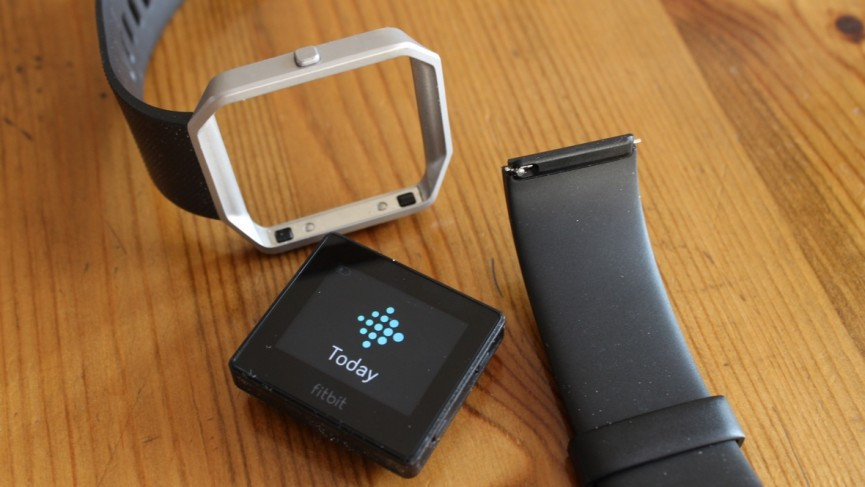
Personalization plays a big role in mastering your Blaze. When the watch looks and behaves the way you like, you are more likely to wear it every day and benefit from its tracking.
- Change clock faces in the Fitbit app to match your style and preferred stats.
- Swap bands between silicone, leather, or metal for workouts, office wear, or evenings out.
- Adjust screen brightness and quick-view settings so the display lights up when you raise your wrist.
- Reorder apps and exercise shortcuts on the watch so your most used options appear first.
Simple customization turns the Fitbit Blaze into a wearable you enjoy using, not just a tool you feel obligated to wear.
Troubleshooting And Basic Maintenance
Even reliable devices need occasional maintenance. Knowing how to handle minor issues keeps your Fitbit Blaze working smoothly and protects your data.
- If syncing fails, toggle Bluetooth off and on, then reopen the Fitbit app.
- Restart the Blaze from the Settings menu if the screen freezes or feels slow.
- Clean the back sensors and band regularly with a soft, damp cloth.
- Update firmware whenever the Fitbit app prompts you for a new version.
- Replace worn bands so the watch stays secure and heart rate readings remain accurate.
Regular care extends the life of your Fitbit Blaze and ensures your fitness data stays consistent over time.
Conclusion
Mastering your Blaze is about more than wearing a stylish fitness tracker. When you understand how to set up Fitbit Blaze, use exercise modes, monitor sleep, and customize the watch to your lifestyle, it becomes a daily partner in your health journey.
Use this comprehensive guide to using Fitbit Blaze as a roadmap. Wear it consistently, review your data often, and adjust your choices based on what you learn. Over time you will see clear trends, stronger workouts, better rest, and a deeper connection to your overall well-being.

Discussion (0)
Be the first to comment.