




Watching Xfinity on a Roku device takes only a few steps once you confirm compatibility and activate the Xfinity Stream app. Most issues come from unsupported Roku models, incorrect home-network authorization, or activation errors. This guide walks you through installation, activation, and troubleshooting to help you stream reliably.
But before you start, you need an eligible Xfinity plan and a supported Roku device. Confirming these details early prevents installation errors and missing content issues.
Table of contents
1) How to install the Xfinity Stream app on Roku
From the Roku home screen, move to the search option and enter “Xfinity Stream.” Next, select the Xfinity Stream app from the search results and choose Add Channel. After installation finishes, open the app from your channels list.
This puts you at the activation screen where you link your account.
2) How to activate Xfinity Stream on Roku
When the activation code appears on your TV, use a phone, tablet, or computer to visit the Xfinity activation page. Sign in with your Xfinity ID and password, then enter the code shown on the Roku screen. After confirmation, your Roku app refreshes and loads your account profile.

Note that some live channels and regional content work only when your Roku connects to your home Xfinity network. Make sure the Roku uses your home Wi-Fi and not a guest or mobile hotspot. If channels remain missing, restart the modem and Roku, then reopen the app.
3) How to watch live TV and on-demand content
Live TV streaming
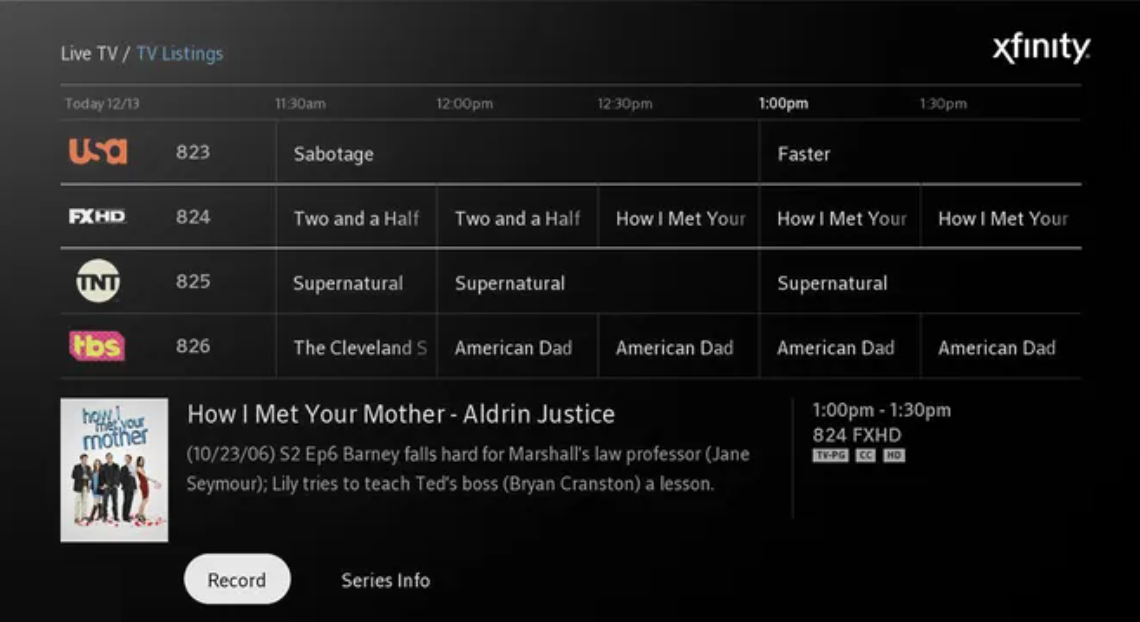
Open the Guide section inside the app to see all available live channels. You can scroll through time slots, jump directly to specific channel numbers, or filter by categories. This layout closely matches the experience of a traditional cable guide.
On-demand movies and shows
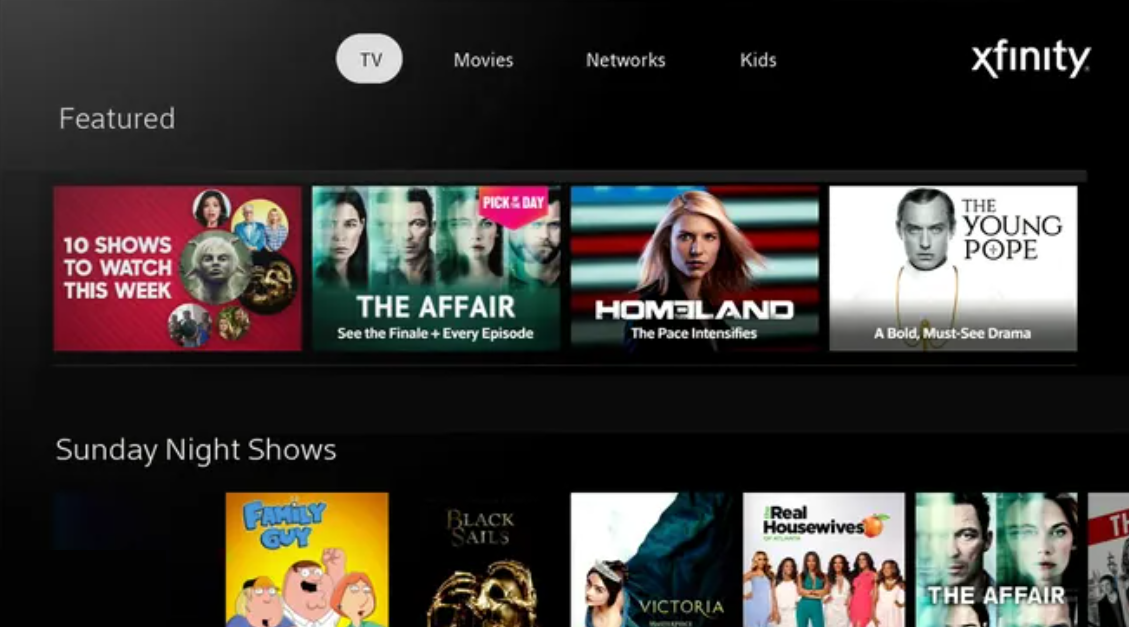
Select the On Demand tab to browse curated collections, genres, and featured titles. You can also use the search tool to find a specific movie or series quickly. This section provides access to rentals, premium channels, and catch-up episodes.
4) Alternatives if Xfinity Stream is unavailable on Roku
If you still cannot install or use Xfinity Stream on your Roku, you can fall back on the methods below to watch your content.
Screen mirroring from a phone
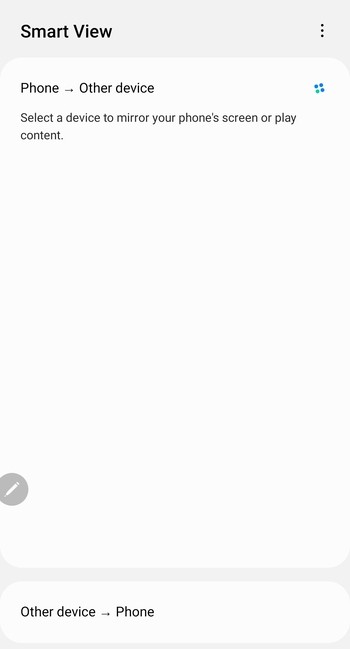
Many Roku devices support screen mirroring from Android phones and some computers. You can open the Xfinity Stream app on your mobile device and mirror the display to the TV. This approach uses the phone as the streaming source while Roku acts as the receiver.
Use another streaming device
If your Roku remains incompatible, consider using another streaming device that supports Xfinity Stream. Options like streaming sticks, smart TVs, or separate set-top boxes can run the app directly. This lets you keep your Xfinity subscription while changing only the hardware.
Fix common Xfinity Stream problems on Roku
- App not working or freezing: If the app freezes, return to the Roku home screen and restart the device from Settings > System > System restart. This clears cached data and reloads all channels.
- Login loop or activation will not complete: Sign out of older sessions from your Xfinity account dashboard, then repeat the activation process on Roku. Make sure you use the latest activation code shown on the TV screen.
- Error codes such as TVAPP-00100 or TVAPP-00287: These error codes usually indicate account authorization or connectivity issues between your Roku and Xfinity servers. Restart the Roku, then power-cycle your modem and router by unplugging them for at least 30 seconds.
- Video not playing or channel missing: If a specific channel does not load, first confirm that it is part of your current TV package. Next, check whether the channel is marked as in-home only and verify that your Roku uses the home network.
Tips to improve streaming quality on Roku
- Check your Wi-Fi signal: Weak Wi-Fi leads to frequent pauses and resolution drops during playback. Move the router closer to your TV or limit the number of walls between them. If your router supports it, connect the Roku to the 5 GHz band for more consistent streaming.
- Restart your modem and router: Power off your modem and router for at least 30 seconds and then turn them back on. This refreshes your connection and can free up bandwidth used by lingering background connections. After the restart, test Xfinity Stream again to see whether buffering improves.
FAQs
How do I fix Xfinity Stream buffering on Roku? Start by checking your Wi-Fi signal strength, moving the router closer to the Roku, and restarting your modem and router. Then reboot the Roku to clear temporary glitches.
Can I watch all my Xfinity channels away from home? You can watch many channels and on-demand titles when you are away from home, but not all of them.
Why is the Xfinity Stream app missing from the Roku store? The app usually does not appear when your Roku model is unsupported, your software is outdated, or your device region is set outside the United States. Update your Roku OS to the latest version and verify that the device is registered with a US account.
How many devices can stream Xfinity content at the same time? In general, you can stream on multiple devices at once inside your home and fewer when away from home. If you hit the maximum, you usually see a message telling you to stop another stream before starting a new one.
Conclusion
You can watch Xfinity on Roku by installing the Xfinity Stream app, activating it with your account, and confirming that your device runs on your home network. Most playback or channel issues resolve through app restarts, network resets, and basic compatibility checks. When the app is not supported on your hardware, screen mirroring or switching to another streaming device helps you keep access to your Xfinity content.


Discussion (0)
Be the first to comment.