




NBC streams easily on Roku through the official NBC app, supported provider logins, and live TV streaming services. You can add the app, activate your device, and use alternatives like Hulu + Live TV or YouTube TV if you don’t have cable. This guide covers all the options available to you and shows how to fix common issues.
Table of contents
Install the NBC app on Roku
The NBC app gives you free clips and full episodes when you sign in with a TV provider. You can install it directly from the Roku Channel Store.

Open the Roku home screen and search for NBC. Select the app and choose Add channel to place it on your device. Next, open NBC, choose Sign in, and scan the on-screen code with your phone or browser. Your provider login unlocks full episodes and live NBC streams.
Activate NBC on Roku
NBC requires activation to link your Roku to your provider account. This step unlocks your local NBC channel and the full content library.
You just need to open NBC on Roku and choose Sign in to display a unique activation code. Keep the code visible while you activate from your phone or PC.
Next, visit NBC.com/activate and enter the code. Sign in with your TV provider to finish linking your Roku.
Watch NBC without cable on Roku
You can stream live NBC without a cable subscription by using a live TV streaming service. These apps give you local NBC channels in most US markets.
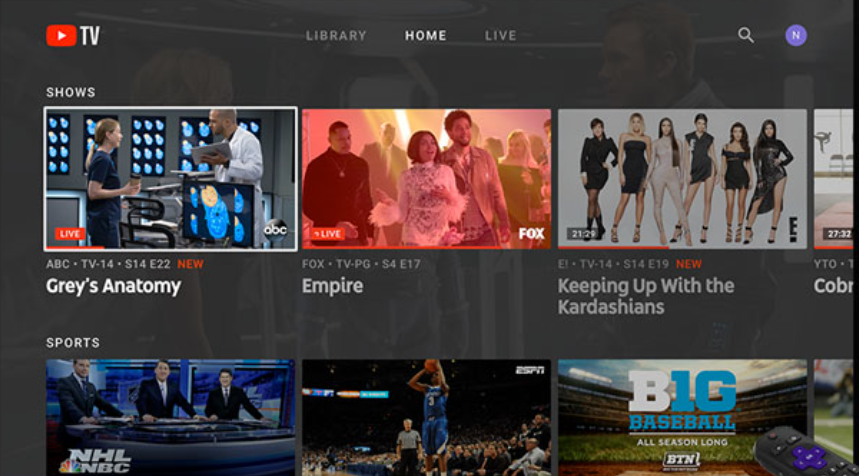
Watch NBC with YouTube TV
YouTube TV includes NBC in almost every region. You also get unlimited DVR and strong device compatibility on Roku.
Watch NBC with Hulu + Live TV
Hulu offers local NBC stations along with its on-demand library. You can open Hulu on Roku and watch NBC live immediately after subscribing.
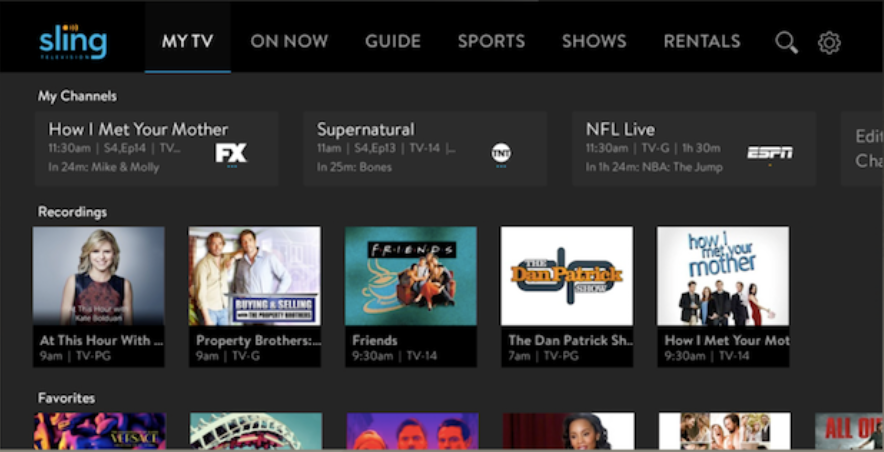
Watch NBC with Sling TV (limited markets)
Sling Blue carries NBC only in select cities. Check your ZIP code before you subscribe because Sling restricts NBC availability.
Watch NBC with Fubo
Fubo covers most US regions with NBC and focuses on live sports. It works well if you want local channels and sports coverage together.
Other NBC apps available on Roku
NBC distributes content across several apps that complement the main NBC app. These apps help you watch news, sports, and select NBC programming.
NBC News on Roku
NBC News streams live coverage and short on-demand clips. You can watch without signing in.

NBC Sports app
The NBC Sports app streams events that require provider authentication. You can watch Premier League, Olympics coverage, and regional sports events when your provider supports them.
Peacock as an NBC alternative
Peacock hosts next-day NBC shows and exclusive NBC content. It helps when you don’t have a cable provider to unlock the main NBC app.
Watch NBC on Roku when traveling or out of region
NBC access depends on your physical location. Roku uses your IP region to determine which local NBC station you receive.
Why NBC local channels don’t always work
NBC licenses vary by market and region. When you leave your home area, you may see a different local station or lose access temporarily.
Options for travelers
Some live TV services update your local channel automatically when you travel. Others require you to sign out and sign back in when you move to a new region.
Troubleshooting NBC not working on Roku
- Restart Roku and relaunch NBC: Restart your Roku from Settings > System > Power > System restart. Reopen NBC to clear temporary glitches.
- Clear the NBC app cache by reinstalling: Remove NBC and add it again from the Roku Channel Store. This step clears corrupted files and solves many loading errors.
- Update Roku OS and the NBC app: Update your Roku from Settings > System > System update. Updates keep your device compatible with the current NBC app.
- Check if NBC servers are down: Open NBC on a phone or PC and try to stream the same content. If the stream fails everywhere, you likely face an NBC outage and need to wait for a fix.
- Fix “NBC not available in your location”: Location errors happen when your IP route doesn’t match your actual region. Restart your router or switch networks to refresh your location data.
Tips to improve NBC streaming quality on Roku
- Use a 5 GHz Wi-Fi connection
- Move the Roku closer to the router
- Disable network congestion
FAQs
Do I need a cable subscription to watch NBC on Roku? You need a pay TV or live streaming subscription to unlock live NBC inside the NBC app. If you don’t want cable, you can use Hulu + Live TV, YouTube TV, Sling TV, or Fubo.
Why does NBC say my provider is not supported? Some smaller providers do not support NBC streaming authentication. You can switch to a supported live TV streaming service to access NBC on Roku.
Why does my local NBC channel not appear in live TV apps? Live TV services only carry NBC in markets where they have rights agreements. If your ZIP code is outside those areas, you may receive on-demand content without a live channel.
Why does NBC keep buffering on Roku? Buffering usually comes from network congestion or weak Wi-Fi. Switch to a 5 GHz connection, move your Roku closer to the router, or use Ethernet when available.
Summary
- Add the NBC app from the Roku Channel Store.
- Activate your device at NBC.com/activate with your provider login.
- Use Hulu + Live TV, YouTube TV, Sling TV, or Fubo to stream NBC without cable.
- Fix common issues by restarting Roku, updating software, and reinstalling NBC.
- Improve quality with stronger Wi-Fi or a wired Ethernet connection.
Just like it is with adding Xfinity to Roku, NBC works reliably when you install the right apps and use a supported provider login. Live TV services fill the gap if you want NBC without cable. Simple troubleshooting and basic network improvements often restore smooth playback quickly.


Discussion (0)
Be the first to comment.