



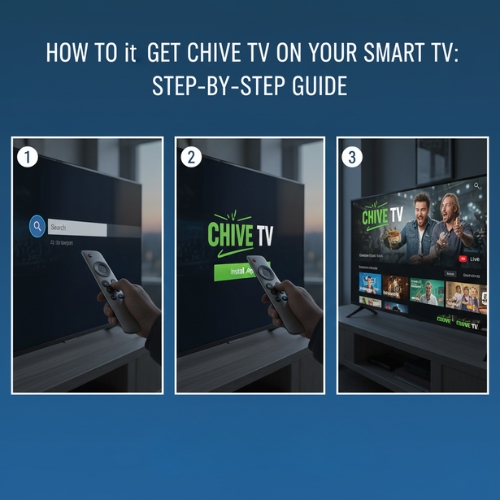
Chive TV is a popular video service that offers a curated selection of viral videos, funny clips, and breathtaking scenery. While it's primarily designed for commercial use through Atmosphere TV, home users can still enjoy Chive TV content through third-party services. In this guide, we'll walk you through how to access Chive TV through aggregator apps on your Smart TV.
What is Chive TV?

Chive TV is part of the Atmosphere TV service, designed to provide a continuous stream of high-quality viral and comedic videos. It’s primarily used in public spaces like bars, restaurants, and waiting rooms to create an engaging atmosphere. For home users, the content is available through third-party aggregator apps like Xumo, Pluto TV, LG Channels Plus, and Vizio WatchFree+, which host the Chive TV channel, rather than a standalone app.
Benefits of Chive TV
Here are some of the main benefits that make Chive TV a great choice for both public venues and home entertainment:
- Endless Entertainment: Watch a variety of videos, including viral moments, funny clips, and stunning nature footage.
- Stress Relief: Offers a mix of humorous and relaxing content, perfect for unwinding after a busy day.
- Versatility: With content ranging from animals to sports, there’s something for everyone.
- Perfect for Public Spaces: Often used in bars, cafes, and public venues to enhance the ambiance and keep customers engaged.
- Free and Ad-Supported: Access Chive TV content without a subscription, though it’s ad-supported in most services like Xumo.
Step-by-Step Guide: How to Get Chive TV on Your Smart TV
If you're a home user wanting to watch Chive TV, here's how you can access it through third-party apps:
Step 1: Check Your TV's Compatibility
Chive TV can be accessed on most modern Smart TVs with platforms like Android TV, Samsung Tizen, LG webOS, or Roku OS. Make sure your TV is compatible with a service like Xumo, Pluto TV, LG Channels Plus, or Vizio WatchFree+. Check your TV’s app store to ensure you can install one of these aggregator apps that offer Chive TV.
Step 2: Download an Aggregator App
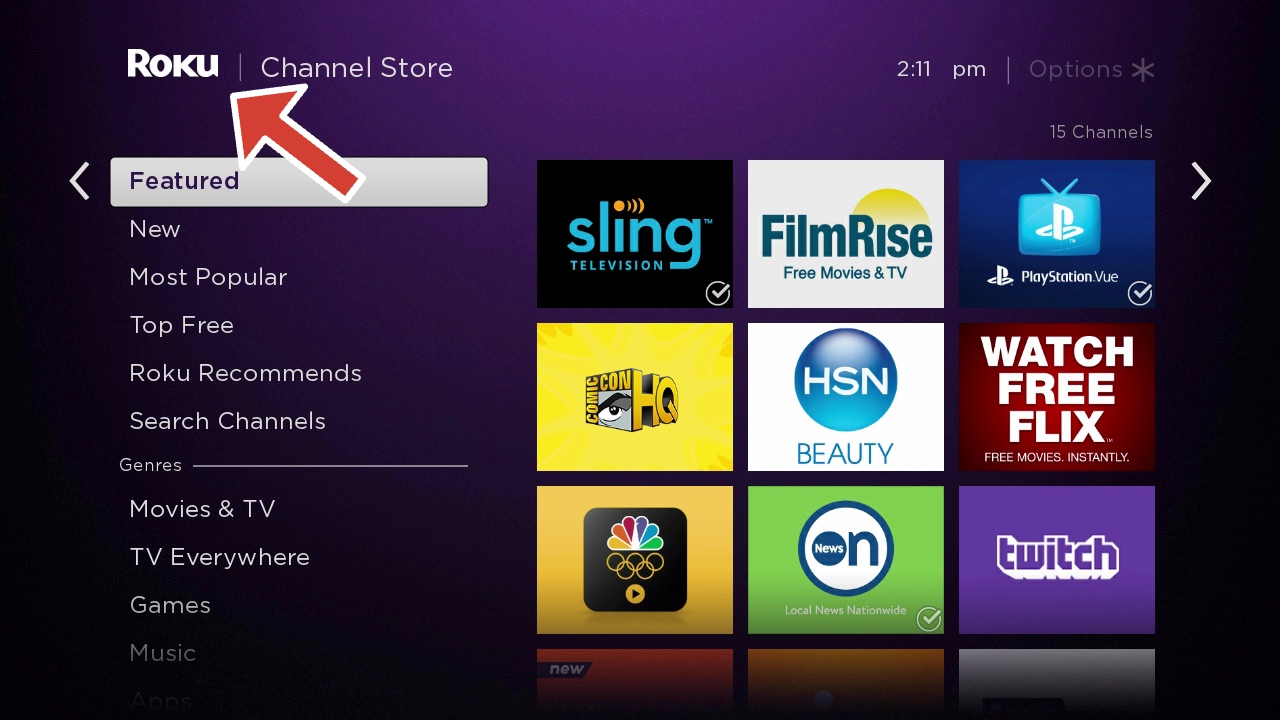
To watch Chive TV, download an aggregator app like Xumo, Pluto TV, or another app that hosts the Chive TV channel from your Smart TV’s app store. Open the app store, search for the desired app, and install it. These aggregator apps provide easy access to Chive TV content.
Step 3: Launch the App and Select Chive TV
After opening the app, navigate to the Chive TV channel. Browse through the variety of videos available and start watching. The content will play continuously, ensuring non-stop entertainment just like Chive TV’s intended experience in public spaces.

Troubleshooting Common Issues
If you encounter any issues while watching Chive TV, try the following troubleshooting steps:
- Slow Playback: Check your Wi-Fi signal or Ethernet connection. A weak connection can cause slow streaming.
- App Freezing: Ensure the app is updated to the latest version. If needed, reinstall the app.
- Audio Problems: Adjust your TV’s audio settings or check for any sync issues in the app.
- App Not Loading: Clear the app’s cache or reinstall it to resolve loading issues.
Frequently Asked Questions (FAQ)
- What channel is Chive TV on Samsung Smart TV?
Chive TV is available on Samsung Smart TVs via Xumo, Pluto TV, LG Channels Plus, or Vizio WatchFree+, which you can download from the Samsung App Store. - How can I watch Chive TV for free?
Chive TV is free to watch through apps like Xumo, Pluto TV, and others, but it's ad-supported. Access it easily on most Smart TVs. - Can I get Chive TV on my Fire Stick?
Yes, you can watch Chive TV on Fire Stick by installing the Xumo app from the Amazon App Store. Other services like Pluto TV may also host the Chive TV channel. - Can I get Chive TV on Apple TV?
Yes, Chive TV is available on Apple TV through the Atmosphere TV app or third-party aggregator apps like Pluto TV. Simply download the app and select Chive TV. - What if Chive TV isn’t available in my TV’s app store?
If Chive TV isn’t available, check for other aggregator apps like Xumo, Pluto TV, LG Channels Plus, or Vizio WatchFree+. These apps typically offer Chive TV content. - Why is Chive TV not loading on my Smart TV?
If Chive TV is not loading, ensure a stable internet connection, or try clearing the app cache and reinstalling the app.
Conclusion
Getting Chive TV on your Smart TV is straightforward, especially when using third-party apps like Xumo. By following the steps above, you'll be able to enjoy viral videos, funny clips, and heartwarming stories in no time. Whether for personal entertainment or creating an engaging atmosphere in public spaces, Chive TV delivers a versatile and enjoyable viewing experience.
Ready to start? Install one of the aggregator apps, navigate to Chive TV, and enjoy endless entertainment in minutes!


Discussion (0)
Be the first to comment.