




Einthusan is a popular platform for streaming South Asian movies in languages like Tamil, Telugu, Hindi, and Malayalam. While there’s no official Einthusan app for Samsung Smart TVs, you can still enjoy its content using the Smart Hub browser, casting tools, or a compatible streaming device. This guide covers every working method and explains how to fix playback or access issues.
1) Check if your Samsung Smart TV supports web streaming
Most Samsung TVs released after 2018 run on Tizen OS and include a modern web browser that supports HTML5 playback. Before trying to stream, make sure your TV’s firmware is up to date for smoother video and fewer compatibility errors.
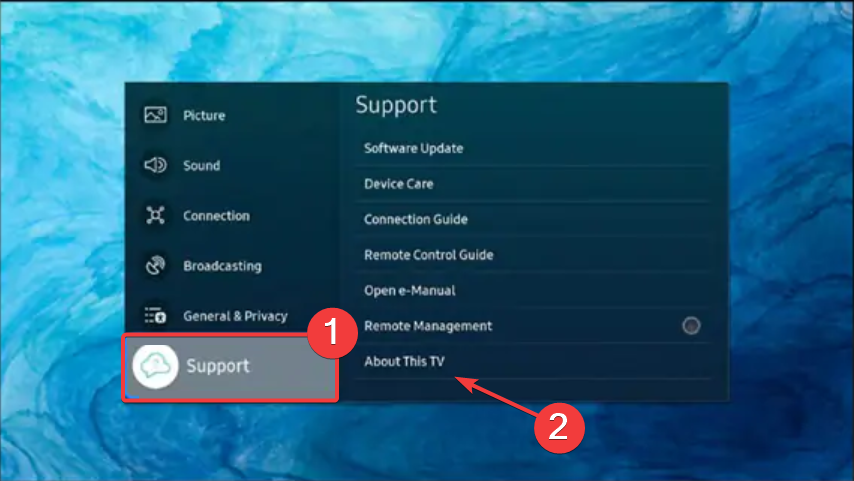
Press the Home button on your remote, go to Settings > All Settings > Support > About This TV. Note the model code and software version. This information helps confirm your TV supports the Smart Hub browser for streaming services.
2) Watch Einthusan using the built-in Samsung browser
Connect your Samsung Smart TV to your Wi-Fi network, press the Home button on your remote, and select built-in browser from the Smart Hub menu. In the address bar, type einthusan.tv and press Enter.
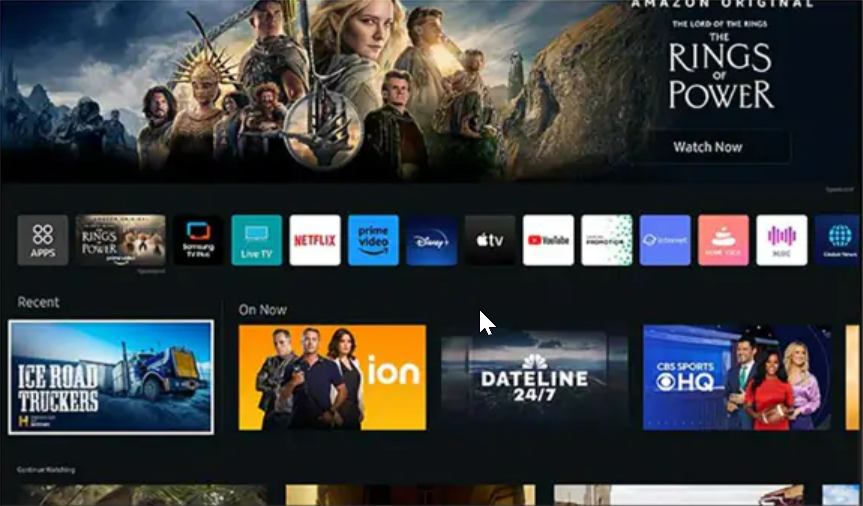
Sign in to your Einthusan account, choose a language section, and start playback.
3. Cast Einthusan from a phone or laptop
Use the SmartThings app (Samsung phones)
Install and open the SmartThings app on your Samsung Galaxy device. Tap Devices → Add device → Smart View → select your Smart TV. Once connected, open Einthusan in your phone browser, and the movie will mirror to the TV instantly.
Cast from Chrome or Firefox
If you’re on a laptop, open Einthusan in Chrome or Firefox. Click the Cast icon in the browser and select your Smart TV. Keep both devices on the same Wi-Fi network for a stable connection.

If casting stops mid-stream, restart both devices and reconnect through Smart View or Chromecast. Reducing video resolution can also help minimize lag.
4) Unlock Einthusan if it’s blocked in your region
Einthusan may be restricted outside certain regions. If you see an error or blank screen, configure Smart DNS or a VPN to bypass the restriction. To do this on your Samsung TV, go to Settings > Network > Network Status. Now, select IP Settings > DNS Settings and choose Enter Manually.
Finally, type a public DNS or Smart DNS address and restart your TV to apply changes. Another option is to use a router-level VPN, especially if your Smart TV doesn’t support VPN apps..
5) Understand the Legal Side of Einthusan
Einthusan operates in a gray legal area depending on region. Some of its libraries are licensed, while others aren’t. Avoid using third-party clones or APKs, and always stream from the verified official domain for safety.
6) Troubleshooting common problems
- Video not supported: Update your TV firmware and clear your browser data. Switch to HTML5 playback if prompted.
- Browser freezes during playback: Restart your Smart Hub from Settings > Support > Self Diagnosis > Reset Smart Hub. Then reopen Einthusan.
- Casting stops mid-stream: Reconnect your devices under SmartThings or Chromecast settings. Disable power saving on your phone and TV during streaming.
Tips to optimize playback quality on Samsung TV
- Connect via Ethernet or a 5GHz Wi-Fi network for smoother streaming.
- Switch the picture mode to Movie for better color accuracy.
- Clear Smart Hub cache monthly to avoid lag.
- Update Smart Hub apps and system firmware regularly.
FAQs
Can I install an Einthusan app on a Samsung Smart TV? Not yet. Use the browser or cast from your phone instead.
Does Einthusan work on older Samsung TVs? It may not work well on pre-Tizen models without an external device.
Is a VPN required to watch Einthusan? Only if the website is restricted in your region.
Can I get subtitles on a Samsung TV? Yes, if the selected movie supports them in the Einthusan player.
Summary
- Open Einthusan in the Smart Hub browser for direct streaming.
- Cast from phone or laptop using SmartThings or Chromecast.
- Set up Smart DNS or VPN to unblock the site if needed.
- Keep your TV updated for better playback and security.
Conclusion
Watching Einthusan on a Samsung Smart TV is simple once you know the right methods. Whether you use the built-in browser, SmartThings casting, or a streaming stick like Firestick or Chromecast, you can access South Asian movies in just a few steps.


Discussion (0)
Be the first to comment.