




The Facebook Take A Break feature lets you reduce interactions with someone without unfriending or blocking them. It quietly limits posts, tags, and visibility while keeping the connection intact, which makes it useful during personal changes or when you need space.
Once enabled, Facebook adjusts several privacy and feed settings automatically. The other person does not receive a notification, and you can undo the changes at any time.
What Happens When You Take A Break On Facebook
When you activate Take A Break, Facebook changes how you and the selected person see each other across posts, timelines, and the News Feed. These changes apply to both past and future content.
Post Visibility Changes
Facebook reduces how often you see each other’s posts in the News Feed. You can still view their profile manually, but updates no longer appear automatically.
Timeline And Tag Restrictions
Your posts stop appearing on their timeline unless they are public or include a direct tag. Facebook also removes existing tags between you and limits future tagging suggestions.
Past Posts And Memories
Posts where you are tagged together can be hidden or removed from timelines. Older shared content becomes less visible unless privacy settings allow it.
How To Take A Break From Someone On Facebook Using An iPhone
The Take A Break option is available directly from a friend’s profile in the Facebook iOS app. You can fine-tune what you see, what they see, and how past posts are handled.
- Open the Facebook app on your iPhone
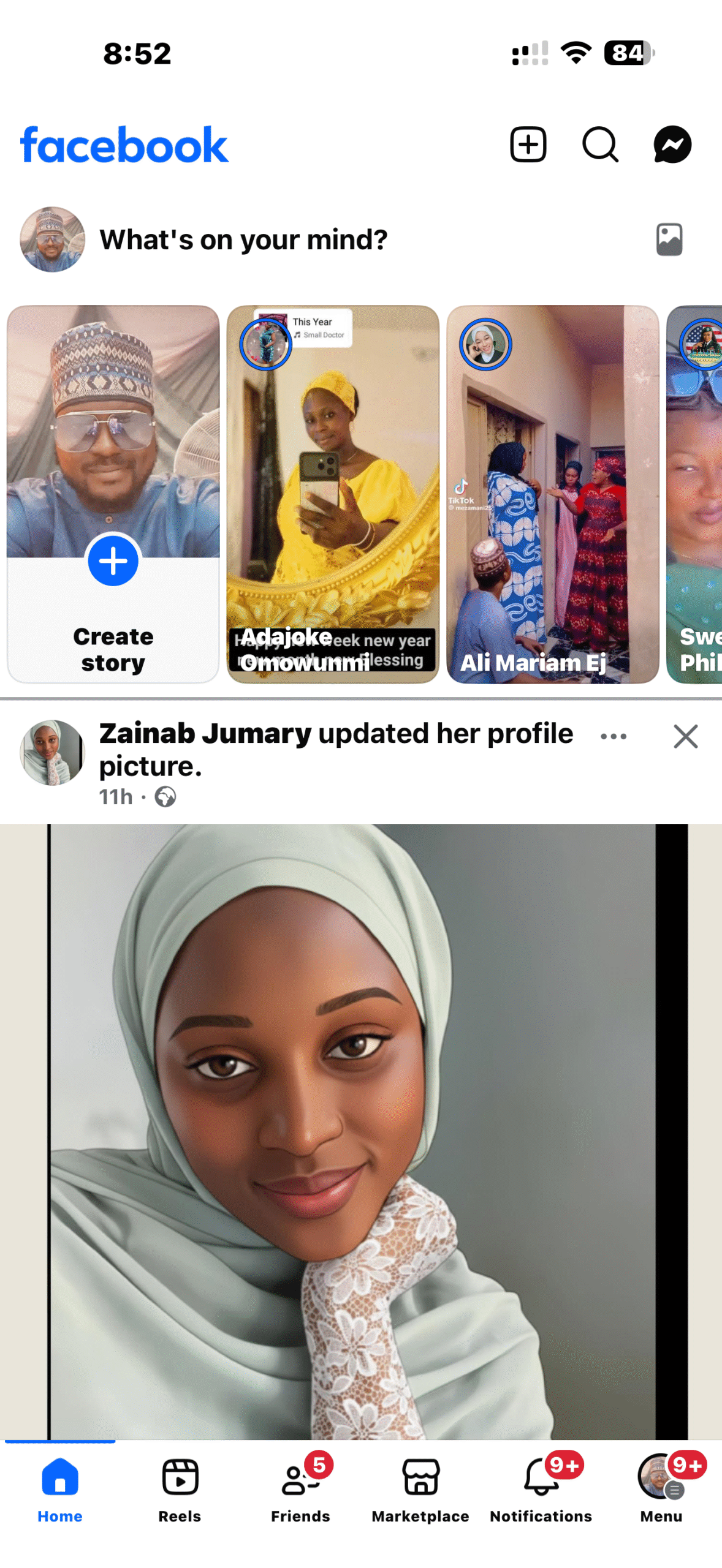
- Search for and open the profile you want to limit

- Tap Friends and select Take A Break
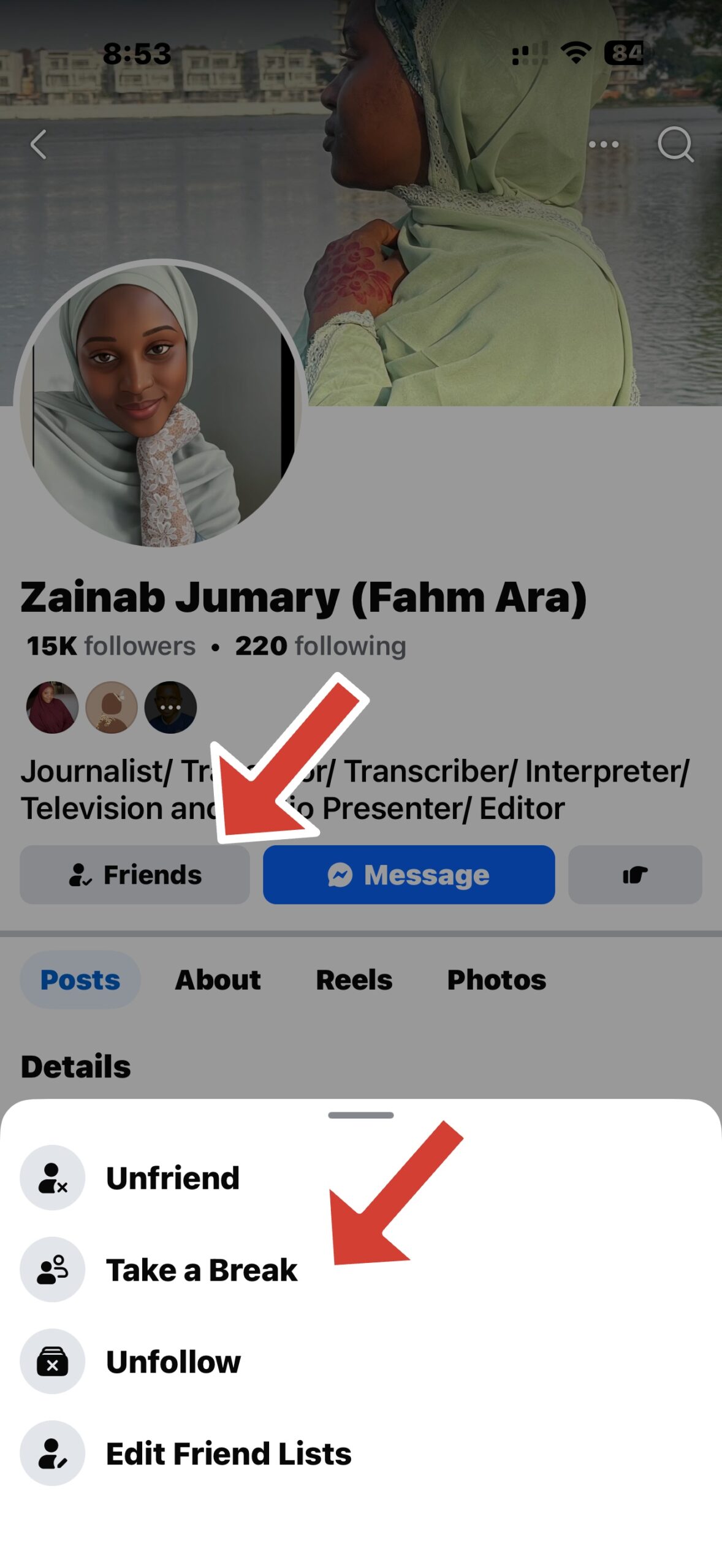
- Choose how much of their profile you want to see
- Limit what they can see from your profile
- Edit visibility for past posts and tags
Once saved, the changes apply immediately and stay active until you reverse them.
How To Take A Break From Someone On Facebook On Desktop
The desktop version of Facebook offers the same Take A Break controls through a guided setup page. The settings mirror the mobile experience.
- Open Facebook in a web browser and sign in
- Go to the Take A Break page
- Search for the profile you want to limit
- Adjust feed visibility and post restrictions
- Confirm changes for past posts and tags
After completing the setup, Facebook applies the restrictions automatically.
What Stays The Same After Taking A Break
Taking a break does not remove the person from your friends list. Messaging remains available, and comments on shared posts can still appear.
You can still visit each other’s profiles manually, and timeline posting is possible unless you restrict it.
Troubleshooting Common Problems
If Take A Break options do not appear, make sure the Facebook app is updated. Profile privacy settings can also affect which controls are available.
Changes may take a few minutes to fully apply across devices. Logging out and back in can refresh settings if needed.
Tips
- Use Take A Break instead of unfriending to avoid notifications
- Review tag settings carefully for past posts
- Manually follow or unfollow profiles if feeds feel unchanged
- Revisit the settings page to fine-tune restrictions later
FAQ
Does Facebook notify someone when you take a break?
No. Facebook does not send alerts or notifications when Take A Break is enabled.
Can you still message someone after taking a break?
Yes. Messenger chats remain available unless you archive or delete them.
Is Take A Break the same as restricting someone?
No. Take A Break adjusts multiple privacy and visibility settings at once.
Can you undo Take A Break later?
Yes. You must manually reset each option to restore normal visibility.
Summary
- Take A Break limits posts, tags, and feed visibility
- The feature works on iPhone and desktop
- Friends are not notified when it’s enabled
- All changes can be reversed manually
Conclusion
Facebook’s Take A Break feature provides a flexible way to manage interactions without blocking or unfriending someone. It keeps connections intact while giving you control over what you see and share.


Discussion (0)
Be the first to comment.