




Walmart does not always appear in the Afterpay app or supported retailer list. This usually happens because of regional restrictions, item category limitations, or missing payment options.
This guide shows how to check eligibility, unlock available Afterpay methods, and use reliable workarounds that help you complete Walmart purchases.
Table of contents
Check if Walmart is officially supported
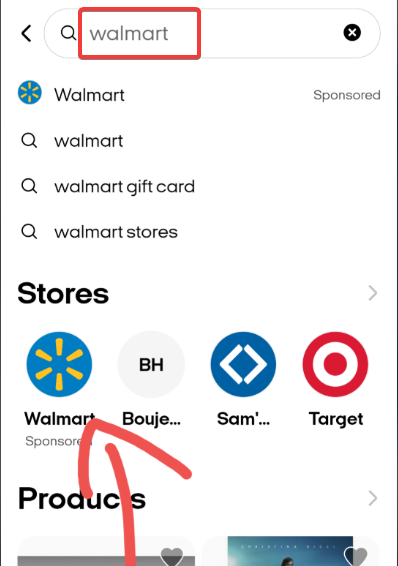
Open the Afterpay app and use the retailer search field to look for Walmart. If your location is supported, Walmart appears in the list with an available marker.
How to confirm eligible item categories
Some Walmart categories qualify for Afterpay payments, while others do not. Look for labeled items or Afterpay tagged categories to avoid checkout issues.
When you are unsure, test a low value item and proceed to payment to see if Afterpay appears.
Use the Afterpay card if Walmart is not visible
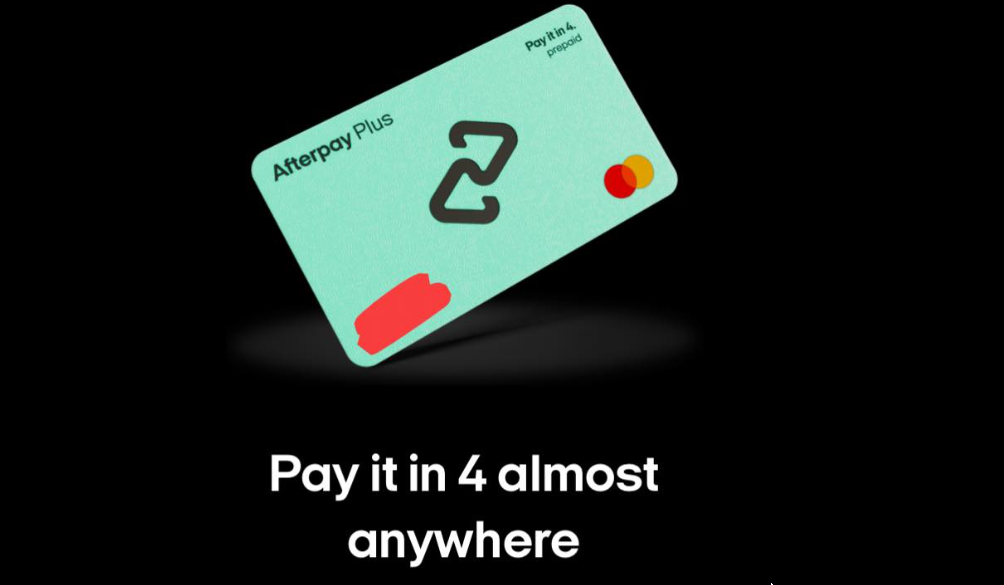
The Afterpay card acts like a virtual debit card linked to your installment plan. You can use it wherever digital wallets are accepted, including many Walmart stores that support tap to pay transactions.
Add the Afterpay card to Apple Pay or Google Pay
Open the Afterpay app, activate the Afterpay card, and add it to your digital wallet. This converts your digital wallet into a pay in four payment method when the terminal accepts contactless payments.
Try the Afterpay card in a Walmart store
Visit the checkout and use tap to pay with your phone. Some Walmart stores support contactless payments, and your transaction may go through when the terminal recognizes the Afterpay card.
Use a single use virtual card for Walmart online
If the Walmart listing does not appear inside Afterpay, a single use virtual card may still work for online checkout. This depends on current Walmart acceptance rules and your card’s spending limit.
Generate the single use card in Afterpay
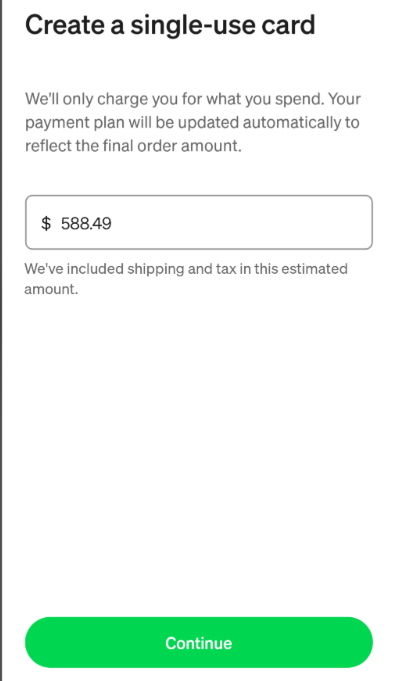
Open the app, choose the single use card option, and set your spending amount. Afterpay generates temporary card details that expire if not used within the time limit.
Enter the card details at Walmart checkout
Proceed to Walmart’s payment screen and enter the virtual card number as a standard credit or debit card. If Walmart accepts the card for the selected category, your order processes normally.
Use Walmart gift cards purchased through Afterpay
Another workaround involves buying Walmart gift cards through an Afterpay supported retailer. This lets you benefit from installment payments without using Afterpay directly at Walmart.
Purchase the gift card using Afterpay
Choose an Afterpay supported retailer in the app and purchase a Walmart gift card. This spreads your payment over installments while allowing full purchase freedom later.
Redeem the gift card on Walmart online or in store
Enter the card number at checkout or scan it in store. Walmart processes gift cards normally, regardless of your payment method when purchasing the card.
Troubleshooting Walmart not working with Afterpay
- Fix card declines or payment errors: Make sure all Afterpay payments are current and your available limit covers the purchase. Update expired card details or reduce the order size to increase approval chances. If everything fails, contact Afterpay support to help out.
- Check Afterpay spending limits: Open the Afterpay app and view your available limit. If your limit is low, complete existing payments or choose a smaller order to improve approval odds.
- Confirm restricted Walmart categories: Departments like groceries, fuel, and some electronics often block buy now, pay later payments. Test items from general merchandise or home goods if your first attempt fails.
Tips on using Walmart on Afterpay
- Check your Afterpay limit before starting a Walmart checkout to avoid surprise declines.
- Try lower value items first if Walmart blocks larger orders or restricted categories.
- Keep your Afterpay card active in your digital wallet to speed up in store payments.
- Use gift card workarounds when Afterpay stops showing Walmart in the retailer list.
FAQs
Why does Walmart disappear from Afterpay? Walmart disappears when your region or item category does not qualify for Afterpay installments.
Can I use Afterpay in every Walmart store? Contactless support varies by location, so results differ by store.
Does Walmart accept Afterpay online? Walmart may accept Afterpay using specific methods such as a single use virtual card, depending on the item category and acceptance rules.
Is the Afterpay card guaranteed to work at Walmart? No. Approval depends on your account status and the terminal’s support for tap to pay.
Summary
- Check Walmart’s status inside the Afterpay app.
- Use the Afterpay card for tap to pay at supported Walmart terminals.
- Try a single use virtual card for Walmart online checkout.
- Buy Walmart gift cards through Afterpay supported retailers.
- Troubleshoot category or limit issues if payments fail.
You can shop at Walmart with Afterpay using several reliable paths, even when Walmart does not appear inside the retailer list. The Afterpay card, virtual cards, and supported gift card workarounds give you flexible payment options that fit most shopping scenarios.
These methods help you complete purchases smoothly while keeping installment payments organized across your Afterpay account.


Discussion (0)
Be the first to comment.