




If you’re asking how do I contact Afterpay, the fastest routes are inside the app and the Help Center. At the time of writing, you can message support, submit a request, or call from region-specific numbers. Below are clear steps, what each option is best for, and quick scripts you can use to get help faster.
Best way to reach Afterpay, at a glance
- Message via the app: quickest for payment issues, refunds, and account access.
- Submit a request (Help Center): detailed cases with attachments (refunds, disputes, account updates).
- Call support: urgent problems (double charges, locked-out account, fraud). Number and hours vary by region.
- Email support: non-urgent follow-ups that need a paper trail.
- Social channels: status nudges and basic triage; move to private messages for details.
Message support in the Afterpay app
This is usually the fastest path for everyday issues, including refunds, paused payments, or updating details.
- Open the Afterpay app and sign in.
- Go to Help or Support and choose Message support.
- Pick a topic (payments, account access, orders, returns) and describe the issue.
- Attach screenshots or receipts if needed and send.
Tip: Include the order ID, store name, charge amount, and the last 4 digits of your card. This helps support resolve your case on the first reply. Secondary keywords used naturally: afterpay live chat, message afterpay for support.
Submit a request in the Help Center
Use this when you need to attach documents or when messaging isn’t available. It’s ideal for disputes, returns, refunds, and account updates.
- Go to the Afterpay main page, click Contact Afterpay
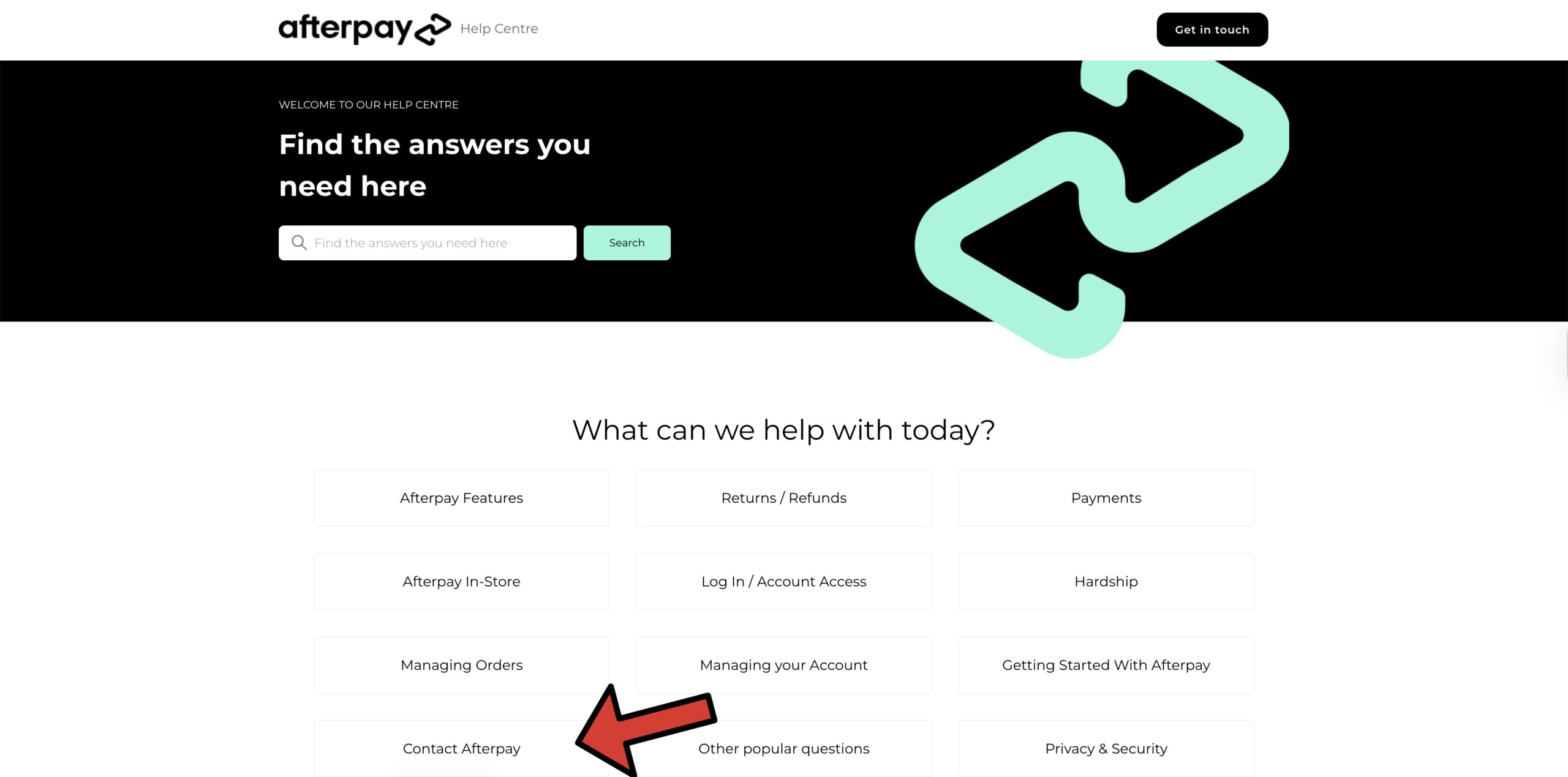
- Click "How do I message Afterpay for support?"
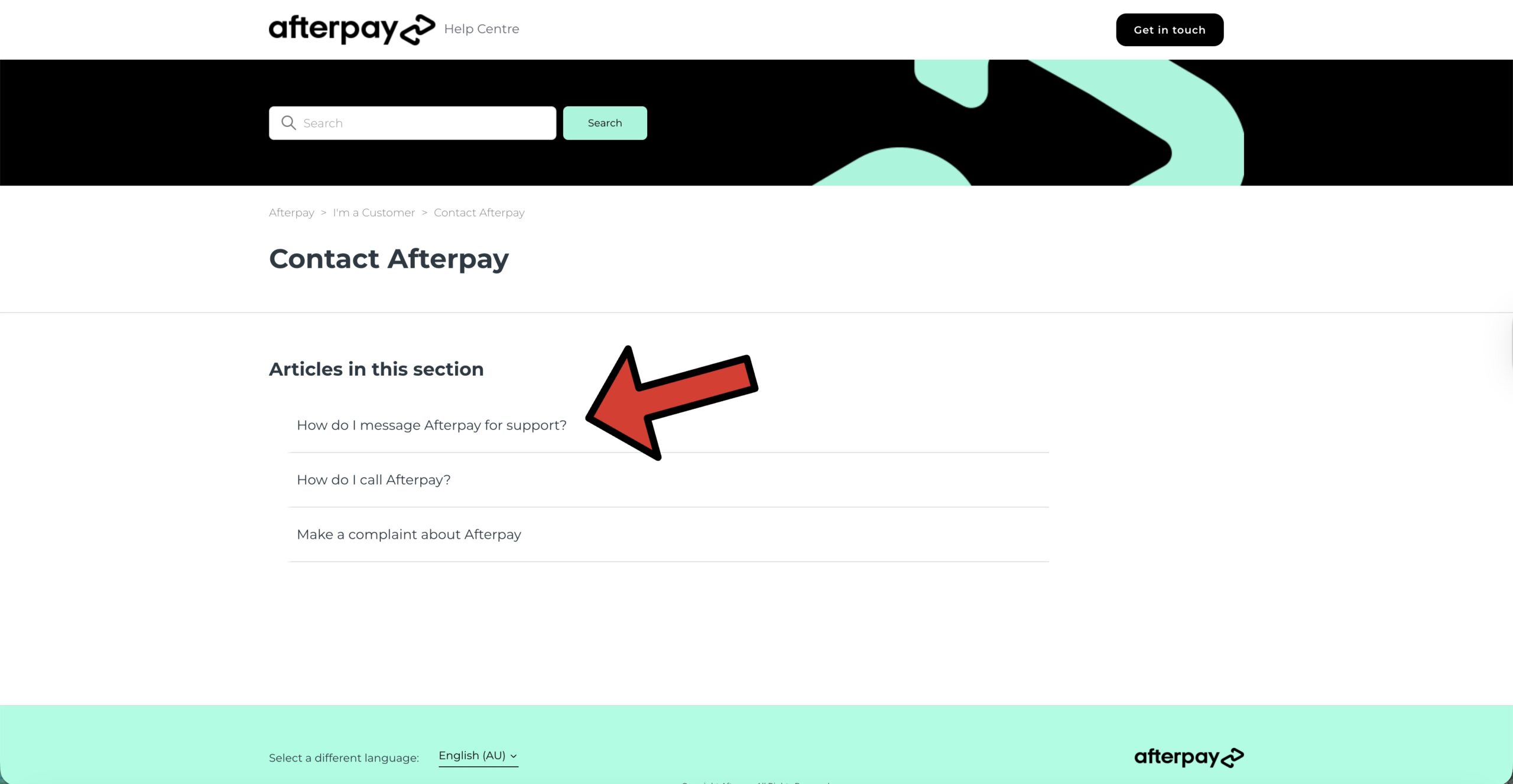
- Go to the bottom section labeled "Don't have an Afterpay app?" and click "here" to complete the contact form.
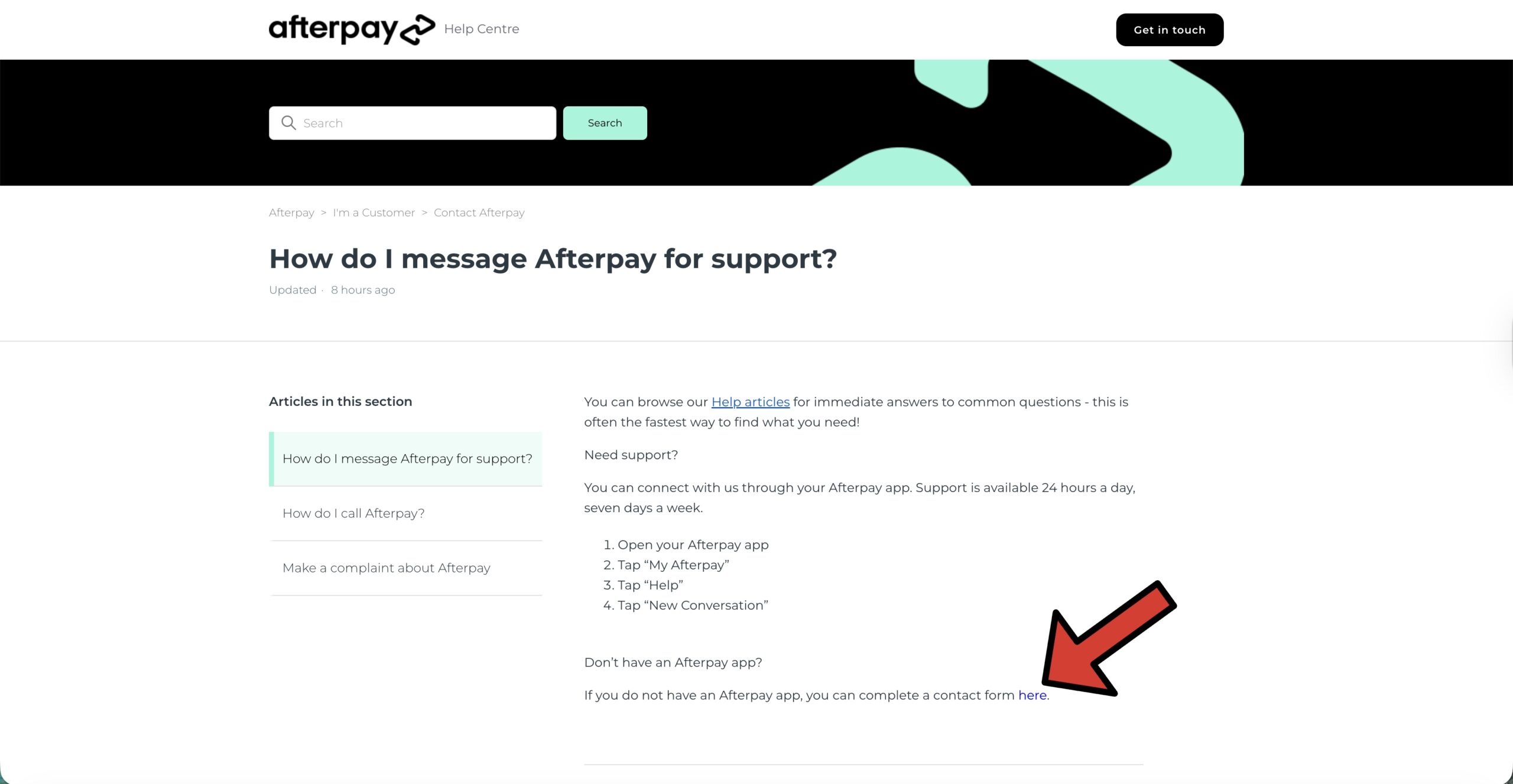
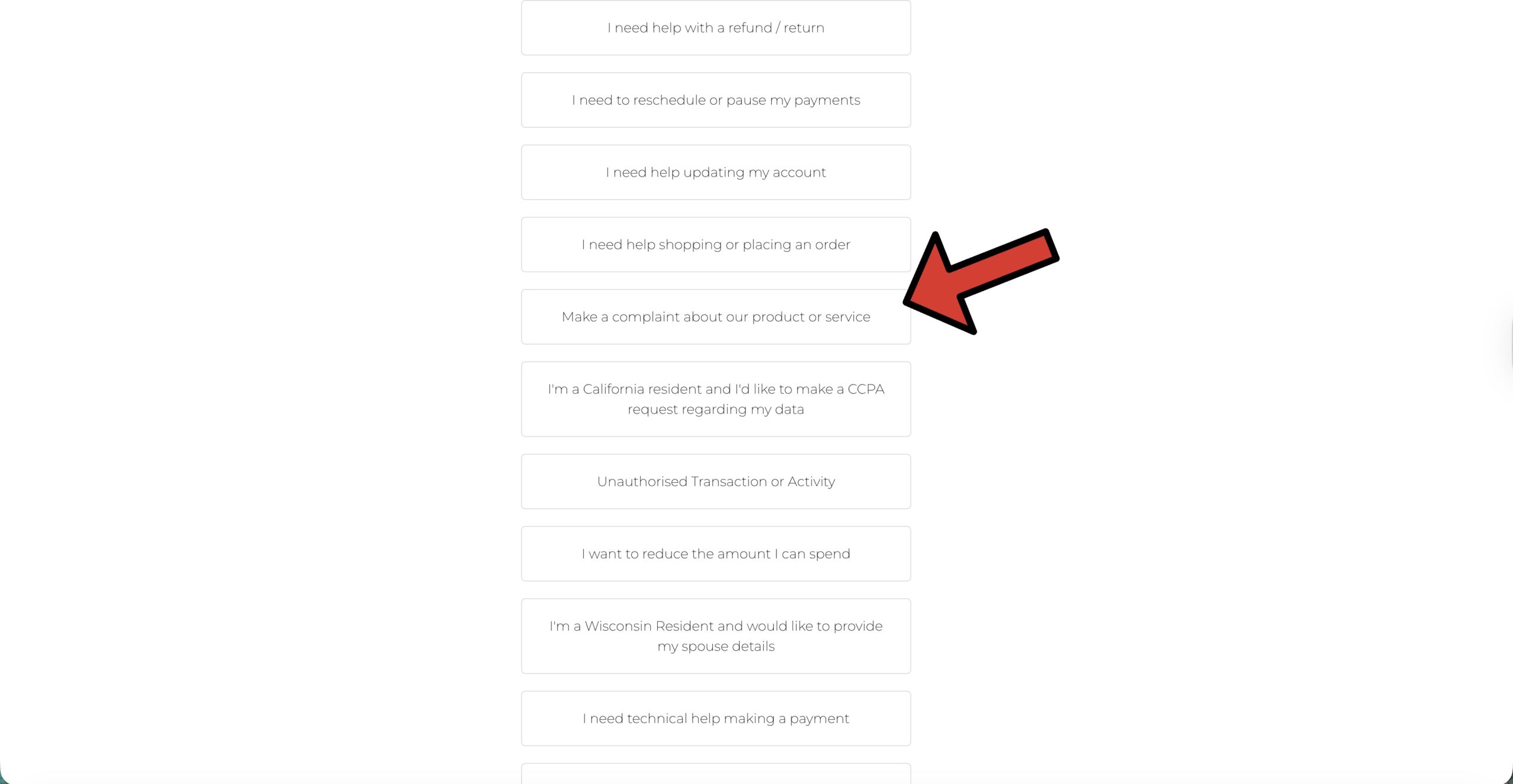
- Click the category that best fits the issue you have or the query you want to ask. e.g., "Make a complaint about a product or service."
Tip: Use a single email address across your Afterpay account, app, and request form so support can match records quickly. Secondary keywords: afterpay help center, submit a request afterpay.
Call Afterpay (for urgent issues)
Phone support helps with time-sensitive problems like accidental duplicate payments, suspected fraud, or locked-out accounts. Numbers and hours differ by country and can change, so confirm inside the Help Center or app before you call.
- Find the correct number: Open the app → Help → Call support (shows your region’s line and hours).
- Have details ready: order ID, merchant, charge amount, the last 4 digits of your card, and a brief timeline.
- State your goal up front: “I need to reverse a duplicate charge” or “I’m locked out and need access restored.”
Note: Some third-party pages list phone numbers and hours; always verify in the official Help Center for the latest availability. Secondary keywords: afterpay customer service number, afterpay customer service hours, how do I contact afterpay by phone.
Email support (keep a paper trail)
Email is useful for non-urgent follow-ups, complaints, document-heavy cases, or when you want a written record. You’ll find the correct email from the Help Center for your country.
- Subject: one line with the outcome you want (e.g., “Refund request for Order #12345”).
- Body: who you are, what happened, when, and what you need done.
- Attach: receipts, screenshots, return confirmations.
Template: “Hello Afterpay Support, I’m contacting you about Order #____ at [Merchant]. I was charged $___ on [date], and the item was returned on [date]. Please process a refund and confirm the updated installment schedule.” Secondary keywords: afterpay support email.
Use social channels (for nudges)
Afterpay responds to DMs on major social platforms. Keep the public message high-level, then move to private messages for personal information. Treat social as a status nudge, not a replacement for app messages or official requests.
- Post or DM: “Need help with a refund on Order #____. I’ve submitted a request via the app—can you check status?”
- Never share full card details or personal info publicly.
Get help with refunds, disputes, and returns
If a merchant processes a return, Afterpay will update your plan automatically. If the refund looks incorrect or late, contact support with proof of return and the merchant’s confirmation.
- Message support in the app (attach return proof).
- Submit a request if you need to include more documentation.
- Escalate by phone if you see late fees tied to a refunded purchase.
Tip: Ask for a written confirmation of the adjusted installment schedule after a refund is approved.
Fix sign-in and account access issues
- Use the app’s password reset or account recovery.
- If you’re locked out, message support from the Help Center with your full name, phone, and the email tied to your account.
- For phone help, verify your identity and request an access reset.
Secondary keywords used naturally: afterpay account access, afterpay help center login.
Pause payments or request hardship support
If you’re struggling to pay, contact Afterpay early. Many regions allow payment pauses or tailored plans through the Help Center. Briefly explain your situation and request options to avoid late fees.
What to include in any support contact
- Your full name and Afterpay email/phone.
- Order ID, merchant name, dates, and exact dollar amounts.
- A short, specific request: “Reverse late fee,” “Process refund,” or “Unlock account.”
- Attachments: receipts, tracking, screenshots, or return confirmations.
FAQs
Is there a 24/7 number? Phone hours vary by region and are subject to change. Check the app → Help → Call support for the latest hours in your country.
Where do I find my regional contact options? Open the app → Help. You’ll see “Message support,” “Submit a request,” and “Call support” tailored to your region.
Can Afterpay fix a merchant refund delay? Yes, support can review and coordinate once you provide proof of return or a merchant confirmation.
How long do email or request replies take? It depends on volume, but app messages are typically quickest. For urgent fraud or duplicate charges, call support.
Bottom line
For how do I contact Afterpay issues, start with Message support in the app. Use the Help Center to submit document-heavy requests, and call support for urgent problems. Include clear details and proof to speed up resolutions.


Discussion (0)
Be the first to comment.