




Green Dye plays an important role in Minecraft crafting, building, and decoration. You can create it early in the game with basic materials, or collect it through trades, loot, and automation. This guide shows every reliable method, including farming, biome search, and troubleshooting.
What green dye is and why you need it
Green Dye colors wool, armor, concrete, banners, terracotta, and more. Players use it for visible builds, custom banners, and detailed decoration. You can craft it quickly after locating cactus.
All methods to get green dye in Minecraft
You can obtain Green Dye in several ways across Java and Bedrock. These options cover early game survival, advanced automation, and Creative mode.
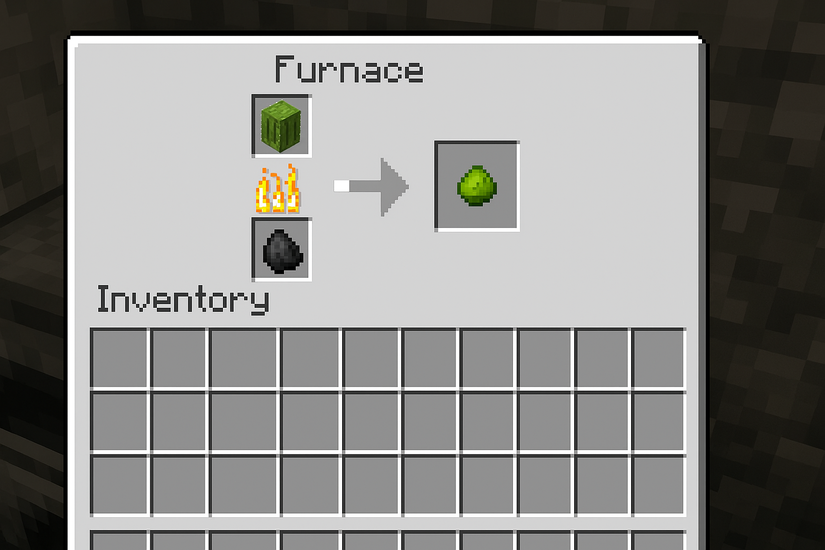
Smelt cactus in a furnace
Cactus smelting remains the simplest and most consistent way to produce Green Dye. Place a cactus block and fuel in a furnace to generate one dye per block. This method works across all platforms.
Trade with the wandering trader
A Wandering Trader may sell Green Dye for emeralds. This helps players who spawn far from deserts or lack early access to cactus.
Loot green dye from desert village chests
Some desert village buildings contain dye items as part of their generated loot. If you explore regularly, you may find Green Dye without smelting anything.

Use commands in creative mode
Players in Creative or command-enabled worlds can generate Green Dye instantly. The /give @p green_dye command works in both editions.
How to find cactus easily in Minecraft
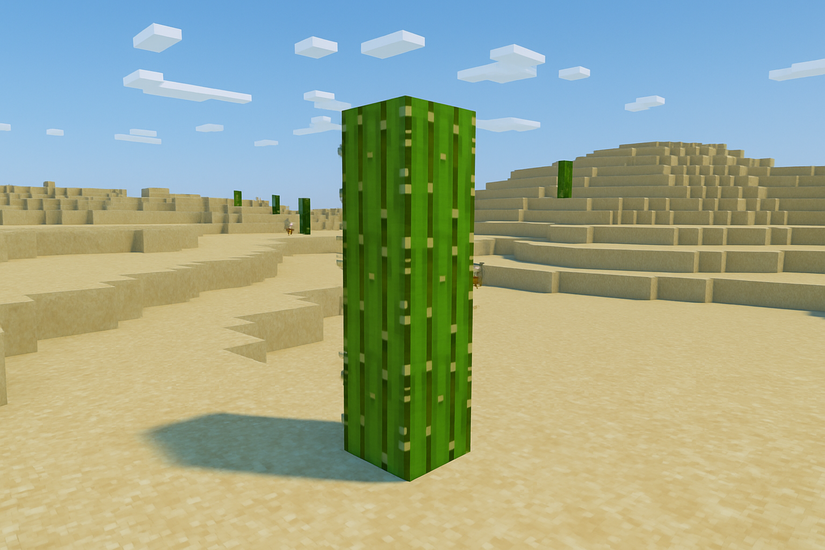
Cactus is essential for crafting Green Dye, so locating it early matters. Natural generation patterns help you focus your exploration.
Biomes where cactus spawns naturally
Cactus grows in deserts, desert villages, and badlands. These biomes contain scattered cactus towers that you can harvest safely.
Use world seeds for faster desert access
Certain seeds spawn players closer to desert biomes, saving exploration time. Using these seeds speeds up resource gathering in new worlds.
Find cactus in villages and shipwreck supply chests
Some villages include cactus as decoration. Desert villages may store cactus blocks in chests, giving you a quick shortcut if biomes are distant.
How to make a simple cactus farm for unlimited green dye
Farms help you generate dye continuously without gathering cactus manually. You can build these farms with basic blocks.
Manual early game cactus farm
Place cactus on sand blocks arranged in a small grid with space between each block. This gives you a steady supply without major investment.
Automatic cactus farm using fences or glass blocks
Automatic farms rely on cactus breaking when it touches an adjacent block. Use fences or glass blocks to trigger this break, then collect cactus with hoppers.
Connect your farm to a smelting system
You can attach hoppers and chests to feed cactus into furnaces automatically. This setup turns each cactus into Green Dye with no manual work once built.
Using green dye for crafting and decoration
Green Dye helps players customize builds and clothing. These crafting recipes benefit both survival builders and creative players.
Crafting recipes that require green dye
Green Dye colors wool, concrete powder, terracotta, glass, banners, candles, and beds. It also works in combination with recipes for multicolor items.
Making lime dye from green dye
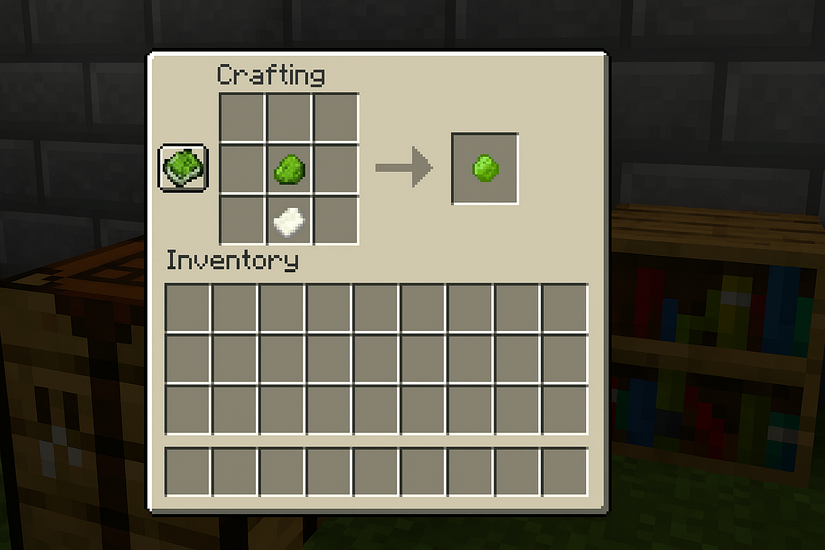
Combine Green Dye with Bone Meal to create Lime Dye. This expands your color range for decorations and banners.
Banner and armor customization with green dye
Just like the Black Dye in Minecraft, you can use Green Dye in a loom to create banner patterns. Bedrock players can also dye armor using cauldrons for unique combinations.
Bedrock and Java differences you should know
Loot tables and trading probabilities can vary between editions. Spawning rules for cactus also differ slightly in world seeds and structure generation. Knowing these differences helps players avoid confusion when switching platforms.
Common issues and troubleshooting tips
- Cactus does not appear in your world: Custom world generation or rare biome placement may delay cactus discovery. Increasing render distance or exploring in a straight line improves your search results.
- Furnace not smelting cactus correctly: The furnace may lack fuel or incorrect items may be inserted. Cactus smelts only in furnaces and does not work in smokers or blast furnaces.
- Wandering trader not offering green dye: Trader inventory rotates and does not guarantee dye availability. You can wait for a new trader spawn or reset trades by moving away until the trader despawns.
Tips
- Search deserts from elevated terrain to spot cactus from a distance.
- Carry a shovel to collect sand quickly for new cactus growth.
- Build an early hopper system to store cactus automatically.
- Use leads to control wandering traders if you want to keep them near your base.
FAQs
How do I get Green Dye quickly in a new world? Smelting cactus in any furnace offers the fastest method once you find a desert or cactus-decorated village.
Can zombies or mobs drop Green Dye? No, Green Dye comes only from smelting cactus, trading, chest loot, or commands.
Can I grow cactus without sand? Cactus grows only on sand blocks, so keep a few sand blocks ready when farming.
Does Green Dye work in both Java and Bedrock? Yes, although crafting recipes behave the same, some spawn and loot rates differ.
Summary
- Locate cactus in desert or badlands biomes.
- Smelt cactus to create Green Dye.
- Trade with Wandering Traders if cactus is hard to find.
- Build cactus farms for long-term dye production.
- Use Green Dye for crafting, banners, armor, and Lime Dye upgrades.
Green Dye remains one of the easiest dyes to produce once you find cactus or desert villages. Smelting, trading, and farming all offer reliable ways to gather larger quantities as you progress. With a simple automation setup, you can maintain an unlimited supply for crafting, building, and creative projects.


Discussion (0)
Be the first to comment.