




Tea TV gives you access to a large catalog of movies and shows without relying on traditional streaming subscriptions. At the time of writing, the app must be sideloaded because it is not available in standard app stores. This guide explains how to download Tea TV on Android and Fire TV Stick, how to enable the correct settings, and how to stay safe while using third-party APK files.
How Tea TV Works
Tea TV uses a lightweight interface to organize streaming sources and provide quick access to movies and TV shows. Since it is not distributed through official stores, you must download the Tea TV APK and install it manually. This requires enabling installation from unknown sources on your device.
How To Download Tea TV On Android
You can install Tea TV on most Android phones and tablets by adjusting your security settings. Once the APK is downloaded, your device will allow you to launch the installer and complete setup in a few seconds.
Step 1: Download The Tea TV APK
Download the Tea TV APK from the official Tea TV website to reduce the risk of corrupted or unsafe files.
- Open your browser and visit the official Tea TV website.

- Select the Download Tea TV APK button.

- Save the file to your device.
Step 2: Enable Unknown Sources
Android blocks external apps by default, so you must allow installation before opening the APK.
- Open Settings on your Android device.
- Select Security or Privacy.
- Tap Install unknown apps.
- Choose your browser and toggle Allow from this source.
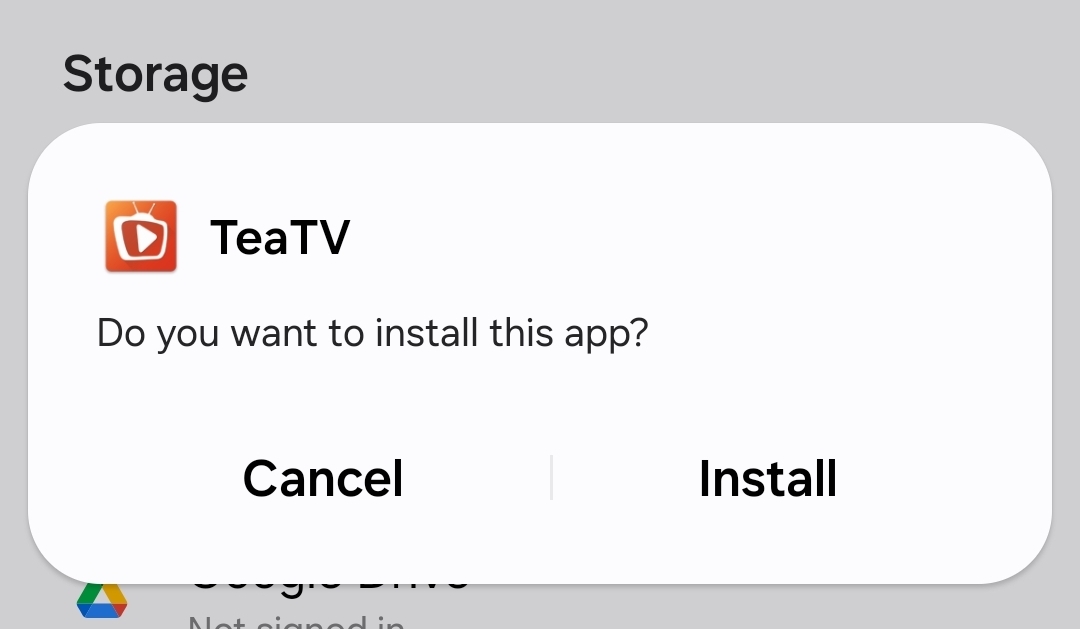
Step 3: Install Tea TV
- Open your downloads folder.
- Tap the Tea TV APK file.
- Select Install.
- Open Tea TV after the installer finishes.
How To Download Tea TV On Firestick
Fire TV Stick allows sideloading but requires an external app to fetch APK files. The Downloader app is the fastest method and works on all modern Fire TV devices.
Step 1: Enable Apps From Unknown Sources
- Go to Settings on Fire TV Stick.
- Select My Fire TV.
- Open Developer options.
- Enable Apps from Unknown Sources.
Step 2: Install The Downloader App
- Select the Search icon.
- Type Downloader.
- Install the app from the Amazon Appstore.
Step 3: Download And Install Tea TV
- Open Downloader.
- Enter the official Tea TV website URL.
- Select the Tea TV APK download button.
- When prompted, choose Install.
- Launch Tea TV from your apps list.
Troubleshooting Common Problems
- App not installing: Confirm that unknown sources are enabled on Android or Fire TV Stick.
- Download fails: Retry using a different browser or clear your cache.
- Tea TV crashes: Restart your device and reinstall the latest APK version.
- No streams available: Check your internet connection or restart the app.
- Downloader error on Fire TV Stick: Make sure JavaScript is enabled in Downloader settings.
Tips
- Always download the Tea TV APK from the official website to avoid unsafe files.
- Keep your device updated to improve app compatibility.
- Use secure Wi-Fi to stabilize streaming quality.
- Clear Tea TV’s cache if the interface loads slowly.
- Update Tea TV regularly for new features and bug fixes.
FAQ
Is Tea TV free? Yes, Tea TV is free to download and use.
Is Tea TV legal? The app itself is legal, but streaming availability depends on your location and rights to the content.
Does Tea TV work on iPhone? No, Tea TV does not offer an iOS version at the time of writing.
Why won’t Tea TV open? Reinstall the latest APK or clear the app cache on Android or Fire TV Stick.
Summary
- You must sideload Tea TV because it isn’t available in app stores.
- Android requires enabling installation from unknown sources.
- Fire TV Stick requires the Downloader app to fetch and install the APK.
- Regular updates improve stability and streaming performance.
- Download the APK only from the official Tea TV website.
Conclusion
Tea TV offers a simple and flexible way to stream movies and shows on Android and Fire TV Stick. With a quick sideload and the correct settings enabled, you can install the app in minutes and enjoy a large content library without subscription requirements.



Discussion (0)
Be the first to comment.