




Showbox is back online via Showbox.com.co, offering movie lovers a free, easy way to stream or download their favorite films. With the latest Showbox APK version, users can enjoy HD movies, offline playback, and even a built-in Child Mode for safe viewing. This guide explains how to download movies from Showbox App securely and start building your personal movie library.
What Is Showbox App?
Showbox is a free streaming and downloading platform that aggregates links to movies and TV shows from multiple web sources. It’s not listed on Google Play, so users must download the Showbox APK manually. The app supports Android, PCs (via emulators), Fire TV Stick, and some Smart TVs.
Unlike older clones, the new Showbox site claims to host a verified, ad-free version with enhanced features like HD playback, multi-language subtitles, and a lightweight design. However, as with any third-party app, you should always scan files with antivirus software before installing.
Key Features of Showbox APK
- HD Streaming: Watch in 1080p or 4K, depending on your device.
- Offline Downloads: Save movies to your device and watch them without an internet connection.
- Child Mode: Filter adult or violent content instantly from Settings.
- Ad-Free: No intrusive pop-ups while streaming or browsing.
- Multi-Language & Subtitles: Choose your preferred audio and subtitle options.
- Fast Servers: Built for smooth, buffer-free streaming.
How to Download Movies From Showbox App (Step-by-Step)
Follow these five simple steps to download and watch your favorite movies using Showbox APK.
Step 1: Download and Install Showbox APK
Go to the new Showbox site and download the latest Showbox APK. Since it’s not on Google Play, you’ll need to enable “Install from Unknown Sources” in your Android Settings. Once downloaded, open your file manager, tap the APK file, and confirm installation. The app icon will appear on your home screen after setup.
Step 2: Open the App and Explore
Launch the app and browse through its clean interface. You’ll see categories like Action, Drama, Anime, and Regional. A built-in search bar helps you quickly find any title. Tap a movie thumbnail to open its details page, where you can view the description, release date, and rating.
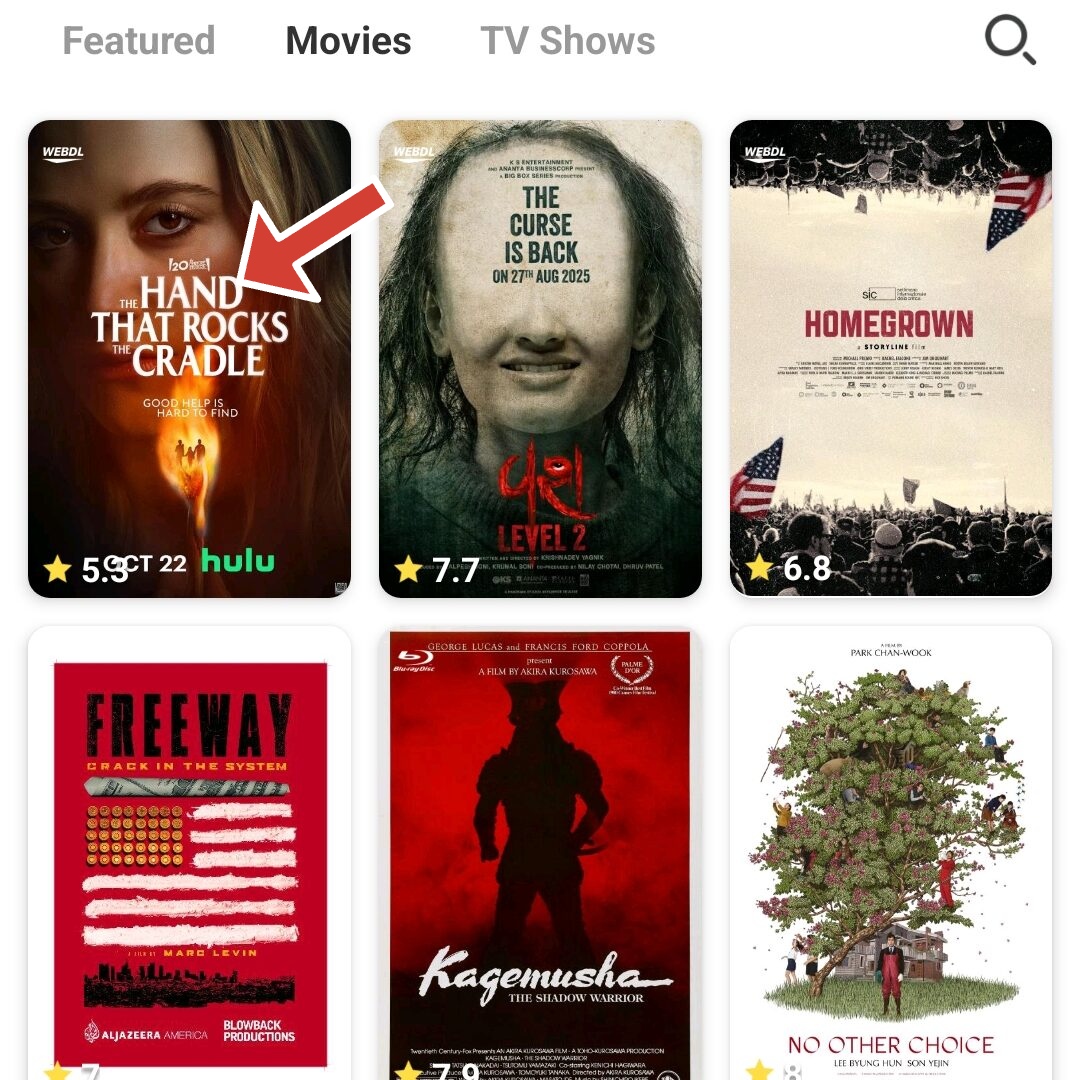
Step 3: Select the Movie You Want to Download
Once you find your desired movie, tap it and then tap the Download icon (a downward arrow) at the bottom right.
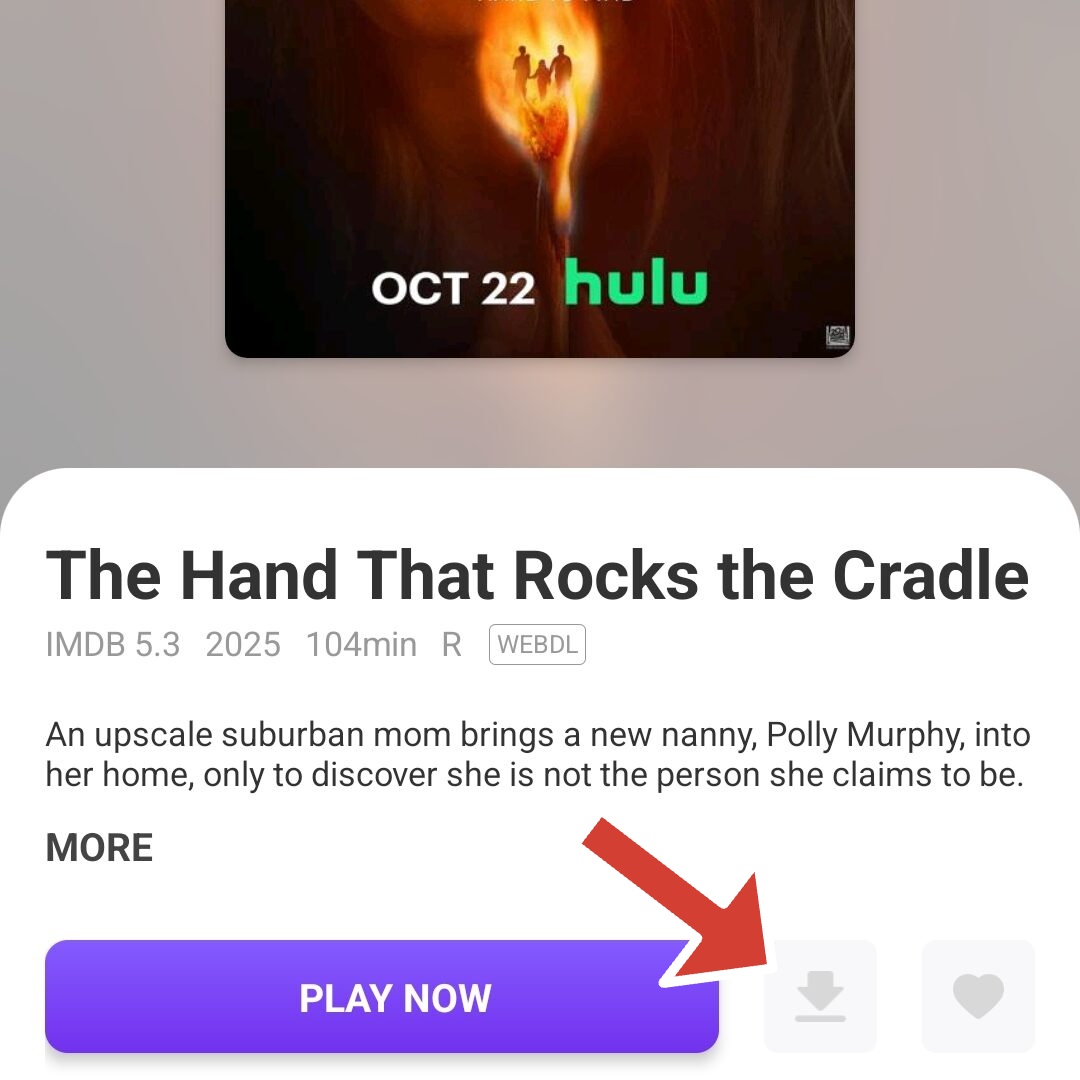
Step 4: Download and Monitor the Download Progress
You'll be taken to a page called "Netdisk Download," where you'll see several file-hosting services. That's where you'll download the movie from. Click on one of them. e.g, FebBox.

Step 5: Watch Offline Anytime
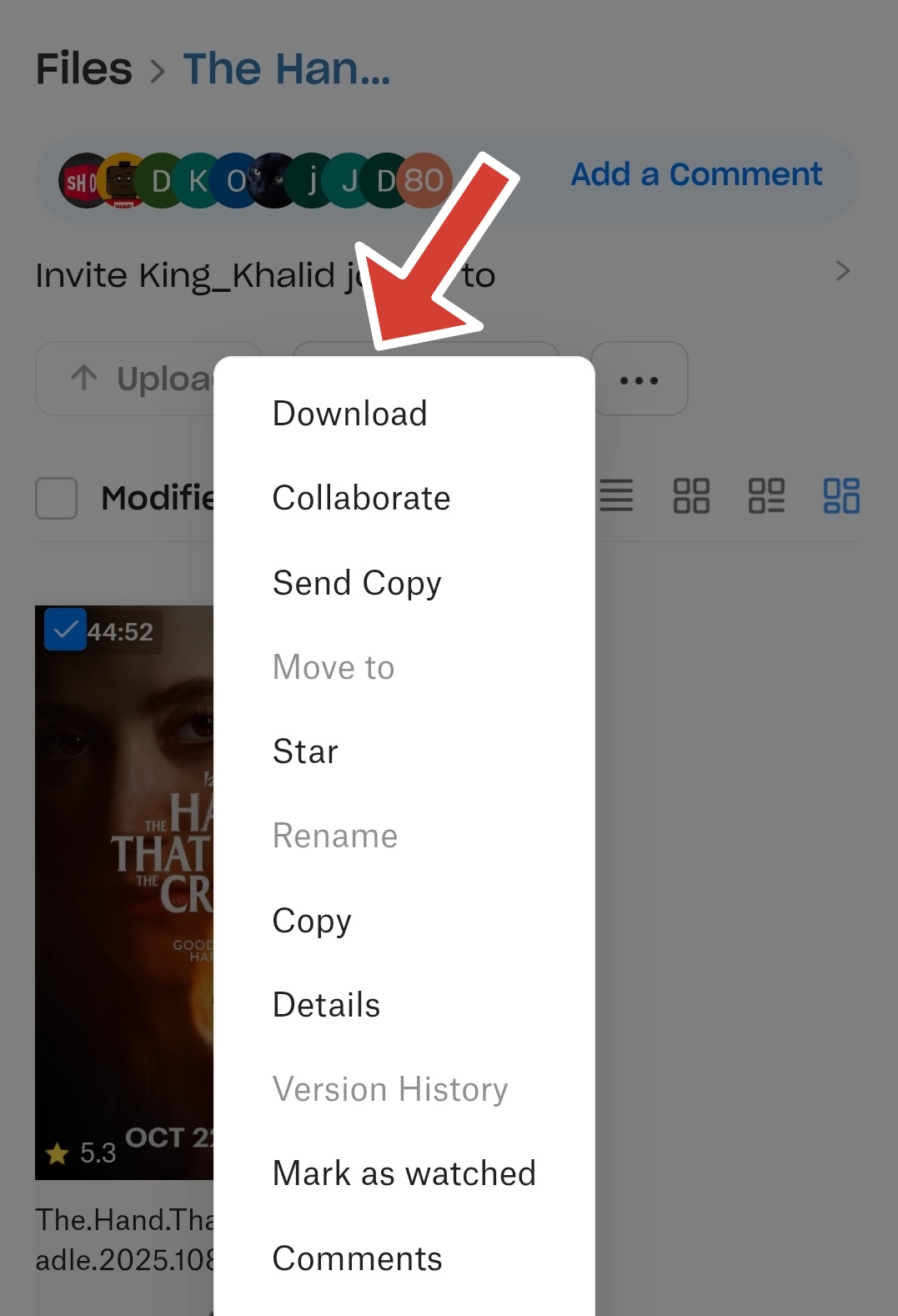
You'll be taken to another page. Tap the three dots below the movie's poster to open a menu. Tap Download from the options, and Showbox will begin downloading. The app shows a progress bar with the remaining percentage and estimated time. Keep your device connected to a stable Wi-Fi network to prevent interruptions. If a download stalls, restart the app or clear its cache from Settings.
Once the movie finishes downloading, you can watch it even without an internet connection. This makes Showbox ideal for flights, commutes, or areas with limited connectivity.
Using Showbox on PC
To use Showbox on PC, install an Android emulator, such as BlueStacks or NoxPlayer. Open the emulator, import the APK, and launch the app inside your virtual Android environment.
Troubleshooting and Safety Tips
- If the app crashes, clear the cache and reinstall the latest version.
- Ensure your network is active if movies aren’t updating.
- Scan all APK files with antivirus software before installation.
- Use a VPN for extra privacy when streaming.
Showbox Alternatives
If Showbox doesn’t load or you prefer official apps, try Tubi, Pluto TV, or Plex. They provide free, ad-supported streaming and allow legal offline downloads in some regions.
Conclusion
The new Showbox APK offers a faster, cleaner, and more flexible movie experience. By following this guide on how to download movies from Showbox app, you can enjoy HD films anytime — even offline. Remember to stay safe by downloading only from a trusted source and scanning every file before installation.
Showbox remains one of the easiest ways to watch free movies without monthly fees. Enjoy your downloads responsibly and explore all the new features in this year’s update!


Discussion (0)
Be the first to comment.