



If you want to learn how to download Skyrim for free on Windows 10 without using unsafe files or piracy, there are several fully legal ways to play the game at no extra cost. At the time of writing, Skyrim often becomes available through official promotions, free weekends, and subscription services that already include the game. This guide explains every legitimate method so you can install or reinstall Skyrim on Windows 10 safely.
Skyrim remains one of the most popular open-world role-playing games ever released. If you already purchased it in the past, you can download the game for free again through the platform you bought it on. If you have never owned Skyrim, specific programs and limited-time offers also allow you to play it without paying full price.
System Requirements To Play Skyrim On Windows 10
Before you download Skyrim for free on Windows 10, confirm that your system meets the minimum requirements. The game runs well on most modern PCs, but older systems may struggle.
- 64-bit Windows 10
- Intel or AMD dual-core CPU
- 8 GB RAM or more
- NVIDIA or AMD GPU with DirectX 11 support
- At least 12 GB of free storage
If your PC meets these requirements, you’re ready to continue.
Legal Ways To Download Skyrim For Free On Windows 10
You can download Skyrim for free using legitimate sources, depending on whether you already own the game or are accessing approved promotional offers. These methods avoid unsafe downloads, cracked files, or malware risks.
Use Your Existing Purchase To Download Skyrim Again
If you already bought the Skyrim game in the past, you can download it for free from the platform where you purchased it. You never have to pay again.
Steam Users
- Open Steam and sign in.
- Select “Library” from the left menu.
- Search for “Skyrim” or “The Elder Scrolls V: Skyrim.”
- Click “Install.”
Microsoft Store / Xbox App Users
- Open the Microsoft Store or Xbox app on Windows 10.
- Sign in with the same account you used when you purchased Skyrim.
- Search for “Skyrim.”
- Select “Install” to download it for free.
Play Skyrim For Free Through Xbox Game Pass PC
Game Pass frequently includes Skyrim, allowing you to play it without buying a standalone copy. If you already subscribe, you can download Skyrim for free.
- Open the Xbox app in Windows 10.
- Sign in with an active Game Pass membership.
- Search for “Skyrim.”
- Click “Install.”
If Skyrim rotates out of the catalog, it may return later. Titles change regularly.
Take Advantage Of Free Weekends Or Limited-Time Events
Steam and the Microsoft Store occasionally offer Skyrim free weekends that allow temporary free access. During these events, you can download and play the game at no cost.
- Open Steam or the Microsoft Store.

- Look for the Skyrim event banner.
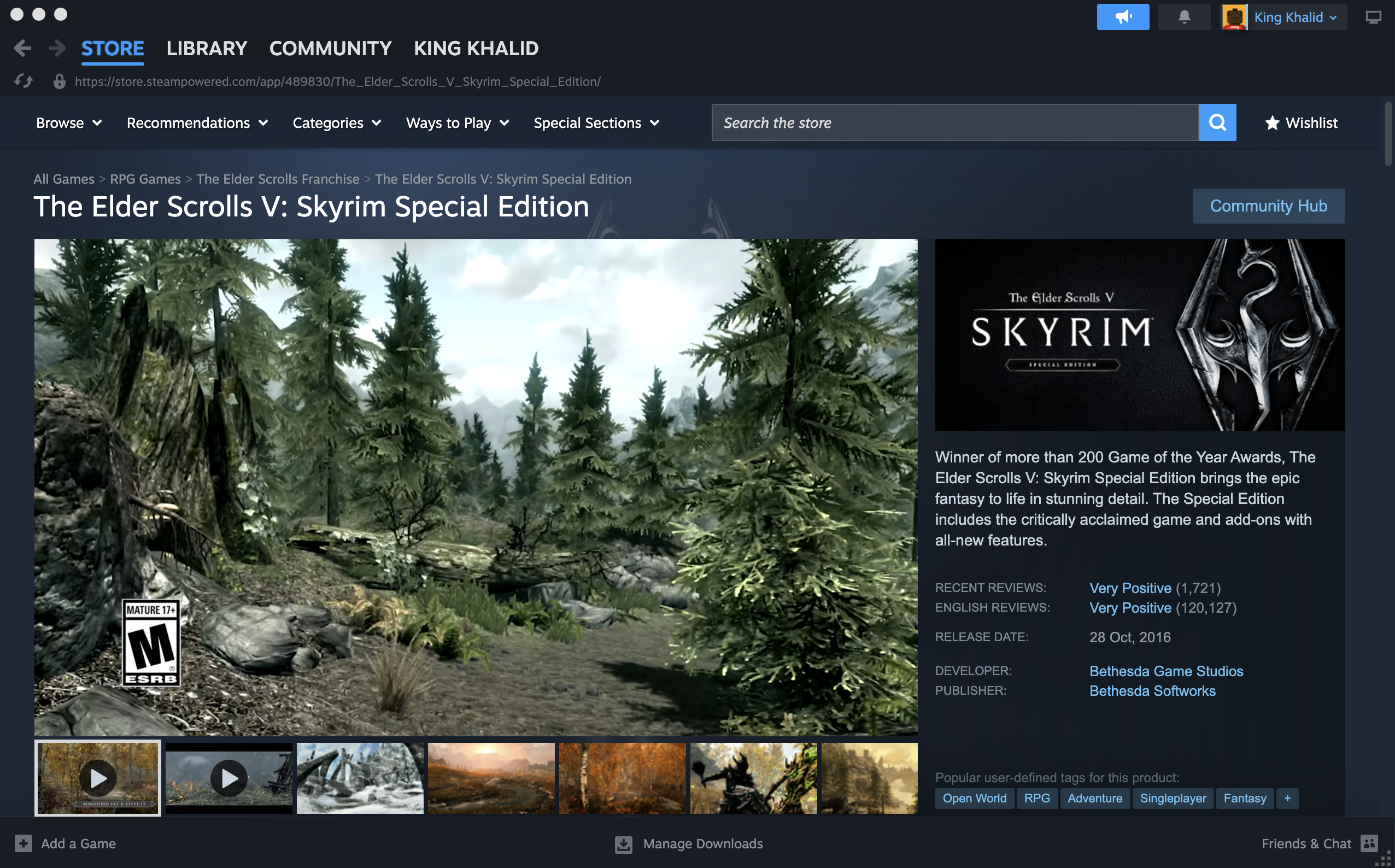
- Click “Play For Free.”

Your progress saves, but you lose access once the event ends unless you purchase or subscribe.
Redeem Promotional Giveaways When Offered
Occasionally, official Bethesda or Microsoft promotions allow users to claim Skyrim for free. These offers are rare but safe and legitimate.
- Check your Xbox or Bethesda account notifications.
- Redeem the promotion if available.
- Install Skyrim through the Microsoft Store or Steam afterward.
How To Install Skyrim On Windows 10
Once you gain access through one of the legal methods listed above, installing Skyrim is simple.
- Sign in to Steam, Xbox, or Microsoft Store.
- Select Skyrim from your library or subscription.
- Choose your install location.
- Wait for the download and installation to finish.
- Launch the game from your library.
These steps work for Skyrim Anniversary Edition, Special Edition, and standard versions depending on what you own.
Tips To Improve Skyrim Performance On Windows 10
Once Skyrim is installed, you can optimize performance using a few simple adjustments.
- Lower graphics settings if you experience lag.
- Update your GPU drivers through NVIDIA or AMD.
- Use an SSD for faster loading screens.
- Close background apps that consume RAM.
FAQs About Downloading Skyrim For Free On Windows 10
Is There A Fully Free Legal Version Of Skyrim?
You can play Skyrim for free only through subscriptions, free weekends, account ownership, or official promotions. There is no permanent fully free version of the game.
Can I Reinstall Skyrim For Free If I Already Bought It?
Yes. If you own it on Steam, Microsoft Store, or Xbox, you can download it again at no extra cost.
Does Skyrim Ever Become Free To Keep?
Rarely. When promotions occur, they will appear through official stores, not third-party sites.
Is It Safe To Download Skyrim From Random Websites?
No. Only download Skyrim from Steam, Microsoft Store, or Xbox. Third-party “free” sites may contain malware or illegal files.
Conclusion
You now know how to download Skyrim for free on Windows 10 using safe, legal, and reliable methods. Whether you already own the game, use a service like Xbox Game Pass, or participate in an official free weekend, these options allow you to play without spending more money. Avoid unofficial installers or cracked versions, and always download Skyrim through trusted digital platforms.
With the game installed, you’re ready to explore the world of Tamriel and enjoy one of the most iconic RPGs ever made.


Discussion (0)
Be the first to comment.