




Downloading Keynote on your Apple device gives you access to one of the cleanest and most intuitive presentation tools available. Whether you want to build slides for work, school, or personal projects, Apple’s Keynote app delivers professional templates, smooth animations, and seamless iCloud syncing. This guide explains how to download Keynote on iPhone, iPad, and Mac using simple, beginner-friendly steps.
What Is Keynote?
Keynote is Apple’s presentation software, part of the iWork suite. It works across macOS, iPadOS, and iOS, and includes advanced tools like cinematic transitions, Apple Pencil support, and iCloud collaboration. While Keynote is exclusive to Apple devices, this guide covers accurate, up-to-date steps for downloading it from the App Store.
How To Download Keynote From The App Store
You can install Keynote on any supported Apple device by using the App Store. The steps below work on iPhone, iPad, and Mac.
Go To The App Store
Start by opening the App Store from your Home Screen or Dock.
- Tap or click the App Store icon.
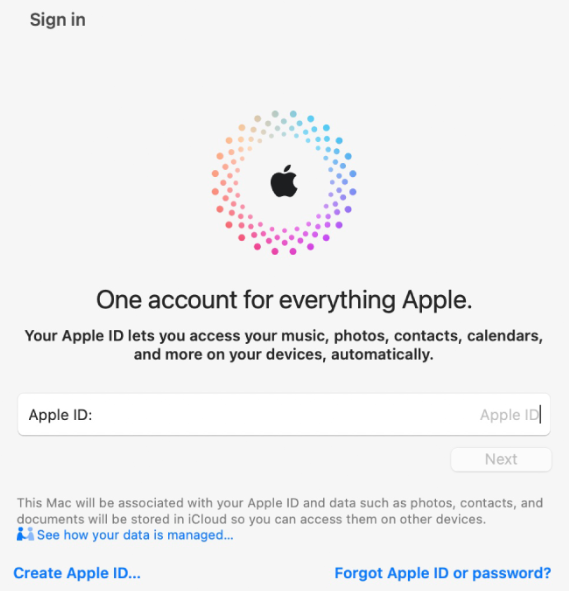
- Make sure you’re signed in with your Apple ID.
Search For Keynote
Use the App Store’s search bar to find the official Keynote app.
- Select the Search tab.
- Type Keynote in the search field.
- Look for Apple’s official Keynote icon.
Select The Keynote App
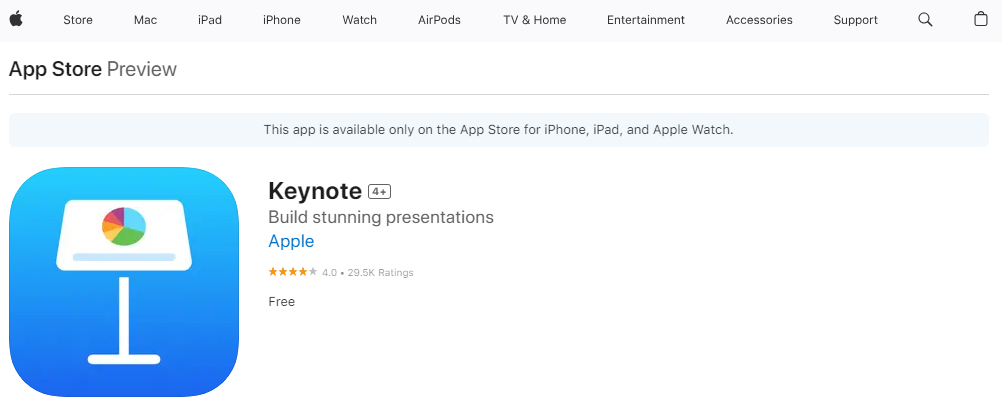
Open the Keynote app page to verify that you’re downloading the correct version from Apple.
- Tap the Keynote listing in the search results.
- Review the description, screenshots, and user ratings.
Tap The “Get” Button
Once you’re ready to download Keynote, begin the installation process.
- Tap Get or the cloud-download icon.
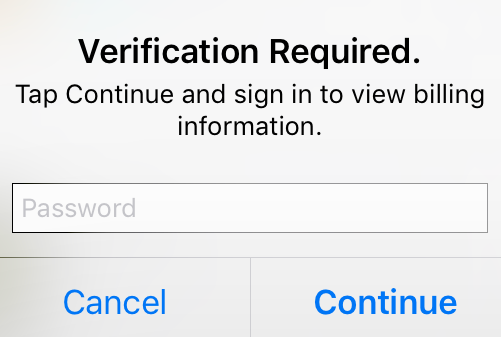
- Authenticate with Face ID, Touch ID, or your Apple ID password.
Wait For The Download To Complete
Keynote will download and install automatically. Make sure your Wi-Fi connection remains active until the installation finishes.
- Keep your device unlocked during the download.
- Wait until the button changes to Open.
Open Keynote
After installation, Keynote becomes available from your Home Screen or Applications folder.
- Tap or click Open in the App Store, or launch Keynote from your device.
- Review introductory tips or sample presentations if displayed.
Sign In With Your Apple ID
Some features, like iCloud syncing and collaboration, require an Apple ID.
- Sign in with your Apple ID inside the Keynote app if prompted.
- Enable iCloud to sync your presentations across Apple devices.
Start Using Keynote
You can now create presentations, browse templates, and sync your work across devices. Keynote supports real-time collaboration, advanced animations, charts, and seamless exporting to PowerPoint or PDF.
Troubleshooting steps
- Restart the App Store if the Get button won’t load or stays grayed out.
- Sign out and back into your Apple ID when Keynote refuses to download.
- Check your internet connection and switch from cellular to Wi-Fi for large downloads.
- Restart your device to clear App Store cache issues that block installation.
- Verify that your device meets the minimum iOS, iPadOS, or macOS version required for Keynote.
Tips
- Enable automatic app updates so Keynote stays current without manual downloads.
- Turn on iCloud Drive to sync Keynote presentations instantly across all Apple devices.
- Use Search inside the App Store to find Keynote quickly if it does not appear in top results.
- Download Keynote while your device is plugged in to avoid interruptions.
- Use the cloud icon to redownload Keynote if you installed it previously.
FAQ
Is Keynote free to download?
Yes. Keynote is free for all users with a compatible Apple device.
Why can’t I find Keynote in the App Store?
Your device may run an older OS version that Keynote no longer supports. Update your software and try again.
Do I need an Apple ID to use Keynote?
You can open the app without one, but you need an Apple ID for iCloud syncing and collaboration features.
Can I export Keynote presentations to PowerPoint?
Yes. Keynote lets you export slides as .PPTX files for compatibility with Microsoft PowerPoint.
Summary
- Open the App Store and search for Keynote on your iPhone, iPad, or Mac.
- Tap the Keynote listing and download it using Get or the cloud icon.
- Authenticate with Face ID, Touch ID, or your Apple ID password.
- Open Keynote and sign in to enable iCloud syncing and collaboration.
- Start using templates, animations, and export tools to create presentations.
Conclusion
Downloading Keynote on your Apple device takes only a few minutes. By following the steps above, you can install Apple’s presentation software and begin creating polished slides with powerful design tools. If you use multiple Apple devices, enabling iCloud gives you access to your presentations everywhere, making Keynote a flexible choice for work, school, and personal projects.

Discussion (0)
Be the first to comment.