




PayPal offers several financing options, but the available options depend on whether your account is personal or business. At the time of writing, PayPal’s actual lending products, PayPal Working Capital and PayPal Business Loans, are offered only to Business or Premier accounts that meet specific sales activity requirements. Personal users cannot apply for these business loans, but they may qualify for PayPal Credit or Buy Now, Pay Later plans for purchases.
This guide explains how borrowing works inside the PayPal ecosystem. You will learn how business users unlock loan programs, how personal users can access financing tools, and how to manage repayments directly from the PayPal dashboard. These steps follow PayPal’s current lending rules and verified account requirements.
Understand PayPal Borrowing Options
Before applying, you need to know which loan products you qualify for. PayPal offers two categories of financing: business funding and personal credit tools.
Business Funding (True Loans)
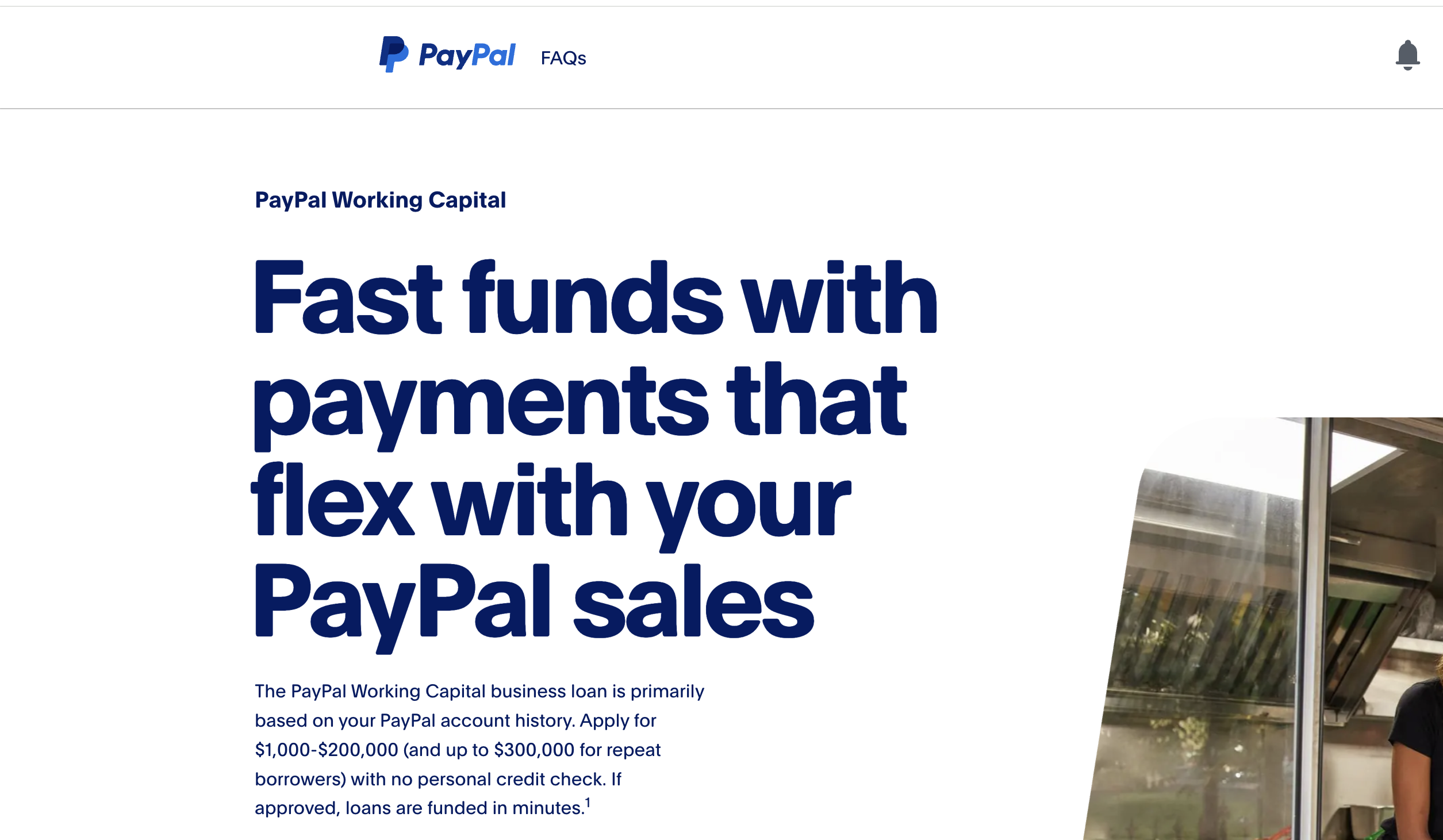
- PayPal Working Capital — Available only to Business or Premier accounts with consistent PayPal sales volume.
- PayPal Business Loan — Requires meeting annual revenue thresholds and completing a business eligibility check.
- Both products provide cash financing and automatic repayments tied to PayPal sales.
Personal User Financing (Not Cash Loans)
- PayPal Credit — A line of credit for online purchases, not a direct cash loan.
- Buy Now, Pay Later — Installment payments for eligible purchases at checkout.
- PayPal Credit Mastercard — A credit card with standard bank underwriting; users can withdraw cash advances like a regular card.
Personal accounts do not qualify for PayPal Working Capital or PayPal Business Loans, so any cash-based borrowing must come through the PayPal Credit Mastercard or a business upgrade.
Prepare Your PayPal Account
Business applicants must meet PayPal’s verification and activity standards to access loan products. Preparing your account increases your chances of approval.
- Upgrade to a Business or Premier PayPal account if you plan to apply for Working Capital or Business Loans.
- Verify your identity and business information in Settings.
- Link a bank account so PayPal can validate deposits and withdrawals.
- Maintain consistent sales activity if you plan to apply for Working Capital.
Verification is essential because PayPal uses account history and sales volume, not traditional credit checks, to determine loan eligibility for business products.
Access PayPal’s Business Loan Options
If you have a Business or Premier account, PayPal displays eligible loan programs directly inside your dashboard. These options appear only when your account meets the Internal Revenue Service requirements.
- Sign in to PayPal and open Financial or Business Tools.

- Select Borrow or Financing.
- Review available options, including Working Capital or Business Loans.
- Check sales requirements and repayment methods before applying. Click Apply Now.
Loan availability is not guaranteed. PayPal uses your transaction volume, business category, and account history to determine which programs appear.
Choose The Right Loan For Your Business
Each program offers different fees, repayment rules, and borrowing limits. Selecting the right one helps you avoid repayment issues later.
- Compare borrowing limits and fixed fees.
- Check whether repayments are based on a percentage of your daily PayPal sales.
- Review how the repayment rate affects cash flow during slow periods.
- Confirm whether your business meets minimum annual sales thresholds.
Working Capital focuses on past PayPal sales, while Business Loans use broader business data including revenue and financial stability.
Apply For A PayPal Business Loan
The application process is streamlined because PayPal uses your existing business information to review your request quickly.
- Open the Borrow section in your PayPal dashboard.
- Select a loan program you qualify for.
- Complete the online questionnaire with business details.
- Upload any requested documents such as ID, bank statements, or business records.
- Submit your application for review.
Most decisions arrive quickly because PayPal analyzes your sales performance and account activity automatically.
Review And Accept Your Loan Terms
Before accepting, read all fees, repayment percentages, and early payoff rules. PayPal business loans often withdraw repayments directly from incoming sales.
- Check the total repayment amount.
- Review sales-based repayment percentages.
- Confirm the expected payoff timeframe.
- Ensure the repayment structure fits your business activity.
Once accepted, the loan agreement is binding and cannot be modified, so review every detail carefully.
Confirm Disbursement And Manage Repayments
After you accept your loan, PayPal transfers the funds to your PayPal balance. Repayments begin automatically based on your selected repayment rate.
- Monitor repayment activity in your loan dashboard.
- Keep your PayPal account active to avoid missed payments.
- Make additional manual payments if you want to pay down the balance faster.
For Working Capital, repayments are tied to sales. For Business Loans, repayments follow a fixed weekly schedule.
Troubleshooting Common Problems
- Your loan options do not appear — your account may not meet business sales requirements.
- You cannot apply with a personal account — business loans require Business or Premier accounts.
- Repayments are failing — ensure your PayPal balance or linked bank account has enough funds.
- Your application is delayed — check for missing documents.
- You applied for the wrong product — personal users must use PayPal Credit or BNPL tools.
Tips
- Upgrade to a Business or Premier account if you need access to cash loans.
- Maintain consistent sales to increase eligibility for Working Capital.
- Review loan fees carefully before applying.
- Borrow only what your business can reliably repay.
- Keep your bank account linked and verified to avoid repayment issues.
FAQ
Can personal users borrow cash from PayPal? No. Personal accounts cannot access PayPal Working Capital or Business Loans. They can use PayPal Credit or Buy Now, Pay Later for purchases.
Does PayPal check credit scores? Business loans often rely on sales activity. PayPal Credit products use traditional credit checks.
How do I qualify for Working Capital? Your Business or Premier account must meet PayPal’s annual sales volume requirements.
Can I repay early? Yes. PayPal allows early repayment without penalties.
Where does PayPal deposit loan funds? Funds are deposited into your PayPal balance immediately after approval.
Summary
- Personal users cannot receive PayPal cash loans; only business accounts qualify.
- Business accounts can access Working Capital and Business Loans.
- Prepare your account by verifying identity and linking a bank account.
- Apply directly through the PayPal dashboard if eligible options appear.
- Monitor repayments through your PayPal loan dashboard.
Conclsuion
Borrowing from PayPal works best for verified business accounts with consistent sales activity. Personal users still have access to PayPal Credit and Buy Now, Pay Later programs, but not cash loans. Understanding these distinctions helps you choose the right financing tool and avoid confusion while exploring PayPal’s lending system.


Discussion (0)
Be the first to comment.