




Learning how to buy gift cards with PayPal lets you send gifts quickly and securely without sharing your card details at every store. You can purchase digital gift cards, deliver them by email, and pay with your PayPal balance, linked bank account, or card.
WHAT YOU NEED BEFORE YOU START
- An active PayPal account with a confirmed email.
- A funding source: PayPal balance, linked bank, or credit/debit card.
- Recipient name and email for eGift delivery.
METHOD 1: BUY THROUGH PAYPAL DIGITAL GIFTS
This is the most direct way to buy and send a digital gift card with PayPal. It supports popular brands and instant email delivery.
- Go to PayPal’s gift cards section and search for the brand.
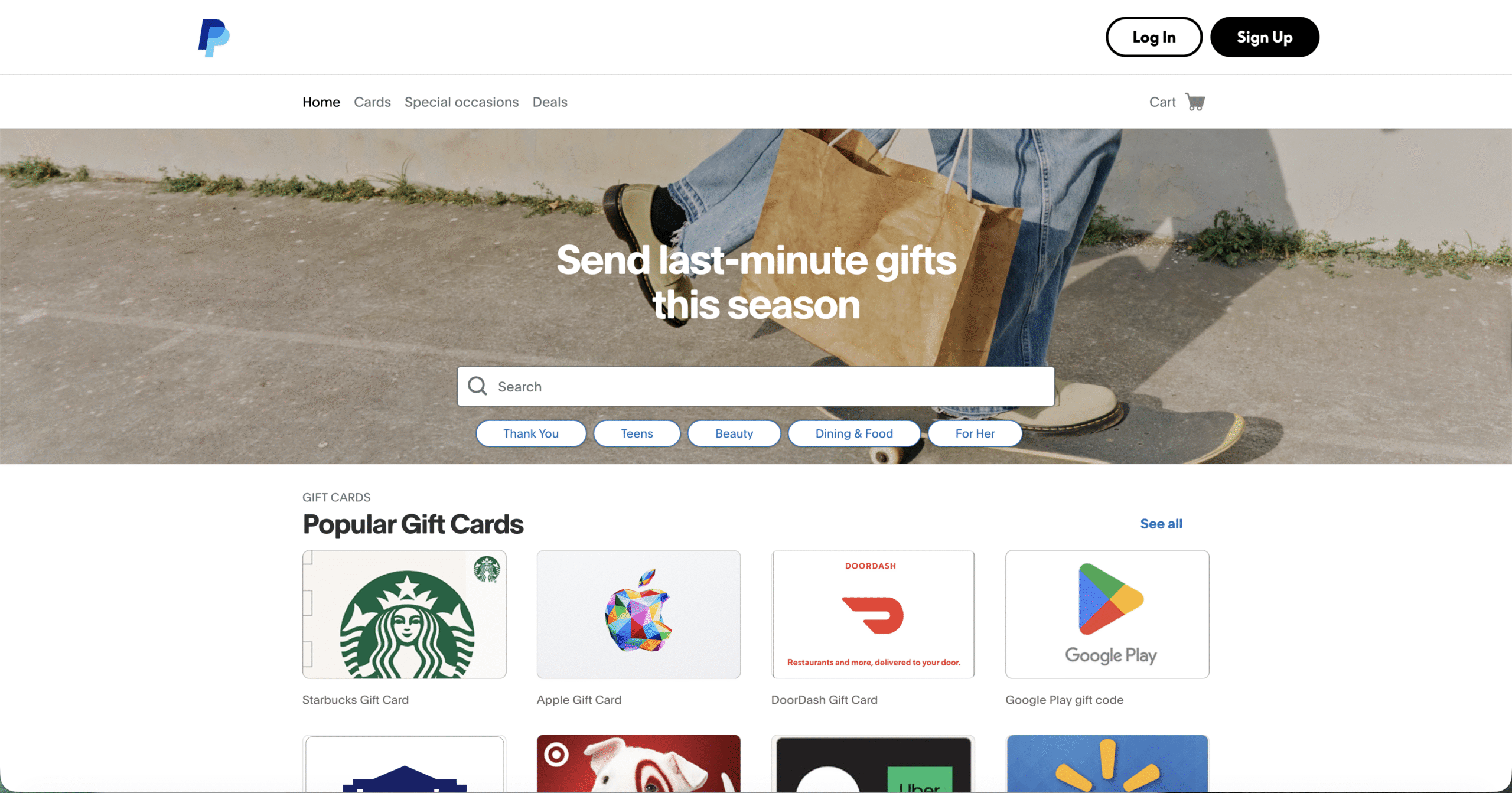
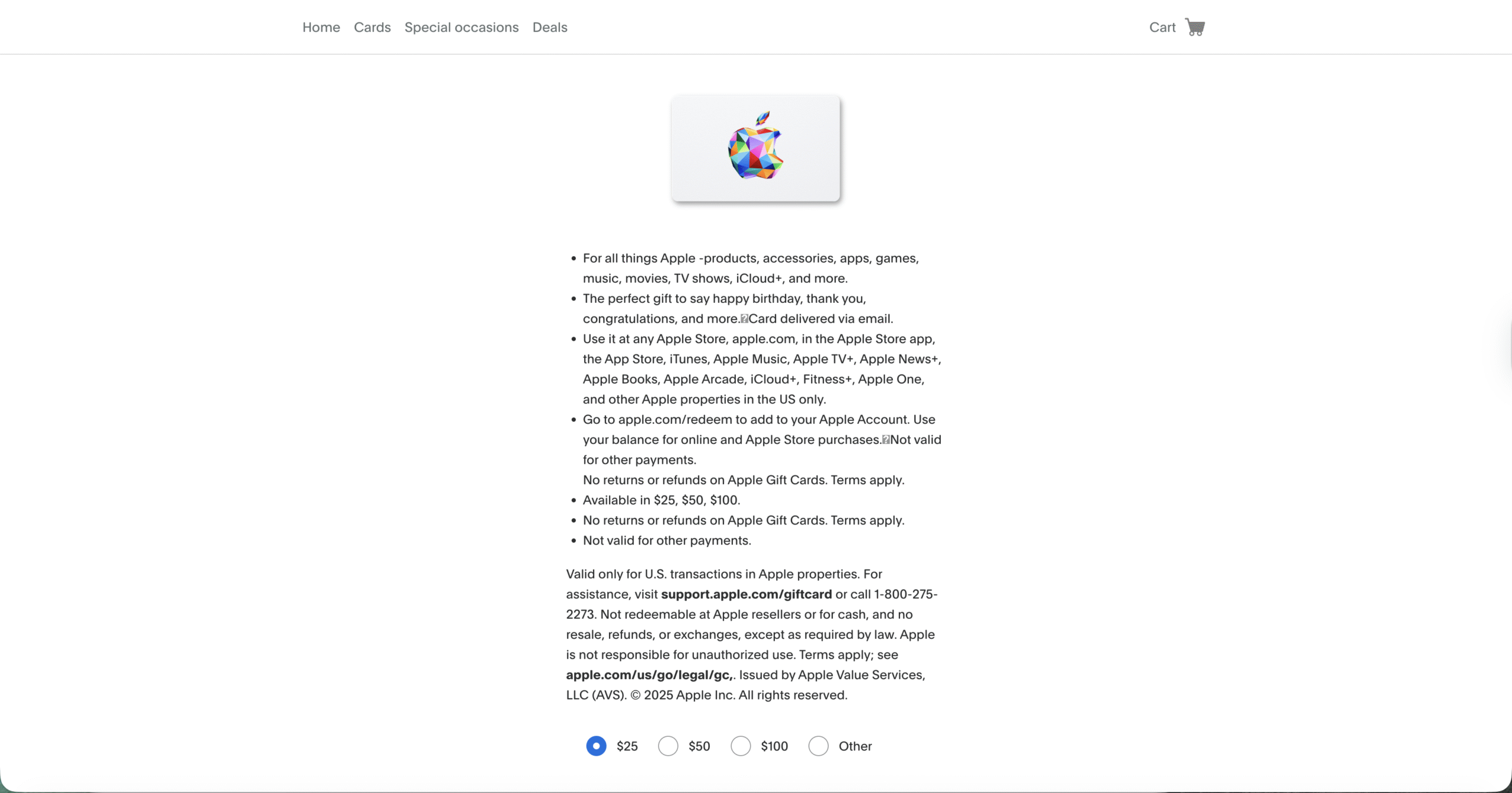
- Select the brand and value.
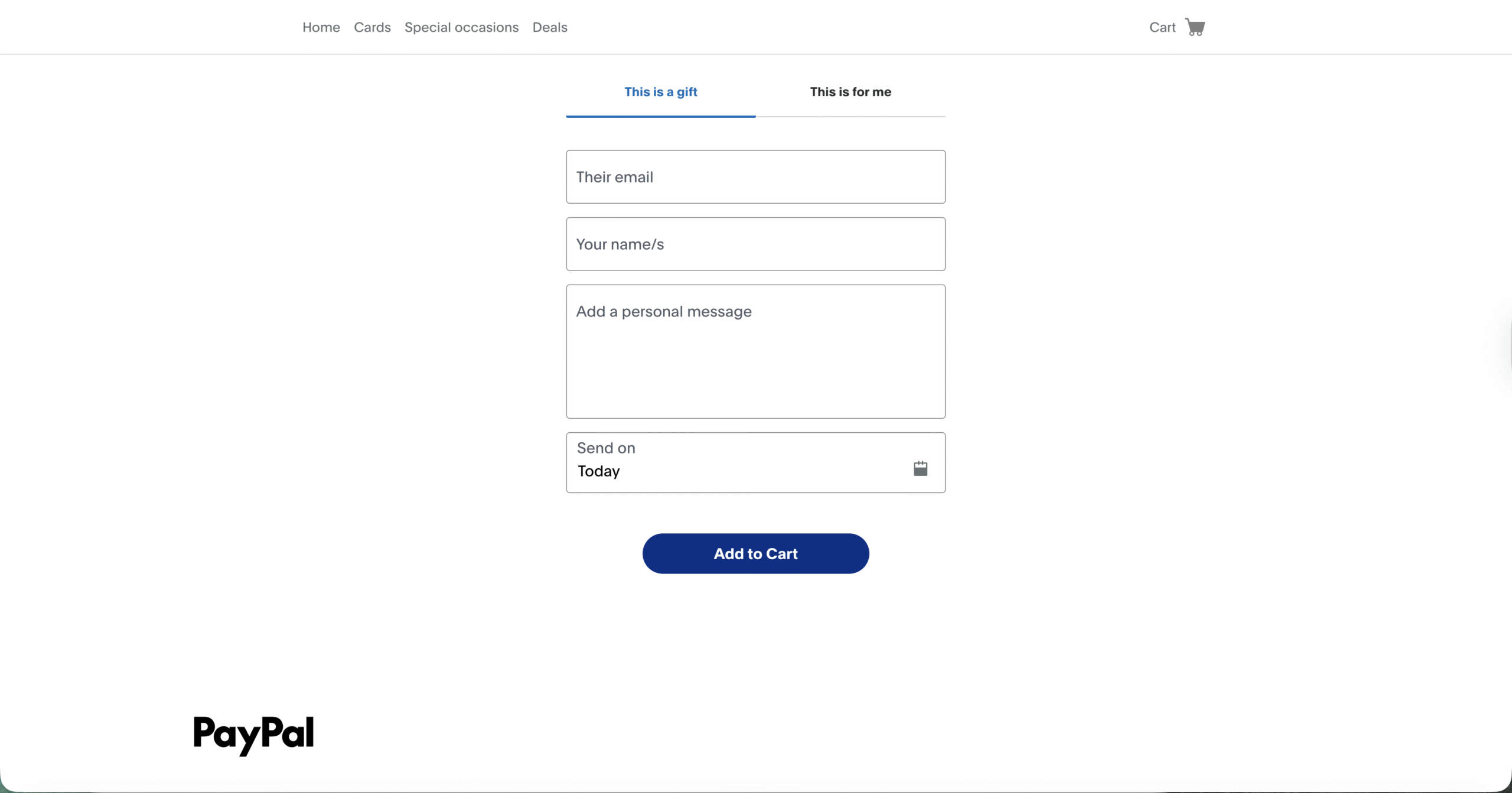
- Enter the recipient’s name, email, and a short message.
- Select your PayPal funding source and complete checkout.
- Share the confirmation with the recipient if needed. The eGift card arrives by email.
Use this route when you want a fast purchase flow and simple tracking from your PayPal account activity.
METHOD 2: BUY FROM RETAILERS THAT ACCEPT PAYPAL
Many stores let you purchase their eGift cards and pay with PayPal at checkout. This is useful when the brand is not listed in PayPal’s catalog.
- Visit the retailer’s official gift card page.
- Select an eGift denomination and delivery by email.
- At checkout, choose PayPal as the payment method.
- Log in to PayPal and confirm the payment.
- Check your inbox for the gift card email or redemption link.
If PayPal is missing at checkout, the retailer may not support it for gift cards. Choose a different method or brand.
METHOD 3: USE TRUSTED GIFT CARD MARKETPLACES
Some marketplaces sell a wide range of digital gift cards and accept PayPal for payment. This expands your options and can include regional cards.
- Pick a reputable marketplace that supports PayPal.
- Search for the card you want and verify delivery details.
- Add to cart, choose PayPal, and complete the purchase.
- Retrieve the code from email or your account dashboard.
- Redeem the code at the brand’s site or app as instructed.
Always review seller ratings and refund policies before buying from a marketplace.
HOW TO SEND A DIGITAL GIFT CARD WITH PAYPAL
- Choose the brand and amount.
- Enter the recipient’s email and add a short message.
- Pick a delivery date if scheduling is available.
- Pay with your PayPal balance, bank, or card.
- Confirm the recipient received the email and saved the code.
TIPS TO AVOID ISSUES
- Match regions: Buy cards that match the recipient’s country to prevent redemption errors.
- Check limits: Some brands cap daily or monthly gift card totals.
- Verify email: Typos delay delivery. Copy and paste the address.
- Keep receipts: Save the order email and transaction ID for support.
- Watch fees: Prepaid Visa or Mastercard gift cards may include activation fees.
FIX CHECKOUT OR DELIVERY PROBLEMS
- Payment declined: Switch funding source in PayPal, confirm identity, or try a smaller amount.
- No gift email: Check spam, wait a few minutes, then resend from your order page.
- Code not working: Confirm brand, region, and balance. Contact the seller with your order ID.
- Refunds: Most platforms only refund unused codes. Contact support quickly if you sent it to the wrong email.
FAQ
Can I buy Visa gift cards with PayPal?
Some sellers offer prepaid Visa or Mastercard gift cards and accept PayPal. Check activation fees and region rules before purchase.
Can I pay only with PayPal balance?
Yes. You can pay with PayPal balance, a linked bank, or a card. Choose the source during checkout.
How fast is delivery?
Most digital gift cards arrive within minutes. Some orders need extra verification and may take longer.
Can I resend a gift card?
Many stores and marketplaces let you resend the email or view the code in your account if the recipient did not receive it.
SUMMARY
- Use PayPal Digital Gifts for a fast, direct purchase.
- Buy at retailers that accept PayPal if your brand is missing.
- Consider trusted marketplaces for more options.
- Match region, verify email, and save the receipt.
- Act quickly on delivery issues to request help or a resend.
CONCLUSION
Now you know how to buy gift cards with PayPal and send them safely. Pick the method that fits your brand and region, confirm delivery details, and keep your receipt so you can resolve any issues fast.


Discussion (0)
Be the first to comment.