




When you ask how many keys is a full size keyboard, you usually want a clear number, not vague marketing terms. The short answer is that most full size computer keyboard models include between 104 and 108 keys, depending on the regional layout and any extra media or macro keys.
The classic Windows desktop design uses 104 keys with a numpad, arrow keys, navigation cluster, and a full function row. Other regions add one or a few extra keys, so the number of keys on a full-size keyboard depends on whether you own an ANSI, ISO, or JIS board.
What counts as a full size keyboard?
People use the term full size keyboard for any 100% layout that keeps all the classic desktop keys in place. That means you get the full alphanumeric block, a row of function keys from F1 to F12, a full navigation and arrow cluster, and a dedicated numpad on the right.
Smaller layouts like TKL (tenkeyless), 75%, or 60% remove the numpad or compress entire sections to save desk space. If you still have every key group the old desktop boards offered, you are looking at a full size keyboard rather than a compact model.
How many keys is a full size keyboard exactly?

On most modern PCs, a standard full size computer keyboard uses 104 keys. That number covers the main typing block, function row, navigation keys, arrow keys, and a 17-key numpad. This design dominates office desktops and gaming rigs in the United States.
Outside the US, manufacturers tweak the layout for extra characters or language features. That is why different guides give slightly different answers when you search how many keys on a computer keyboard. In practice, you normally see three main ranges:
- 104 key keyboard – Typical US ANSI layout with full numpad and F1–F12 row.
- 105 key keyboard – Common European ISO layout with one extra key near Enter or Shift.
- 108 key keyboard – Japanese focused boards, often in the JIS keyboard layout with extra language keys.
So when someone asks how many keys on a full size keyboard, the safe range is 104–108 keys. You can still call the board “full size” even if it adds a few dedicated media or macro keys on top of that.
ANSI, ISO, and JIS: why key counts change
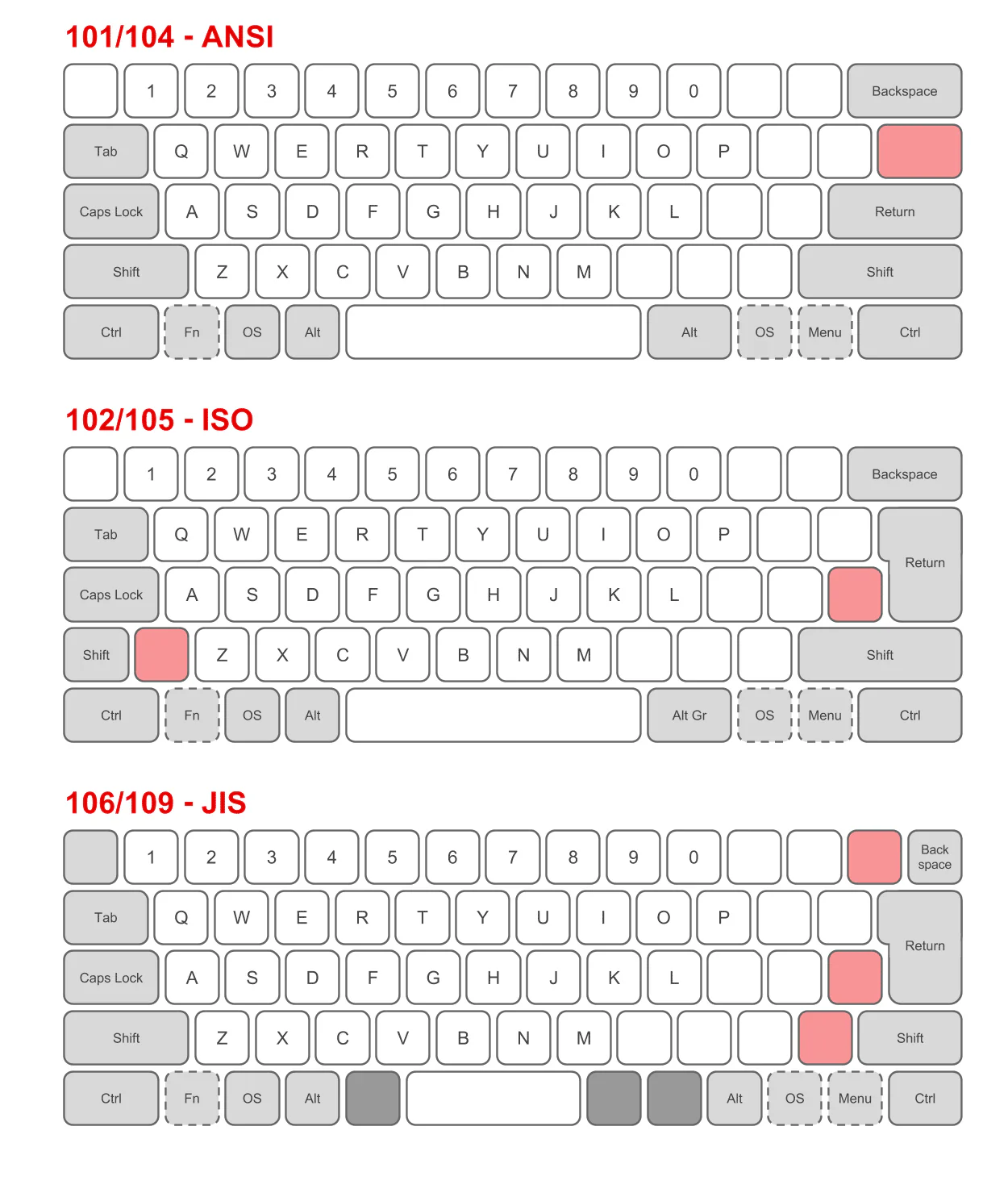
The three main regional layouts explain most of the differences in key counts. You will usually see them listed as ANSI keyboard layout, ISO keyboard layout, and JIS keyboard layout. Each keeps the same basic idea but moves or adds keys to support different languages.
ANSI layout (mostly US)
The ANSI keyboard layout shows up on most US and many global gaming boards. It uses a straight Enter key, a wide left Shift key, and a total of 104 keys on a full size model. If you own a typical Windows desktop board with a slim Enter key, you almost certainly own a 104 key keyboard.
ISO layout (mostly Europe)
The ISO keyboard layout appears across the UK and Europe. It keeps a tall, L-shaped Enter key, shrinks the left Shift key, and inserts one more key nearby for extra symbols. Because of that extra key, a full size ISO board usually counts as a 105 key keyboard by default.
JIS layout (Japan)
Japanese keyboards rely on the JIS keyboard layout. They still follow a QWERTY style, but they add language toggle and conversion keys. That bumps the total up to around 108 or 109 keys, so many product pages list them as a 108 key keyboard when they use a full size frame.
Key groups on a full size keyboard
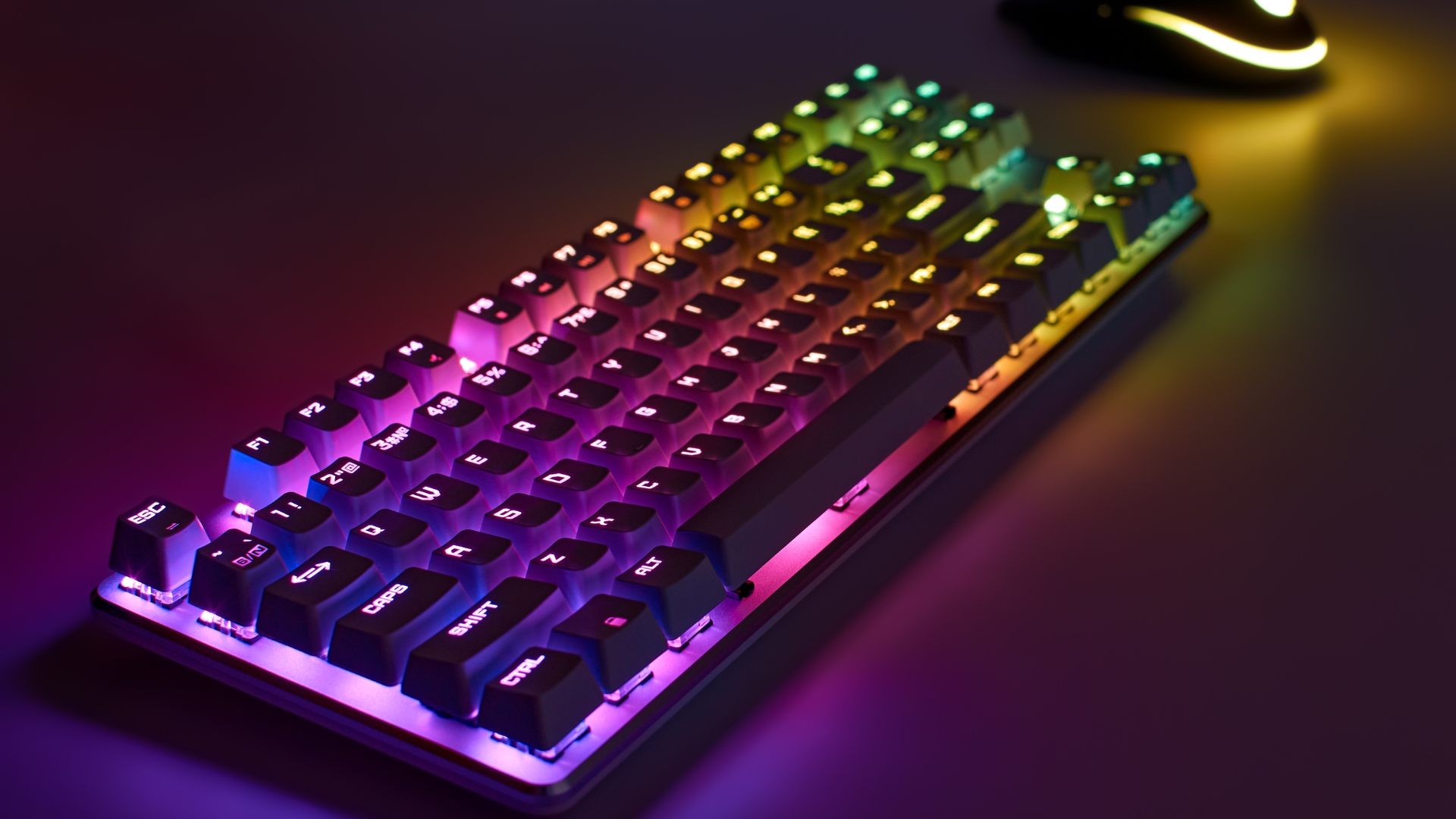
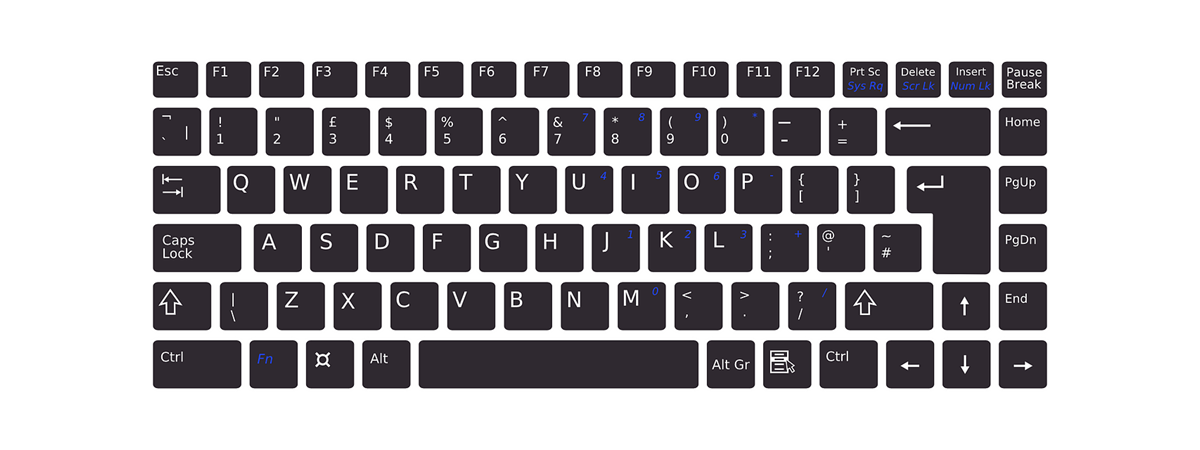
Even if the total key count shifts slightly across regions, the main key clusters stay the same. Understanding these groups helps you compare layouts and decide if you really need a full size keyboard for your desk.
Alphanumeric and punctuation keys
The alphanumeric block holds letters, numbers, and punctuation marks. You use these keys for almost all typing tasks, from documents and emails to coding and chat apps. On every 100% board, this block sits just left of the navigation keys.
Function keys
The function row runs from F1 through F12. These keys trigger shortcuts for app menus, browser actions, screen brightness, media control, or custom functions. Many modern keyboards let you pair Fn with the function row to double up their behavior.
Modifier keys
Modifier keys like Shift, Ctrl, Alt, and the Windows or Command key change how other keys behave. When you hold them, you unlock shortcuts such as copy, paste, undo, or quick window management. Full size layouts always include them in the same general positions, so you can switch boards without relearning your habits.
Navigation and arrow cluster
The navigation block sits between the main typing area and the numpad. It includes keys like Home, End, Page Up, Page Down, Insert, and Delete. Just below that, the arrow keys give you precise control when you move through documents, spreadsheets, and games.
Numeric keypad
The numpad on the right side turns your board into a fast number entry tool. It mirrors a calculator layout, which makes a full size keyboard ideal for accounting, data entry, or any job with heavy numeric work. Many users stick with 100% layouts for the numpad alone.
Media and programmable keys
Some boards add volume, mute, and playback buttons, plus a few macro keys. These extras sit above the numpad or along the top edge. They can push the total beyond 104–108 keys, but manufacturers still sell them as full size because they keep the full core layout intact.
Computer keyboards vs piano keyboards
Search results for how many keys is a full size keyboard often mix in pianos and MIDI controllers. That happens because a full size piano keyboard uses 88 keys, while a desktop board tops out near 108.
If you care about typing, you want information about a full size computer keyboard, not musical gear. When you see guides mention a full size piano keyboard, they refer to 88-key digital or acoustic pianos with weighted keys, not something you connect as your main PC typing device.
Do you really need a full size keyboard?
Now that you know how many keys on a full size keyboard, the real question becomes whether you actually need all of them. For some people, the answer is yes, especially if they crunch numbers or juggle desktop shortcuts all day.
- Choose a full size keyboard if you rely on the numpad for spreadsheets, finance tools, or accounting.
- Pick a full size keyboard if you want a classic layout with zero learning curve when you switch PCs.
- Consider smaller layouts if you want more mouse space, a cleaner desk, or better ergonomics with closer hand placement.
Gamers, developers, and office users all still favor full size layouts because they support every shortcut combination with no compromises. If you buy a 104 key keyboard or its 105 and 108 key cousins, you know you have every key the operating system expects.
Quick FAQ about full size keyboard key counts
How many keys on a full size keyboard for Windows PCs?
Most Windows desktop boards ship with 104 keys in the ANSI layout. European models move to 105 keys, while Japanese units can reach around 108 keys thanks to extra language controls.
How many keys on a computer keyboard in general?
There is no single global number. Full size layouts land between 104 and 108 keys, TKL boards hover around 87–88 keys, and compact 60% designs can drop below 70. The more keys you remove, the more you rely on layers and shortcuts.
Is a 96% or 1800 layout still full size?
Many 96% or 1800-style boards squeeze the numpad closer to the main block and merge the navigation cluster. They keep almost all keys from a full size keyboard but pack them into a narrower frame, so some users still treat them as “near full size.”
Does key count matter for gaming?
Most games only use the left side of the board plus a few function and number keys. A full size layout does not limit you, but it takes more desk space. Competitive players often downsize to gain more mouse room, while casual gamers stay with 100% boards for flexibility.
Summary
- Most full size boards use 104–108 keys depending on region and extra functions.
- ANSI, ISO, and JIS layouts explain why the exact key count changes between models.
- Every full size keyboard includes a numpad, navigation cluster, arrow keys, and function row.
- Extra media and macro keys add convenience without changing the basic 100% layout idea.
- You can downsize to TKL or smaller if you do not rely on the numpad or prefer more mouse space.
Discussion (0)
Be the first to comment.