



Facebook requires users to display both a first and last name, but not everyone feels comfortable sharing their full identity publicly. If you want more privacy or prefer using a single name, there are limited ways to hide your last name on Facebook.
At the time of writing, Facebook does not officially allow most users to remove their last name. However, there is a workaround that still works in specific regions due to Facebook’s name policy. Below, you’ll find the most reliable way to hide your surname on Facebook, along with important limitations you should know.
How To Hide Last Name On Facebook Using A Regional Workaround
Facebook’s name system varies by country. In regions where single names are culturally common, Facebook allows profiles without a last name. By temporarily accessing Facebook from one of these regions, you can remove your last name.
This method works on both the Facebook mobile app and the Facebook website.
Steps To Remove Your Last Name On Facebook:
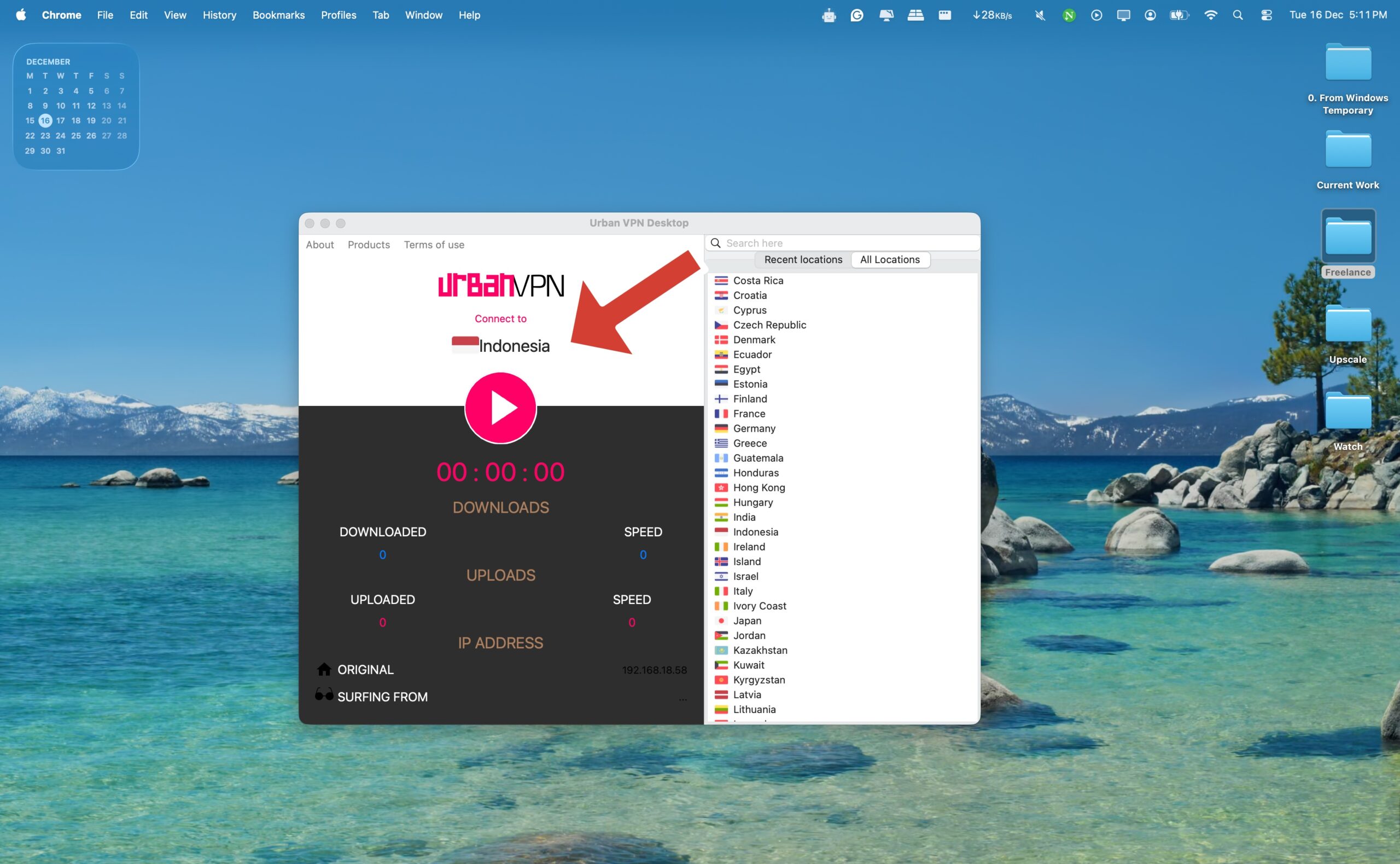
- Connect your device to a VPN server located in Indonesia.
- Open the Facebook app or visit Facebook.com and sign in.
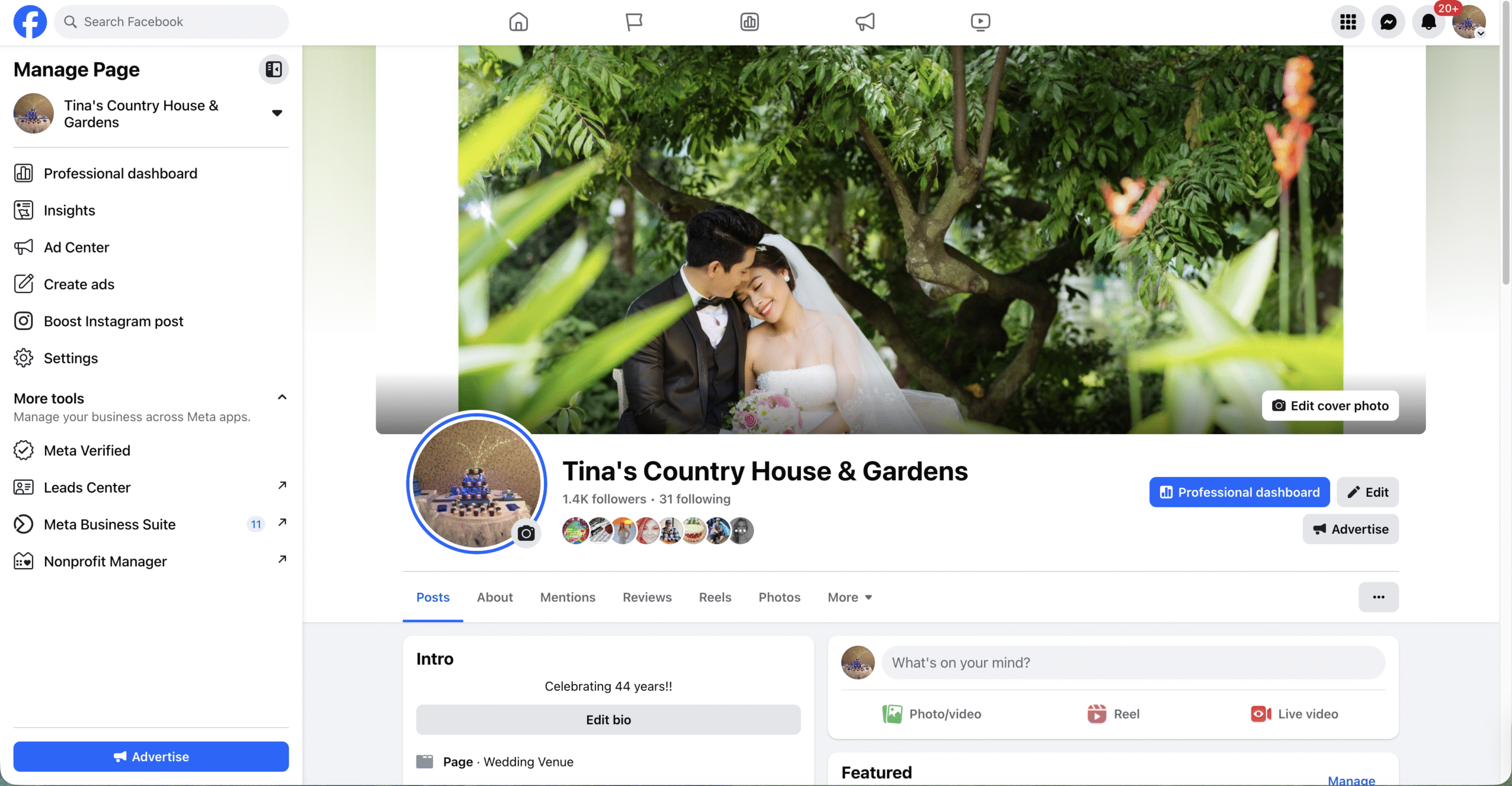
- Go to your profile and open Settings.
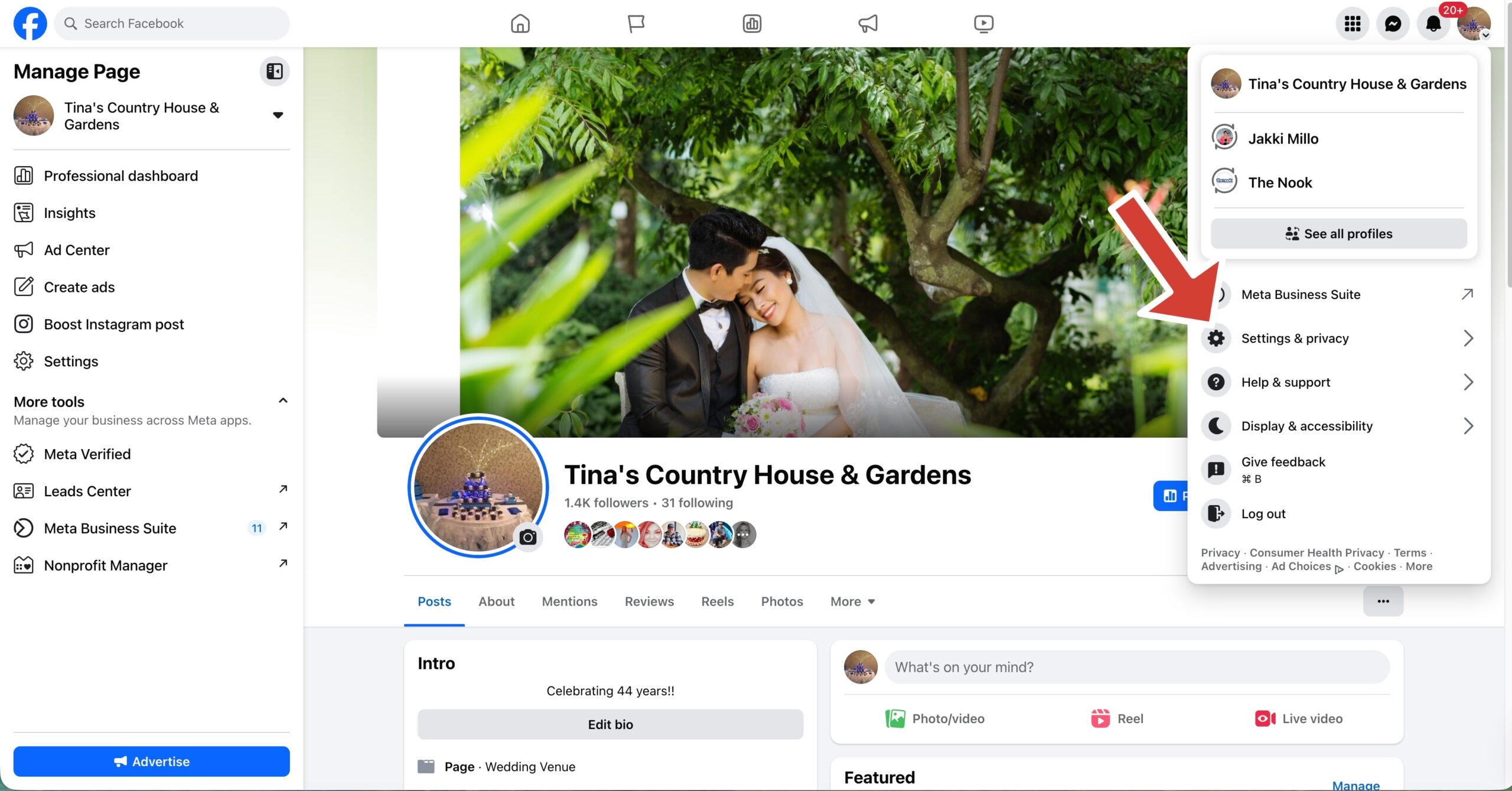
- Select Personal Information, then tap Name.
- Delete your last name and enter a single space instead.
- Tap Review Change and confirm using your Facebook password.
- Save the changes and return to your profile.
Once saved, your Facebook profile will display only your first name.
Important Limitations You Should Know
Facebook enforces strict rules around name changes. After removing your last name, you won’t be able to change your Facebook name again for 60 days.
Facebook may also review profiles that use a single name. In some cases, you may be asked to verify your identity if the name violates Facebook’s community standards.
Troubleshooting Common Problems
If Facebook doesn’t allow you to save changes, make sure the VPN connection is active before opening Facebook.
If you see an error saying your name doesn’t follow Facebook guidelines, log out, reconnect to the VPN, and try again.
If Facebook restores your last name later, your profile may have been flagged for review.
Tips
- Use a strong, reputable VPN with stable regional servers.
- Avoid frequent name changes to prevent account restrictions.
- Keep your account details updated in case Facebook requests verification.
- Understand that Facebook mononym profiles are not officially supported everywhere.
FAQ
Can I hide my last name on Facebook without a VPN?
No. Facebook currently requires a regional exception to allow single-name profiles.
Is using one name on Facebook allowed?
Only in regions where mononyms are culturally accepted.
Will Facebook ban my account for hiding my last name?
Facebook usually requests verification before taking action.
Can my Facebook last name be a single letter?
In most regions, Facebook does not allow single-letter surnames.
Can I create a new Facebook account with one name?
The same regional restrictions apply to new accounts.
Summary
- Facebook does not officially allow hiding your last name in most regions.
- A regional workaround still allows single-name profiles.
- Using a VPN connected to Indonesia enables the name change.
- Name changes are locked for 60 days after editing.
Conclusion
Hiding your last name on Facebook can help protect your privacy, but it comes with limitations. While the workaround still functions at the time of writing, Facebook’s policies can change without notice. Use this method carefully, understand the risks, and be prepared to verify your identity if requested.


Discussion (0)
Be the first to comment.