



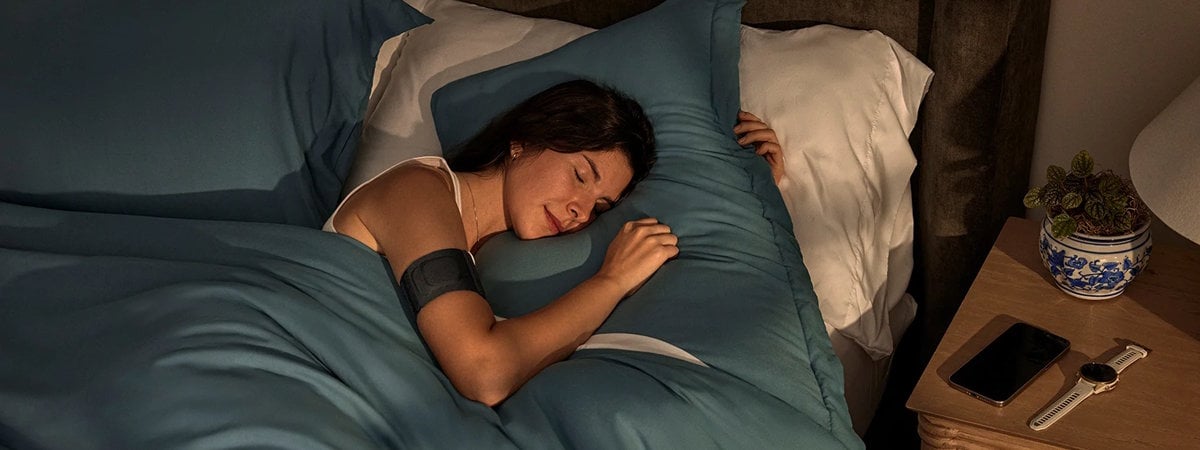
Not everyone wants to wear a smartwatch to bed, so Garmin developed a product that takes the sensor from its latest smartwatches and attaches it to a lightweight, washable armband. The final result is a niche product that is an obvious solution for Garmin users who love gathering data but also care about their comfort during sleep. However, its price might make you question whether those extra minutes of tracked REM sleep are worth the cost. After spending two weeks with the Index Sleep Monitor wrapped around my arm, I'm ready to tell you whether it's a useful device or just an expensive way to confirm that, yes, you still don't get enough sleep. Let’s get started:
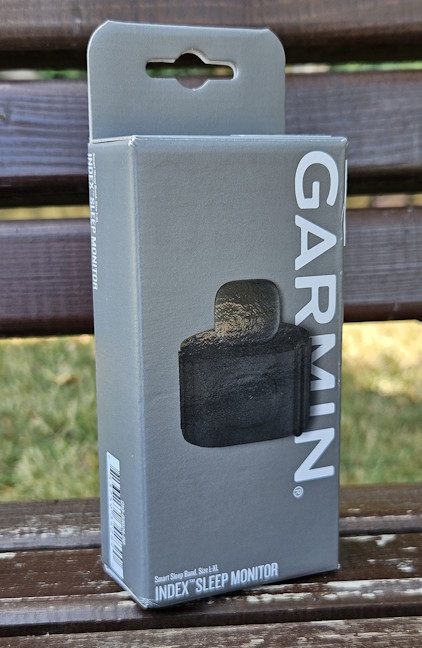
 Garmin Index Sleep Monitor comes in a small cardboard box
You don’t get much information about the product from its packaging, so it’s better to start unboxing it right away. When you open everything, you find the Index Sleep Monitor, its USB-C charging cable, the quick setup guide, product safety information, and other leaflets.
Garmin Index Sleep Monitor comes in a small cardboard box
You don’t get much information about the product from its packaging, so it’s better to start unboxing it right away. When you open everything, you find the Index Sleep Monitor, its USB-C charging cable, the quick setup guide, product safety information, and other leaflets.
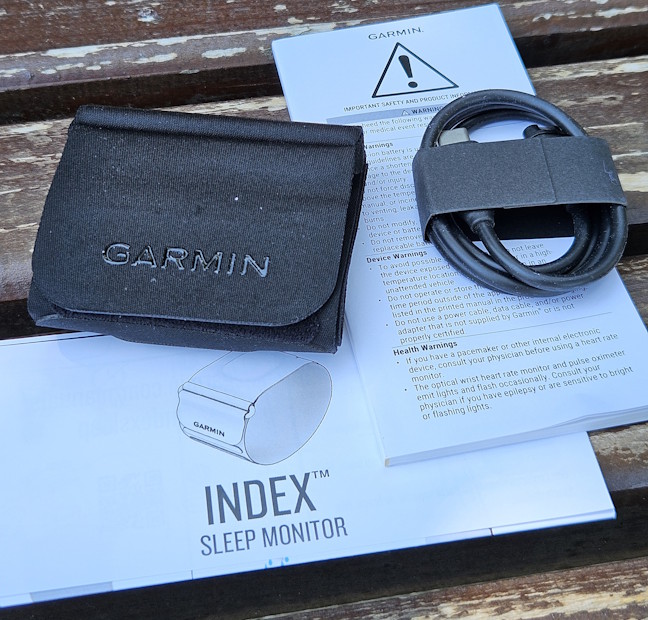
 All the items you get
The unboxing experience for the Garmin Index Sleep Monitor is very straightforward. Before buying it, you should keep in mind that it’s available in two sizes:
All the items you get
The unboxing experience for the Garmin Index Sleep Monitor is very straightforward. Before buying it, you should keep in mind that it’s available in two sizes:
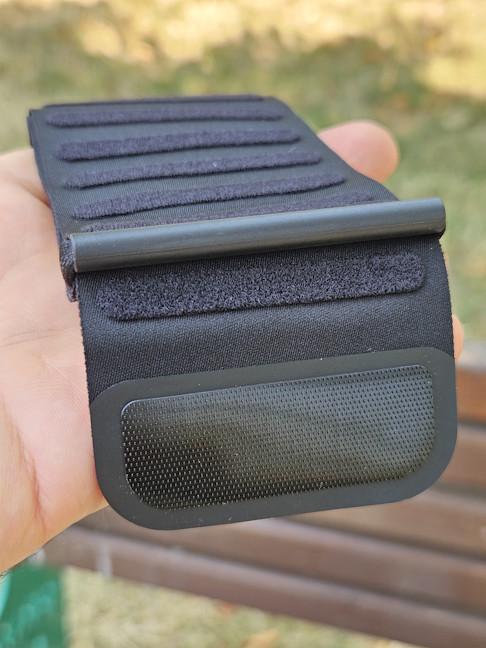
 The strap is very lightweight
The module holding all the sensors and the charging port is found in the middle of the strap. It measures 1.6" x 1.5" x 0.3 inches or 41.7 x 37.6 x 7.8 mm, and it weighs just 0.5 oz (14.5 grams). The Index Sleep Monitor has a water resistance rating of 5 ATM. That’s probably because Garmin wanted it to be sweat-resistant and washable. However, before washing it, always remove the module from the strap.
The strap is very lightweight
The module holding all the sensors and the charging port is found in the middle of the strap. It measures 1.6" x 1.5" x 0.3 inches or 41.7 x 37.6 x 7.8 mm, and it weighs just 0.5 oz (14.5 grams). The Index Sleep Monitor has a water resistance rating of 5 ATM. That’s probably because Garmin wanted it to be sweat-resistant and washable. However, before washing it, always remove the module from the strap.
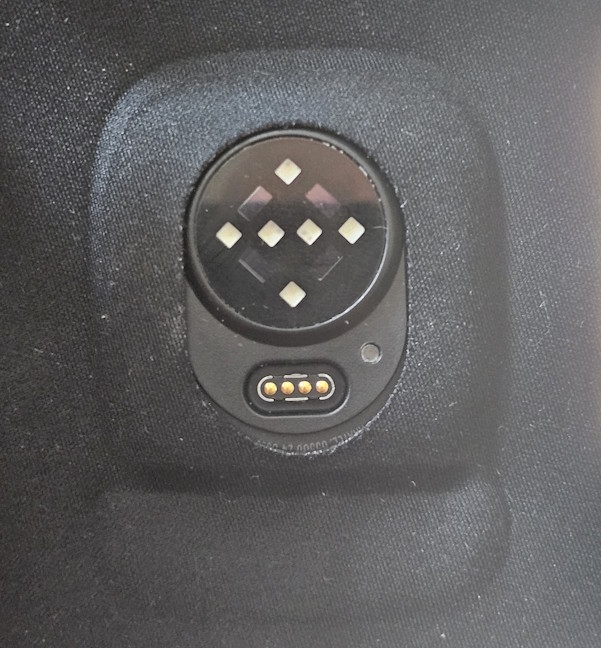
 Look for the module inside the strap
The Index Sleep Monitor has Garmin’s latest sensor for heart rate and blood oxygen saturation monitoring, an accelerometer, and a skin temperature sensor. The charging port is the same as on all Garmin devices. Therefore, if you have a Garmin smartwatch, you can use the same cable and charger for both devices.
Look for the module inside the strap
The Index Sleep Monitor has Garmin’s latest sensor for heart rate and blood oxygen saturation monitoring, an accelerometer, and a skin temperature sensor. The charging port is the same as on all Garmin devices. Therefore, if you have a Garmin smartwatch, you can use the same cable and charger for both devices.

 Garmin Index Sleep Monitor benefits from the latest sensor
Inside the module, there’s also a lithium-ion battery, which should last up to seven nights with SpO2 tracking enabled.
Garmin Index Sleep Monitor benefits from the latest sensor
Inside the module, there’s also a lithium-ion battery, which should last up to seven nights with SpO2 tracking enabled.
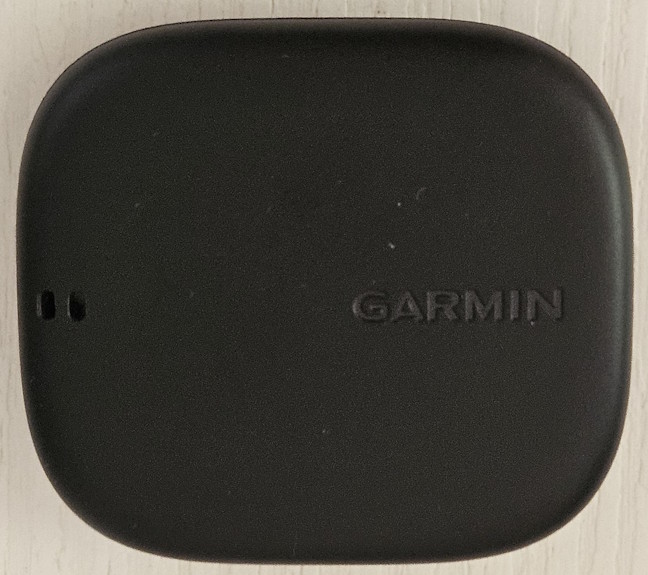
 The battery lasts up to seven nights
These are the most important specs of the Garmin Index Sleep Monitor. As you can see, it’s a niche product that’s designed to be useful to Garmin users who don’t want to wear their smartwatch while sleeping. If you wish to see even more technical information, check its official product page: Garmin Index Sleep Monitor.
The battery lasts up to seven nights
These are the most important specs of the Garmin Index Sleep Monitor. As you can see, it’s a niche product that’s designed to be useful to Garmin users who don’t want to wear their smartwatch while sleeping. If you wish to see even more technical information, check its official product page: Garmin Index Sleep Monitor.

 The setup process is quick and easy
The setup process is brief, and it involves allowing the Garmin Connect app to synchronize information between your smartphone and the sleep band, reviewing your sleep schedule, and viewing a tutorial on how to use the band.
The setup process is quick and easy
The setup process is brief, and it involves allowing the Garmin Connect app to synchronize information between your smartphone and the sleep band, reviewing your sleep schedule, and viewing a tutorial on how to use the band.
 Learn how to wear the band before using it
Before you start using the band, Garmin recommends that you set a Smart Wake Alarm, which is designed to wake you up gently at an optimal time based on your sleep, during a 30-minute time window that you specify. This feature works well, and I appreciate that you don’t need to do anything on your smartphone to silence the alarm. You just tap the Index Sleep Monitor twice, and it snoozes. However, doing this also turns off your sleep tracking, and if you keep sleeping for a couple of additional minutes, they won’t show up in your sleep tracking report. This is an unfortunate bug, and it should be fixed in future firmware updates.
Learn how to wear the band before using it
Before you start using the band, Garmin recommends that you set a Smart Wake Alarm, which is designed to wake you up gently at an optimal time based on your sleep, during a 30-minute time window that you specify. This feature works well, and I appreciate that you don’t need to do anything on your smartphone to silence the alarm. You just tap the Index Sleep Monitor twice, and it snoozes. However, doing this also turns off your sleep tracking, and if you keep sleeping for a couple of additional minutes, they won’t show up in your sleep tracking report. This is an unfortunate bug, and it should be fixed in future firmware updates.
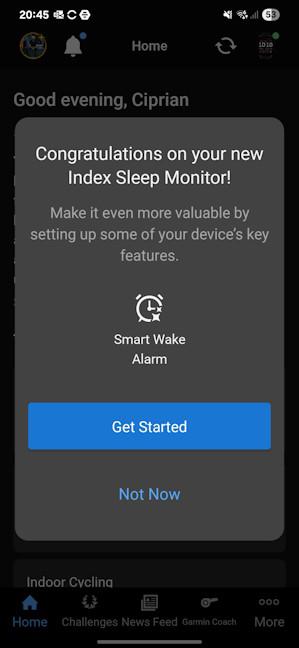 You may want to set up the Smart Wake Alarm
Wearing the band is super comfortable. You can adjust it with ease, and after the first few minutes of use, you will stop feeling that it’s there. I found it much more comfortable than any smartwatch, and I’m seriously considering using it as my default sleep tracker going forward.
You may want to set up the Smart Wake Alarm
Wearing the band is super comfortable. You can adjust it with ease, and after the first few minutes of use, you will stop feeling that it’s there. I found it much more comfortable than any smartwatch, and I’m seriously considering using it as my default sleep tracker going forward.

 Wearing the Garmin Index Sleep Monitor is very comfortable
When you browse the settings available for the Index Sleep Monitor in Garmin’s Connect app, you won’t find much. You can also set a sleep schedule, adjust the intensity of the alert vibration, reset the band, and enable USB File Access (when connected to a computer). That’s it! This band is not designed for sports tracking or for wearing it during the day.
Wearing the Garmin Index Sleep Monitor is very comfortable
When you browse the settings available for the Index Sleep Monitor in Garmin’s Connect app, you won’t find much. You can also set a sleep schedule, adjust the intensity of the alert vibration, reset the band, and enable USB File Access (when connected to a computer). That’s it! This band is not designed for sports tracking or for wearing it during the day.
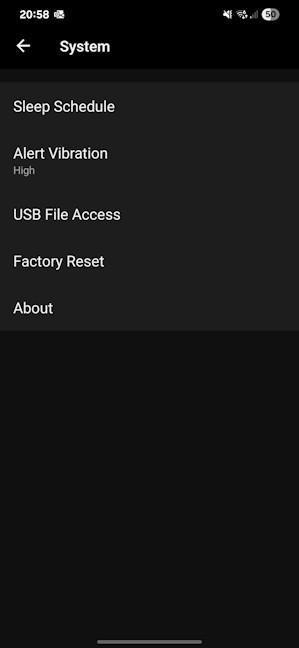 There aren't many settings to configure
According to Garmin, the battery of the Index Sleep Monitor should last for seven nights of use if you sleep around eight hours each night. My sleep schedule varies between seven and eight hours, and I was able to wear it for eight nights before charging it. I also measured the charging speed, using a Samsung 45-Watt charger. In 40 minutes, the Garmin Index Sleep Monitor charged to 56%, and a full charge required 88 minutes.
There aren't many settings to configure
According to Garmin, the battery of the Index Sleep Monitor should last for seven nights of use if you sleep around eight hours each night. My sleep schedule varies between seven and eight hours, and I was able to wear it for eight nights before charging it. I also measured the charging speed, using a Samsung 45-Watt charger. In 40 minutes, the Garmin Index Sleep Monitor charged to 56%, and a full charge required 88 minutes.

 Charging the Garmin Index Sleep Monitor
Setting up and using the Garmin Index Sleep Monitor is a very enjoyable experience. The band performs its job well and is comfortable to wear during sleep. But let’s examine what kind of data it tracks and how reliable it is:
Charging the Garmin Index Sleep Monitor
Setting up and using the Garmin Index Sleep Monitor is a very enjoyable experience. The band performs its job well and is comfortable to wear during sleep. But let’s examine what kind of data it tracks and how reliable it is:
 You get tons of sleep metrics
I noticed that the Garmin Index Sleep Monitor tends to record more deep sleep and REM sleep than all the Garmin smartwatches I’ve used in recent months. The results I received from it seemed more accurate and aligned more closely with the sleep tracking data from smartwatches made by other companies, which generally outperform Garmin in sleep tracking. Therefore, if you want higher quality sleep tracking and you’re a Garmin user, the Index Sleep Monitor is your best choice.
You get tons of sleep metrics
I noticed that the Garmin Index Sleep Monitor tends to record more deep sleep and REM sleep than all the Garmin smartwatches I’ve used in recent months. The results I received from it seemed more accurate and aligned more closely with the sleep tracking data from smartwatches made by other companies, which generally outperform Garmin in sleep tracking. Therefore, if you want higher quality sleep tracking and you’re a Garmin user, the Index Sleep Monitor is your best choice.
 The sleep tracking is more reliable
I found it helpful to verify that the sleep band has synced before using my Garmin Venu X1 so the Connect app can accurately analyze and update its metrics based on my sleep data. Doing this ensures that you get the correct training status and training readiness score on your Garmin smartwatch, as well as other useful data like your recovery time, HRV status, Sleep Coach recommendations, and daily suggested workouts. The sleep tracking data is also used for Garmin’s ovulation cycle prediction features. However, since I’m a man, I couldn’t test and evaluate these features.
The sleep tracking is more reliable
I found it helpful to verify that the sleep band has synced before using my Garmin Venu X1 so the Connect app can accurately analyze and update its metrics based on my sleep data. Doing this ensures that you get the correct training status and training readiness score on your Garmin smartwatch, as well as other useful data like your recovery time, HRV status, Sleep Coach recommendations, and daily suggested workouts. The sleep tracking data is also used for Garmin’s ovulation cycle prediction features. However, since I’m a man, I couldn’t test and evaluate these features.
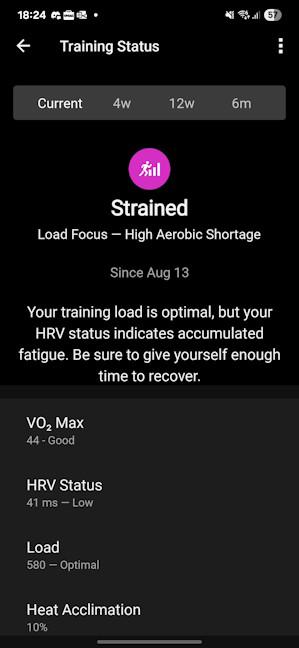 Lots of metrics are updated based on your sleep tracking
Garmin Index Sleep Monitor does a great job as a sleep tracker, offering plenty of data that is then used by the Connect app and other devices to calculate various health and fitness metrics. It’s also Garmin’s most precise device for sleep tracking.
Lots of metrics are updated based on your sleep tracking
Garmin Index Sleep Monitor does a great job as a sleep tracker, offering plenty of data that is then used by the Connect app and other devices to calculate various health and fitness metrics. It’s also Garmin’s most precise device for sleep tracking.
Garmin Index Sleep Monitor: Who is it good for?
This sleep band is a suitable choice for:- Garmin users who don’t want to wear the smartwatch during sleep
- People interested in good quality sleep tracking
Pros and cons
Here are the things I like about the Garmin Index Sleep Monitor:- Lightweight and comfortable to wear during sleep
- Smart alarms that help you wake up well rested
- Improved sleep tracking accuracy compared to Garmin smartwatches
- It feels too expensive for a sleep tracker
- The smart alarm also stops the sleep tracking
Verdict
I like that Garmin is not afraid to experiment with products for various niches. Most likely, the Garmin Index Sleep Monitor is the first step toward creating a competitor to the Whoop strap, which has quite a loyal following. I like the Index Sleep Monitor, and I think it is a great companion for existing Garmin users who prefer not to wear their smartwatch during sleep and want a precise sleep tracker. This sleep band is lightweight and very comfortable to wear at night, with good battery life. If you can afford it, you'll definitely enjoy using it.Unboxing the Garmin Index Sleep Monitor
The Garmin Index Sleep Monitor comes in a small gray cardboard box, featuring a picture of the device on the front and the product name.- S/M: Fits upper-arm circumferences of 20 - 29 cm (8.0 - 11.7 inches)
- L/XL: Fits upper-arm circumferences of 26 - 42 cm (10.5 - 16.6 inches)
Design and hardware specifications
The Garmin Index Sleep Monitor has a very practical design. The strap is soft, stretchy, and breathable, made of a mixture of nylon and spandex, so that it’s both lightweight and comfortable to wear. The smaller band weighs just 0.6 oz (15.8 grams), while the larger one has 0.7 oz (20.0 grams).Setting up and using the Garmin Index Sleep Monitor
Before you can start using the Garmin Index Sleep Monitor, you must set it up on your smartphone. It’s compatible with both iOS and Android, and on both of them, you need to install the Connect app, sign in with an account, and pair the sleep band. But, before you can do that, you need to boot up the Index Sleep Monitor by placing your finger on its heart rate sensor for 5 seconds. Its LED will flash as soon as it starts working.Sleep tracking with the Garmin Index Sleep Monitor
Using the Garmin Index Sleep Monitor for sleep tracking is simple. Turn on the band by placing your finger on its heart rate sensor for five seconds, and it should vibrate to indicate it’s on. Then, fit it on your arm and go to bed. Feel free to leave your smartwatch charging overnight. The band automatically detects when you fall asleep and begins tracking your sleep times, sleep phases, blood oxygen levels, heart rate, heart rate variability, skin temperature, and breathing. It detects when you take it off, and if you open the Connect app on your smartphone, it syncs automatically.
Discussion (0)
Be the first to comment.