



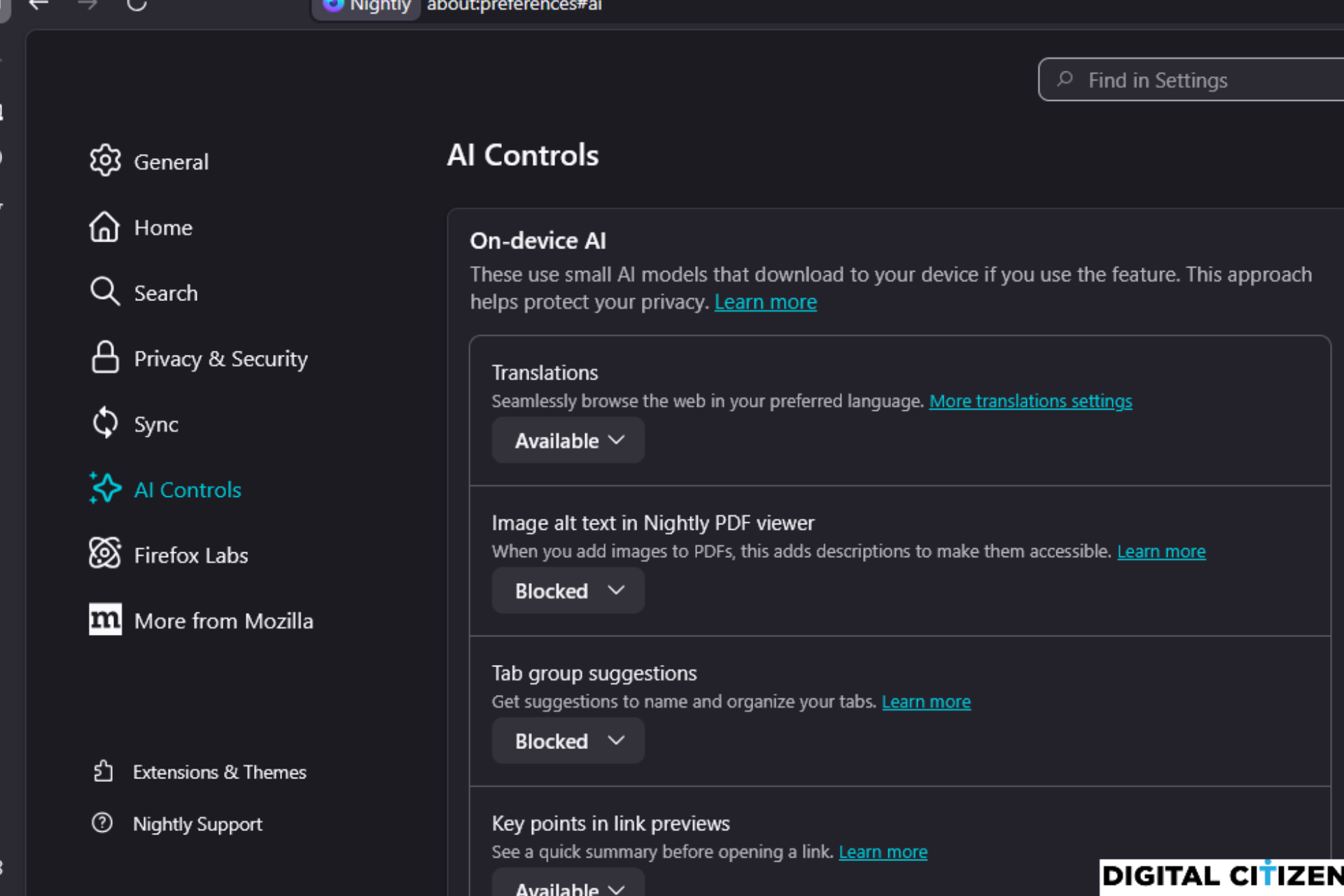
Mozilla is testing a new "AI Controls" section in Firefox Nightly that lets users block built-in AI features inside the browser. These controls give users clearer control over which AI features can run in Firefox.
Firefox currently uses AI for features such as tab group suggestions, image descriptions in the built-in PDF viewer, key points in link previews, and on-device translations. The required models download to your device only when a feature is used.
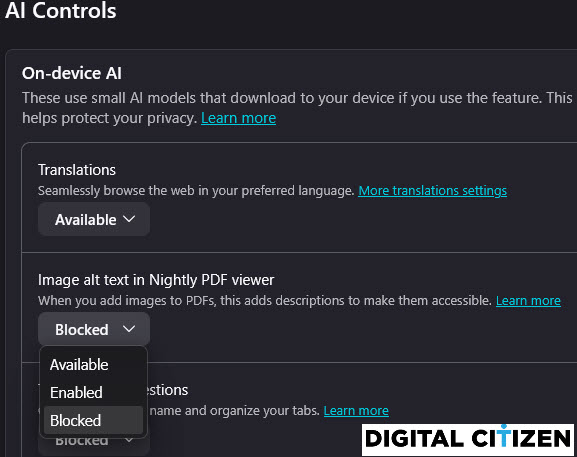
The AI Controls section in Nightly settings lets users manage each feature individually instead of relying on a single toggle. This gives better visibility into how AI is used across different parts of the browser.

The same AI Controls page also lists optional chatbot providers for the sidebar, including ChatGPT, Claude, Copilot, Google Gemini, and Le Chat Mistral. These options are not enabled by default and remain optional.
This testing follows Mozilla’s earlier response to concerns about AI features in Firefox. The company said it would offer users a way to fully control or disable AI features after backlash. We covered that promise in an earlier report.
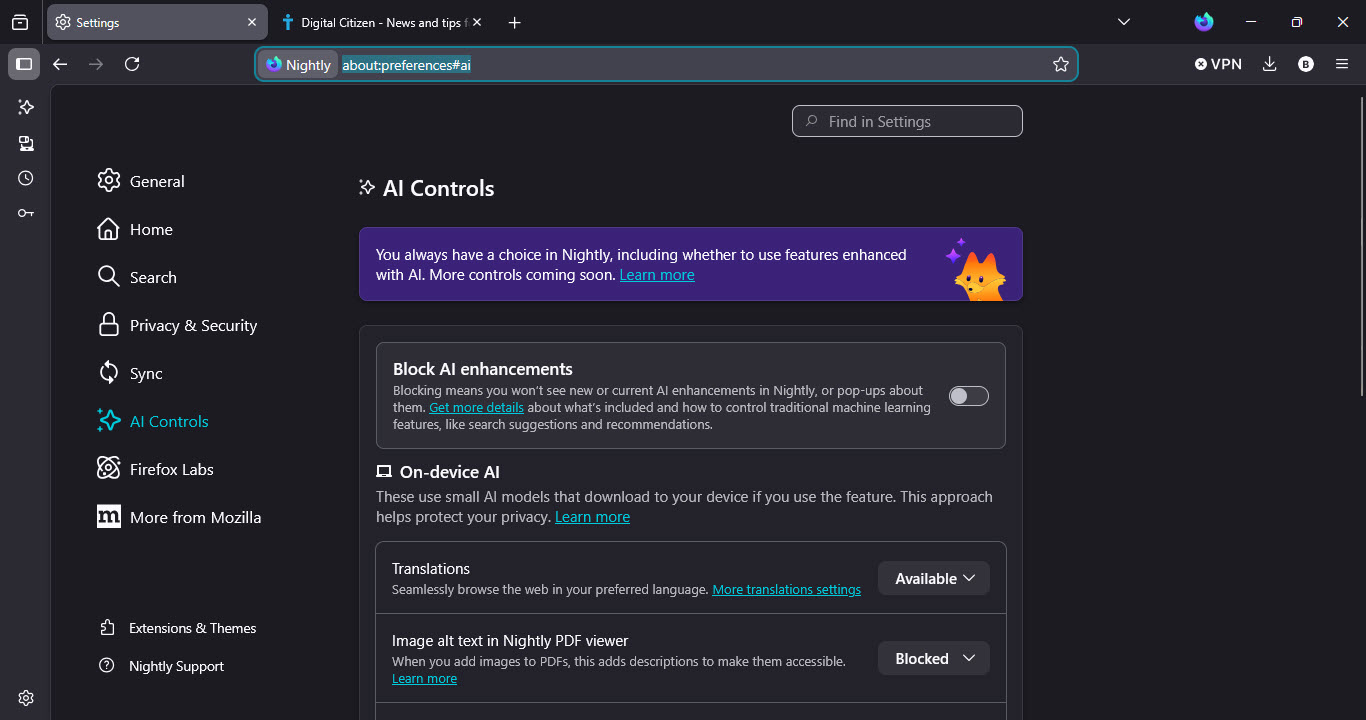
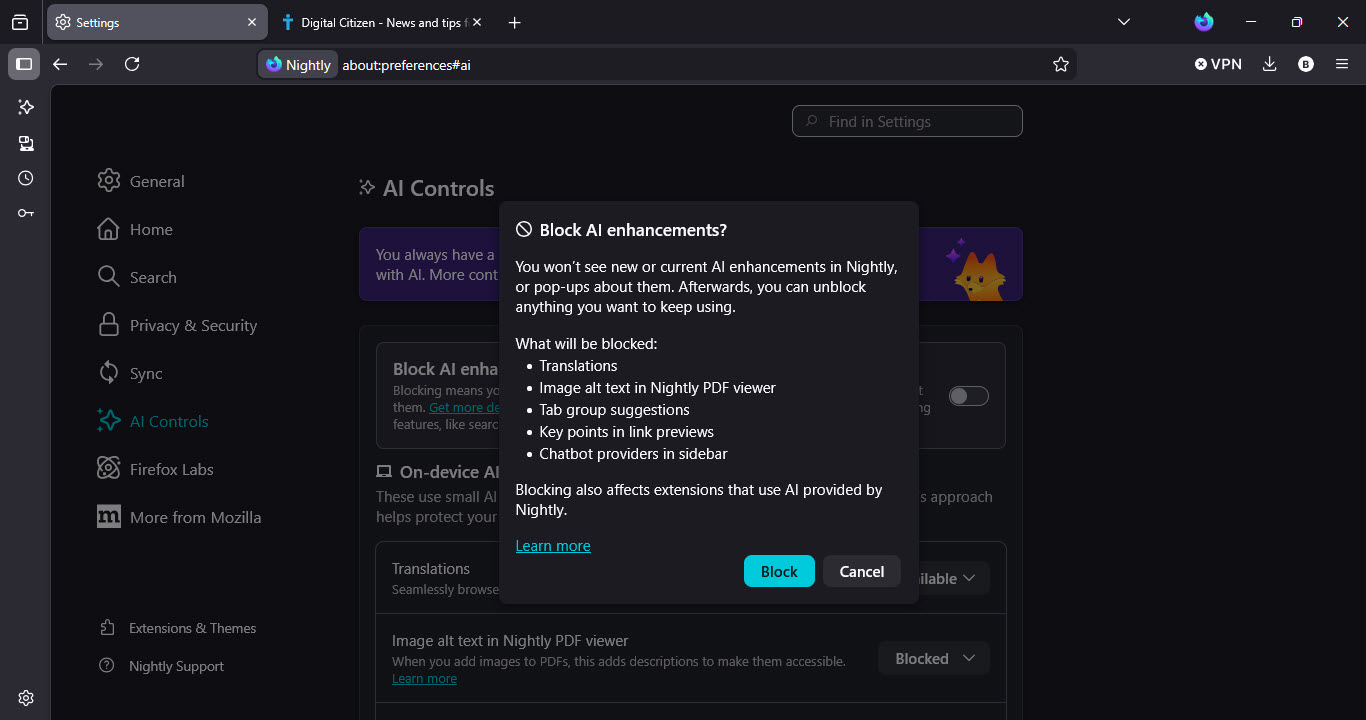
Update: Mozilla has added a new “Block AI enhancements” switch to the AI Controls page in Firefox Nightly. The toggle is disabled by default, but enabling it blocks all current AI features at once, including translations, tab group suggestions, link previews, and chatbot providers in the sidebar. The switch also prevents AI-related pop-ups from appearing.
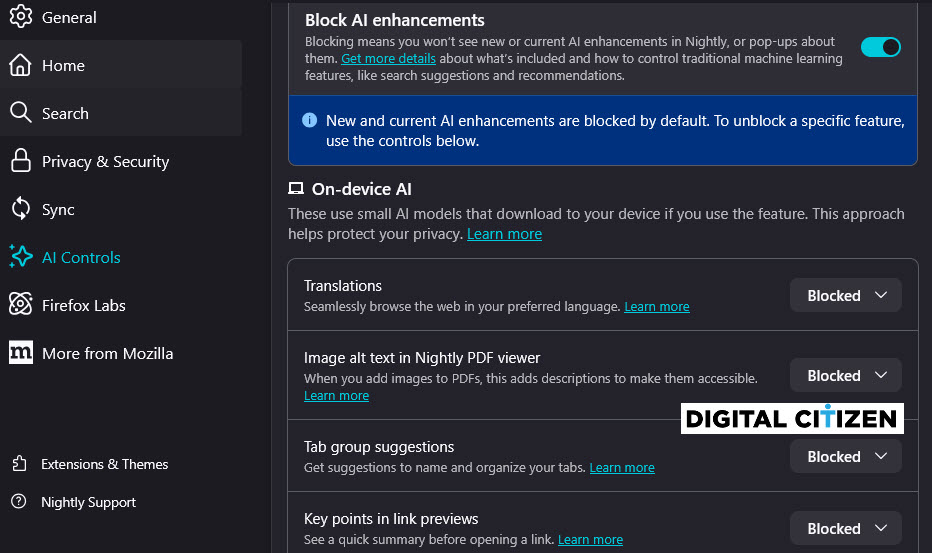
How to block AI features in Firefox Nightly
- Open Firefox Nightly.
- Open "Settings" and select "AI Controls".
- Under AI Controls, set these features to Blocked:
• Translations
• Image alt text in PDF viewer
• Tab group suggestions
• Key points in link previews
You can also open the page directly by visiting about:preferences#ai.
These AI Controls do not appear for every Firefox Nightly user yet. We tested the feature in Nightly and confirmed that each AI option can be manually blocked through this page.
Firefox is also testing a new Privacy & Security feature similar to Chrome’s Safety Check, as well as HDR video support on Windows.



Discussion (0)
Be the first to comment.