



Casual users don’t evaluate logo tools the same way professionals do. They rarely compare design systems or typography theory. Instead, value comes from three things: how quickly they can get a usable logo, how much effort refinement requires, and how much flexibility they retain if their needs change later.
Design.com and Turbologo both target non-designers, but they represent two different value philosophies. One emphasizes ongoing flexibility and breadth, while the other focuses on one-time completion and ownership. This comparison looks strictly at logo creation and evaluates which platform delivers better overall value for casual users.
Entry cost and access to usable logo files
Design.com: usable logos without upfront payment
Design.com allows users to design and download usable logo files on the free plan. Even without paying, users can export:
- high-resolution raster files (PNG/JPG),
- vector formats (SVG, EPS, PDF).
These formats cover most digital and print needs. Animated formats (GIF/MP4) are also available for users who upgrade.
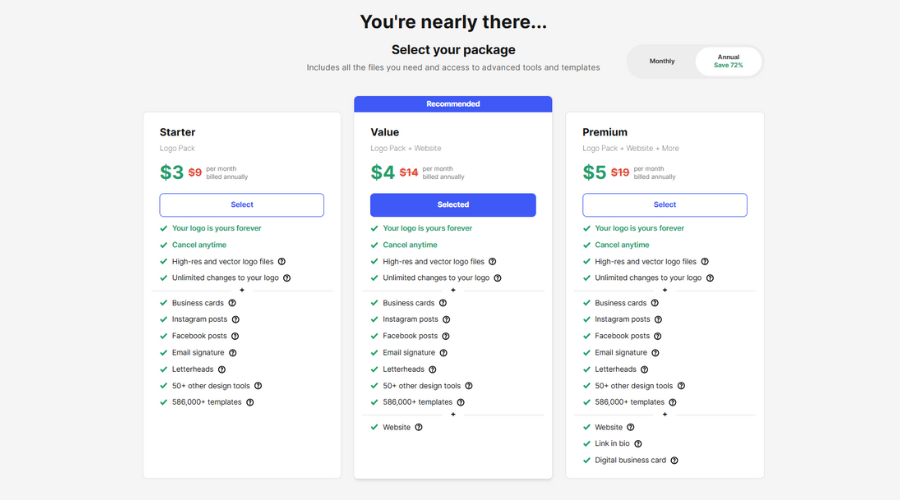
Paid plans exist primarily to unlock additional branding tools and assets beyond logos. Understanding pricing helps gauge long-term value:
- Starter: about $3/month (logo pack and basic brand tools)
- Value: about $4month (logo pack, website builder, more tools)
- Premium: about $5/month (logo, website, link-in-bio, digital business card, and full suite)
Annual billing provides significant discounts (e.g., plans often equivalent to $5–$7/month when paid yearly). All paid plans include vector downloads, unlimited changes, and access to the full design suite.
For casual users who only need a logo now, the free plan already delivers core value. Paid plans add flexibility for broader branding.
Turbologo: pay once to unlock downloads
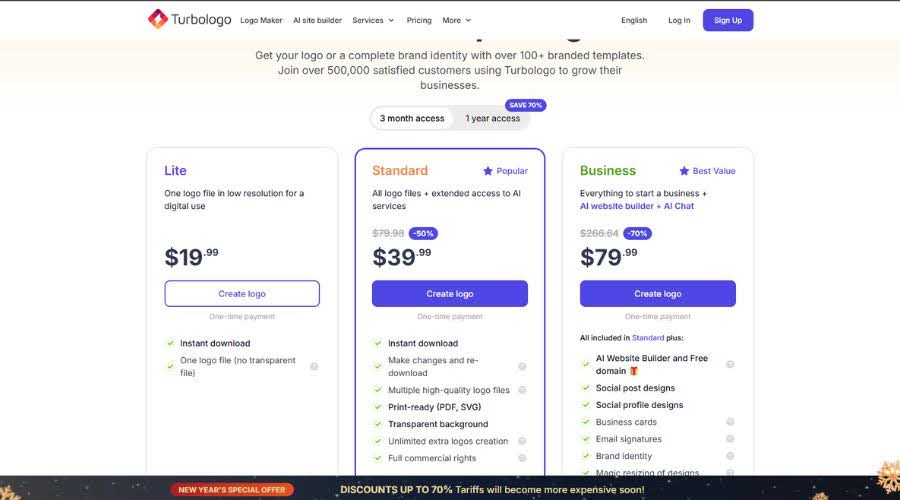
Turbologo lets users design logos for free, but downloading files requires a one-time purchase. Pricing is tiered:
- Basic (~$19 one-time): low-resolution PNG only
- Standard (~$39 one-time): high-resolution PNG, transparent background, SVG and PDF vectors, commercial rights
- Business (~$79 one-time): all logo formats plus extended brand materials
For casual users who want a clean transaction with no subscription, this model is appealing. However, there is no way to download usable files without paying.
Value comparison: Design.com offers higher upfront value by removing the paywall entirely for logo downloads. Turbologo offers clarity and ownership, but only after purchase.
Logo variety and discovery efficiency
Design.com: variety driven by scale

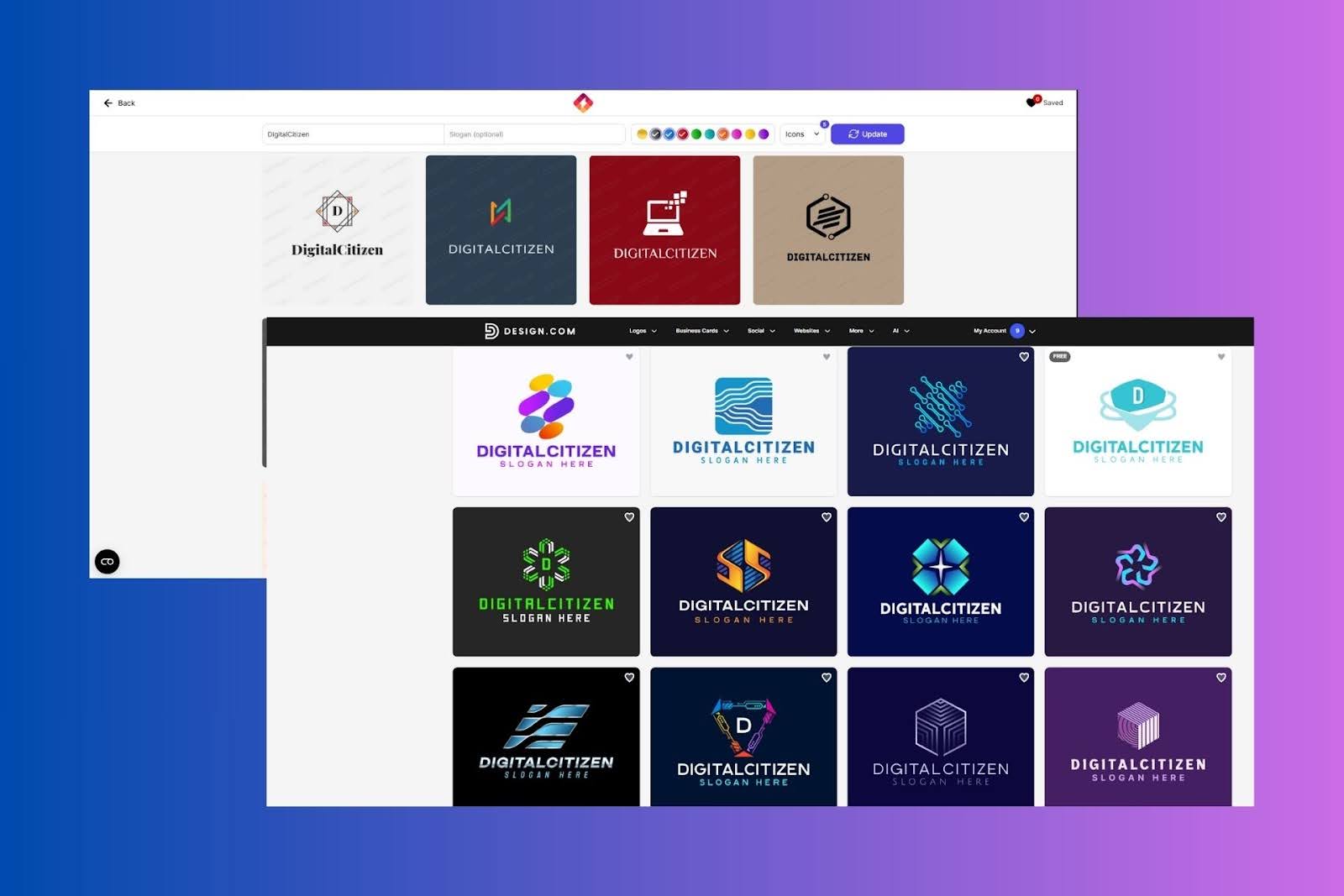
Design.com generates logo options from a library of 360,000+ professionally designed logo templates. In practice, casual users are exposed to a wide range of structural approaches in a single session:
- icon-led logos
- wordmarks
- emblem-style designs
- stacked and horizontal layouts
This diversity reduces the need to restart or re-enter information. Casual users often find viable options quickly because the platform surfaces many distinct visual directions at once.
Turbologo: controlled variety within a narrow frame
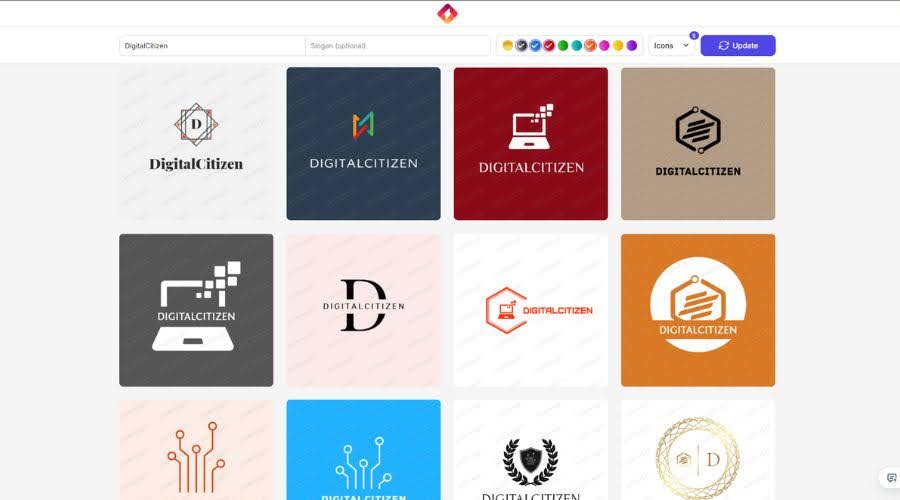
Turbologo’s AI produces logos based on industry selection and style preferences, but results tend to stay within a tighter visual family. Fonts, icons, and colors change, but layouts often remain similar.
This consistency prevents bad designs, but it can also make options feel repetitive, especially for users who want to explore alternatives.
Value comparison: Design.com provides more exploratory value per session. Turbologo prioritizes consistency over discovery.
Customization depth vs simplicity
Design.com: deeper control without design risk

Design.com’s editor allows casual users to:
- switch between 750+ fonts, including 525 exclusive fonts
- adjust color palettes globally
- modify layout orientation
- fine-tune spacing and proportions
The editor protects alignment and balance, so changes rarely result in broken layouts. This makes experimentation safe, even for users without design experience.
Turbologo: fast edits with clear limits
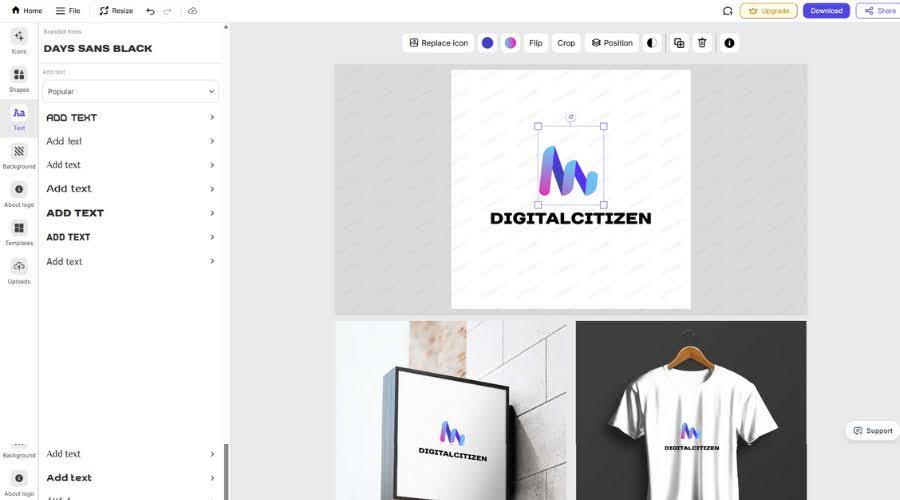
Turbologo keeps customization intentionally simple:
- font changes
- color adjustments
- icon swaps
- basic layout variations
This makes editing stress-free, but it also limits refinement. Casual users who want to “just tweak one more thing” often reach the editor’s ceiling quickly.
Value comparison: Design.com offers more long-term value through flexibility. Turbologo offers immediate simplicity but less room to improve results.
File formats and practical usability
Design.com
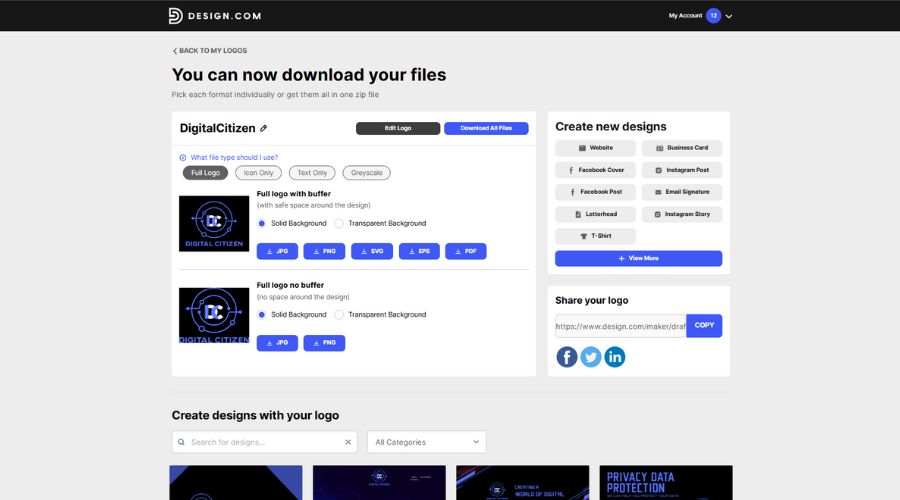
Even on the free plan, Design.com supports:
- PNG and JPG for digital use
- SVG, EPS, and PDF for print and scaling
Animated logo formats (GIF and MP4) are also available, which adds value for casual users creating social content.
Turbologo
Standard and Business plans include:
- high-resolution PNG
- transparent PNG
- SVG and PDF vectors
Files are clean and ready for use, but animation formats are not included.
Value comparison: Both platforms cover essential formats, but Design.com offers broader format access without requiring payment.
Ownership, licensing, and perceived risk
Design.com
Logos are commercially safe and vetted for originality. Users can optionally purchase extended licensing to remove a logo design from circulation, ensuring exclusivity.
Turbologo
Paid logos include full commercial rights and ownership by default. Once purchased, the logo belongs to the user with no recurring fees.
Value comparison: Turbologo’s ownership model is simple and reassuring. Design.com offers more flexibility, especially for users who want to delay commitment.
Which platform delivers better value for casual users?
Design.com offers better value if you:
- want to try before paying
- need a logo immediately without budget pressure
- prefer browsing many visual directions
- expect to refine or revisit the logo later
Turbologo offers better value if you:
- want a one-time payment
- prefer a guided setup
- don’t plan to iterate beyond the initial logo
Final verdict
For casual users, value is not just about price. It’s about how much freedom and usefulness a platform provides with minimal effort and risk.
Turbologo delivers straightforward value for users who want a guided experience and a single, paid-for outcome. Its pricing is simple, and its results are consistent.
Design.com, however, delivers stronger overall value for casual users. The ability to download full logo files for free, explore a much wider range of designs, and refine logos without design expertise significantly lowers both financial and creative friction. That combination makes Design.com the more flexible and forgiving option for casual users who want professional results without committing upfront.


Discussion (0)
Be the first to comment.