




A Wi-Fi analyzer app helps you diagnose slow speeds, weak signals, and interference on your wireless network. Whether you are dealing with dropped connections at home or unstable Wi-Fi while traveling, these apps provide real-time insights that make troubleshooting easier.
Since iOS does not include a built-in Wi-Fi analyzer, third-party apps remain the most reliable way to check signal strength, analyze channels, and optimize performance on an iPhone or iPad.
What Is A Wi-Fi Analyzer On iPhone
A Wi-Fi analyzer for iPhone is an app that scans nearby wireless networks and measures signal quality, speed, and interference. It helps identify weak coverage areas, crowded channels, and devices that may be affecting performance.
Most Wi-Fi analyzer apps focus on diagnostics, network insights, and optimization recommendations.
Best Wi-Fi Analyzer Apps For iPhone And iPad
The apps below cover a range of use cases, from simple speed testing to advanced network diagnostics.
WiFi Analyzer Network Analyzer

This app provides a broad set of diagnostic tools, including signal strength monitoring, device discovery, and route analysis. It is well suited for users who want deeper insight into their network configuration.
It also includes ping tests and basic security checks, making it useful for troubleshooting common Wi-Fi issues.
NetSpot WiFi Analyzer

NetSpot focuses on visualizing Wi-Fi signal strength through heatmaps and real-time scans. It helps identify dead zones and areas affected by physical interference.
This app is particularly effective for improving router placement in homes and offices.
Wi-Fi Signal Strength Analyzer
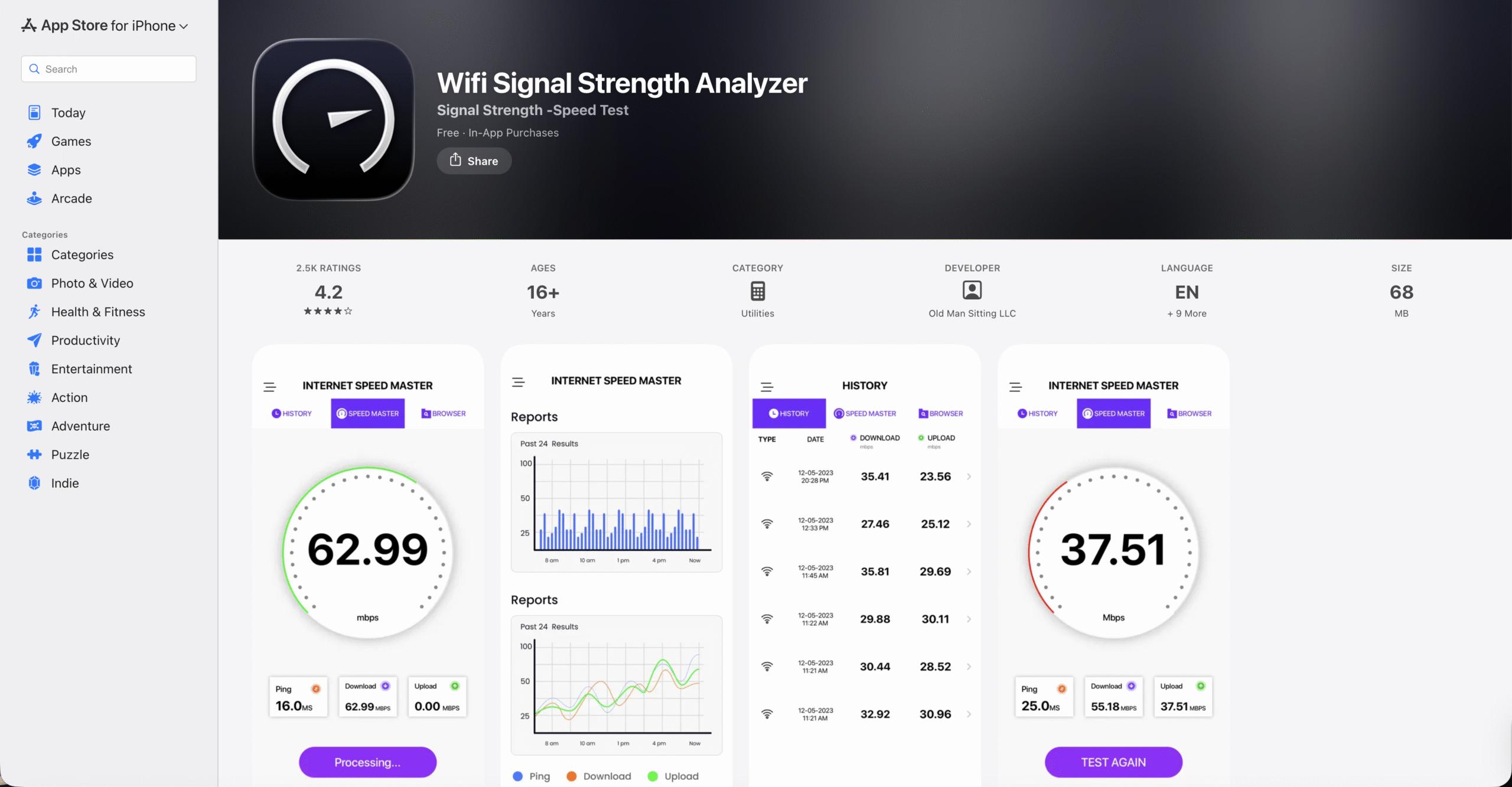
This app specializes in accurate speed testing and signal strength tracking. It displays download and upload speeds clearly and keeps a history of previous tests.
It works well for users who want quick, reliable measurements without advanced network tools.
Speed Test & Wi-Fi Analyzer+
Speed Test & Wi-Fi Analyzer+ combines a responsive interface with additional tools such as ping testing and traceroute. It is designed for users who want more than basic speed checks.
The app also includes advanced testing options for diagnosing latency and connection stability.
Network Analyzer: Net Tools
This app offers detailed network information, including LAN scans and DNS checks. It is aimed at advanced users who understand networking terminology.
While powerful, it may feel overwhelming for beginners.
iNetTools – Ping, DNS, Port Scan
iNetTools focuses on device discovery and diagnostic utilities such as ping and port scanning. It is especially useful for identifying devices connected to your Wi-Fi network.
The app prioritizes diagnostics over speed testing.
Speedtest By Ookla
Speedtest by Ookla remains one of the most recognizable tools for checking Wi-Fi speed. It provides consistent results and an easy-to-understand interface.
While not a full Wi-Fi analyzer, it is ideal for beginners.
Wi-Fi SweetSpots
Wi-Fi SweetSpots measures signal strength as you move around your space. It helps locate areas with the strongest and weakest coverage.
This app works best for finding optimal router placement.
Opensignal Internet Speed Test
Opensignal combines Wi-Fi speed testing with signal discovery tools. It is useful for users who switch between Wi-Fi and mobile data.
The app focuses more on connectivity quality than deep diagnostics.
SpeedSmart Internet Speed Test
SpeedSmart offers clear speed testing and latency measurements for everyday use. It includes app-specific ping tests for streaming and gaming.
This makes it a good option for casual performance checks.
Troubleshooting Common Problems
If scan results seem inconsistent, make sure Location Services are enabled, as iOS restricts Wi-Fi scanning without them. Restarting the app and reconnecting to Wi-Fi often resolves temporary glitches.
For persistent slow speeds, test at different times of day to rule out ISP congestion.
Tips
- Run scans from multiple locations to detect dead zones.
- Check for channel overlap when experiencing interference.
- Relocate your router based on signal strength data.
- Limit the number of connected devices when possible.
FAQ
Does iPhone have a built-in Wi-Fi analyzer?
No, iOS does not include a native Wi-Fi analyzer. Third-party apps are required.
Can Wi-Fi analyzer apps improve speed?
They do not increase speed directly, but they help identify issues that affect performance.
Are Wi-Fi analyzer apps safe to use?
Most reputable apps are safe when downloaded from the App Store.
Summary
- Wi-Fi analyzer apps help diagnose signal and speed issues.
- iOS requires third-party apps for Wi-Fi analysis.
- Different apps suit beginners and advanced users.
Conclusion
Using a Wi-Fi analyzer app on your iPhone or iPad gives you better control over your wireless network. With the right app, you can identify weak spots, reduce interference, and improve overall connectivity without replacing your hardware.



Discussion (0)
Be the first to comment.